 8.2/10
Cloud platform where Replit Agent builds, tests and publishes web and mobile apps with built-in hosting, database and auth.


AI builder that turns a plain-English prompt into a React site in the browser, with ZIP export and one-click Vercel deploys.
We may earn a commission when you buy through our links. How this works
Buildercrow is a simple, low-cost way to get a front-end React site from a prompt and push it to Vercel, and owning the exported code is a plus. It suits non-developers making a landing page or portfolio; anyone who needs a backend, database, payments or a mature product should pick Emergent, Replit or a hosted builder such as Readdy.
Best for: Non-developers who want a React landing page exported or deployed to Vercel
5.2/10 Better options exist. The overall score is our judgment against the questions we ask of every tool, not an average. How we score
| Question | Score | Why |
|---|---|---|
| Does the jobWhat it actually does for the task it is sold for, and where it falls short. | 5.4 | Generates and previews React front-end code from a prompt with chat edits, export and Vercel deploys, per the builder and terms. |
| Ease of useSetup needed and how quickly you get something useful done. | 6.6 | Three steps on one screen and a plain-English Vercel guide, but desktop Chrome, Firefox, Edge or Opera only. |
| Pricing and limitsWhat you pay at a realistic size, including caps, add-ons and deal limits. | 6.2 | $15 one-off export, $20 a month or $120 a year, with refunds only for critical failures within 7 days. |
| Reliability and supportUpdate pace, known problems and how support responds. | 3.8 | No named company, one guide as documentation, and VIP support only for subscribers. |
| Fit against alternativesHow it compares with the alternatives for the people it is aimed at. | 4.6 | Narrower than Emergent, which adds a backend, or Readdy and CodeDesign AI, which add hosting and free plans. |
Buildercrow is an AI website builder that writes a React app from a plain-English description, shows the code and a live preview in your browser, and lets you export the source or deploy it to Vercel. It is for non-developers and makers who want a modern front-end site without setting up a coding environment.
Buildercrow is a prompt-to-code generator for React websites, priced from a $15 one-off export to a $120 yearly pass. Its terms describe it as software that generates React codebase templates from prompts, and warn that the code is not guaranteed to be bug-free or ready for production without review.
The builder runs a Vite project in a virtual machine inside your browser, installs packages there and renders the preview live. Prompts go to Google's Gemini API, sign-in is through Google or GitHub, and billing runs through Lemon Squeezy. The terms, privacy and refund pages carry a June 2026 date, so this is a young product, and the site does not name the company or team behind it.
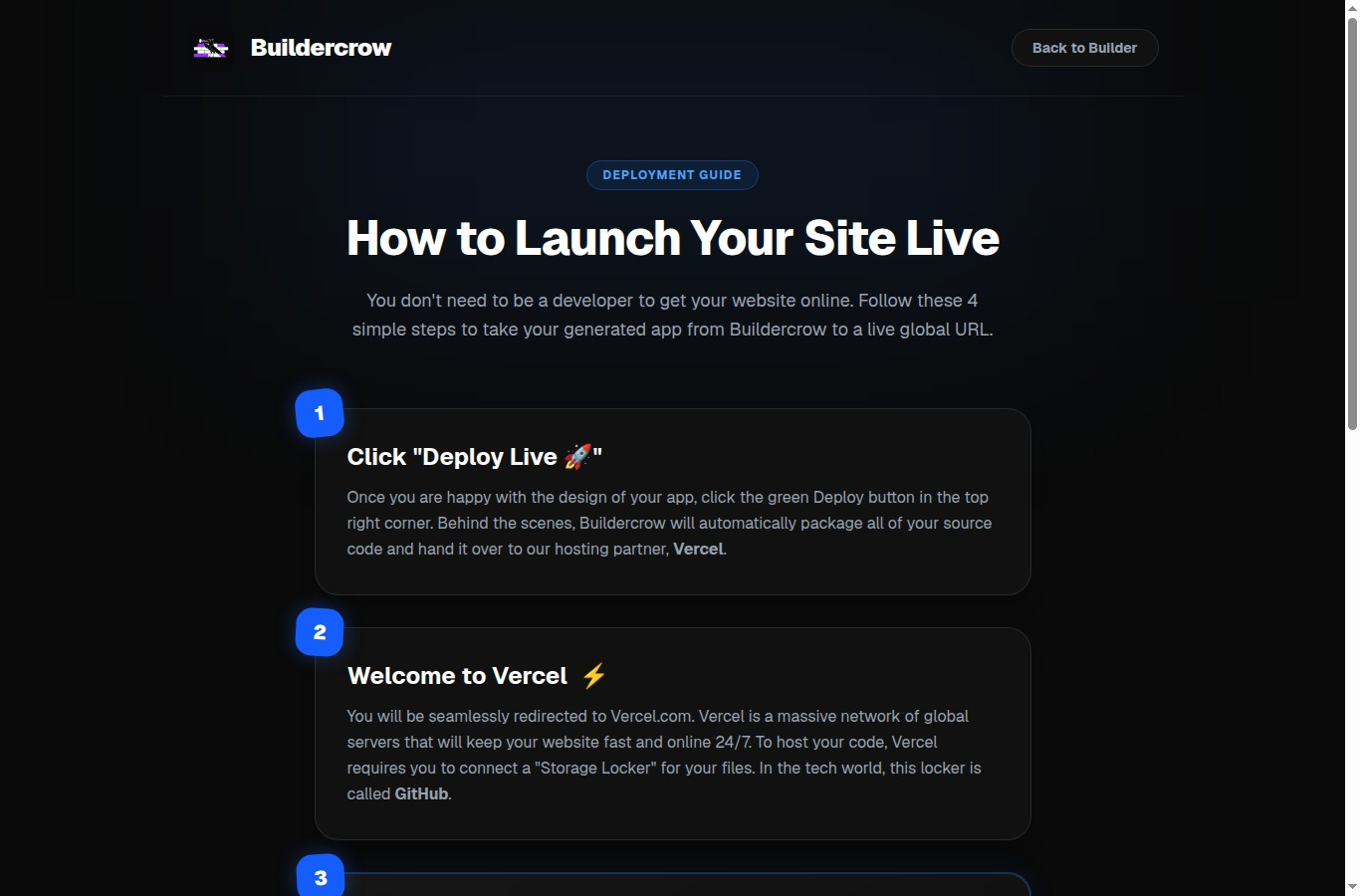
Buildercrow fits someone who wants a landing page, portfolio, dashboard mock-up or simple marketing site as real React code, and who is happy to host it on Vercel or hand the ZIP to a developer. The deployment guide is written for people who have never used GitHub.
Skip it if you need user accounts, a database, a working checkout or server logic, since the terms say it only generates front-end code and never connects payment gateways. Skip it too if you work on an iPad, a phone or Safari, because the builder refuses to run outside a desktop Chrome, Firefox, Edge or Opera browser.
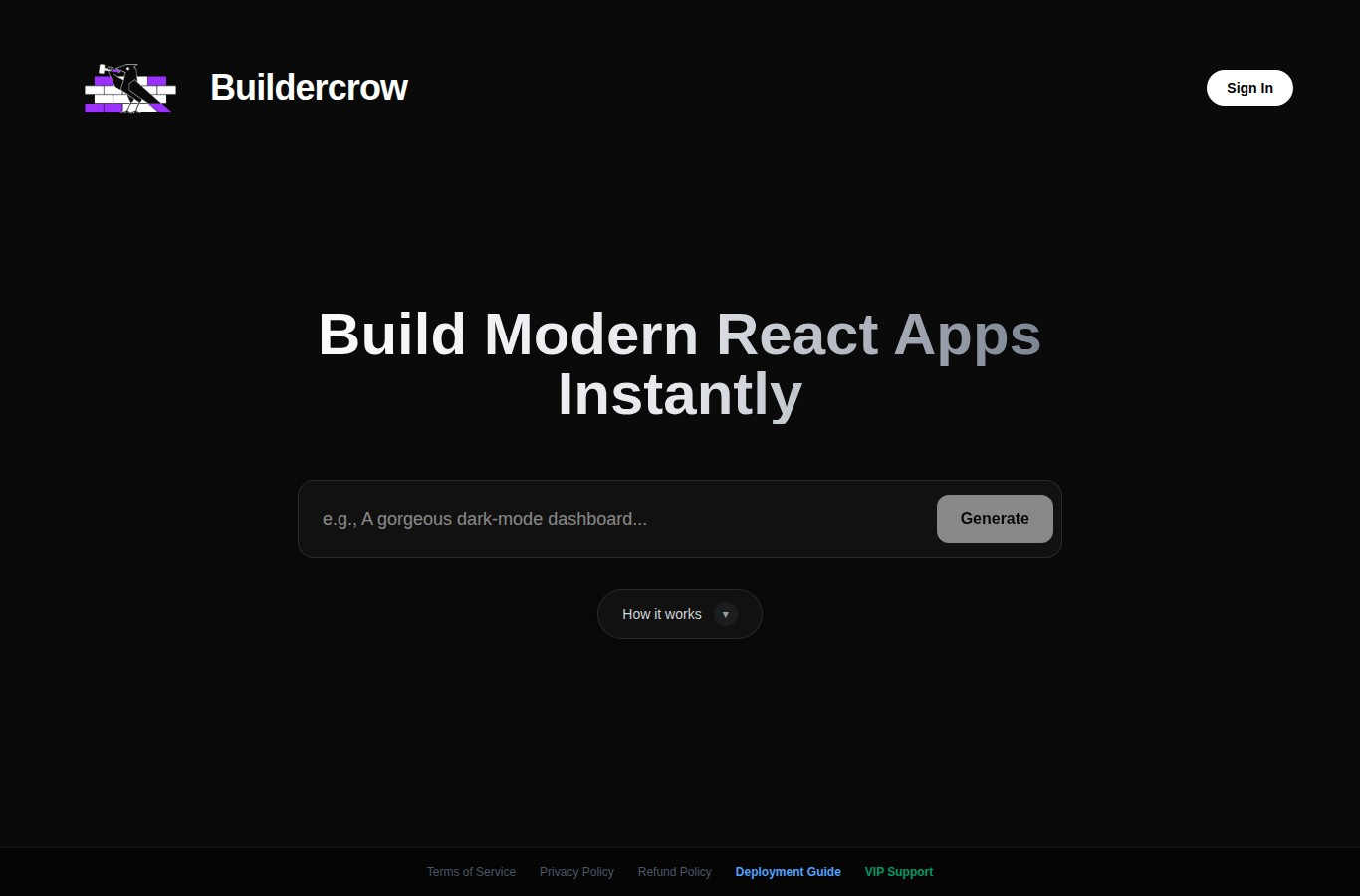
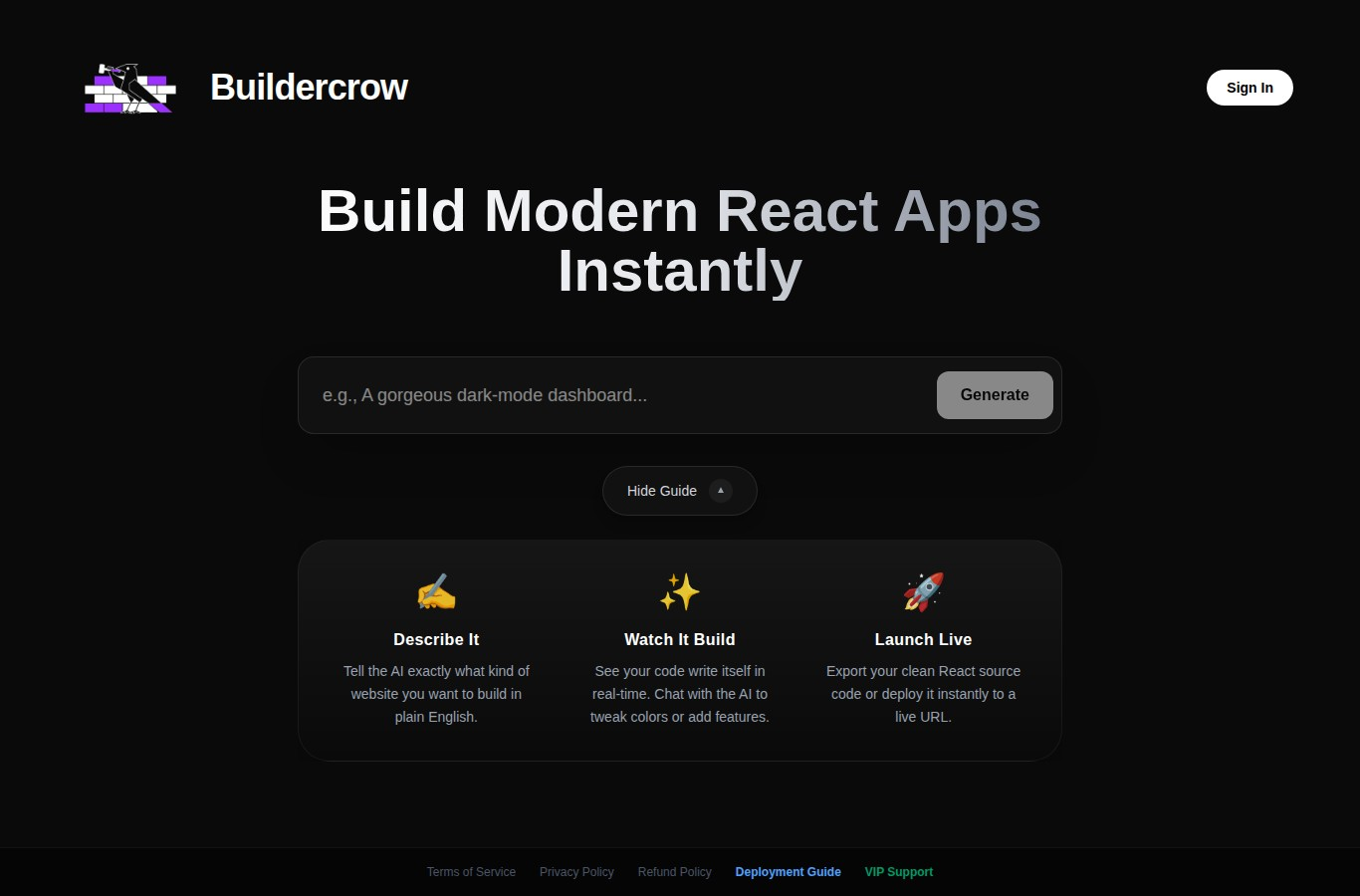
The workflow has three steps: describe the site, watch the AI write it, then launch it. Everything happens on one screen, with the file tree, code and live preview side by side.
You type what you want in plain English, for example a dark-mode dashboard, and press Generate. You need to sign in with Google or GitHub to save the session and generate.
The builder then writes the files in real time, installs dependencies inside its in-browser sandbox and boots a preview. Progress messages such as "Syncing modules (npm install)" and an estimated time show what it is doing, and you can cancel a generation part way.
After the first version, you ask for changes in a chat box, such as "make the buttons red", and the AI edits the code. You can switch between full preview and split screen, open any file to read it, and save named projects to a dashboard to restore later.
Paid passes unlock two exits for the finished site. Export downloads the full React source as a ZIP to host anywhere.
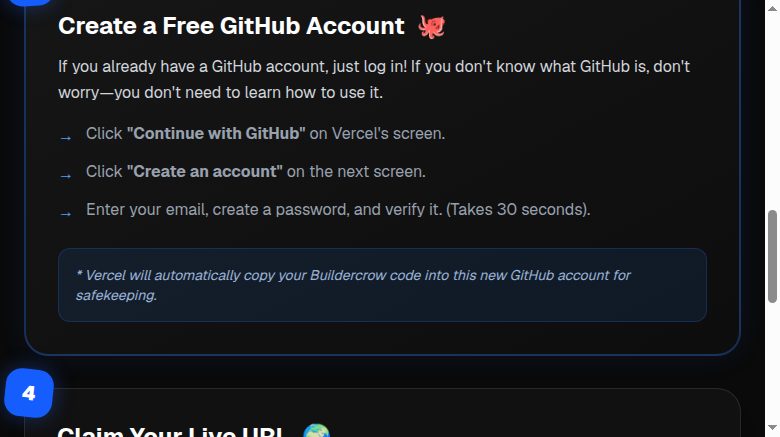
Deploy Live packages the code and sends you to Vercel, where you connect a GitHub account, name the project and deploy. The guide says the site is then live on a secure shareable URL within about 60 seconds. The app caps live deployments at 10 a day, resetting at midnight UTC.
Buildercrow sells one one-off export and two subscription passes, shown in the builder's upgrade window. Prices checked 7 Nov 2026.
| Plan | Price | What it includes | Key limits |
|---|---|---|---|
| Single Export | $15 one-time | One ZIP download of your source code | One-time use only (1 credit); no live Vercel deployments |
| Monthly Pass | $20 per month | Unlimited code exports, one-click Vercel deployments, premium AI models | Billed monthly; live deployments capped at 10 a day |
| Yearly Pass | $120 per year | Commercial use license, unlimited dashboard storage, early access to new AI models, priority VIP support | Billed yearly, about $10 a month; the vendor says it saves $120 a year |
You can cancel a monthly or yearly pass anytime in the Lemon Squeezy billing portal and keep Pro features to the end of the billing cycle. The refund policy treats sales as generally final once a generation or export is complete. You can ask for a refund within 7 days only if a critical technical failure stops you using the service at all, and the vendor decides based on system logs.
One finished site you plan to host yourself costs $15 with a Single Export. A second export would cost another $15, so two sites in a month already costs more than the $20 Monthly Pass, which also adds Vercel deploys. If you build sites through the year, the $120 Yearly Pass works out to $10 a month.
Buildercrow is a web app that needs a desktop browser and an internet connection to Gemini. These are the other facts it publishes.
There is no API, team plan, security certification or company address on the site.
Buildercrow's main limit is scope: it generates front-end React code and leaves everything else to you. These are the drawbacks to weigh.
The closest alternatives also turn a prompt into a working site or app, and most add hosting, a backend or code export. These are the ones I would look at.
Buildercrow does a narrow job at a low price: it turns a prompt into a React front end you own and can put on Vercel in minutes. I would use it for a quick landing page or prototype. For anything with logins, data or payments, Emergent or Replit is the better starting point.
A Single Export is $15 one-time for one ZIP download of your source code. The Monthly Pass is $20 a month with unlimited exports and Vercel deploys, and the Yearly Pass is $120 a year with a commercial use license and priority support.
Yes. Buildercrow's terms say you keep full ownership of the code you export and deploy. Note that the Yearly Pass separately lists a commercial use license among its features.
Its privacy policy says prompts are sent to the Google Gemini API to generate the codebase. The Monthly Pass adds what it calls premium AI models.
No. The terms say generated code may include placeholder checkout elements, but Buildercrow does not connect Stripe, PayPal or any other payment gateway. You have to integrate and secure payments yourself.
Click Deploy Live on a paid monthly or yearly pass, and Buildercrow hands your code to Vercel. You sign in to Vercel with GitHub, name the project and deploy, or you can export a ZIP and host it anywhere.
Yes, in a desktop browser such as Chrome, Firefox, Edge or Opera. The builder blocks Safari and mobile devices because it runs a virtual machine inside the browser.
We may earn a commission when you buy through links on SaaSPic. It never changes our verdicts or the price you pay. Affiliate disclosure
Add this badge to your website so your visitors can read this independent review in one click.
 8.2/10
Cloud platform where Replit Agent builds, tests and publishes web and mobile apps with built-in hosting, database and auth.
 7.0/10
AI website builder that creates editable sites from a prompt, image or URL, with hosting, a built-in backend, forms, SEO and code export.
 6.7/10
AI website builder that generates editable sites from a prompt, with hosting, WordPress publishing and HTML or React export.
 6.9/10
AI app builder that turns a plain-English prompt into full-stack web and mobile apps, with hosting, GitHub sync and app store publishing.
| Tool | Score | From | Free plan | Best for |
|---|---|---|---|---|
| Buildercrow | 5.2/10 | $120/yr | No | Non-developers who want a React landing page exported or deployed to Vercel |
| Replit | 8.2/10 | $20/mo | Yes | Founders and teams building hosted apps with AI |
| Readdy | 7.0/10 | $25/mo | Yes | Small businesses and agencies who want an AI-built site live fast |
| CodeDesign AI | 6.7/10 | $15/mo | Yes | Small businesses wanting an AI built site without lock-in |
| Emergent | 6.9/10 | $20/mo | Yes | Non-technical founders building prototypes and internal tools |
 7.8/10
Drag-and-drop WordPress website builder with a free plugin, Editor Pro plans, the Elementor One bundle and managed hosting.
 7.7/10
Membership platform that adds logins, Stripe payments, gated content and member data to Webflow, WordPress and custom sites.
 7.3/10
Free, open-source Hugo kit for building academic, portfolio, blog and docs sites from Markdown blocks, with optional AI help.