 7.4/10
Managed WordPress and web hosting with free CDN, daily backups, staging, an AI agent and 24/7 human support.


Drag-and-drop WordPress website builder with a free plugin, Editor Pro plans, the Elementor One bundle and managed hosting.
We may earn a commission when you buy through our links. How this works
Elementor suits freelancers, agencies and small businesses who build on WordPress and want visual control with a big template library and AI tools. Skip it if you do not want to run WordPress, or if paying yearly for Pro add-ons and hosting feels like too much for a simple site.
Best for: Freelancers and agencies building WordPress sites visually

7.8/10 Good, with trade-offs. The overall score is our judgment against the questions we ask of every tool, not an average. How we score
| Question | Score | Why |
|---|---|---|
| Does the jobWhat it actually does for the task it is sold for, and where it falls short. | 8.4 | The free plugin and Editor Pro cover visual page and theme building, forms, popups and WooCommerce, with AI and an MCP connection added this year. |
| Ease of useSetup needed and how quickly you get something useful done. | 8.0 | GetApp reviewers rate ease of use 4.5 and praise the drag-and-drop editor, though some mention a learning curve. |
| Pricing and limitsWhat you pay at a realistic size, including caps, add-ons and deal limits. | 7.4 | Paid plans start at $60 a year, but the cheapest plan lacks popups and eCommerce and everything is billed yearly. |
| Reliability and supportUpdate pace, known problems and how support responds. | 6.8 | GetApp rates support 4.3 and reviewers report slow official replies, offset by a large community and frequent releases. |
| Fit against alternativesHow it compares with the alternatives for the people it is aimed at. | 7.8 | Against Divi, Bricks and Beaver Builder it has the largest install base and the broadest bundle, including its own hosting. |
Elementor is a drag-and-drop website builder for WordPress, sold as a free plugin, paid Editor Pro plans, an all-in-one Elementor One bundle and its own managed WordPress hosting. It suits freelancers, agencies and small businesses who want to design WordPress sites visually without writing code.
Elementor is a visual page and theme builder that runs inside WordPress, so you design pages on a live canvas, with no code. The free core plugin shows more than 10 million active installations on WordPress.org, and the vendor says Elementor powers over 23 million websites.
Around that plugin the company sells Editor Pro (premium widgets, Theme Builder, popups, forms and WooCommerce tools), Elementor One (Editor Pro plus AI, image optimization, accessibility, cookie consent, email and site management) and Elementor Host, managed WordPress hosting with Elementor preinstalled.
Elementor fits people who build WordPress sites for themselves or clients and want visual control over every page, header and footer.
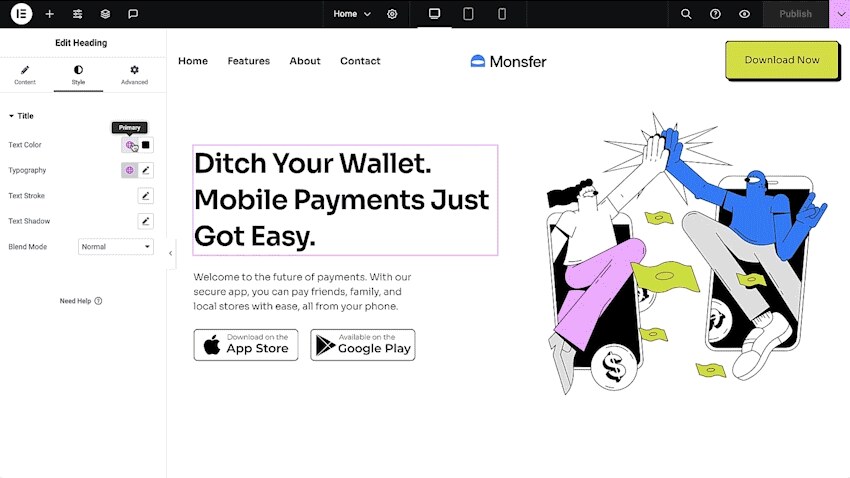
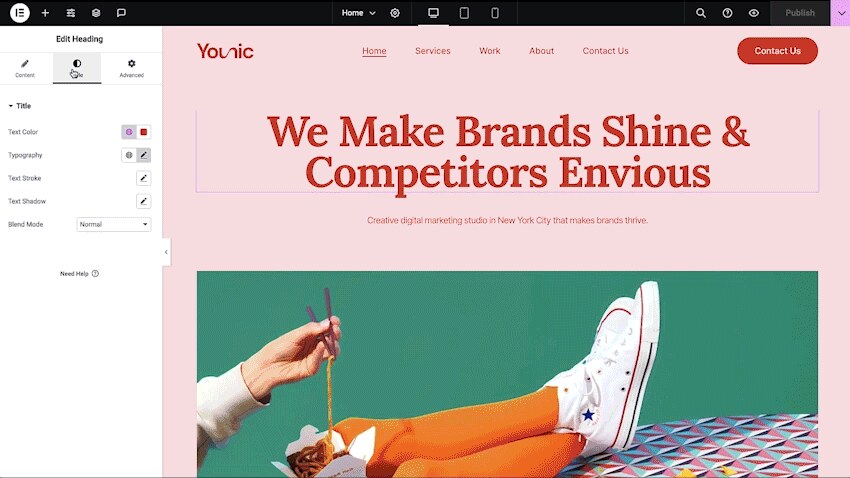
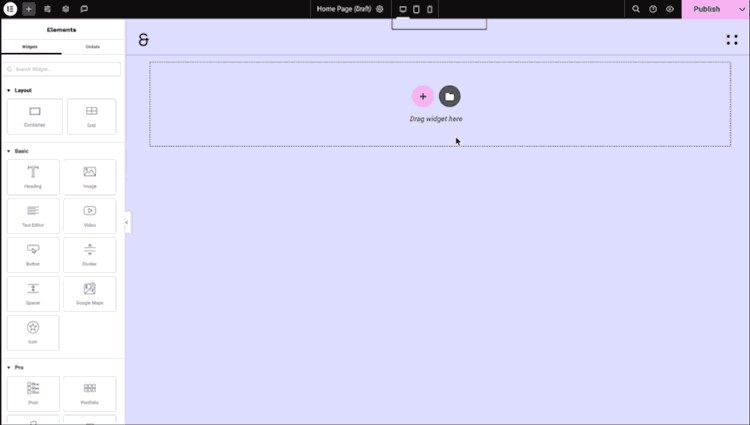
Using Elementor means installing the plugin, picking a template or website kit, then dragging widgets onto the page in a live design interface and styling them with global colors, fonts and classes.
Most of the work in the Elementor editor happens with templates and widgets.
Responsive design is built into the free builder: you can edit and customize how each element behaves on desktop, tablet and mobile, and set custom breakpoints for each device.
Elementor now includes agentic AI that builds custom widgets, sections, layouts and code snippets from plain-language prompts. The Elementor MCP connects Claude, Codex and Cursor to your sites so prompts become editable Elementor structures. On Elementor One, AI draws from a shared monthly credit pool.
Elementor's free plugin costs nothing, Editor Pro (listed as Elementor Pro on WordPress.org) starts at $60 a year for one site, and every paid tier is billed annually with a 30-day money-back guarantee. Prices are in USD, exclude tax and renew at list price. Prices checked 11 Nov 2026.
| Plan | Price (USD) | What it includes |
|---|---|---|
| Elementor (free plugin) | $0 | Drag-and-drop editor, 40+ basic widgets and templates on unlimited sites |
| Essential | $60 a year (about $5 a month) | 1 site, 57 Editor Pro widgets, 10 cloud templates, Theme Builder, Form Builder without stored submissions, no popups, custom CSS or eCommerce |
| Advanced Solo | $84 a year (about $7 a month) | 1 site, 85 widgets, 20 cloud templates, popups, custom code and CSS, eCommerce features, Collaborative Notes |
| Advanced | $108 a year (about $9 a month) | 3 sites and everything in Advanced Solo, 30 cloud templates |
| Expert | $204 a year (about $17 a month) | 25 sites, everything in Advanced, 5,000 cloud templates |
| One | $180 for the first year (about $15 a month) | 1 site, Editor Pro, 25,000 One credits a month for AI, image optimization, accessibility, cookie consent, email and site management. First year 25% off, then regular rate |
| One Agency | $432 a year (about $36 a month) | Unlimited sites, 350,000 One credits a month, 50,000 cloud templates and a multi-site management dashboard |
| Host Cloud 10GB | $180 a year | 1 site, 10,000 monthly visits, 10 GB SSD storage, 10 GB a month bandwidth, 7 days of backups, free domain and migration |
| Host Cloud 3 Sites | $420 a year | 3 sites, 50,000 monthly visits, 40 GB SSD storage, 30 GB a month bandwidth, 30 days of backups |
| Hosting Enterprise | Custom quote | Custom auto-scaling thresholds, single sign-on, security audits and platinum support |
Elementor One does not include hosting. If a hosting plan lapses, the site is suspended first, and after 10 days the site and its dashboard go offline.
A business site with forms, popups and a WooCommerce shop needs at least Advanced Solo at $84 a year, since Essential lacks popups and eCommerce. Adding Elementor's 10GB hosting makes $264 a year. A freelancer with ten client sites would sit on Expert at $204 a year, with hosting bought separately.
Elementor rates well overall, with steady complaints about paid lock-in and support. On WordPress.org the free plugin holds 4.5 out of 5 from 7,325 ratings, although 692 of those are one-star (Nov 2026). On GetApp it scores 4.6 from 908 reviews, with ease of use and value for money at 4.5 and customer support at 4.3 (Nov 2026).
GetApp's summary says users like the drag-and-drop interface, the template range and the time saved. Recurring negatives are that key tools sit behind Elementor Pro and that official support can be slow, with the community and Facebook groups filling the gap. Elementor now adds 24/7 AI support.
Elementor is a WordPress plugin, so it runs wherever WordPress runs, with hosting as an optional extra.
Elementor hosting runs on Google Cloud C2 servers with Cloudflare Enterprise CDN, WAF and DDoS protection, Redis object cache, staging and a 99.9% uptime guarantee.
For the builder, Elementor lists lazy loading, faster font loading, element caching and on-demand scripts as performance features, and says each editor version is faster than the last. For security, it lists ISO/IEC 27001 and SOC 2 Type II certifications and runs a bug bounty program.
This year has centered on AI and the version 4 editor. Version 4.4.0, released on November 9, 2026, added Agent Ready (readiness scoring and bot access controls for AI agents), an SVG icon library with Font Awesome 7, and new List and Google Maps elements. The pricing page now leads with Elementor One.
The pros are a capable free builder and a deep template library, while the main drawbacks are cost creep across add-ons and the weight of a large plugin.
The closest alternatives are other visual WordPress builders, plus hosts if you mainly want hosting.
Elementor is a strong default visual builder for WordPress, with a capable free plugin and fast-moving AI tools. I would pick Advanced Solo or Advanced for most business sites, and only move to One if you would otherwise pay for image optimization, accessibility and email tools separately. Skip it if you do not want WordPress or dislike paying yearly for add-ons.
Yes. The core Elementor plugin is free on WordPress.org and includes the drag-and-drop editor, more than 40 widgets and templates. Paid Editor Pro plans, starting at $60 a year for one site, add the Theme Builder, popups, advanced forms and WooCommerce widgets.
Elementor Pro, now sold as Editor Pro plans, is the paid add-on to the free plugin. It adds up to 85 premium widgets, the Theme Builder for headers, footers and templates, Dynamic Content, the Form Builder, the Popup Builder and eCommerce features, depending on the plan.
Elementor One costs $180 for the first year for one site and adds AI, image optimization, accessibility, cookie consent, transactional email and site management to Editor Pro. It is worth it if you would otherwise buy those tools separately. If you only need the editor, Advanced Solo at $84 a year is cheaper.
No. Elementor One covers the editor and add-on tools, and Elementor Host is a separate subscription. You can use Elementor One on any compatible WordPress host.
Yes. Elementor's website builder plans and Elementor Host plans include a 30-day money-back guarantee. Subscriptions renew at list price on your billing cycle.
Yes. Elementor says you can transfer an Elementor-hosted site to any other host at any time without restrictions, using WordPress export tools, WP-CLI or Elementor's own Import and Export tools. Free migration into Elementor Host is also included.
We may earn a commission when you buy through links on SaaSPic. It never changes our verdicts or the price you pay. Affiliate disclosure
Add this badge to your website so your visitors can read this independent review in one click.
 7.4/10
Managed WordPress and web hosting with free CDN, daily backups, staging, an AI agent and 24/7 human support.
 7.8/10
Low-cost web hosting with LiteSpeed servers, WordPress and an AI website builder, free domain and 24/7 support.
 6.6/10
WordPress plugin and desktop app that lets Claude, Codex or Cursor build pages in your site over MCP, with feedback.
| Tool | Score | From | Free plan | Best for |
|---|---|---|---|---|
| Elementor | 7.8/10 | $60/yr | Yes | Freelancers and agencies building WordPress sites visually |
| SiteGround | 7.4/10 | $2.99/mo | No | Small businesses wanting managed WordPress hosting |
| Hostinger | 7.8/10 | $2.49/mo | No | Beginners and small sites on a tight budget |
| BuildPress | 6.6/10 | $49/yr | No | WordPress freelancers building with their own AI |
 7.7/10
Membership platform that adds logins, Stripe payments, gated content and member data to Webflow, WordPress and custom sites.
 7.3/10
Free, open-source Hugo kit for building academic, portfolio, blog and docs sites from Markdown blocks, with optional AI help.
 7.2/10
AI website, landing page and funnel builder from Onepage, with a visual editor, CRM, EU hosting and a separate forms and funnels add-on.