 7.4/10
Swiss eSignature app from Alohi for signing and sending documents on web, mobile and API, with QES, HIPAA and SOC 2 options.


eSignature and contract management app for signing and sending documents on web and mobile, with Google, Microsoft and HubSpot apps.
We may earn a commission when you buy through our links. How this works
Signeasy suits individuals and small to mid-sized teams that want affordable, legally binding eSignatures with excellent mobile apps and Google or Microsoft integrations. Skip it if you need SSO, HIPAA or API access without a sales call, or a full contract lifecycle suite.
Best for: Small teams signing and sending contracts from Google or Microsoft apps
7.6/10 Good, with trade-offs. The overall score is our judgment against the questions we ask of every tool, not an average. How we score
| Question | Score | Why |
|---|---|---|
| Does the jobWhat it actually does for the task it is sold for, and where it falls short. | 8.0 | Signeasy covers signing, sending, templates, reminders, approval workflows and audit trails, and ICM adds a contract repository, renewal alerts and AI search. |
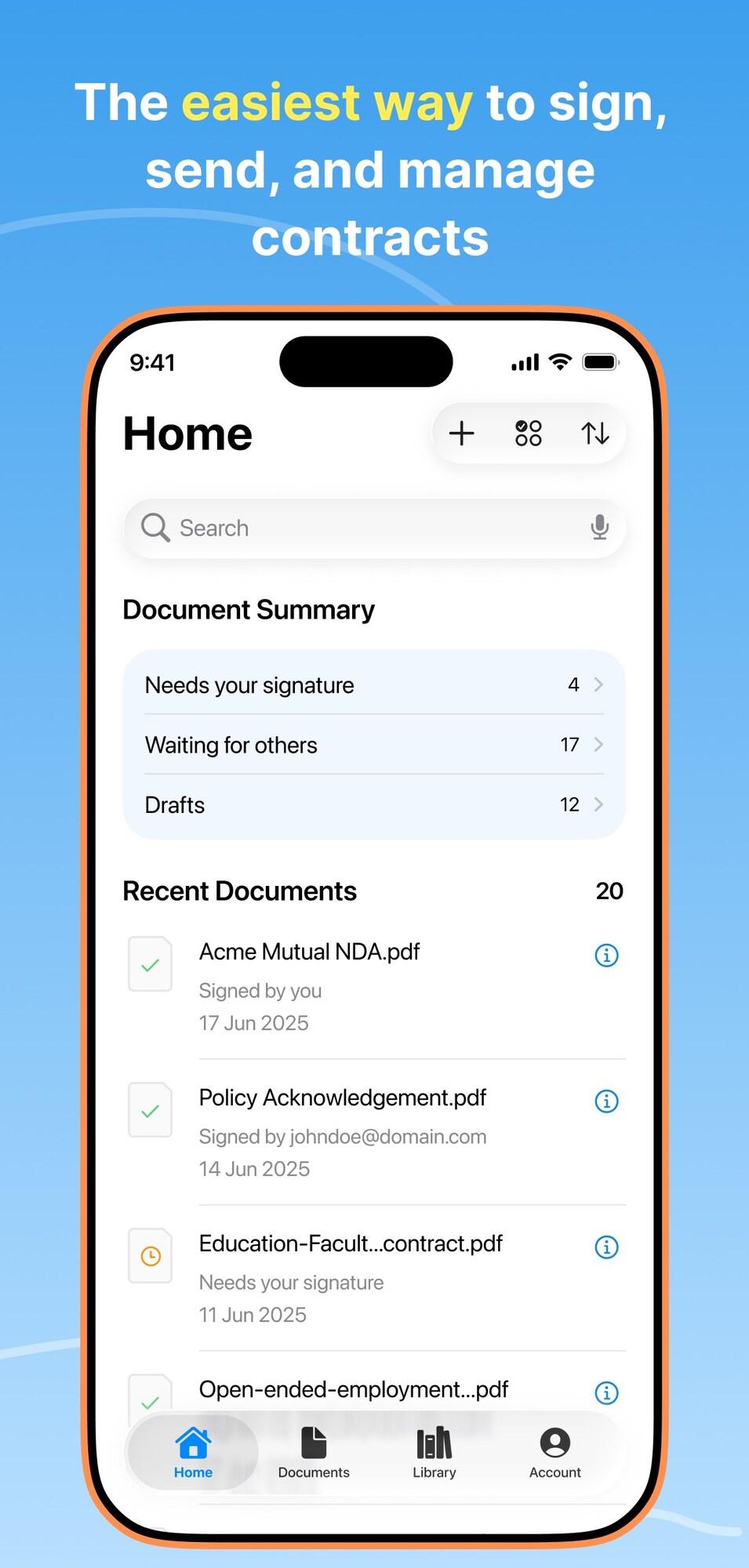
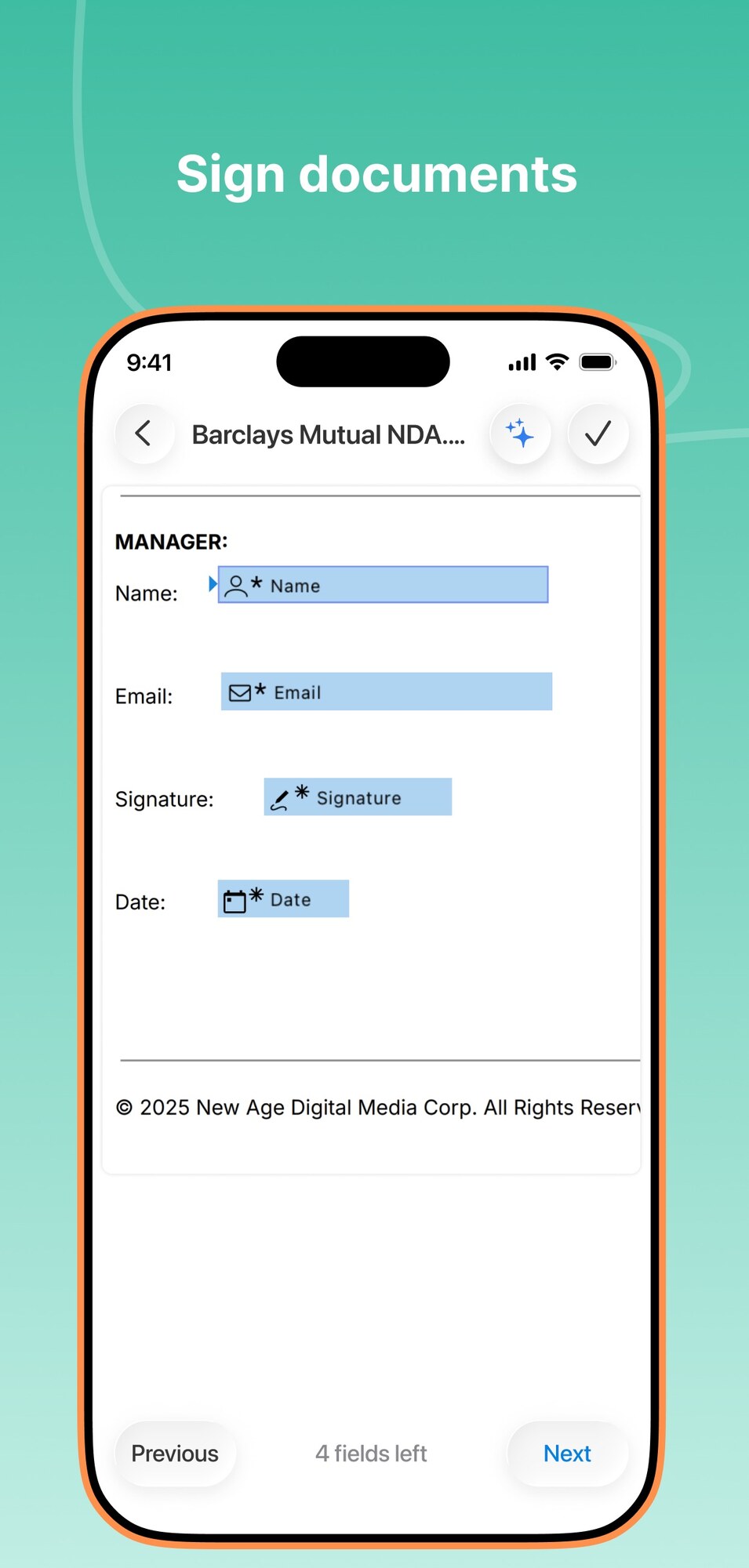
| Ease of useSetup needed and how quickly you get something useful done. | 8.6 | The iPhone app scores 4.9 from 34,000 App Store ratings and is an Editors' Choice pick, though one reviewer notes adding fields on the phone is limited. |
| Pricing and limitsWhat you pay at a realistic size, including caps, add-ons and deal limits. | 7.4 | Business is $20 per seat a month billed yearly with unlimited sending and a 100-day refund window, but Personal caps sending at five a month. |
| Reliability and supportUpdate pace, known problems and how support responds. | 7.2 | Business plans include 24/7 email support and Business Pro priority support, with SOC 2, ESIGN, UETA and eIDAS compliance listed. |
| Fit against alternativesHow it compares with the alternatives for the people it is aimed at. | 7.0 | Against Docusign, Dropbox Sign and PandaDoc it is a lower-cost pick for Google and Microsoft users, while SSO, HIPAA and the API need custom plans. |
Signeasy is an eSignature and contract management platform for signing documents yourself, sending them to others for signature and, on its newer plans, storing and tracking every contract with AI. It suits sole traders and small to mid-sized teams that live in Google Workspace or Microsoft 365; large enterprises that need deep contract lifecycle tools or the widest app catalog may want a bigger platform.
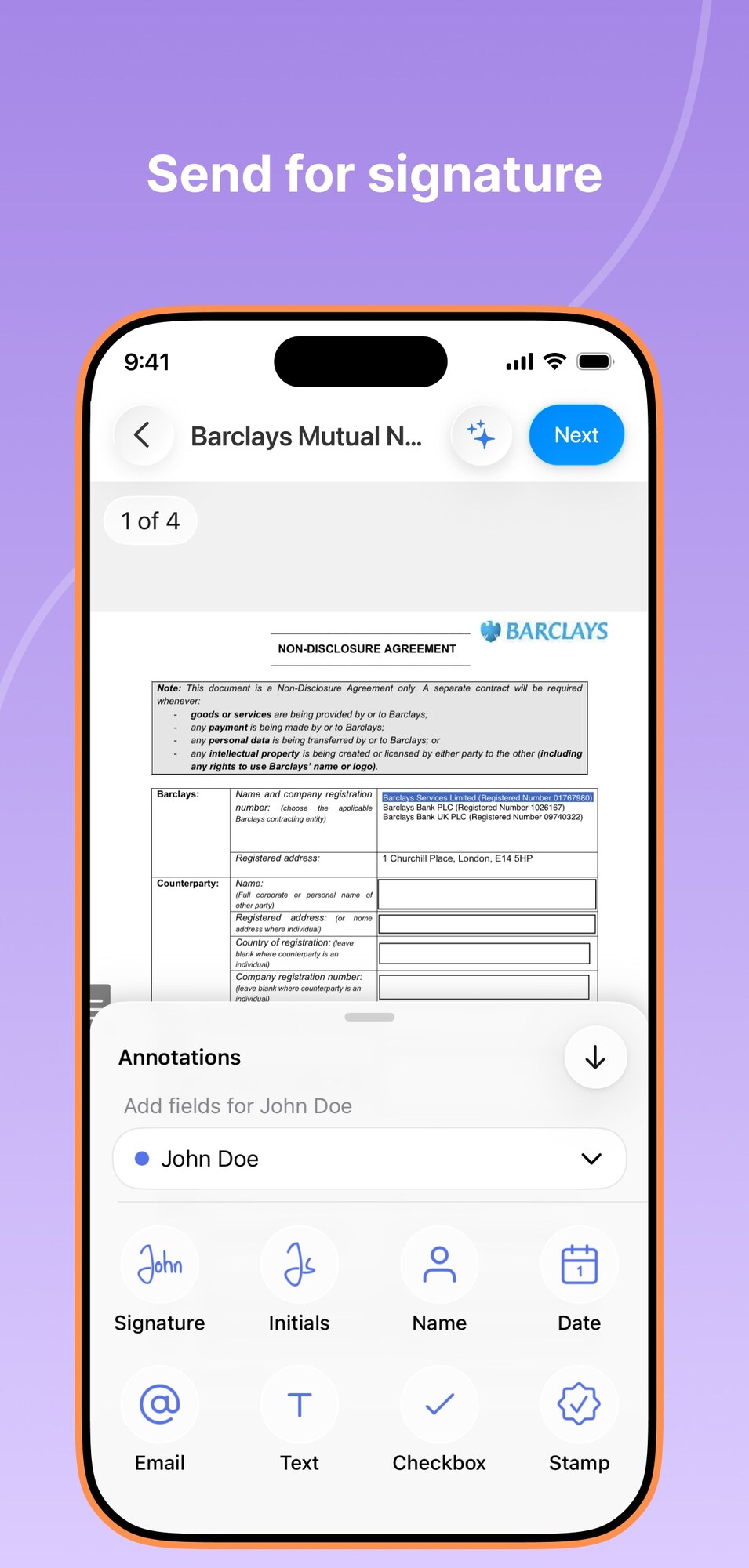
Signeasy is a US and India based eSignature tool, founded in 2010, that works on the web, iPhone, iPad, Mac and Android, on any device, and inside Google and Microsoft apps. You upload a document, sign it or add signature fields for signers, send a signature request by email or link, and get back a legally binding signed document with an audit trail.
The company also now sells Intelligent Contract Management (ICM), which adds a searchable contract repository, renewal reminders, key term extraction and AI search. The vendor says Signeasy has 10 million users in 180 countries, which is its own figure.
It is for individuals and teams that want eSignatures at a lower seat price than the biggest brands, with good mobile apps. People who receive a document do not pay or need an account to sign.
The workflow is upload, prepare, send, track and store, and higher plans add team and contract tools.
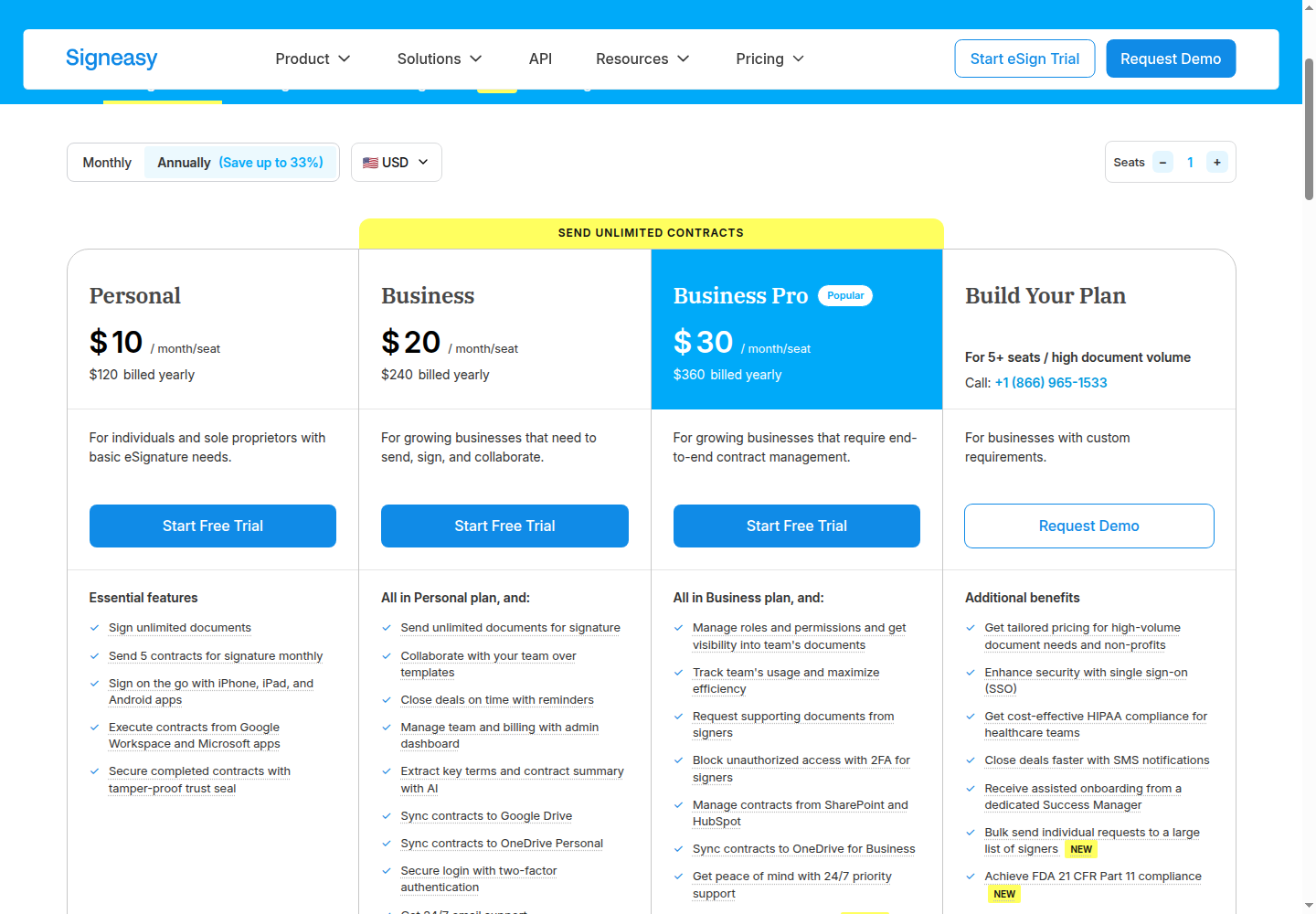
Signeasy eSignature plans start at $15 a month for one user on monthly billing, or $10 a month ($120 a year) on yearly billing. Prices checked 10 Nov 2026 on the official pricing page in US dollars.
| Plan | Monthly billing (USD) | Yearly billing (USD) | Key limits and inclusions |
|---|---|---|---|
| Personal | $15 a month, 1 user | $10 a month, $120 a year | Sign unlimited documents, send 5 documents for signature a month, mobile apps, Google and Microsoft apps, trust seal |
| Business | $30 per seat a month | $20 per seat a month, $240 a year | Unlimited sending, team templates, reminders, admin dashboard, AI key terms and summary, Google Drive and OneDrive sync, 2FA, 24/7 email support |
| Business Pro | $40 per seat a month | $30 per seat a month, $360 a year | Business features plus roles and permissions, usage reports, signer attachments, signer 2FA, SharePoint and HubSpot, approval workflows, priority support |
| Build Your Plan (eSignature) | Custom quote | Custom quote | For 5+ seats or high volume, with SSO, HIPAA, SMS, bulk send, 21 CFR Part 11, API and a success manager |
| ICM Core | $45 per seat a month | No separate yearly price listed | Minimum 3 seats, unlimited sends, contract repository, 5 shared workspaces, AI search, renewal alerts, 500 bulk imports a year |
| ICM Pro | $60 per seat a month | No separate yearly price listed | Minimum 3 seats, unlimited workspaces, custom contract types, bulk send, SSO, white-glove onboarding, dedicated success manager |
| ICM Build Your Plan | Custom quote | Custom quote | For high-volume or regulated businesses, with HIPAA, 21 CFR Part 11, SMS and custom AI setups |
There is a 14-day free trial and no permanent free plan. Subscriptions renew automatically at the end of each period, you can cancel any time and keep access until the period ends, and the vendor offers a 100-day money-back guarantee on yearly Personal, Business and Business Pro plans, with no partial refunds after 100 days. A fair usage policy applies to every account.
For a typical small team, three people on Business with yearly billing pay $720 a year, while three seats on ICM Core cost $135 a month. One person sending a few contracts a month can stay on Personal, but the sixth signature request in a month needs a Business seat.
Ratings are very strong on iPhone. Signeasy scores 4.9 stars out of 5 from 34,000 ratings on the US App Store, where it is an Editors' Choice pick (seen 10 Nov 2026).
A long-time 5 star reviewer praises signing on the go, saved personal info that fills in with one click, and a helpful support team. A more mixed reviewer says you cannot add fields when sending a doc from the phone and that the site sometimes fails late at night. The pricing page cites two 4.7 star scores from 781 and 460 reviews as of July 2026, the vendor's own figures.
Signeasy runs on the web, iOS 16 or later, iPadOS, Apple silicon Macs and Android, and integrates with Google Workspace, Microsoft 365, HubSpot and Teamtailor. The iOS download is in English and 23 more languages.
The biggest recent change is the launch of Intelligent Contract Management, with its own ICM plans. The updates page shows smaller releases too.
The main limits are the five-send cap on Personal, the sales-led add-ons and the separate ICM pricing.
The main Signeasy alternatives are other eSignature apps, and the right pick depends on price, ecosystem and how much contract management you need.
Signeasy is a well-rated, fairly priced document signing tool with a standout iPhone app and good Google and Microsoft integrations, and ICM now gives it a path into contract management. I would pick Business on yearly billing for a small team that sends contracts every week, using the 100-day refund window as a safety net. I would skip it if I needed SSO or HIPAA without a sales call, or a full contract lifecycle suite.
Signeasy lets you sign documents yourself, send them to others for legally binding eSignatures and track their status on the web and mobile apps. Its ICM plans add a contract repository, renewal reminders and AI search across your contracts.
Signeasy Personal costs $15 a month billed monthly or $10 a month billed yearly. Business is $30 or $20 per seat a month, and Business Pro is $40 or $30. Prices checked 10 Nov 2026.
There is no permanent free plan, but Signeasy offers a 14-day free trial. People you send documents to can sign for free and do not need a Signeasy account.
Yes. Signeasy says its eSignatures comply with the ESIGN Act and UETA in the US and eIDAS in the EU, and every signed document comes with a digital audit trail and a tamper-evident trust seal.
Yes. Signeasy integrates with Google Drive, Gmail, Google Docs and Google Sheets, and Business plans can sync signed contracts to Google Drive automatically. Personal can import from Google Drive.
Yes, on yearly plans. Signeasy offers a 100-day money-back guarantee on yearly Personal, Business and Business Pro plans, with no partial refunds after 100 days. Monthly plans can be cancelled at any time and stay active until the period ends.
We may earn a commission when you buy through links on SaaSPic. It never changes our verdicts or the price you pay. Affiliate disclosure
Add this badge to your website so your visitors can read this independent review in one click.
 7.4/10
Swiss eSignature app from Alohi for signing and sending documents on web, mobile and API, with QES, HIPAA and SOC 2 options.
 7.3/10
Contract lifecycle management and e-signature platform with CRM integrations, AI contract insights and EU hosting.
 8.4/10
Scheduling software that lets people book time with you through a link, with team routing, reminders, payments and AI meeting recaps.
 8.3/10
Web booking page and scheduler that syncs your calendars and lets clients book and pay for sessions, packages and subscriptions.
 8.1/10
Time tracker and timesheet app for teams, with a free plan and per-seat paid tiers for invoicing, approvals and scheduling.