 7.6/10
eSignature and contract management app for signing and sending documents on web and mobile, with Google, Microsoft and HubSpot apps.


Swiss eSignature app from Alohi for signing and sending documents on web, mobile and API, with QES, HIPAA and SOC 2 options.
We may earn a commission when you buy through our links. How this works
Sign.Plus is a capable, well-priced eSignature app with strong security and compliance for its price. It suits small teams that want unlimited requests at a fair per-user price or need QES in Europe; teams that need deep integrations or a long track record should look at DocuSign or Dropbox Sign.
Best for: Small teams and regulated businesses that want affordable, compliant eSignatures
7.4/10 Good, with trade-offs. The overall score is our judgment against the questions we ask of every tool, not an average. How we score
| Question | Score | Why |
|---|---|---|
| Does the jobWhat it actually does for the task it is sold for, and where it falls short. | 7.8 | Covers signing workflows, templates, bulk send, in-person signing, forms, ID checks and QES, per the Sign.Plus pricing and feature pages. |
| Ease of useSetup needed and how quickly you get something useful done. | 7.6 | Recipients sign without an account and the Android app holds 4.9 from 740 Google Play reviews. |
| Pricing and limitsWhat you pay at a realistic size, including caps, add-ons and deal limits. | 7.4 | Unlimited requests from $19.99 per user a month billed annually, but the free plan stops at three requests and the BAA needs Enterprise. |
| Reliability and supportUpdate pace, known problems and how support responds. | 6.8 | Regular 2026 release notes and priority support on Enterprise, but no G2 reviews yet to judge support quality. |
| Fit against alternativesHow it compares with the alternatives for the people it is aimed at. | 7.0 | Lists more compliance standards than most small eSign tools, while DocuSign and Dropbox Sign offer far larger review bases and integrations. |
Sign.Plus is an electronic signature app from the Swiss company Alohi for signing documents yourself and sending them to others to sign online, on mobile or through a developer API. It suits freelancers, small businesses and regulated teams who want legally binding electronic signatures with strong compliance at a lower price than the big names.
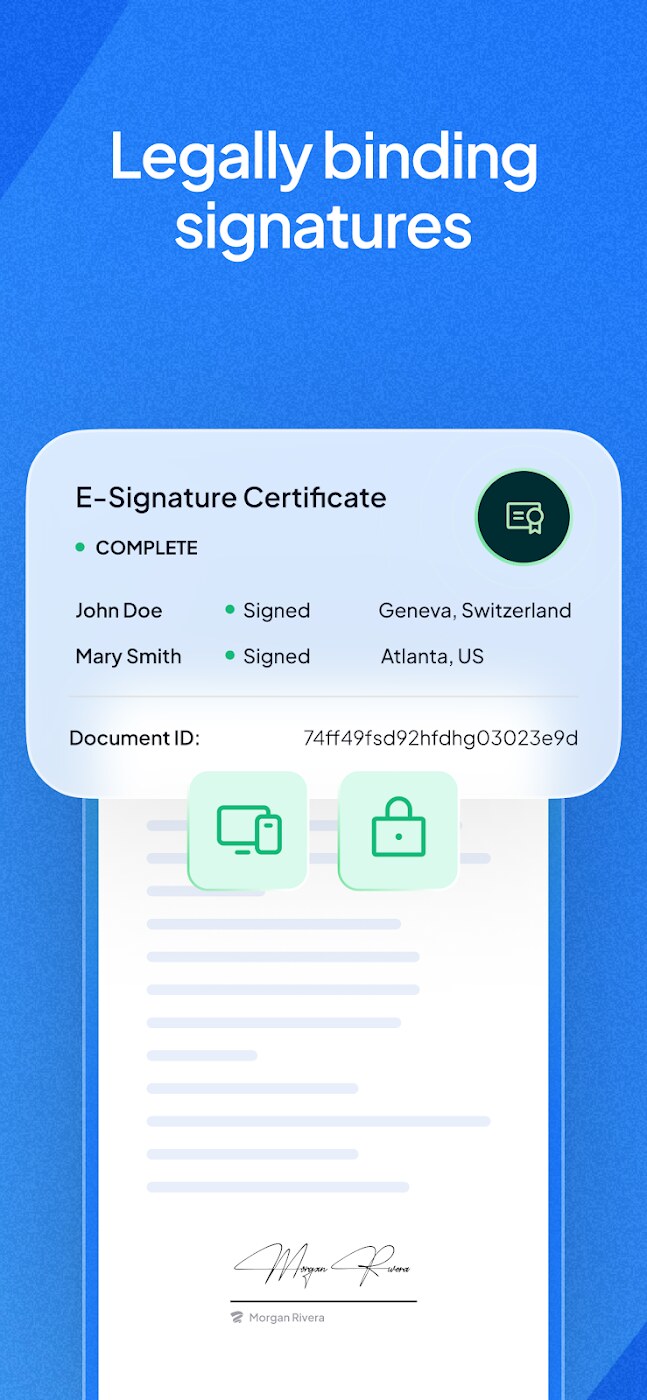
Sign.Plus is a legally binding electronic signature solution that covers the usual eSign job: upload a PDF or Word document, add signature fields, send it, and keep a tamper-proof audit trail. Alohi, based in Geneva and founded in 2016, also makes online fax, scanning and AI phone apps, and says its products serve more than 5 million users.
This review covers the eSignature app and its developer plans. Alohi says it is bootstrapped, started with seed support from Fongit in Geneva, and later became HIPAA compliant, ISO 27001 certified and SOC 2 compliant.
Sign.Plus fits a solo professional or small business that sends contracts, NDAs, leases or forms each month and wants published prices, a free plan to try it, and compliance paperwork such as a HIPAA BAA on the top plan. It also suits EU and Swiss users who need qualified electronic signatures under eIDAS or ZertES.
Skip it if you need deep CRM integrations beyond Zapier and the developer tools, or if you want a tool with a long public review history: Sign.Plus has no reviews on G2 yet, while DocuSign has thousands.
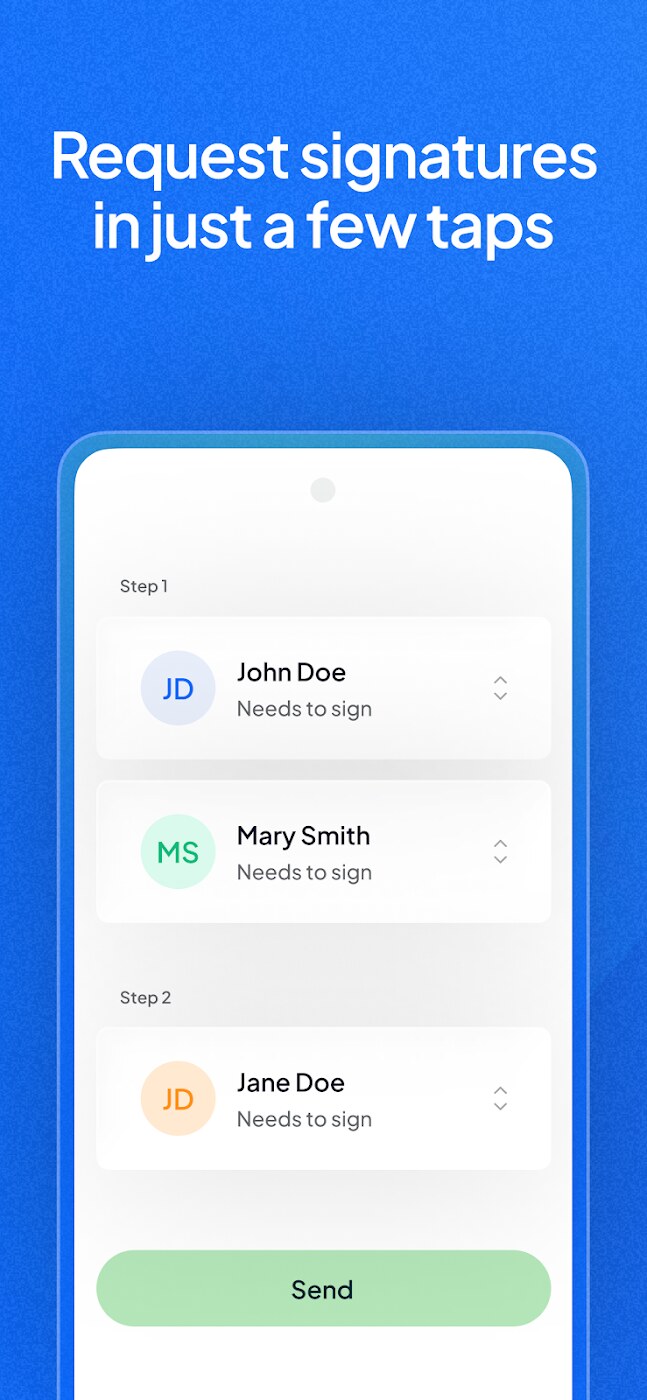
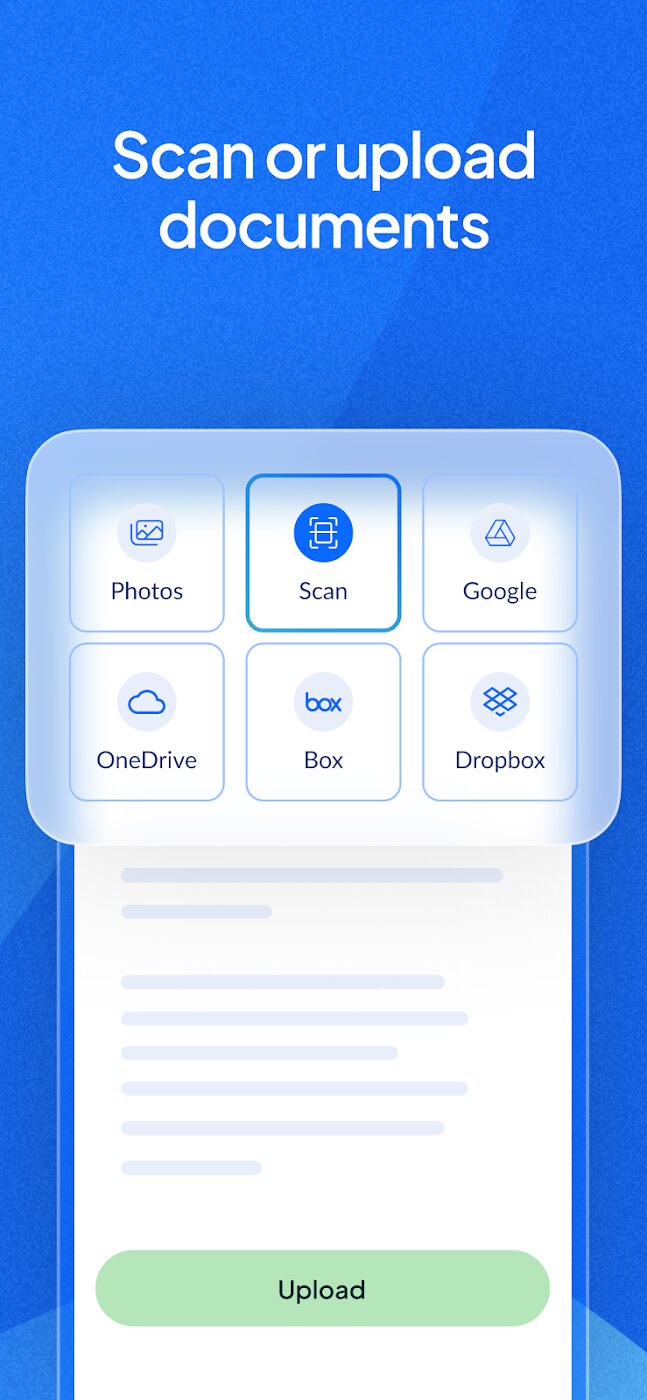
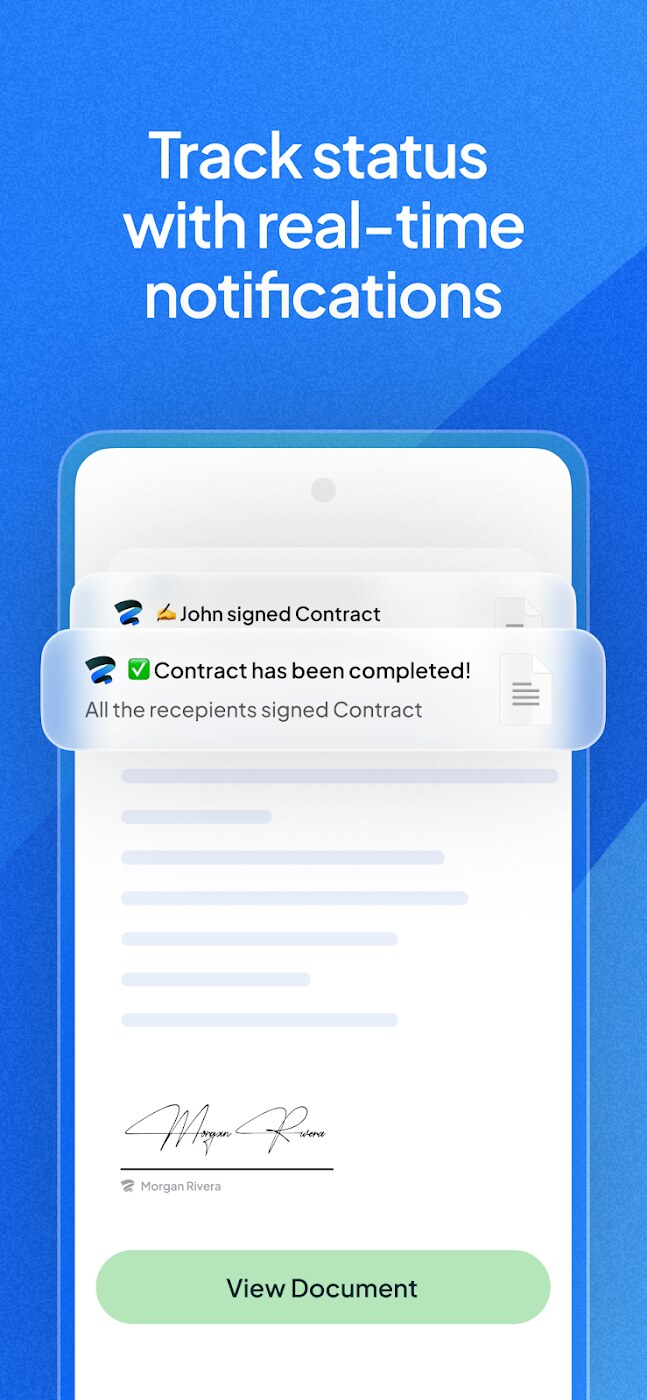
The workflow is simple: upload or scan a document, place fields, choose signers and signing order, then send by email, SMS or WhatsApp. Recipients do not need a Sign.Plus account. The app sends real-time notifications as each person signs, and a real-time audit trail feeds a Certificate of Completion that records names, emails, IP addresses, locations and time stamps for every document activity.
The core signing tools are on every plan, and the team features start at Professional.
The Sign.Plus mobile app runs on Android and iOS, and paid plans include Scan.Plus Pro for turning paper into digital documents. You can fill and sign PDF documents, Word files and other supported formats. Integrations cover Google Workspace (including a Gmail extension), Microsoft Word, Google Drive, iCloud Drive, OneDrive, Dropbox and Box, with Zapier on Business and above, and a separate eSignature API with webhooks.
Sign.Plus has a free plan, then paid plans from $9.99 a month billed annually ($14.99 billed monthly) for one user. Team plans are priced per user, annual billing saves up to 40%, and taxes are extra. All paid plans offer a free trial, and subscriptions renew automatically. Prices checked 6 Nov 2026.
| Plan | Price (USD) | Key limits | Notable features |
|---|---|---|---|
| Free | $0 | 1 user, 3 signature requests in total, 1 template | Sign Myself, signing workflow, audit trail, mobile app |
| Personal | $119.99 a year ($9.99 a month), or $14.99 billed monthly | 1 user, 10 requests a month, 5 templates | Reminders, expiration dates, cloud storage, Gmail extension, QES access |
| Professional | $239.99 per user a year ($19.99 a month), or $29.99 per user monthly | Up to 5 users, unlimited requests, 10 templates | Folders, SMS authentication, in-person signing, public forms, attachments, ID verification, 10 SMS or WhatsApp sends per seat a month |
| Business | $359.99 per user a year ($29.99 a month), or $49.99 per user monthly | Multiple users, unlimited requests and templates | Document sharing, Zapier, custom branding, 30 SMS or WhatsApp sends per seat a month |
| Enterprise | $599.99 per user a year ($49.99 a month), or $79.99 per user monthly | Multiple users, unlimited requests and templates | SSO, HIPAA with BAA, PHIPA, advanced security controls, data residency, priority support, 150 SMS or WhatsApp sends per seat a month |
| API Essential | $911.99 a year ($75.99 a month), or $79.99 monthly | 50 signatures a month, 5 templates | SES, AES and QES levels, webhooks, custom branding, HIPAA |
| API Grow | $3,359.99 a year ($279.99 a month), or $299.99 monthly | 200 signatures a month, 10 templates | Same API features as Essential |
| API Scale | $7,919.99 a year ($659.99 a month) | 600 signatures a month, unlimited templates | Same API features as Essential |
| API Enterprise | Custom quote | High volume | Same API features, sales call |
Qualified Electronic Signatures cost $5 per recipient on any plan, bought as credits in packs of 10 to 1,000. A free developer sandbox lets you test before paying.
Most buyers only need one of three plans. Personal fits one person who signs and sends up to 10 documents a month. Professional is the step for a small team that wants unlimited signature requests, forms and SMS verification. Business adds Zapier, document sharing and custom branding, and Enterprise is for healthcare or larger firms that need a BAA, SSO, advanced security controls and data residency.
A freelancer sending up to 10 contracts a month pays $119.99 a year on Personal, about $1 per request. A three-person office that needs unlimited requests pays $719.97 a year on Professional, and each qualified signature adds $5 per signer.
The clearest user signal is the Android app: 4.9 out of 5 from 740 Google Play reviews and more than 50,000 downloads (Nov 2026). G2 lists Sign.Plus with no reviews yet, so there is little independent feedback on the web app or team support.
Security is the strongest part of the pitch: Alohi says Sign.Plus is a secure, legally-binding electronic signature solution, with data encryption at rest using 256-bit AES and a unique encryption key per user, and TLS for data in transit. The plan comparison lists two-factor authentication on all plans and advanced security controls and data residency on Enterprise.
It follows electronic signature regulations such as ESIGN, eIDAS and ZertES, and lists ISO 27001, SOC 2 Type II, GDPR, CCPA, PCI DSS, PHIPA, HIPAA and a Business Associate Agreement (BAA). That is a broader list than many small eSignature tools publish, though the BAA and data residency need Enterprise. GDPR and SOC 2 controls apply to every account. For support, every plan gets the help center and a public system status page, and Enterprise adds priority support. Alohi does not publish response times.
Alohi's release notes show steady updates in 2026. On 23 June it improved signature fields on mobile web, on 25 June it added PHIPA safeguards for Ontario health data, and its July round-up says data residency now covers more than 40 locations and billing became simpler.
The free plan is a trial in practice: three signature requests in total, not per month. Personal caps you at 10 requests a month, Zapier and custom branding need Business, and the BAA, SSO and data residency need Enterprise at $599.99 per user a year. SMS and WhatsApp delivery is metered per seat, and QES is charged per recipient. Public review data on the electronic signature web app, outside Google Play, is thin.
The closest Sign.Plus alternatives are the established eSignature platforms, which G2 lists as top-rated alternatives with large review bases. Each does the same signing job with a different trade-off on price, integrations and track record.
Sign.Plus is a capable, well-priced eSignature app with an unusually strong security and compliance list for its price. I would pick it over the big names if you are a small team that wants unlimited requests at $19.99 per user a month billed annually, or if you need QES in Europe. If integrations or a long track record matter more, DocuSign or Dropbox Sign are the safer choices.
Sign.Plus has a free plan for one user with three signature requests in total and one template. Paid plans start at $9.99 a month billed annually, and each paid plan offers a free trial.
You upload or scan a document, add signature fields, choose signers and the signing order, and send the request by email, SMS or WhatsApp. Recipients sign without an account, and you get real-time notifications and an audit trail.
Alohi says Sign.Plus complies with ESIGN, eIDAS and ZertES, and lists ISO 27001, SOC 2 Type II, GDPR, CCPA and HIPAA. Documents are encrypted at rest with 256-bit AES and a unique key per user.
Yes. Qualified Electronic Signatures under eIDAS and ZertES are available on all plans and cost $5 per recipient, billed as credits in packs of 10 to 1,000.
DocuSign is the main alternative if you need its integrations and track record. Dropbox Sign, airSlate SignNow and Signeasy are well-rated options on G2 for smaller teams.
No. Recipients get an email inviting them to review and sign the document whether or not they have a Sign.Plus account, according to the Sign.Plus pricing FAQ.
We may earn a commission when you buy through links on SaaSPic. It never changes our verdicts or the price you pay. Affiliate disclosure
Add this badge to your website so your visitors can read this independent review in one click.
 7.6/10
eSignature and contract management app for signing and sending documents on web and mobile, with Google, Microsoft and HubSpot apps.
 8.4/10
Scheduling software that lets people book time with you through a link, with team routing, reminders, payments and AI meeting recaps.
 8.3/10
Web booking page and scheduler that syncs your calendars and lets clients book and pay for sessions, packages and subscriptions.
 8.1/10
Time tracker and timesheet app for teams, with a free plan and per-seat paid tiers for invoicing, approvals and scheduling.