 7.6/10
All-in-one CRM, funnel, messaging and AI platform that agencies can white-label and resell to their clients.


All-in-one CRM for small businesses with email marketing, sales pipeline, appointment scheduling, live chat and help desk.
We may earn a commission when you buy through our links. How this works
EngageBay gives small teams marketing, sales and support tools in one database at a low price, with strong support ratings. Skip it if email deliverability at volume or detailed reporting matters most.
Best for: Small teams replacing several marketing and sales tools
7.2/10 Good, with trade-offs. The overall score is our judgment against the questions we ask of every tool, not an average. How we score
| Question | Score | Why |
|---|---|---|
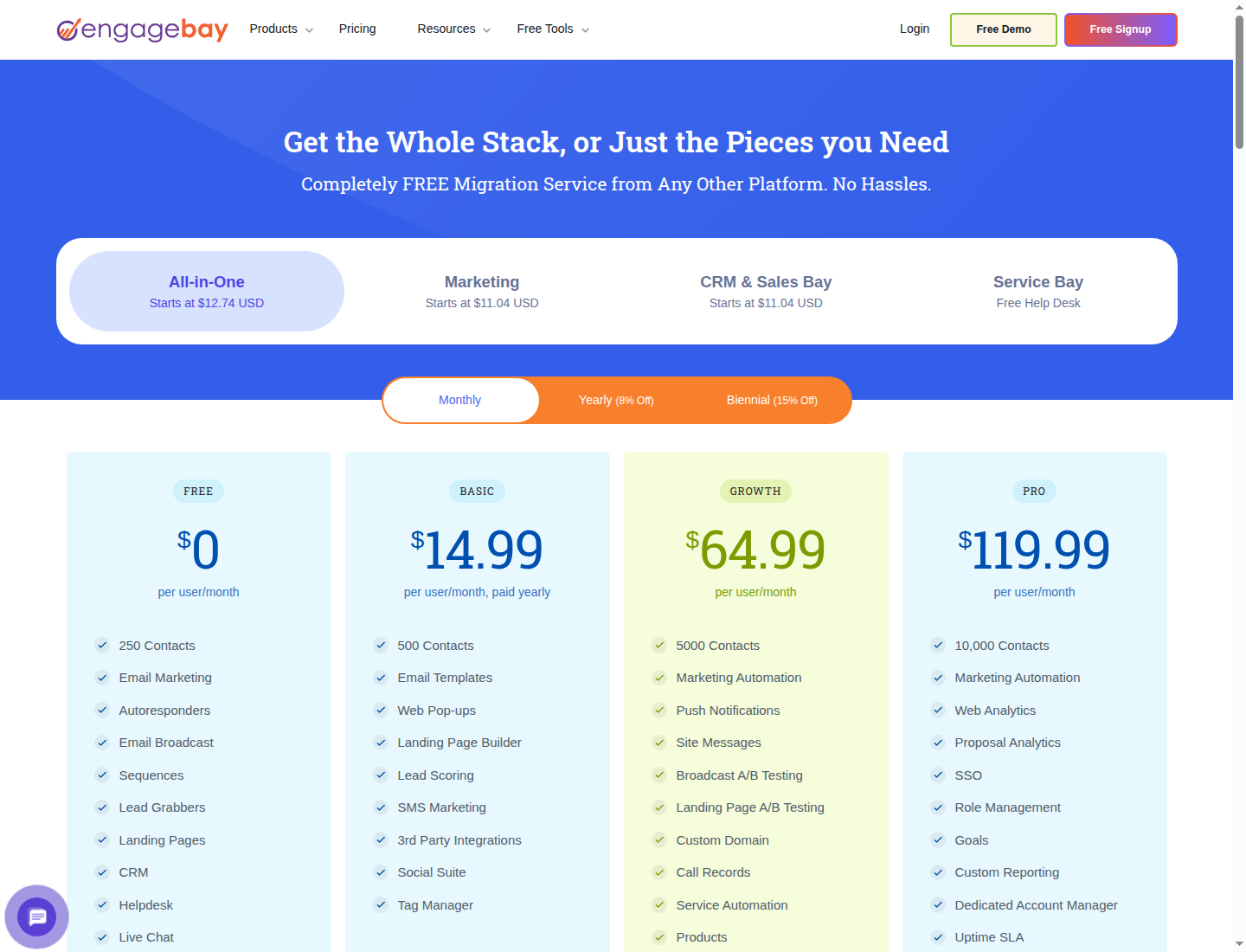
| Does the jobWhat it actually does for the task it is sold for, and where it falls short. | 7.6 | The pricing page lists email marketing, landing pages, CRM pipelines, scheduling, proposals, calling, help desk and live chat in one product. |
| Ease of useSetup needed and how quickly you get something useful done. | 6.8 | Software Advice users rate ease of use 4.54 out of 5 and mention a learning curve from the number of features. |
| Pricing and limitsWhat you pay at a realistic size, including caps, add-ons and deal limits. | 7.4 | Free for 15 users and Basic from $12.74 per user, but email limits are low and Growth costs $55.24 or more per user. |
| Reliability and supportUpdate pace, known problems and how support responds. | 7.5 | Software Advice users rate customer support 4.80 out of 5, though reviewers report deliverability problems. |
| Fit against alternativesHow it compares with the alternatives for the people it is aimed at. | 6.8 | Cheaper than HubSpot per user, but reviewers say its reporting is less advanced than larger CRMs. |
EngageBay is an all-in-one CRM that combines email marketing, landing pages, a sales pipeline, appointment scheduling, live chat and a help desk for small businesses. It suits startups and small teams that want HubSpot-style marketing, sales and support tools at a lower price, and it is a weaker fit for teams that need deep reporting or heavy email volume.
EngageBay is a cloud CRM sold by EngageBay Inc., which lists a Wilmington, Delaware address on its site. It is organized into "bays": Marketing Bay, CRM and Sales Bay, and Service Bay, which you can buy separately or together as the All-in-One plan.
The vendor positions it openly as an affordable alternative to HubSpot, aimed at small and medium businesses that do not want to pay for several separate tools. Its homepage claims a 4.7 rating from 900+ reviews.
EngageBay fits small businesses, startups and agencies that want marketing automation, a CRM and a help desk in one login without enterprise pricing. The free plan, which the pricing page says is free for 15 users, makes it easy to try with a whole small team.
EngageBay works by keeping every contact in one database and letting each bay act on it. A form or landing page captures a lead, automation tags and scores them and sends a sequence, sales works the deal in a pipeline, and support handles tickets and chats against the same contact record.
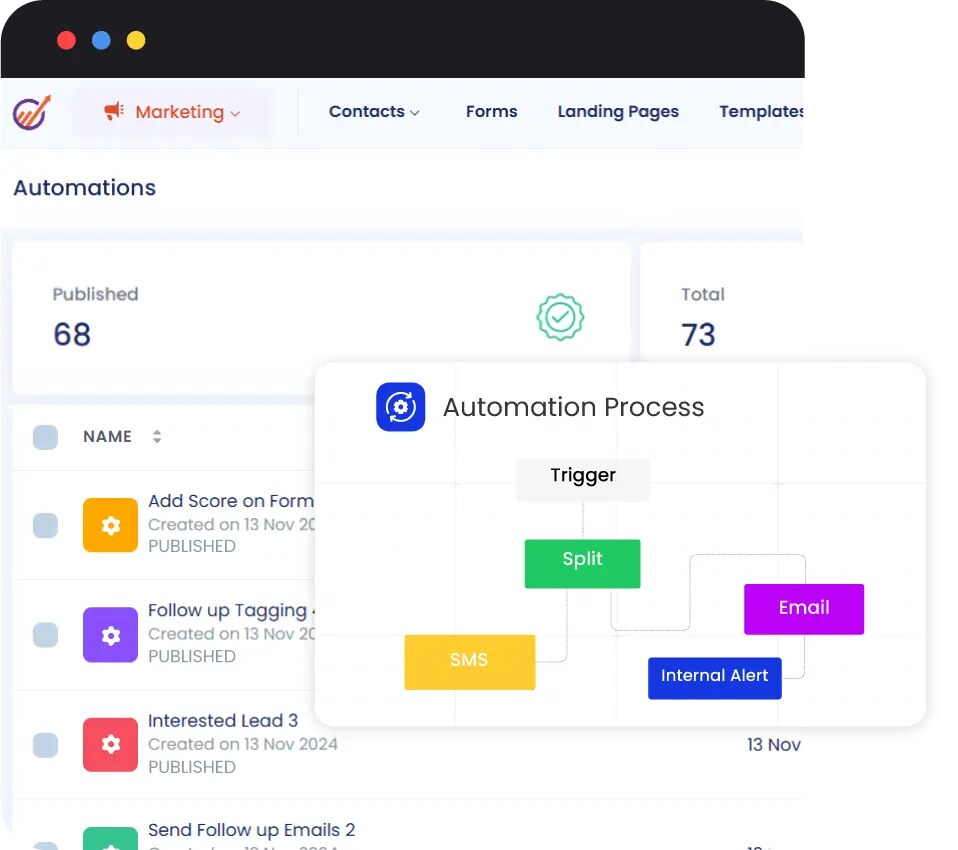
Email broadcasts, autoresponders and sequences, a template builder with more than 1,000 templates (by the vendor's count), web pop-ups and forms, landing pages, SMS marketing, push notifications, social media tools and a visual workflow builder. Growth adds marketing automation, A/B testing for broadcasts and landing pages, and custom landing page domains.
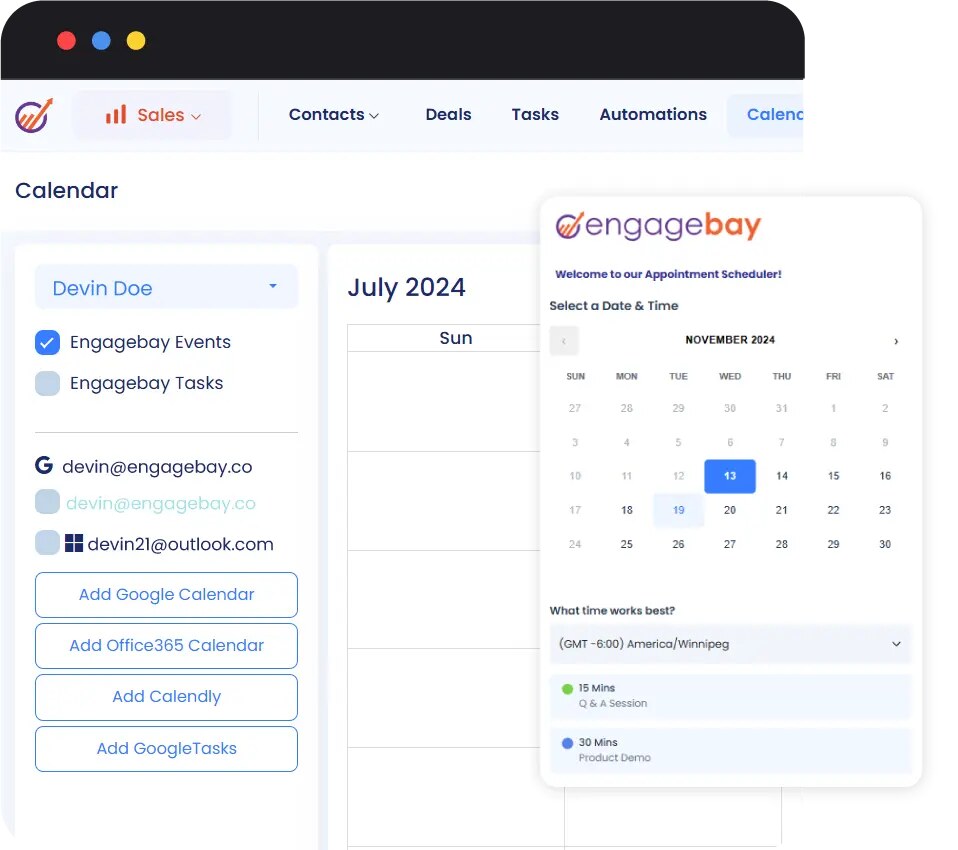
Contacts and companies with a 360-degree view, deals in custom pipelines, tasks, appointment scheduling with Google and Office 365 calendar sync, email tracking and scheduling, Gmail and Outlook integration, calling with call recordings and scripts, proposals with analytics, and predictive lead scoring.
Ticketing with views, macros, groups and canned responses, plus live chat and a knowledge base. EngageBay AI adds email copy suggestions, send-time optimization, AI lead scoring, sentiment analysis and a 24/7 AI chatbot. Plans include a set number of AI chatbot conversations a month (20 on Free, 50 on Basic).
There are iPhone, iPad and Android apps alongside the web app.
EngageBay prices per user per month, with discounts for yearly (8%) and two-year (15%) billing. The table shows the All-in-One plans; Marketing Bay and CRM and Sales Bay are also sold alone from $11.04, and Service Bay has a free help desk. Prices checked 7 Nov 2026, in US dollars.
| All-in-One plan | Monthly billing | Yearly billing | Two-year billing | Contacts and email limit | Key additions |
|---|---|---|---|---|---|
| Free | $0 | $0 | $0 | 250 contacts, 1,000 branded emails | Email broadcasts, sequences, landing pages, CRM, help desk, live chat; free for 15 users |
| Basic | $14.99 per user a month | $13.79 per user a month | $12.74 per user a month | 500 contacts, 3,000 branded emails | Email templates, pop-ups, lead scoring, SMS marketing, third-party integrations, social suite |
| Growth | $64.99 per user a month | $59.79 per user a month | $55.24 per user a month | 5,000 contacts, 25,000 branded emails | Marketing automation, push notifications, A/B testing, custom domain, call records, service automation, proposals |
| Pro | $119.99 per user a month | $110.39 per user a month | $101.99 per user a month | 10,000 contacts, 50,000 branded emails | Web analytics, proposal analytics, SSO, role management, custom reporting, dedicated account manager, uptime SLA, phone support |
The pricing page advertises a free migration service from other platforms, and more contacts than Pro's 10,000 need a call with sales. EngageBay's terms say an annual plan cancelled within three days of payment gets a full refund for unused months, within one month gets a 50% refund plus account credit, and after two months gets no refund. Monthly plans stay active until the end of the paid month after you cancel.
Three users on All-in-One Basic cost $44.97 a month on monthly billing, or $38.22 a month on two-year billing. If they need marketing automation and 5,000 contacts, Growth costs $194.97 a month for three users on monthly billing. Because the price is per user, adding salespeople raises the bill faster than contact-priced tools.
EngageBay CRM holds 4.6 out of 5 from 912 reviews on Software Advice (Nov 2026), with 4.80 for customer support, 4.70 for value for money, 4.59 for functionality and 4.54 for ease of use. The iOS app is rated 2.0 from just 4 ratings on the App Store.
Software Advice's review summary praises patient, responsive support, the integrated marketing and sales tools, and affordable plans. The recurring complaints are basic reporting that is hard to customize, strict daily email limits, slow broadcasts and emails landing in spam, and a learning curve because so much is packed into one product. One reviewer also complained about being charged after cancelling a trial.
EngageBay integrates with Gmail, Outlook, Office 365 and Google Calendar, connects to Xero and Zapier, and offers an API. Software Advice also lists connections to Salesforce, Intercom, Mailchimp and HubSpot.
EngageBay's most visible recent change is its AI layer, branded EngageBay AI, which now spans marketing, sales and service. Every plan now lists a monthly allowance of AI chatbot conversations and AI knowledge sources.
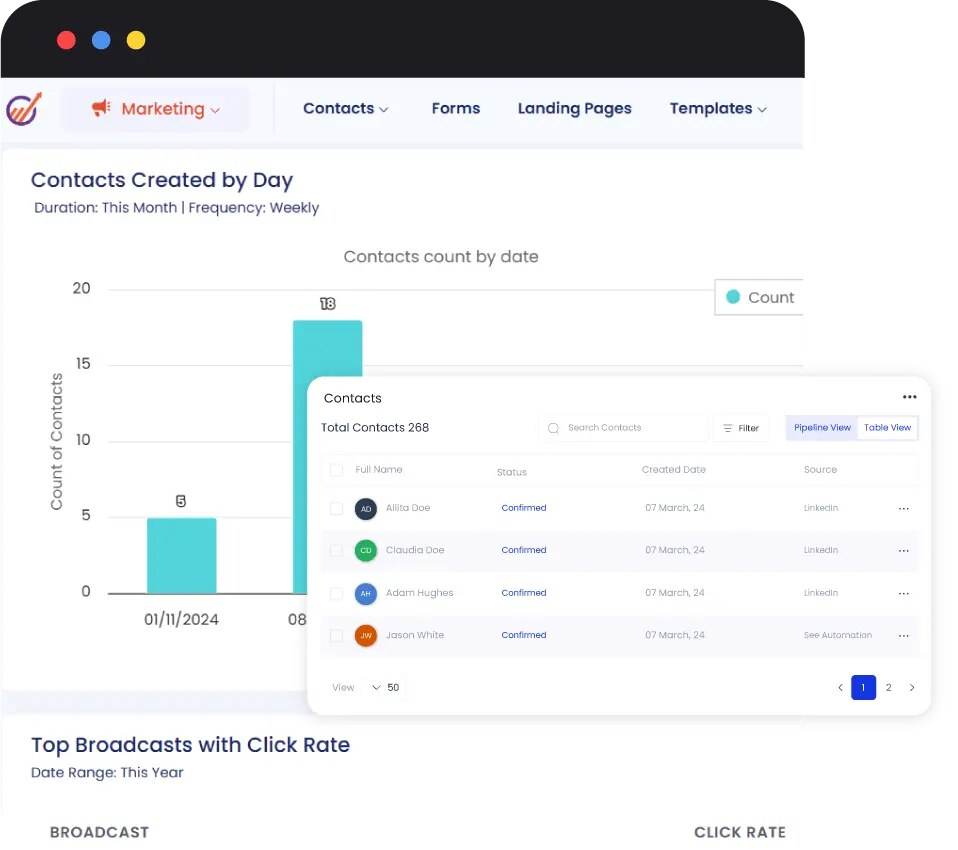
The main limits are email volume and reporting. Basic allows only 3,000 branded emails a month for 500 contacts, and custom reporting arrives only on Pro.
These alternatives also combine CRM with marketing tools for small businesses.
EngageBay gives small businesses a lot of tooling for the money, with marketing, sales and support sharing one contact database and strong support ratings. I would pick it for a small team that wants to replace three or four separate tools on a budget. I would skip it if email deliverability at volume or detailed reporting matters most.
Prices checked 7 Nov 2026: the All-in-One plans are $14.99, $64.99 and $119.99 per user a month for Basic, Growth and Pro on monthly billing, with 8% off yearly and 15% off two-year billing. A free plan covers 250 contacts.
Yes. The free plan includes 250 contacts, 1,000 branded emails, email broadcasts, sequences, landing pages, CRM, help desk and live chat, and the pricing page says it is free for 15 users.
For small teams on a budget, often yes: EngageBay covers marketing, sales and service in one product at lower per-user prices. HubSpot has a larger ecosystem and deeper reporting, which EngageBay reviewers say it lacks.
Partly. Its terms give a full refund for unused months if an annual plan is cancelled within three days of payment, a 50% refund plus account credit within one month, and no refund after two months.
Yes. EngageBay has apps for iPhone, iPad and Android alongside the web app. The iOS app has few ratings so far, averaging 2.0 from 4 on the App Store.
The All-in-One plans include 1,000 branded emails a month on Free, 3,000 on Basic, 25,000 on Growth and 50,000 on Pro, according to the pricing page's plan comparison.
We may earn a commission when you buy through links on SaaSPic. It never changes our verdicts or the price you pay. Affiliate disclosure
Add this badge to your website so your visitors can read this independent review in one click.
 7.6/10
All-in-one CRM, funnel, messaging and AI platform that agencies can white-label and resell to their clients.
 6.2/10
All-in-one CRM for small businesses with pipelines, a unified inbox, invoicing, booking pages, workflows and client portals.
 6.6/10
A lightweight per-user CRM for small B2B sales teams, with pipelines, custom objects and an MCP connector for AI assistants.
| Tool | Score | From | Free plan | Best for |
|---|---|---|---|---|
| EngageBay | 7.2/10 | $14.99/mo | Yes | Small teams replacing several marketing and sales tools |
| HighLevel | 7.6/10 | $97/mo | No | Marketing agencies managing several client accounts |
| NinjaPipe | 6.2/10 | $19/mo | No | Small sales teams and agencies on a budget |
| Anvil | 6.6/10 | $15/mo | No | Small B2B sales teams wanting a simple CRM with AI assistant access |
 7.4/10
Personal CRM, formerly Clay, that builds a searchable contact network from email, calendar and social apps, with reminders and AI search.
 7.1/10
AI sales agent that finds B2B leads showing buying signals, scores them and runs LinkedIn and email outreach.
 7.0/10
Digital business card app with card scanning, an AI note taker and a searchable personal CRM for people who network often.