 8.7/10
Browser and app design platform with templates, stock media, photo and video editing, docs and AI tools for non-designers and teams.


Cloud template video maker for promo, explainer, ecommerce and social videos, with unlimited HD renders for a one-time price.
We may earn a commission when you buy through our links. How this works
VideoCreator suits small businesses and freelancers who want many short template videos for a one-time price and can live with email-only support. Anyone who needs a full editor, team features or a vendor with a public update record should pick Canva, Animoto or Renderforest.
Best for: Small businesses making short template promo videos
5.6/10 Better options exist. The overall score is our judgment against the questions we ask of every tool, not an average. How we score
| Question | Score | Why |
|---|---|---|
| Does the jobWhat it actually does for the task it is sold for, and where it falls short. | 6.2 | Hundreds of templates across ads, explainers, ecommerce and stories with uploads, stock media and HD renders, per the sales page and app screenshots. |
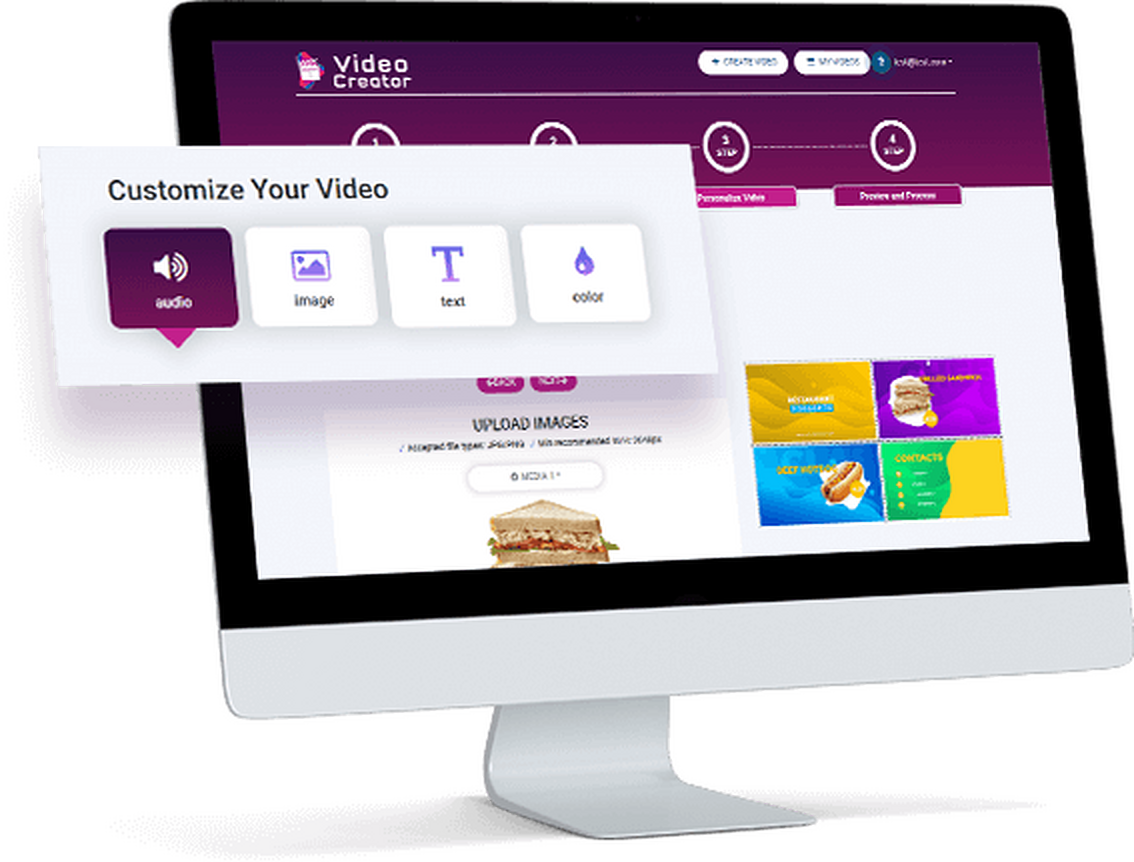
| Ease of useSetup needed and how quickly you get something useful done. | 6.8 | A four-step choose, customize, preview and render flow with audio, image, text and color tabs, shown in the app screenshots. |
| Pricing and limitsWhat you pay at a realistic size, including caps, add-ons and deal limits. | 6.6 | A one-time $49 with unlimited renders, though four optional upgrades are pitched and the vendor warns the price may turn monthly. |
| Reliability and supportUpdate pace, known problems and how support responds. | 3.8 | Email-only support closed on weekends, no changelog, and terms of use that name a different product. |
| Fit against alternativesHow it compares with the alternatives for the people it is aimed at. | 4.8 | Canva, Animoto and Renderforest offer free plans or trials and established track records for the same template video job. |
VideoCreator is a browser-based video maker that turns ready-made animated templates into marketing videos by swapping in your own logo, text, images and music. It suits small businesses, marketers and freelancers who want promo, explainer and social videos for a one-time price rather than a monthly plan.
VideoCreator is cloud-based video creator software built on templates, sold by founders Paul Ponna and Sid Diwar, who describe themselves as tech entrepreneurs from Canada. You log in through a web app, so there is nothing to install, and the app's own logo writes the name as Video Creator.
The vendor's page promises hundreds of video templates across many styles, from explainers and logo intros to ecommerce, real estate and local business videos, with unlimited renders in full HD and a commercial license to sell the videos you make. It is a template tool rather than an AI video generator: you pick a design and customize it.
VideoCreator fits people who need a steady flow of short branded videos without editing skills: local businesses making promos, ecommerce sellers showing products, social media managers producing stories and ads, and freelancers selling template videos to clients under the commercial license.
Skip it if you need a real editing timeline, AI generated scenes or avatars, team collaboration, or a vendor with a public changelog and independent reviews. The vendor also leans hard on reselling videos for profit, so judge it as a template library, not an income plan.
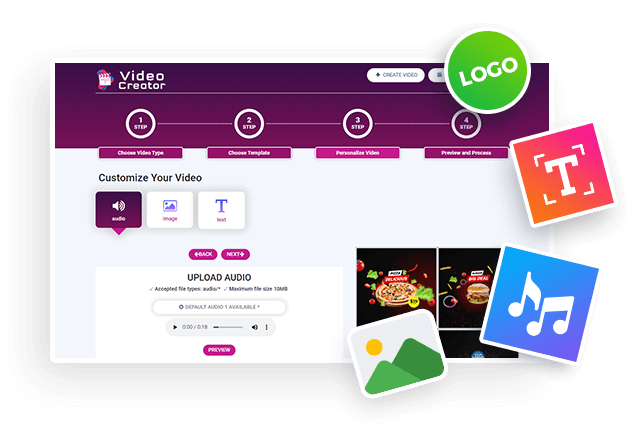
The workflow is four steps shown in the app screenshots: choose a video type, choose a template, personalize it, then preview and render. The vendor describes making a video as being as easy as writing an email.
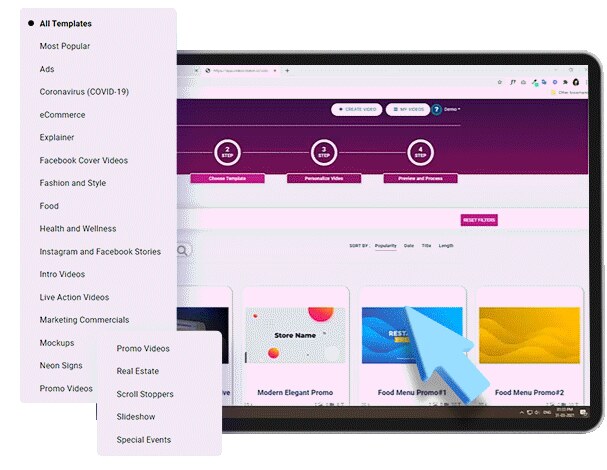
The template library is sorted into categories, and the app screenshots show filters such as ads, ecommerce, explainer, Facebook cover videos, fashion, food, health, Instagram and Facebook stories, intros, live action, mockups, neon signs, promo videos, real estate, scroll stoppers, slideshows and special events. Templates can be sorted by popularity, date, title or length.
The sales page highlights several styles it calls first to market: motion tracking that pins your logo to moving objects in a scene, corporate commercial videos, scroll stopper videos for social ads, 3D product and ecommerce demos, video flipbooks made from images or ebooks, 3D animations, local business videos with real actors dressed for different professions, and 360 degree animations.
In the personalize step you work through audio, image, text and color tabs. You can upload your own logos, images, video and music, choose a default track, change text and colors, and preview before rendering. The FAQ says text works in any language and you can upload voiceovers in any language.
VideoCreator lists a built-in music library, millions of royalty-free images and videos through Pexels and Pixabay integration, a large font library, unlimited background removal for images, and a video resizer. Videos come in vertical, square, landscape and rectangle sizes, render in full HD, and carry no watermark, according to the vendor.
The commercial plan includes step-by-step video training on the app, Facebook group access, a Skype mentorship group and 8 weeks of training webinars, including training on selling the videos you make.
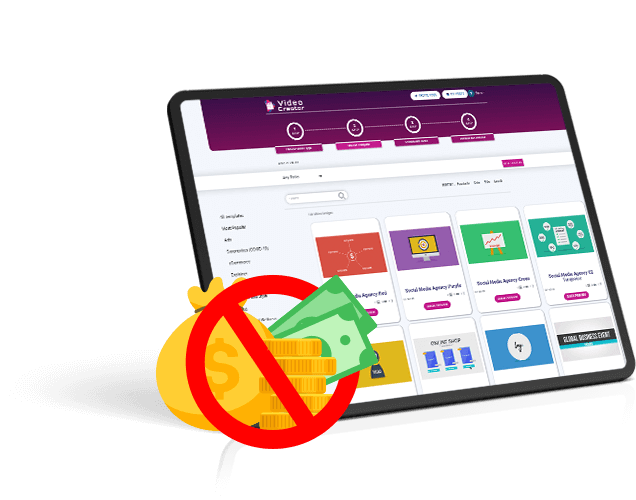
VideoCreator costs $49 once on its own website, shown as a discount from $97, with no free plan, trial or monthly fees. Prices checked 5 Nov 2026, in US dollars.
| Option | Price | What it includes | Terms |
|---|---|---|---|
| VideoCreator Commercial, current price | $49 one-time | Hundreds of templates, unlimited HD renders, uploads, music and stock library, background removal, resizer, font library, commercial license, training, groups and webinars | No monthly fee, free future updates, 30-day money-back guarantee |
| VideoCreator Commercial, list price | $97 one-time | Hundreds of templates, unlimited HD renders, commercial license and training | No monthly fee, free future updates, 30-day money-back guarantee |
| Optional upgrades | Not priced on the vendor's page | VideoCreator Deluxe, VidEditor Unlimited, VoiceSuite Unlimited and VideoPlayer Unlimited | One-time prices, not needed to use the app |
VideoCreator Deluxe, VidEditor Unlimited, VoiceSuite Unlimited and VideoPlayer Unlimited are optional one-time upgrades, and the FAQ says you do not need them to use the app. Their prices are not shown before purchase.
The FAQ says you pay once for unlimited use and unlimited video renders, and that future updates are free for existing customers. The page also warns that the low one-time price may end without notice and that the vendor expects to move to a monthly subscription of at least $67 a month, so treat the current price as an offer rather than a fixed plan.
A typical job, such as a 30-second promo for a local restaurant in square and vertical sizes, costs nothing beyond the $49, because video renders have no cap and stock media and music are included. You only add cost if you buy one of the optional upgrades.
That compares with subscription template tools such as Renderforest, whose plans are billed monthly or annually and limit export quality by tier, from HD720 on Lite to 4K on Business.
The customer feedback VideoCreator publishes is on its own website, which shows named customer testimonial videos, which are the vendor's own selection, so treat them as marketing rather than evidence.
These are the facts the vendor publishes about the product.
VideoCreator does not publish a changelog, release notes or launch dates, so there is no dated record of recent template additions or feature changes. The sales page promises free future updates but does not list what has been added.
The main drawbacks of the software are a hype-heavy sales page and little public detail about the company and product updates. The page leans on claims such as nothing comes close and on profit from reselling videos, and its terms of use refer to a different product name, AvatarBuilder, in several clauses.
The closest alternatives are established template video makers, most of them on subscriptions with free plans or trials.
VideoCreator offers a lot of template video for $49 paid once: many marketing styles, unlimited HD renders, stock media and a commercial license. I would consider it to make and sell steady short promos and social videos, since the 30-day refund covers the risk. I would skip it if I needed a real editor, team features or a vendor with a public update record, where Canva, Animoto or Renderforest are safer picks.
VideoCreator is a cloud-based template video maker from Paul Ponna and Sid Diwar. You pick an animated template, add your own logo, text, images and music, then render it in full HD.
The commercial plan is a one-time $49, shown as a discount from $97. It includes unlimited renders, the template library and a commercial license, with a 30-day money-back guarantee.
VideoCreator Deluxe is one of four optional upgrades named in the FAQ, alongside VidEditor Unlimited, VoiceSuite Unlimited and VideoPlayer Unlimited. The sales page says you do not need them to use the app and does not list their prices.
No. The vendor says it is 100% cloud based and works in a browser on any device, so there is nothing to download or install.
Yes. The FAQ says the plan includes commercial rights, so you can create and sell videos to clients and keep the profits.
We may earn a commission when you buy through links on SaaSPic. It never changes our verdicts or the price you pay. Affiliate disclosure
Add this badge to your website so your visitors can read this independent review in one click.
 8.7/10
Browser and app design platform with templates, stock media, photo and video editing, docs and AI tools for non-designers and teams.
 6.8/10
Agentic AI video editor with a multitrack timeline, natural language edits and AI video and image models.
 5.9/10
One-time-price AI video generator for text-to-video and image-to-video clips, with a timeline editor, voiceovers and talking photos.
 7.3/10
Browser-based AI tool that turns scripts, blogs and slides into narrated videos, with 2,000+ AI voices in 80+ languages.
 6.8/10
AI video generator that turns text, blogs and images into social videos with AI voices, avatars and generative models.
| Tool | Score | From | Free plan | Best for |
|---|---|---|---|---|
| VideoCreator | 5.6/10 | $49 one-off | No | Small businesses making short template promo videos |
| Canva | 8.7/10 | $144/yr | Yes | Non-designers and small teams making everyday marketing visuals |
| InVideo | 6.8/10 | $20/mo | Yes | Creators and small teams editing footage with AI agents |
| VideoExpress AI | 5.9/10 | $49 one-off | No | Budget creators making short AI clips without a subscription |
| Fliki | 7.3/10 | £20/mo | Yes | Creators turning scripts and blog posts into narrated videos |
| Zebracat | 6.8/10 | $39/mo | Yes | Marketers and small businesses posting short social videos |
 8.4/10
Voice AI platform with Sonic text to speech, Ink speech to text and Managed Agents for phone voice agents via API.
 8.3/10
AI video and image generator running Kling's own models, with keyframes, character references, native audio, motion control and an API.
 8.3/10
AI voice platform for text to speech, voice cloning, dubbing, music and sound effects, plus voice agents and an API for developers.