 7.8/10
AI tool that turns long videos into short captioned clips for TikTok, Shorts and Reels, with virality scores and scheduling.


AI editor for short-form video that adds styled captions, cuts silences, adds B-roll and clips long videos into shorts.
We may earn a commission when you buy through our links. How this works
Submagic suits creators, marketers and agencies who post captioned short videos every week and want editing and publishing in one tool. Skip it if you edit long-form video, need long uploads cheaply or want refunds.
Best for: Creators and marketers posting weekly shorts

7.5/10 Good, with trade-offs. The overall score is our judgment against the questions we ask of every tool, not an average. How we score
| Question | Score | Why |
|---|---|---|
| Does the jobWhat it actually does for the task it is sold for, and where it falls short. | 8.2 | Submagic combines AI captions, text-based trimming, silence removal, B-roll, Magic Clips and social publishing in one editor. |
| Ease of useSetup needed and how quickly you get something useful done. | 8.0 | The vendor's workflow is upload, let AI edit, then publish, with edits made on the transcript instead of a timeline. |
| Pricing and limitsWhat you pay at a realistic size, including caps, add-ons and deal limits. | 6.8 | Pro is $23 a month billed yearly for about 40 videos, but uploads are capped at 5 minutes on Pro and fees are non-refundable. |
| Reliability and supportUpdate pace, known problems and how support responds. | 6.8 | Priority support is a Business feature and support is by email and Discord; the vendor reports 4.8 to 4.9 ratings on Google, G2 and Trustpilot. |
| Fit against alternativesHow it compares with the alternatives for the people it is aimed at. | 7.4 | Against Opus Clip, Klap and Vizard AI it covers both captioning and clipping well, while per-member pricing weighs on larger teams. |
Submagic is an AI video editor for short-form content that adds styled captions, cuts silences, inserts B-roll and turns long videos into vertical clips for TikTok, Reels and YouTube Shorts. It suits creators, marketers, agencies and small businesses that publish talking-head shorts every week; editors who need a full timeline for long-form work should keep a traditional editor.
Submagic is a browser-based AI editing tool that takes raw footage or a YouTube link and returns a captioned, trimmed short ready to post. It is published by TURBO STUDIO S.A.S., a French company registered in Paris, and its mission page is signed by CEO David.
The vendor says more than 4 million people use Submagic and that its captions reach 99% accuracy. Those are Submagic's own figures, not independent tests.
Submagic is for anyone who posts short vertical videos often and wants the repetitive editing done for them. Business owners, coaches, podcasters, media brands and agencies are the groups it markets to.
The Submagic workflow has three steps: upload a video or paste a YouTube link, let the AI edit it, then schedule and publish. Editing works on the transcript, so you cut words, filler and bad takes by deleting text instead of scrubbing through footage.
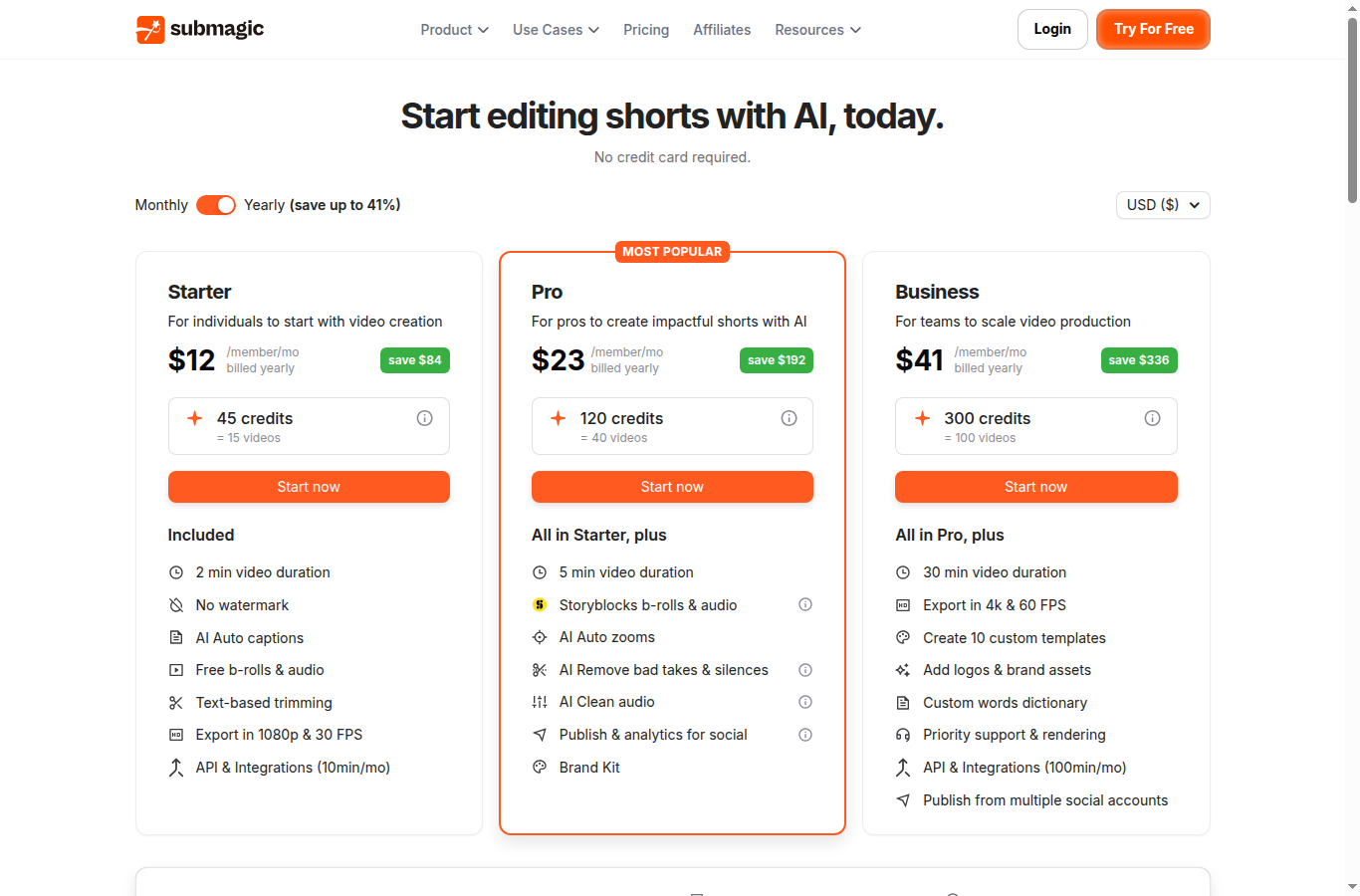
Submagic pricing starts at $19 per member a month on Starter, or $12 a month billed yearly, which the vendor says saves up to 41%. Prices checked 9 Nov 2026 on the Submagic pricing page, in US dollars.
| Plan | Monthly | Billed yearly | Limits |
|---|---|---|---|
| Starter | $19 per member a month | $12 per member a month | 45 credits (about 15 videos), 2 minutes per video, 1080p at 30 fps, no watermark, 10 API minutes a month |
| Pro | $39 per member a month | $23 per member a month | 120 credits (about 40 videos), 5 minutes per video, Storyblocks B-roll, auto zooms, silence removal, clean audio, publishing, Brand Kit |
| Business | $69 per member a month | $41 per member a month | 300 credits (about 100 videos), 30 minutes per video, 4K at 60 fps, custom templates, priority support and rendering, 100 API minutes a month |
| Custom | Contact sales | Contact sales | Custom video and member limits, SSO, dedicated customer success |
| API credit pack, 250 minutes | $57 a month | Not listed | About $0.23 per minute, added after buying a plan |
| API credit pack, 1,000 minutes | $150 a month | Not listed | About $0.15 per minute; packs run up to 10,000 minutes for $1,000 |
You can start without a credit card, and the terms let Submagic offer a free trial at its discretion. Plans renew automatically each month or year. The terms say all fees are non-refundable, you can cancel from the billing settings at any time, and access continues to the end of the period you have paid for.
A creator posting five shorts a week makes about 20 videos a month, which is more than Starter's 15. Pro covers 40 videos for $39 a month, or $23 a month billed yearly ($276 a year), which works out at under 60 cents a video if you use the full allowance. A podcast with 20-minute episodes needs Business, because Pro caps each upload at 5 minutes.
Submagic's own site shows rating badges of 4.9 on Google, 4.9 on G2 and 4.8 on Trustpilot, and says it has more than 2,000 reviews across those three platforms. These are the vendor's figures from its homepage and API page.
The testimonials Submagic publishes come from agencies, a media brand, coaches and real estate agents who mainly praise the time saved on captions. One coach says it saves about 30 minutes per video. Treat these as selected quotes rather than a balanced sample, and use the trial to check caption accuracy in your own language.
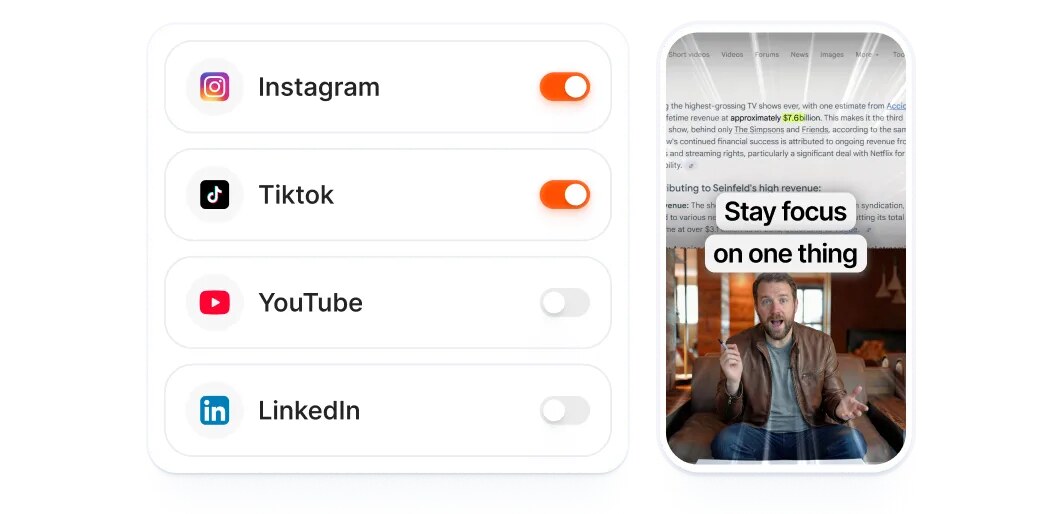
Submagic has a public REST API and an MCP server, so developers and AI assistants can create captioned projects, generate Magic Clips, export videos and publish them. The API docs list projects, Magic Clips, presets, a media library for B-roll, webhooks and a publish endpoint for YouTube, TikTok, Instagram, X, Facebook and LinkedIn.
The biggest recent addition is the Submagic API, which a banner across the site announces as live, together with the MCP server for AI assistants and a publish endpoint for six social networks. The Brand Kit on Pro is marked as new in the plan comparison.
The main limits are the per-video length caps, the monthly video allowance and the refund terms.
The closest Submagic alternatives are other AI tools that caption and clip short-form video.
Submagic is one of the strongest choices for creators and marketers who post captioned talking-head shorts every week, because captions, silence removal, B-roll, clipping and publishing sit in one tool. I would buy Pro on yearly billing once you are sure you will use it, since fees are non-refundable and Starter's 2-minute cap is tight. Skip it for long-form editing.
Submagic costs $19, $39 or $69 per member a month for Starter, Pro and Business, or $12, $23 and $41 a month billed yearly. Prices checked 9 Nov 2026.
You can start without a credit card, and Submagic may offer a free trial, but every plan on its pricing page is paid. There is no permanent free plan listed.
Yes. Submagic is run by TURBO STUDIO S.A.S., a company registered in Paris, France, publishes its terms and a public API, and its site shows ratings of 4.8 to 4.9 on Google, G2 and Trustpilot.
Starter includes 45 credits, about 15 videos a month, Pro 120 credits (about 40 videos) and Business 300 credits (about 100 videos). Each plan also caps video length at 2, 5 or 30 minutes.
Yes. The Submagic API creates captioned projects, Magic Clips and exports and can publish to six social networks. Starter includes 10 API minutes a month, Business 100, and extra packs start at $57 for 250 minutes.
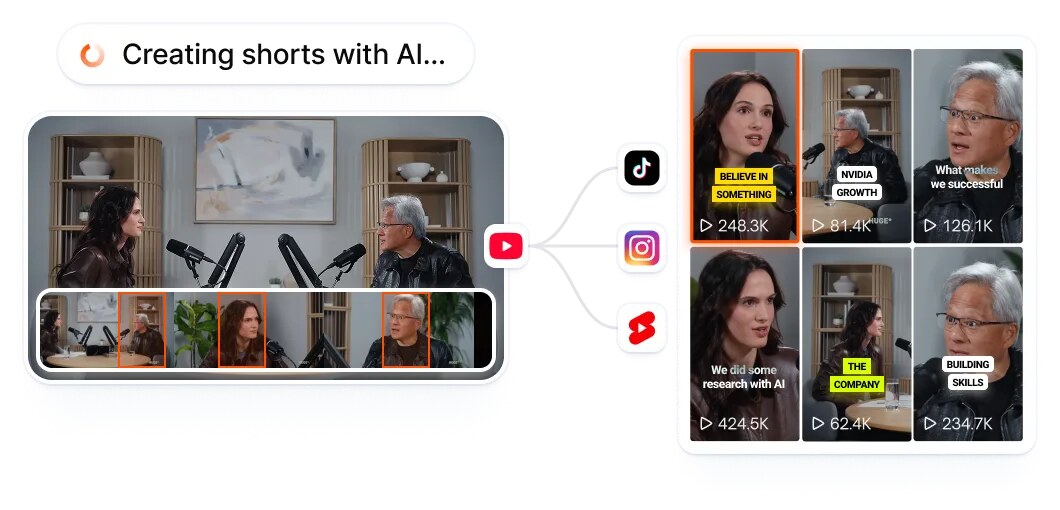
Yes. Paste a YouTube link or upload a long video and Submagic's Magic Clips finds key moments and returns several captioned vertical clips; the API can do the same from a YouTube URL.
We may earn a commission when you buy through links on SaaSPic. It never changes our verdicts or the price you pay. Affiliate disclosure
Add this badge to your website so your visitors can read this independent review in one click.
 7.8/10
AI tool that turns long videos into short captioned clips for TikTok, Shorts and Reels, with virality scores and scheduling.
 6.8/10
AI caption and subtitle app with translation into 124+ languages, plus AI video, image and audio generation.
 7.5/10
AI video clipping tool that turns long videos into short social clips, with auto subtitles, reframing, scheduling and an AI video agent.
 7.0/10
AI video clipping tool that turns long videos and podcasts into captioned vertical clips for TikTok, Reels and YouTube Shorts.
| Tool | Score | From | Free plan | Best for |
|---|---|---|---|---|
| Submagic | 7.5/10 | $19/mo | No | Creators and marketers posting weekly shorts |
| Opus Clip | 7.8/10 | $15/mo | Yes | Podcasters and video teams turning long videos into short clips |
| Zeemo AI | 6.8/10 | $9.99/mo | Yes | Short-form creators who need fast styled captions |
| Vizard AI | 7.5/10 | $174/yr | Yes | Podcasters and marketers repurposing long videos into short clips |
| Klap | 7.0/10 | $29/mo | Yes | Creators turning long talking videos into daily shorts |
 8.4/10
Voice AI platform with Sonic text to speech, Ink speech to text and Managed Agents for phone voice agents via API.
 8.3/10
AI video and image generator running Kling's own models, with keyframes, character references, native audio, motion control and an API.
 8.3/10
AI voice platform for text to speech, voice cloning, dubbing, music and sound effects, plus voice agents and an API for developers.