 7.4/10
AI-first help desk from Syncfusion: AI agents, ticketing, live chat, knowledge base and omnichannel support on one credit-based plan.


Live chat software for websites and stores with a shared inbox, ticketing, an AI Agent and Shopify sales tools, now sold as Text.
We may earn a commission when you buy through our links. How this works
LiveChat suits support and sales teams at small and mid-sized businesses, especially online stores, that want polished real-time chat with AI help and rich customer context. Skip it if you need a free chat widget or have a large team, because every agent needs a paid seat.
Best for: Ecommerce and SaaS teams that sell and support through chat
7.6/10 Good, with trade-offs. The overall score is our judgment against the questions we ask of every tool, not an average. How we score
| Question | Score | Why |
|---|---|---|
| Does the jobWhat it actually does for the task it is sold for, and where it falls short. | 8.2 | Chat, tickets, an AI Agent, AI Copilot, proactive campaigns and Shopify cart context cover website support and chat sales. |
| Ease of useSetup needed and how quickly you get something useful done. | 8.2 | GetApp reviewers rate ease of use 4.7, and the widget installs with a snippet or plugin. |
| Pricing and limitsWhat you pay at a realistic size, including caps, add-ons and deal limits. | 6.4 | Per-user pricing from $19 a month with only 10 AI resolutions on Essential, and extra resolutions at $49.50 per 50. |
| Reliability and supportUpdate pace, known problems and how support responds. | 7.8 | 24/7/365 support on every plan, a 4.6 support rating on GetApp and a listed company with SOC 2 Type 2 audits. |
| Fit against alternativesHow it compares with the alternatives for the people it is aimed at. | 7.2 | Against Tidio, Crisp and BoldDesk it is the most polished for ecommerce chat but the priciest per seat. |
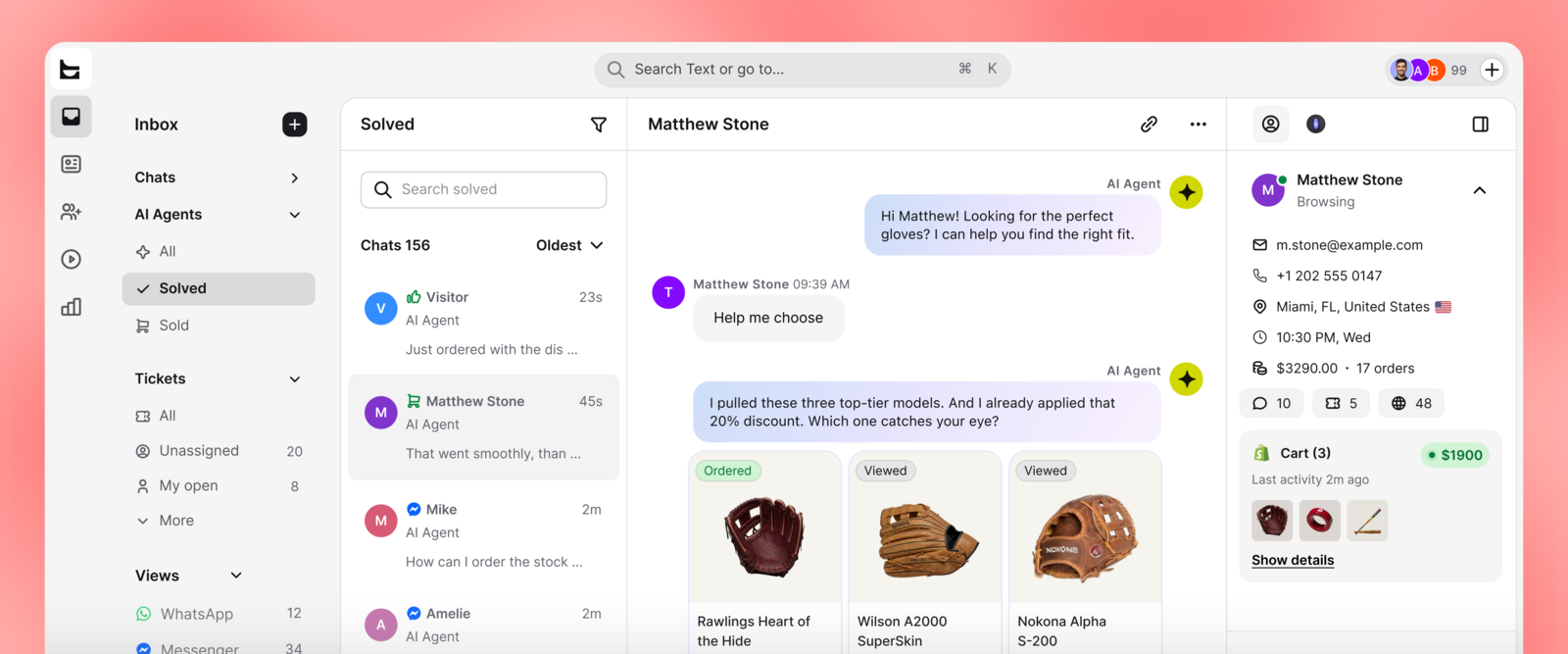
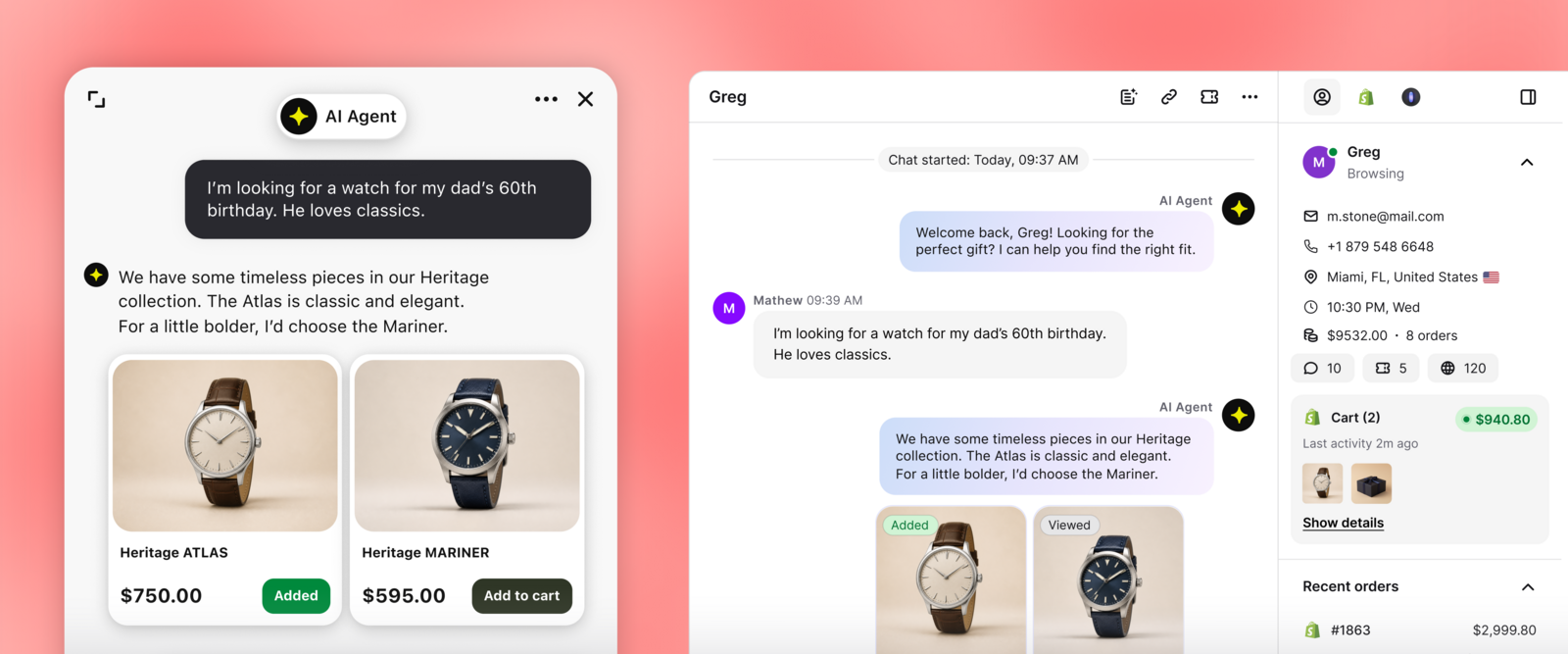
LiveChat is live chat software for websites and online stores, made by Text (the Polish company formerly called LiveChat Software), with an inbox, ticketing and an AI Agent in one workspace. It suits support and sales teams at small and mid-sized businesses, especially Shopify and WordPress stores, that want fast human chat backed by AI.
LiveChat is a customer service and sales chat tool that puts a chat widget on your site and routes every conversation into a shared inbox for your team. It has been sold since 2002, and new sign-ups now land on a product branded Text by LiveChat, which adds ticketing and AI Agents to the classic chat app.
New trials get Text plans, while existing LiveChat customers keep their account, plan and price, and can run both side by side while they decide.
LiveChat fits teams that answer a steady flow of website and store questions in real time and want to turn some of those chats into sales.
The workflow is to install the widget with a snippet or plugin, train the AI Agent (LiveChat's chatbot) on your website and files, then handle chats, tickets and AI handoffs from one inbox.
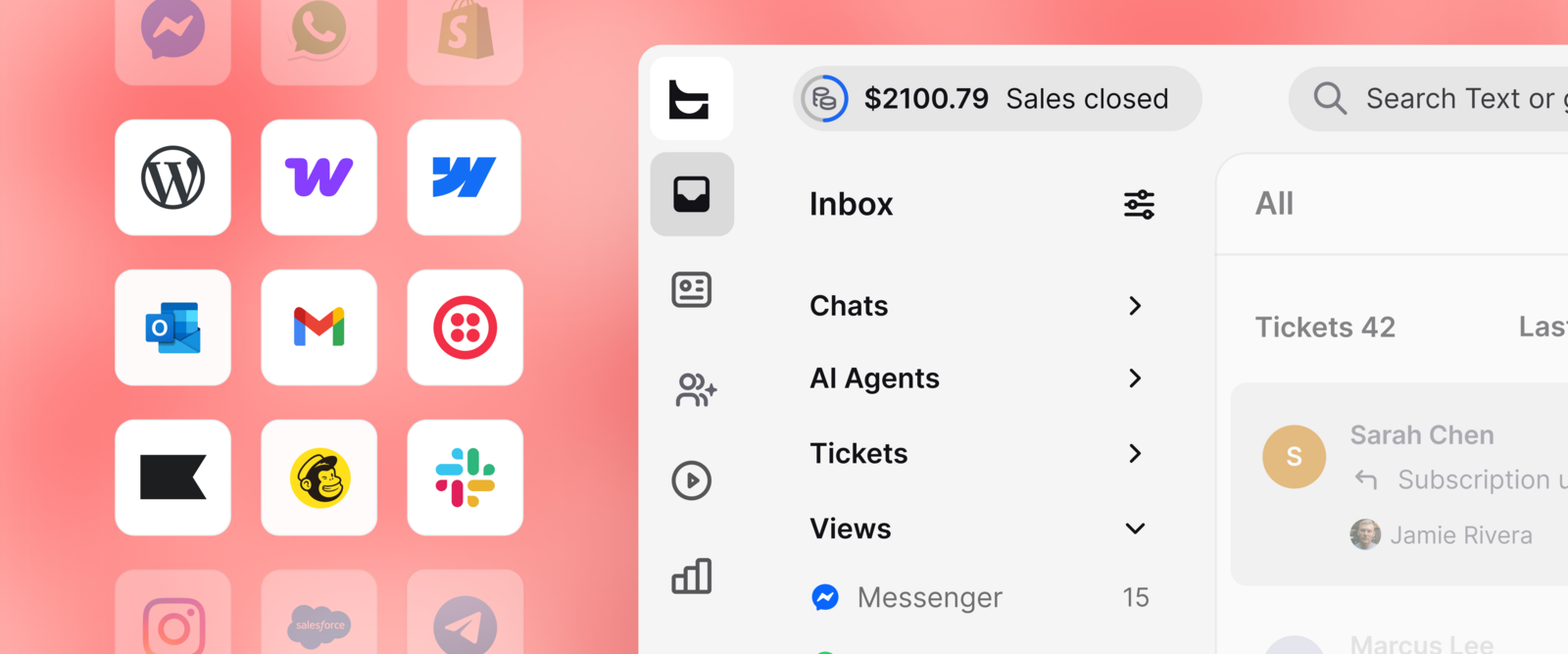
Customer service staff get canned responses for common answers, tags to sort conversations, chat transfers between teammates, and email tickets in the same feed as chats, so basic ticketing needs no separate tool.
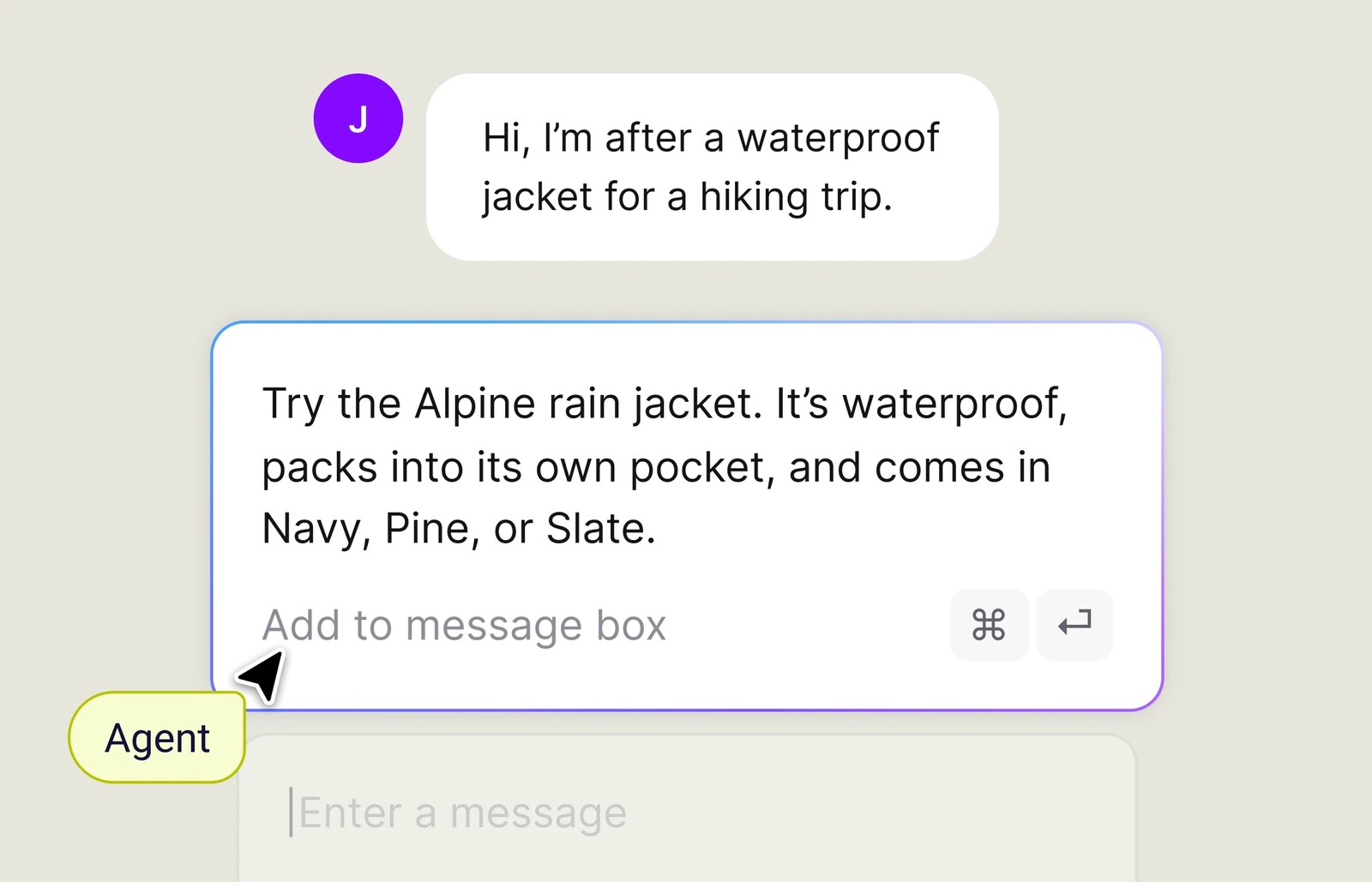
Alongside the AI Agent that answers customers, AI Copilot helps human agents with reply suggestions from your knowledge base, chat and ticket summaries, tone and length edits, tag suggestions and weekly insights into the most common questions. Allowances are per seat per month, from 5 reply suggestions on Essential to 50 on Growth.
LiveChat for new customers costs $19 per user a month on Essential and $79 per user a month on Growth with annual billing, or $25 and $99 billed monthly, with a 14-day free trial and no card needed. Prices are in USD before tax. Prices checked 11 Nov 2026.
| Plan | Price (USD per seat) | What it includes |
|---|---|---|
| Essential | $19 a month billed yearly ($228 a year), or $25 billed monthly | Chat, inbox and ticketing, 1 AI Agent with 10 AI resolutions a month, 50 live visitors tracked, 3 proactive campaigns, 10,000 API calls, 60 days of chat history |
| Growth | $79 a month billed yearly ($948 a year), or $99 billed monthly | Everything in Essential plus 10 AI Agents, 200 AI resolutions a month, 400 live visitors, 30 campaigns, 20,000 API calls, unlimited history, chat supervision, team reports and multilingual support |
| Enterprise | Custom quote | Custom AI Agents and usage limits, SOC 2 Type 2 documentation, SLAs, white-label widget, SSO and audit logs, a dedicated product expert |
| Extra AI resolutions | $49.50 per 50 | Add-on for Essential or Growth, bought from billing settings |
| Extra API calls | $29.50 per 100,000 | Add-on for Essential or Growth |
There is no minimum team size. Monthly plans can be cancelled anytime, while annual plans run for the 12 months you paid and can be changed or cancelled at renewal. Because no card is taken for the trial, nothing is charged automatically when it ends. Existing customers on the older LiveChat plans still see Starter at $19, Team at $49 and Business at $79 per person a month billed annually.
Three seats on Essential pay $57 a month on annual billing (paid upfront, $684 a year) or $75 a month billed monthly. Ten seats on Growth pay $790 a month on annual billing, which includes 200 AI resolutions. If the AI Agent solves 350 questions a month, three extra packs of 50 add $148.50.
LiveChat is well rated across the platforms where it is listed. On GetApp it scores 4.6 out of 5 from 1,729 reviews, with ease of use at 4.7, customer support at 4.6 and value for money at 4.5 (Nov 2026). The WordPress.org plugin shows 4.6 out of 5, and the Shopify App Store listing shows 4.4 from 49 reviews (Nov 2026).
GetApp's summary says reviewers like the real-time engagement, handling several chats at once, canned responses and the integrations. The common complaints are that pricing gets high with more seats or advanced features, occasional bugs or performance slowdowns at busy times, limited mobile functionality and unreliable notifications.
LiveChat is a web app with desktop and mobile apps, run by a listed company with a long track record.
The biggest change is the move from LiveChat plans to Text plans for new customers, with AI Agents included in the price. LiveChat Software renamed itself Text in September 2023, and in May last year it launched the Text Platform with AI Agents, intent detection and selling tools across its products. HIPAA compliance, custom roles and multiple brands are listed on the pricing page as coming soon.
LiveChat's main limits are per-seat cost and tight allowances on the cheaper plan.
The closest alternatives are other customer service chat tools with AI and a shared inbox.
LiveChat remains one of the most polished live chat tools, with strong ratings and an AI Agent now bundled in. I would pick Growth for any team of three or more, because Essential's 10 AI resolutions and 60-day history run out fast. Skip it if you need a free tool or have a large team on a tight per-seat budget.
New customers pay $19 per user a month for Essential or $79 per user a month for Growth with annual billing, or $25 and $99 billed monthly. Enterprise is a custom quote, and every plan starts with a 14-day free trial.
No. LiveChat has no free plan, only a 14-day free trial of Essential or Growth that needs no credit card. You are not charged automatically when the trial ends.
Yes. LiveChat includes a message sneak peek on every plan, which shows agents what a visitor is typing before the message is sent. GetApp reviewers mention it as a useful real-time feature.
Not a full CRM. LiveChat keeps customer details, chat history, website activity, carts and orders with each conversation and has a customer directory, but it connects to CRMs such as Salesforce through integrations rather than replacing them.
Text is the next product from the team behind LiveChat, and new trials now get Text plans with a shared inbox, ticketing and an AI Agent. Existing LiveChat customers keep their current plan, price and login.
One AI resolution is a chat where the AI Agent directly solved the customer's question, and several questions in the same chat still count as one. Essential includes 10 a month, Growth includes 200, and extra packs of 50 cost $49.50.
We may earn a commission when you buy through links on SaaSPic. It never changes our verdicts or the price you pay. Affiliate disclosure
Add this badge to your website so your visitors can read this independent review in one click.
 7.4/10
AI-first help desk from Syncfusion: AI agents, ticketing, live chat, knowledge base and omnichannel support on one credit-based plan.
 7.0/10
WhatsApp-first shared inbox with AI agents, automations, campaigns and a mini CRM for Instagram, Messenger, SMS and live chat.
 6.6/10
AI chat agent for website support and sales that connects itself to your site's live data and is configured over MCP.
| Tool | Score | From | Free plan | Best for |
|---|---|---|---|---|
| LiveChat | 7.6/10 | $19/mo | No | Ecommerce and SaaS teams that sell and support through chat |
| BoldDesk | 7.4/10 | $35/mo | No | Support teams that want AI agents and a full help desk in one platform |
| Heyy | 7.0/10 | $49/mo | No | Small teams selling and supporting customers on WhatsApp |
| Algomo | 6.6/10 | $50/mo | Yes | Small online businesses wanting a live-data website chat agent |
 7.6/10
AI help desk for ecommerce sellers that unifies marketplace, webstore and social messages with order data and an AI Agent.
 7.4/10
Virtual toll-free, local and vanity business numbers with call forwarding, call tracking and an AI receptionist.
 7.4/10
No-code AI agent builder for customer support and sales, trained on your own content and deployed across chat, email and voice.