 7.9/10
AI meeting assistant that records, transcribes and summarizes calls on Zoom, Meet and Teams, with search and CRM sync.


AI notepad that transcribes meetings from your device audio, with no bot joining the call, and turns your notes into summaries.
We may earn a commission when you buy through our links. How this works
Granola suits people in back-to-back meetings, such as founders, sales teams and recruiters, who want good notes without a bot in the call. Skip it if you need stored audio or video recordings, or if a free plan with only 30 days of history is too tight and the Business seat price doesn't fit.
Best for: Founders, sales and product people in back-to-back meetings
7.8/10 Good, with trade-offs. The overall score is our judgment against the questions we ask of every tool, not an average. How we score
| Question | Score | Why |
|---|---|---|
| Does the jobWhat it actually does for the task it is sold for, and where it falls short. | 8.0 | It combines your typed notes with a device-audio transcript into clean notes, decisions and next steps, but keeps no audio or video to replay. |
| Ease of useSetup needed and how quickly you get something useful done. | 8.0 | Press start and it captures audio on Zoom, Meet, Teams or any call with no bot, though capture must be started by hand for each meeting. |
| Pricing and limitsWhat you pay at a realistic size, including caps, add-ons and deal limits. | 7.0 | Basic is free with no daily transcription limit but shows only 30 days of history; Business is $14 per user per month. |
| Reliability and supportUpdate pace, known problems and how support responds. | 8.0 | App Store rating 5.0 from 15K ratings, SOC 2 Type II, a DPA on every plan and regular releases including Android and 32 languages. |
| Fit against alternativesHow it compares with the alternatives for the people it is aimed at. | 7.5 | Best for people who want a bot-free tool; the review sends buyers who need recordings to Fireflies.ai or Fathom. |
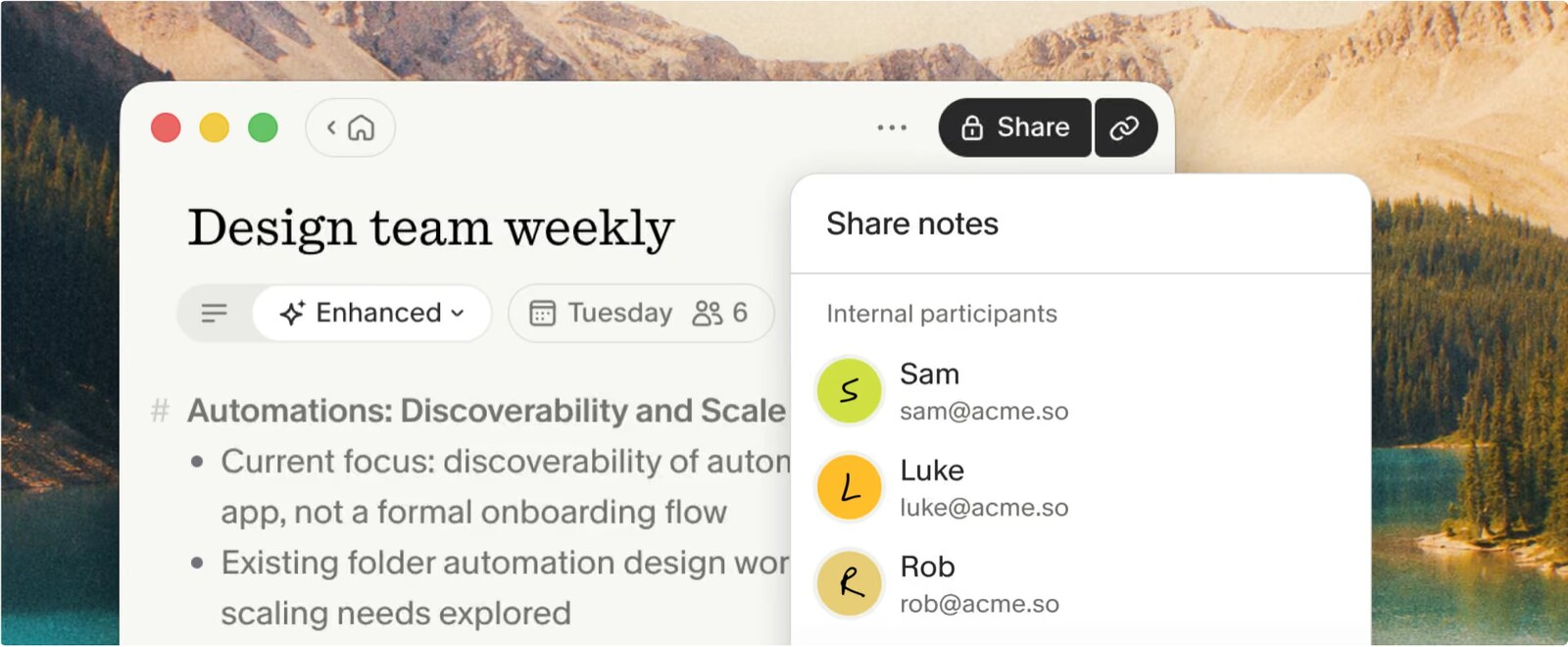
Granola is an AI notepad for meetings. You type rough notes during a call, Granola transcribes the conversation from your own device, and when the meeting ends it combines the transcript with your notes into clean meeting notes with decisions and next steps. It does this without a bot joining the call. This Granola review draws on the maker's site, pricing page, help center, blog and App Store listing, checked on 30 Oct 2026.
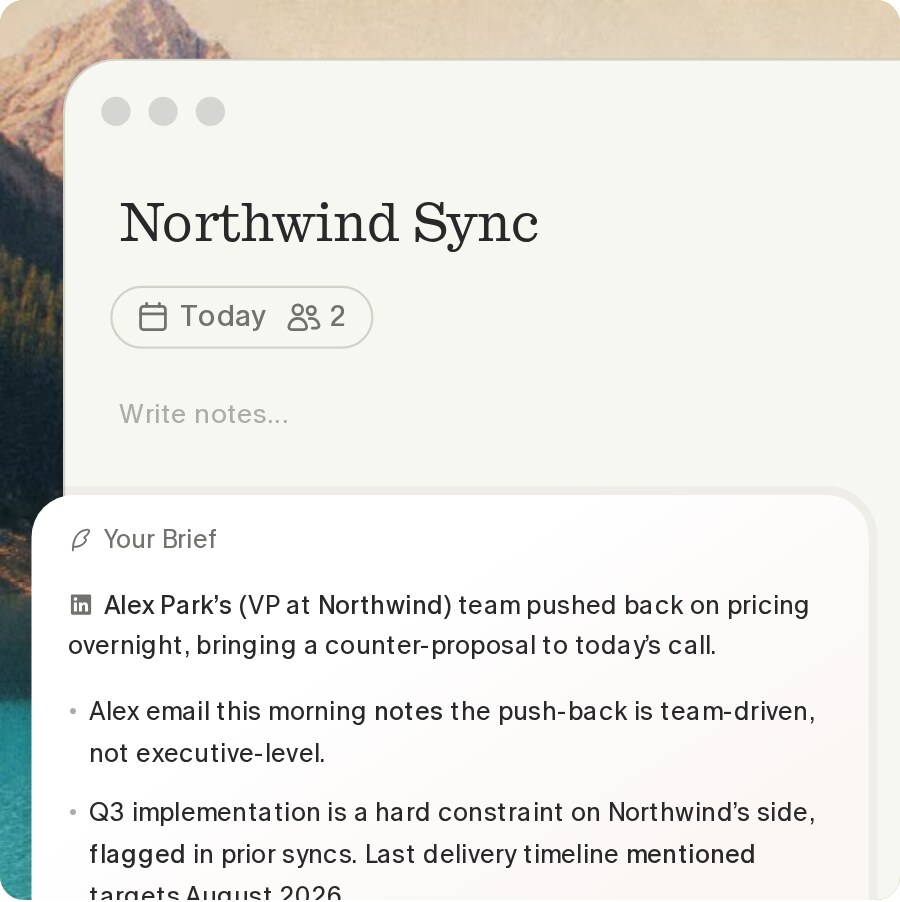
Granola's pitch is aimed at people in back-to-back meetings, and its App Store listing names founders, VCs and recruiters. Sales teams get pre-meeting briefs, CRM integrations and follow-up emails on the Business plan, and product and engineering teams get Linear, Jira and GitHub connections through MCP.
Skip it if you need a recording of the call to replay or clip, since Granola keeps only the transcript. It may also not suit a team that needs every participant's notes captured automatically, because Granola's capture has to be started by hand for each meeting and doesn't auto-join.
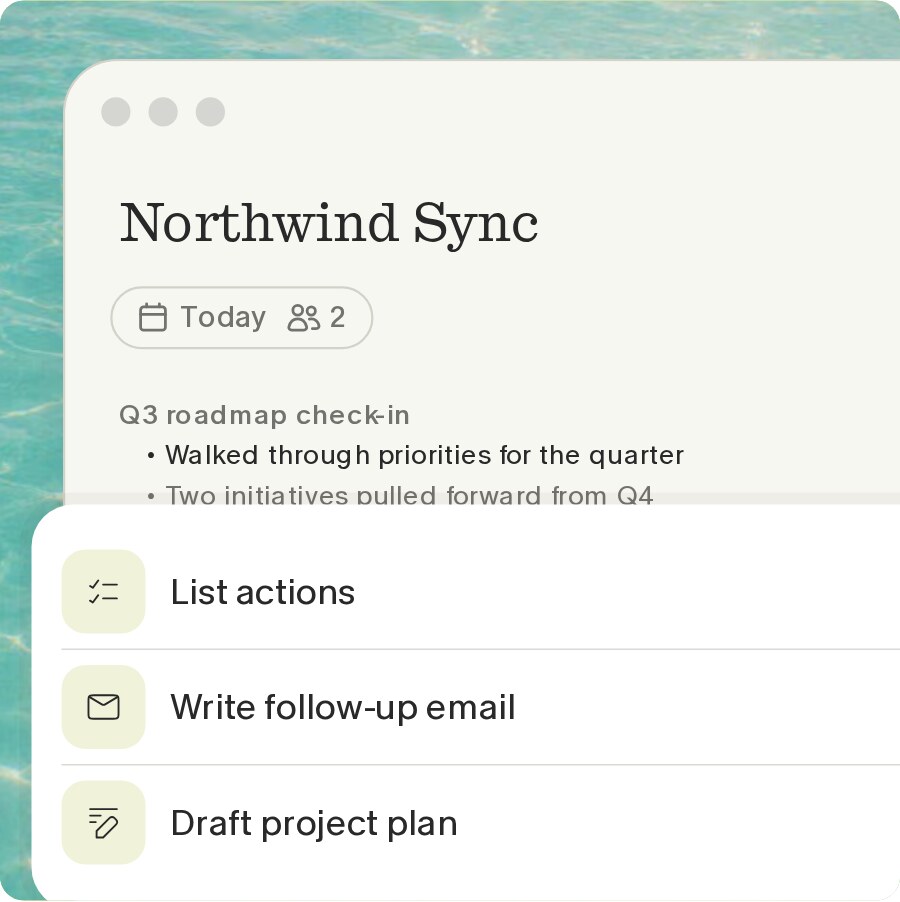
The homepage splits the workflow into before, during and after the meeting. Here is how a typical Granola meeting goes.
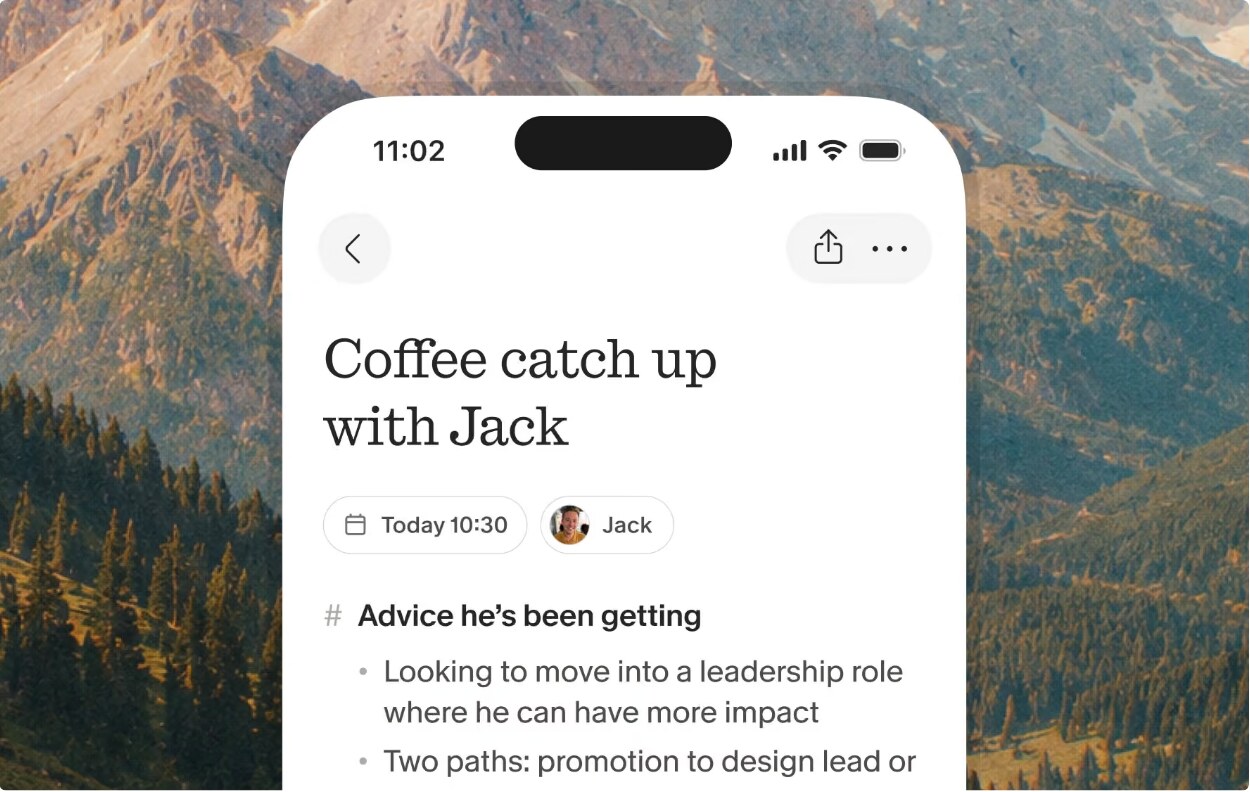
On a phone, the iPhone and Android apps capture in-person meetings, and the iPhone app can capture notes on outbound phone calls. A Lock Screen widget starts a capture with one tap.
Granola's customized note templates shape the summary for different meeting types (a sales call, a one-to-one, an interview). Recipes are saved prompts you can run on a note, and they are included on every plan.
Granola Chat answers questions within one meeting or across your whole meeting history, such as what a customer said about pricing in last month's conversation. Free users get the automatic model, while paid users can choose the model. Chat draws on transcript context, so answers reflect what was actually said.
Slack works on every plan, so a team can post a summary to a channel. Business adds Notion, HubSpot, Attio, Affinity and Zapier (which Granola says reaches 8,000+ apps) plus API access. Enterprise adds Salesforce. The MCP connector brings meeting notes into Claude, ChatGPT and other AI tools.
Granola now promotes voice typing as a new feature, listed on all three plans.
Prices checked 30 Oct 2026, in USD. Billing is per workspace: every active member is a paid seat, and the whole workspace shares one plan.
| Plan | Price | What it includes |
|---|---|---|
| Basic | $0 | Unlimited AI meeting notes, 30 days of visible history, chat with automatic model, shared folders, templates, recipes, Slack integration, MCP on personal notes from the last 30 days |
| Business | $14 per user per month, billed monthly | Unlimited note and transcript history, model selection in chat, pre-meeting briefs, follow-up emails, Notion, HubSpot, Attio, Affinity and Zapier, API access, centralized billing |
| Enterprise | From $35 per user per month, monthly or annual | SSO, SCIM, Salesforce, HIPAA-compliant workspaces, workspace-wide retention and sharing policies, audit API, usage analytics, dedicated support |
Granola's mobile apps are free to use, and no plan has a daily transcription limit. Paid plans can be cancelled at any time and run until the end of the monthly billing period, then drop to Basic. The help center doesn't describe refunds for unused time. Time-limited trials of Business or Enterprise move to Basic if you don't subscribe. Accepted startups and students can get 12 months of Business free, and registered nonprofits can apply for 50% off.
A solo user who only needs the last month of notes can stay on Basic for free. A five-person sales team on Business pays $70 a month, or $840 a year, and every person who joins the workspace adds a seat, admins included. Mixed tiers inside one workspace are not supported.
On the US App Store, the Granola iPhone app showed 5.0 out of 5 from 15K ratings on 30 Oct 2026, and it ranked 65th in the free Productivity chart.
Granola does one job well. It turns the notes you would have scribbled anyway into a clean Granola note for every meeting, without a bot in the room. The free plan is generous on usage but short on history, so most regular users will end up on Business at $14 a seat. I would pick Granola for founders, sales and product people who live in meetings and care about privacy, and look at Fireflies.ai or Fathom instead if you need the recording itself.
Yes. The Basic plan is free with unlimited meeting notes and no daily transcription limit, but only notes from the last 30 days are visible in the app. Older notes are kept and come back if you upgrade.
No. Granola transcribes your microphone and computer audio directly, so nothing appears in the participant list. You start it manually for each meeting, and it has a per-user setting to let people know you are using it.
No. Granola says it does not store meeting audio. It transcribes in real time on macOS and Windows, or from temporarily cached audio on mobile, and keeps only the transcript and your notes.
Business is $14 per user per month, billed monthly, and adds unlimited history, Notion, HubSpot, Attio, Affinity and Zapier integrations, and API access. Prices checked 30 Oct 2026.
Yes. The subscription runs to the end of the current monthly billing period, then the workspace moves to the free Basic plan. The help center does not describe refunds for unused time.
We may earn a commission when you buy through links on SaaSPic. It never changes our verdicts or the price you pay. Affiliate disclosure
Add this badge to your website so your visitors can read this independent review in one click.
 7.9/10
AI meeting assistant that records, transcribes and summarizes calls on Zoom, Meet and Teams, with search and CRM sync.
 7.4/10
Bot-free AI note taker that records, transcribes and summarizes meetings from a Chrome extension, desktop or mobile app.
 7.2/10
AI meeting notetaker and transcription tool with 58 languages, bilingual transcription, AI summaries and a bot-free recorder.
 7.9/10
AI meeting notes app that records online and in-person meetings, writes notes and action items, and pushes them to your other tools.
| Tool | Score | From | Free plan | Best for |
|---|---|---|---|---|
| Granola | 7.8/10 | $14/mo | Yes | Founders, sales and product people in back-to-back meetings |
| Fireflies.ai | 7.9/10 | $10/mo | Yes | Sales and recruiting teams capturing every call |
| Bluedot | 7.4/10 | $14/mo | Yes | Teams who want AI meeting notes without a bot in the call |
| Notta | 7.2/10 | $97.99/yr | Yes | Multilingual teams transcribing meetings |
| Circleback | 7.9/10 | $18/mo | Yes | Sales and customer teams whose meetings feed a CRM |
 8.4/10
Scheduling software that lets people book time with you through a link, with team routing, reminders, payments and AI meeting recaps.
 8.3/10
Web booking page and scheduler that syncs your calendars and lets clients book and pay for sessions, packages and subscriptions.
 8.1/10
Time tracker and timesheet app for teams, with a free plan and per-seat paid tiers for invoicing, approvals and scheduling.