
Gblock
Lifetime deal on Gblock
$99.95
Price tracked from Oct 28, 2026
Browser extension that blocks spy pixels, tracking links and read receipts in Gmail and hides your IP through a proxy.
We may earn a commission when you buy through our links. How this works
Gblock is a cheap, focused way to stop email tracking in Gmail on desktop Chromium browsers, and it shows what it blocked in each thread. It's a single-developer product with few public ratings, so start with the free trial.
Best for: Gmail users on desktop Chrome, Edge, Brave or Arc who want to stop read tracking
6.9/10 Good, with trade-offs. The overall score is our judgment against the questions we ask of every tool, not an average. How we score
| Question | Score | Why |
|---|---|---|
| Does the jobWhat it actually does for the task it is sold for, and where it falls short. | 7.5 | Store listing and FAQ document pixel blocking, link cleaning, proxy anonymization, real-time tracker detection and custom filters. |
| Ease of useSetup needed and how quickly you get something useful done. | 7.5 | The vendor says it runs automatically after install and sign-in, and shows an in-thread banner for each block. |
| Pricing and limitsWhat you pay at a realistic size, including caps, add-ons and deal limits. | 7.5 | Pricing page lists $23.88 a year after a 30-day no-card trial, with a $99.95 lifetime option from the developer. |
| Reliability and supportUpdate pace, known problems and how support responds. | 6.0 | Email support with a stated 24 hour reply time from a single developer; reviewers praise responsiveness but the base is 11 ratings. |
| Fit against alternativesHow it compares with the alternatives for the people it is aimed at. | 6.0 | Free options such as Ugly Email and Gmail's image setting cover pixels, and Gblock is limited to Gmail on desktop Chromium. |
Gblock is a browser extension that blocks email tracking in Gmail. It stops spy pixels from reporting when and where you opened a message, strips tracking parameters from links, and routes link clicks through its own proxy so senders don't see your IP address. It's made by Jacopo Beschi, an independent developer based in Montichiari, Italy, and sold as a yearly subscription after a 30-day free trial. Prices checked 31 Oct 2026.
It suits anyone who reads a lot of sales, marketing or recruitment email in Gmail on a desktop browser and doesn't want the sender to know they opened it. The Chrome Web Store listing names journalists and lawyers protecting sources and clients, recruiters reviewing applications without sending an engagement signal, freelancers who don't want to give away their reading habits during negotiations, and teams trying to reduce third-party tracking.
Skip it if you mainly read Gmail in the phone app, use Outlook or Apple Mail, or use Firefox or Safari. Gblock runs only in Gmail on desktop Chromium browsers (Chrome, Edge, Brave and Arc, per the vendor). Skip it too if Gmail's own setting to ask before showing images is enough for you, since that keeps images (pixels included) from loading until you allow them, at the cost of not seeing images by default.
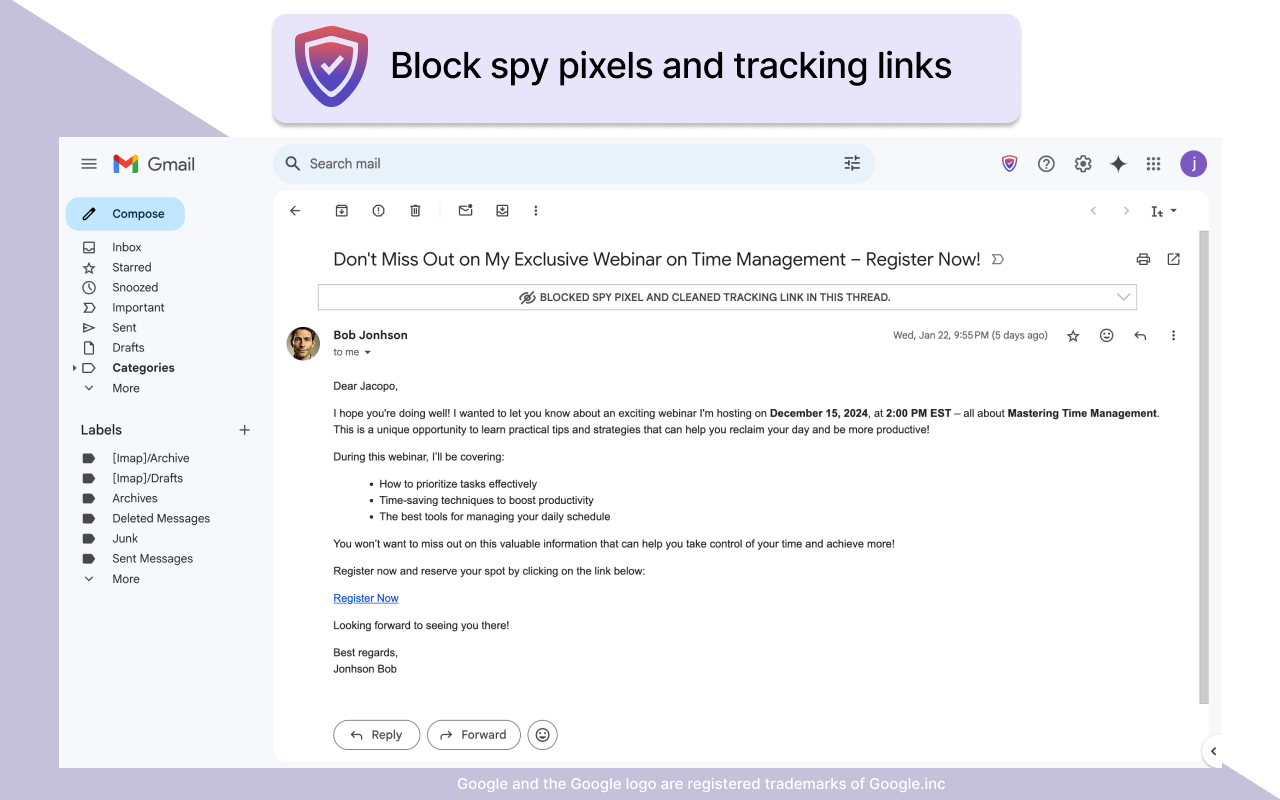
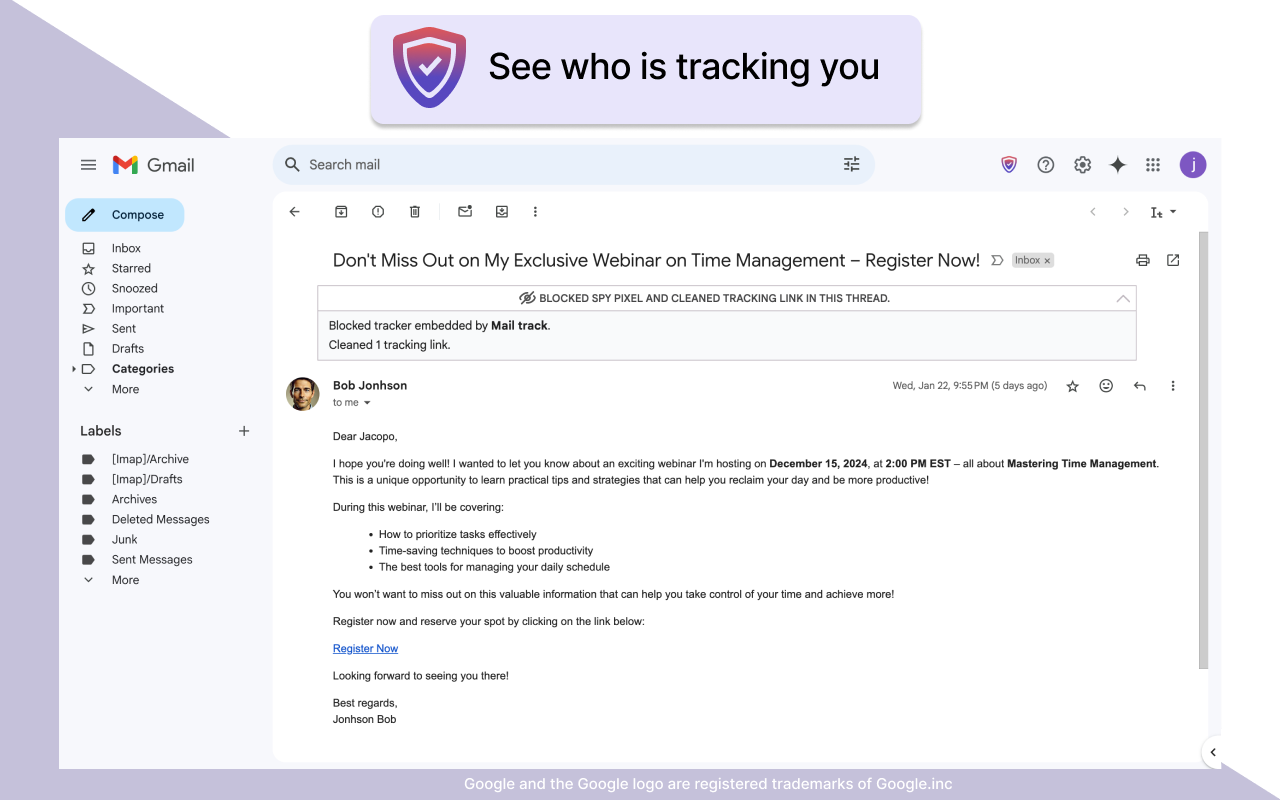
A spy pixel is an invisible 1x1 image in an email. When it loads, it can tell the sender when you opened the message, how many times, roughly where you were and what device you used. Gblock detects these pixels and blocks them before they load. When it does, it shows a banner at the top of the thread, such as "Blocked spy pixel and cleaned tracking link in this thread", and you can expand it to see which tracker was involved (the store screenshots show a Mailtrack pixel being caught).
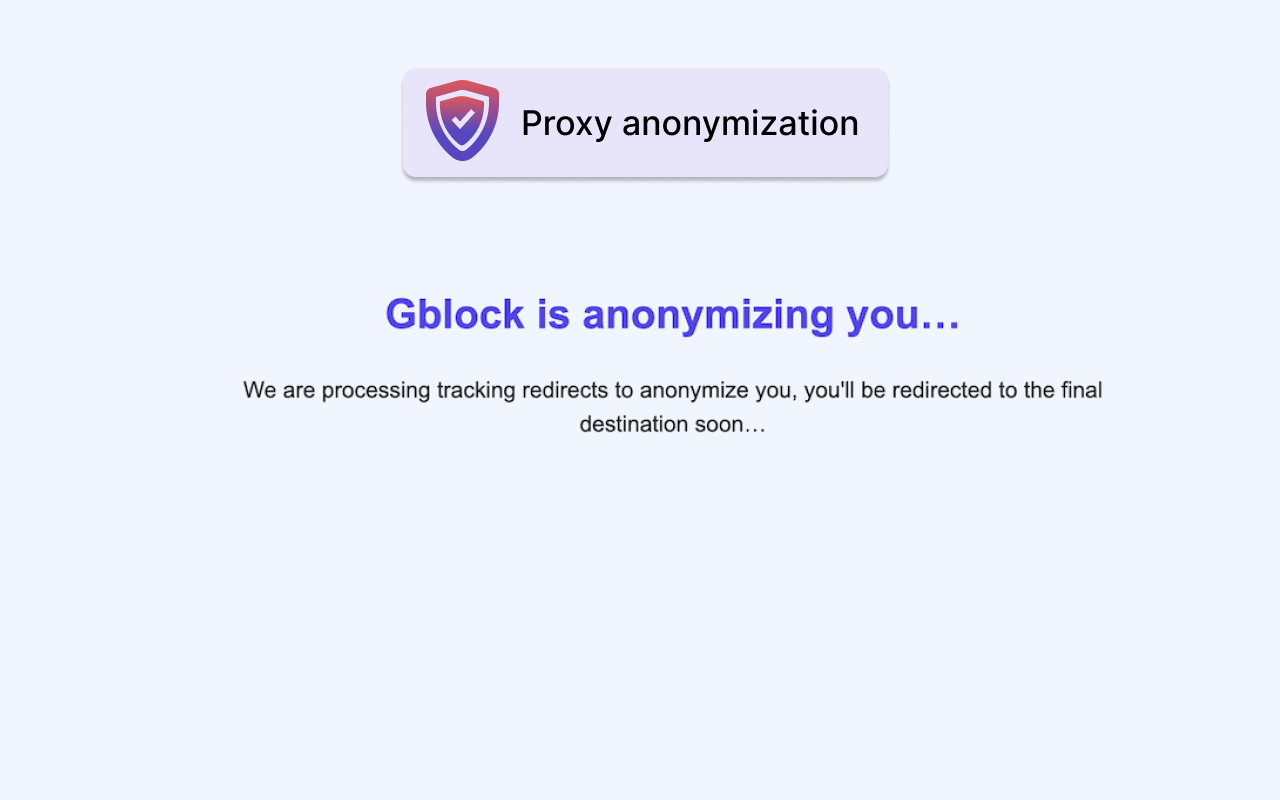
Marketing links often carry tracking parameters such as utm codes or pass through redirect servers. Gblock strips known tracking parameters and, when you click, follows the redirect chain through its proxy, showing a short "Gblock is anonymizing you" page before you reach the final destination. The proxy caches resolved links, so if another user has already opened the same tracking link, Gblock can send you straight to the destination. The vendor says this covers about 99% of cases. You can hold Shift and click to bypass the proxy for a single link.
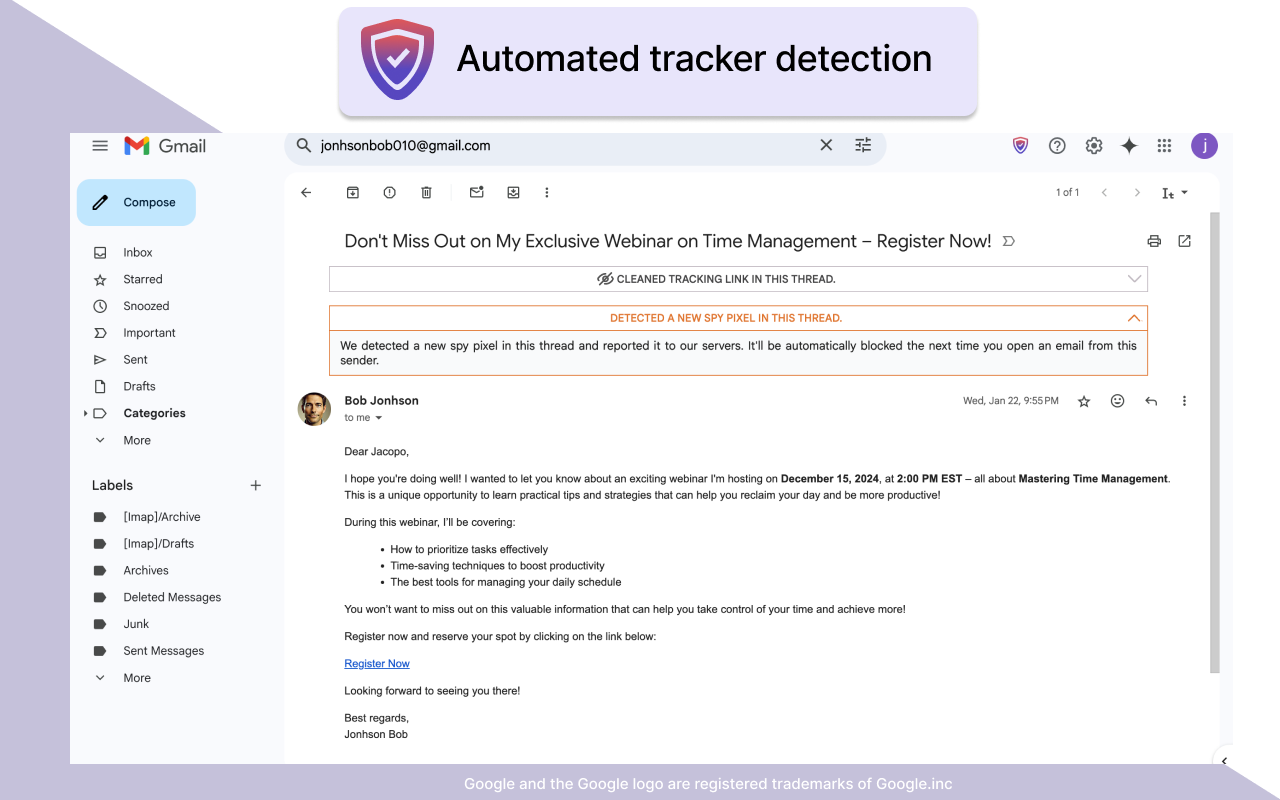
Instead of relying only on a static blocklist, Gblock looks for tracking patterns in emails as you view them. When it finds a new pixel, it shows an orange "detected a new spy pixel" notice, reports the tracker URL to its server and blocks it automatically for everyone from then on. The vendor says its list now covers 28,544 trackers, including Mailchimp, HubSpot, Salesforce, SendGrid, Mailgun, GMass, ConvertKit, Customer.io and Eventbrite. There's also a custom filters screen to block or allow specific trackers yourself, and you can report missed trackers by email.
You install the extension, sign in with Google, choose your country (which sets the proxy location) and open Gmail. After that it runs in the background with no setup. Proxies are in North America and Europe, and you can change the location in account settings or turn the proxy off entirely, though that also turns off link protection.
| Option | Price | What you get | Terms |
|---|---|---|---|
| Free trial | $0 for 30 days | All features | No credit card needed. If you don't add a payment method, the account pauses after 30 days. |
| Paid subscription | $1.99/month, charged as $23.88 a year plus tax | Spy pixel protection, automated tracker detection, link tracking protection, privacy-safe proxy, email support, software updates | Converts to the annual plan after the trial only if you added a card and left auto-renewal on. Cancel any time; protection runs to the end of the paid period. Payments by Stripe. |
| Lifetime license | $99.95 one-off | The same features, with no renewal | Sold by the developer through his Gumroad store, linked from the Gblock site, in limited numbers (9 left when checked). 30-day money back guarantee. No refund of an annual subscription if you upgrade. |
There's no permanent free plan. For one person, the annual plan costs $23.88 a year plus any sales tax or VAT, so the lifetime license pays for itself in a little over four years. The vendor doesn't publish team or business pricing, so each person needs their own subscription.
On the Chrome Web Store, Gblock has a 4.6 rating from 11 ratings and about 1,000 users, and carries the store's Featured badge (Oct 2026). On Microsoft Edge Add-ons it shows 48 users and a single rating. The Gumroad lifetime page has 2 ratings, both 5 stars. Store reviewers quoted on the vendor's site say it still works where an older pixel blocker stopped working after Chrome's Manifest V3 change, that it flags what it blocked at the top of each email, and that the developer answers support requests quickly. That's a small sample, so treat it as early feedback rather than proof at scale.
The extension was updated to version 0.4.2 on 30 October 2026, and the privacy policy was last revised on 19 May 2026. The vendor doesn't publish a changelog, so there's no dated list of feature changes. Its articles section is very active (more than 1,200 posts on email tracking and privacy news), which is useful reading but not a product update log.
Gblock does one narrow job well on paper: it blocks spy pixels, cleans tracking links and hides your IP address in Gmail, and it tells you what it blocked in each thread. At $23.88 a year it's cheap, and the 30-day trial needs no card. I would pick it if you live in Gmail on a desktop Chromium browser and want more than the free options give you, but the single-developer setup and small review base mean it's worth starting with the trial before considering the lifetime license.
Gblock is a browser extension that blocks spy pixels, strips tracking links and hides your IP address through a proxy in Gmail, so senders can't see when or where you opened their email.
After a 30-day free trial with no card required, it's $1.99 a month billed as $23.88 a year plus tax. The developer also sells a $99.95 lifetime license through his Gumroad store (prices checked 31 Oct 2026).
The vendor says no. To the sender it looks as though you never opened the message or clicked any links.
The vendor says the extension doesn't request access to your email and collects no personal data from it. Its privacy policy does say it stores the tracker URLs detected in your emails to update the shared blocklist.
Gmail on the web in desktop Chrome, Edge, Brave and Arc. It doesn't support Firefox, Safari, the Gmail mobile app or other email services.
We may earn a commission when you buy through links on SaaSPic. It never changes our verdicts or the price you pay. Affiliate disclosure
Add this badge to your website so your visitors can read this independent review in one click.
 7.8/10
VPN with unlimited devices, 4,500+ servers in 100 countries, plus bundles adding antivirus, breach alerts and data removal.
 7.0/10
Ad, popup and tracker blocker with free browser extensions and paid system-wide apps for Windows, Mac, Android and iOS.
 7.0/10
AI compliance platform for SOC 2, ISO 27001, HIPAA and GDPR, with a free open-source self-hosted edition and a paid managed cloud.