 7.6/10
AI email filter that works with any email client, moving unimportant mail out of your inbox and adding reminders, digests and blocking.


AI assistant for Gmail and Outlook that sorts email, drafts replies in your tone and takes meeting notes.
We may earn a commission when you buy through our links. How this works
Fyxer suits professionals who want email triage, drafted replies and meeting notes without leaving Gmail or Outlook, and the 14-day Team trial is a fair test. Skip it if you want a free inbox sorter, flat pricing or an assistant that sends emails for you.
Best for: Consultants, agents and small client teams with heavy inboxes
7.3/10 Good, with trade-offs. The overall score is our judgment against the questions we ask of every tool, not an average. How we score
| Question | Score | Why |
|---|---|---|
| Does the jobWhat it actually does for the task it is sold for, and where it falls short. | 7.8 | Fyxer covers inbox labeling, drafted replies, meeting notes for Zoom, Meet and Teams, follow-ups, Chat, Spaces and Flows on its paid plans. |
| Ease of useSetup needed and how quickly you get something useful done. | 7.2 | It runs inside Gmail and Outlook with Google or Microsoft sign-in, though Trustpilot's summary notes reviewers who found setup difficult. |
| Pricing and limitsWhat you pay at a realistic size, including caps, add-ons and deal limits. | 6.6 | Pro is $37 per person a month billed annually with 3,000 credits, while the free plan omits sorting and drafting. |
| Reliability and supportUpdate pace, known problems and how support responds. | 7.5 | Trustpilot shows 4.0 from 760 reviews with replies to 98% of negative reviews, and Team includes replies within one business day. |
| Fit against alternativesHow it compares with the alternatives for the people it is aimed at. | 7.2 | It combines what SaneBox and Fireflies.ai do separately, but costs more per seat than either for teams that need only one half. |
Fyxer is an AI assistant that works inside Gmail and Outlook to sort your inbox, draft replies in your tone and take notes in your video meetings. It suits founders, consultants, salespeople and small client-facing teams who live in email; people who want an AI that sends emails for them, or who dislike usage-based credits, should skip it.
Fyxer is an AI email and meeting assistant from a UK company founded by brothers Richard and Archie Hollingsworth with CTO Matt Ffrench. The founders previously ran an executive assistant business, and the vendor says Fyxer was trained on more than 500,000 hours of executive assistant workflow data.
You sign in with Google or Microsoft, approve access, and Fyxer starts working in the tools you already use rather than a new email client. The vendor says more than 100,000 people use it, and its own survey figure is that 81% of users save more than an hour a day. Treat both as the company's claims.
Fyxer is for busy professionals whose day is split between a crowded inbox and client calls, and for teams that want shared context across clients. Its own industry pages target real estate, accounting and consultancy firms.
Fyxer works in the background of your existing inbox, calendar and meetings, then surfaces drafts, labels, notes and follow-ups for you to review. Nothing goes out without you pressing send.
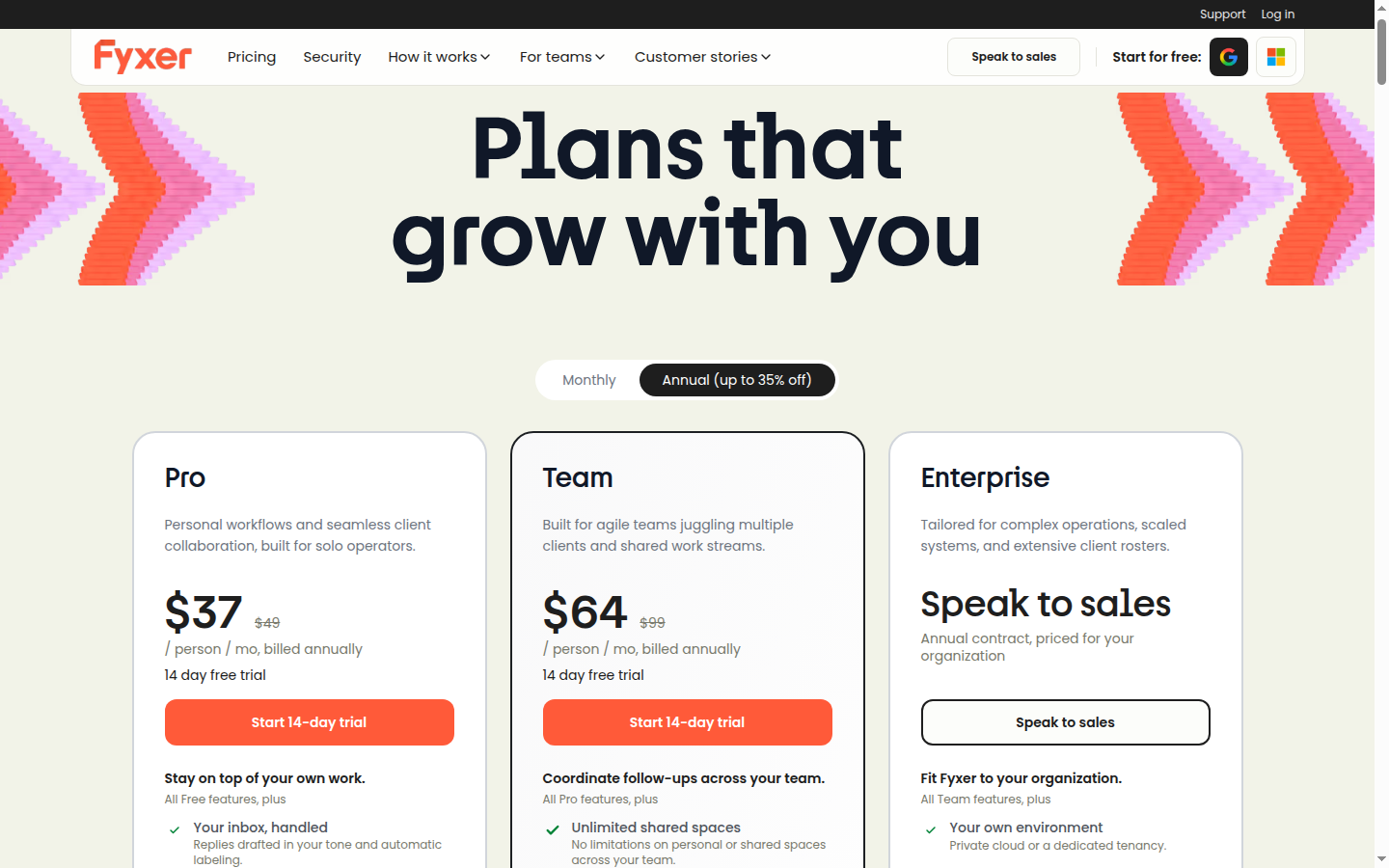
Fyxer has a free plan, two per-seat paid plans and an Enterprise contract, all in USD, and every new account starts with a 14-day trial of the Team plan. Prices checked 8 Nov 2026 on the Fyxer pricing page.
| Plan | Price | Monthly credits | What it includes |
|---|---|---|---|
| Free | $0 | 400 per person | Personal profile, daily dashboard, weekly email briefing, audio meeting notes, Chat, 3 personal Spaces; no inbox sorting or drafted replies |
| Pro | $37 per person a month billed annually, or $49 month to month | 3,000 per paid member (unlimited for the first 3 months) | Drafted replies, inbox labeling, video recording, live follow-up list, unlimited personal Spaces, 3 shared Spaces per seat, Flows, email support |
| Team | $64 per person a month billed annually, or $99 month to month | 6,000 per paid member, pooled (unlimited for the first 3 months) | Everything in Pro, plus several inboxes, unlimited shared Spaces, organization profile, assigned follow-ups, admin controls, MCP, reply within one business day |
| Enterprise | Custom annual contract | Agreed in the contract | Everything in Team, plus SSO, SCIM, audit logs, full API, regional data storage (EU, UK, US), private cloud and HIPAA terms |
A seat is one paid member however many inboxes they connect, and read-only Viewers are free. Annual billing is charged upfront and saves 25% on Pro and 35% on Team. If you do nothing when the trial ends, the account drops to Free with no charge. Fyxer's pricing page does not publish a refund policy.
Credits are the real limit. Sorting costs one credit per five emails, recording costs one credit per minute, and each chat message costs 20 credits. Fyxer's own example is that Pro's 3,000 credits cover about 5,000 sorted emails, 25 hours of recorded meetings and 25 chat messages a month, with no rollover. A five-person team on Team pays $320 a month on annual billing. Free's 400 credits stretch to about 20 chat messages or 6 hours 40 minutes of audio notes.
When paid credits run low, Fyxer warns you at 80% and 100%, pauses sorting first and keeps recording meetings.
Fyxer reviews are mostly positive, with a clear pattern of complaints about setup and draft quality. On Trustpilot, Fyxer scores 4.0 out of 5 from 760 reviews (Nov 2026), 428 of them from the last 12 months, and the company has replied to 98% of negative reviews. Trustpilot's summary says reviewers praise the time saved on inbox triage and draft replies, and flag setup difficulties, drafts lacking personalization and occasional billing errors.
On G2, Fyxer has 4.1 out of 5 from 21 reviews (Nov 2026), with email management and ease of use as the top positives and limited customization as the main negative. Note that Fyxer invites customers to review on Trustpilot and pays for a Trustpilot subscription.
Fyxer is a web dashboard that plugs into Gmail or Outlook and your calendar, with no desktop app to install. These are the facts it publishes:
Fyxer replaced its plans in September 2026: the old Starter and Professional plans became legacy plans, and new sign-ups now choose Free, Pro, Team or Enterprise with monthly credits. Existing customers can stay on legacy pricing for now.
The changelog also shows Fyxer in Claude (15 June 2026), Fyxer inside Slack and Microsoft Teams (27 August 2026), and chat by email plus a redesigned dashboard (6 September 2026).
Fyxer's main drawbacks are the credit system, a thin free plan and per-seat costs that add up for teams.
The best Fyxer alternative depends on which half of the job you need: inbox triage, drafting or meeting notes.
Fyxer is a capable email and meeting assistant for people who want drafts and triage without leaving Gmail or Outlook, and the 14-day Team trial is a fair way to judge the drafts. I would pick Pro for a solo consultant or agent with a heavy inbox. Skip it if you need a free inbox sorter, flat pricing, or an assistant that sends on your behalf.
Fyxer has a free plan with 400 credits a month, a daily dashboard, a weekly email briefing, audio meeting notes and 3 personal Spaces. Inbox sorting and drafted replies need Pro or above, and every sign-up starts with a 14-day Team trial.
Prices checked 8 Nov 2026 are $37 per person a month for Pro and $64 for Team on annual billing, or $49 and $99 month to month. Enterprise is a custom annual contract.
Trustpilot's review summary lists difficulty with the initial setup, drafts that lack personalization and occasional billing errors. G2 reviewers mention limited customization.
No. Fyxer drafts replies and follow-ups in your inbox, and you decide what gets sent.
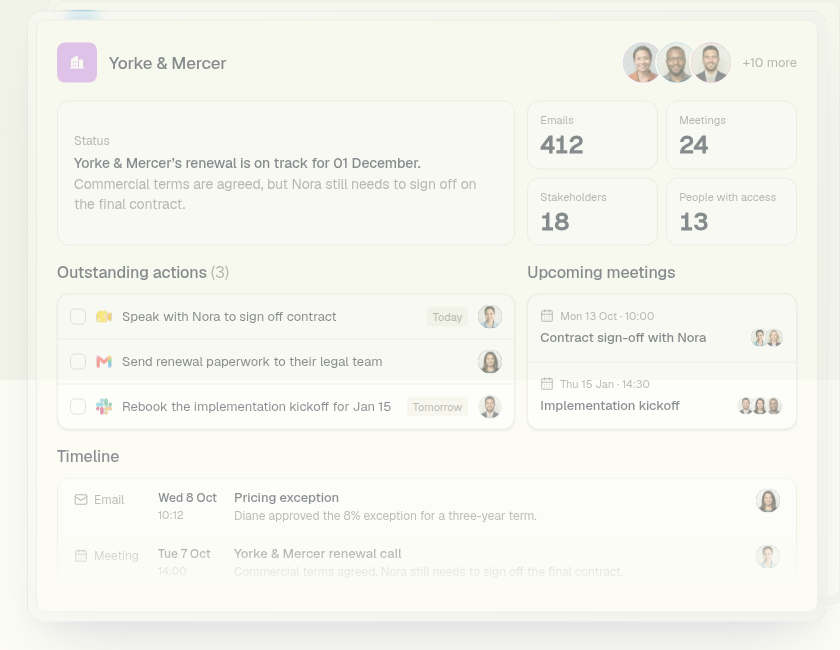
The Fyxer dashboard at app.fyxer.com shows your briefing, follow-ups, Spaces, plan and billing settings. A redesigned dashboard launched on 6 September 2026 to bring everything needing attention that day into one place.
Fyxer says it holds SOC 2 Type II and ISO/IEC 27001, complies with UK and EU GDPR and the CCPA, and offers HIPAA for eligible Enterprise customers. It states that customer data is not used to train third-party AI models and that deleting your account returns your inbox to how it was.
We may earn a commission when you buy through links on SaaSPic. It never changes our verdicts or the price you pay. Affiliate disclosure
Add this badge to your website so your visitors can read this independent review in one click.
 7.6/10
AI email filter that works with any email client, moving unimportant mail out of your inbox and adding reminders, digests and blocking.
 7.9/10
AI meeting assistant that records, transcribes and summarizes calls on Zoom, Meet and Teams, with search and CRM sync.
 7.3/10
AI employee that works across email, Slack, calendar and 3,000+ tools to draft, schedule, research and follow up for you.
| Tool | Score | From | Free plan | Best for |
|---|---|---|---|---|
| Fyxer | 7.3/10 | $37/mo | Yes | Consultants, agents and small client teams with heavy inboxes |
| SaneBox | 7.6/10 | $9.49/mo | No | Busy professionals with overflowing inboxes |
| Fireflies.ai | 7.9/10 | $10/mo | Yes | Sales and recruiting teams capturing every call |
| Lindy | 7.3/10 | $49.99/mo | Yes | Agencies and small teams delegating inbox and client work |
 8.4/10
Scheduling software that lets people book time with you through a link, with team routing, reminders, payments and AI meeting recaps.
 8.3/10
Web booking page and scheduler that syncs your calendars and lets clients book and pay for sessions, packages and subscriptions.
 8.1/10
Time tracker and timesheet app for teams, with a free plan and per-seat paid tiers for invoicing, approvals and scheduling.