 7.8/10
Maker of Camtasia and Snagit, screen recording, capture and video editing tools for training and how-to content.


Software maker behind Filmora, an easy AI video editor, plus PDFelement, UniConverter, EdrawMax and Dr.Fone.
We may earn a commission when you buy through our links. How this works
Wondershare Filmora suits beginners, YouTubers and small businesses who want an easy video editor with AI tools at a low yearly price. Professional editors who need advanced color and collaboration should look at DaVinci Resolve instead.
Best for: Beginners and YouTubers who want easy desktop video editing
7.0/10 Good, with trade-offs. The overall score is our judgment against the questions we ask of every tool, not an average. How we score
| Question | Score | Why |
|---|---|---|
| Does the jobWhat it actually does for the task it is sold for, and where it falls short. | 7.5 | Filmora offers 100+ editing features, 4K export, 2.9M+ creative assets and AI tools for text to video and prompt editing, but not high-end color or collaboration. |
| Ease of useSetup needed and how quickly you get something useful done. | 7.5 | The review calls Filmora one of the easier editing tools to learn, positioned for beginners, YouTubers and small businesses. |
| Pricing and limitsWhat you pay at a realistic size, including caps, add-ons and deal limits. | 7.0 | Basic is $49.99 a year and a perpetual license is $79.99, but AI credits do not roll over and checkout add-ons can auto-renew. |
| Fit against alternativesHow it compares with the alternatives for the people it is aimed at. | 6.5 | A fair entry price for beginners, but professional editors are pointed to DaVinci Resolve or Premiere Pro, and the perpetual license covers updates only within Filmora 16. |
Wondershare Filmora is a desktop video editor for Windows and Mac with a timeline, effects, a large asset library and a growing set of AI tools paid for with credits. It suits beginners, YouTubers, small businesses and educators who want easy video editing software at a low yearly price.
Filmora is for people who want to edit social videos, tutorials, vlogs and marketing clips without learning a professional editor. Wondershare pitches Filmora 16 as professional video editing made easier with AI, and its recording, captions and templates suit creators who publish often.
Skip it if you need high-end color grading, large team projects or a broadcast workflow, where DaVinci Resolve is the usual step up. Also skip it if you want one license for both Windows and Mac, because Filmora licenses are platform-specific.
The Wondershare video editor covers the full path from footage to finished video in one app. You record or import media, organize it, cut on the timeline, refine picture and sound, add effects and titles, then export.
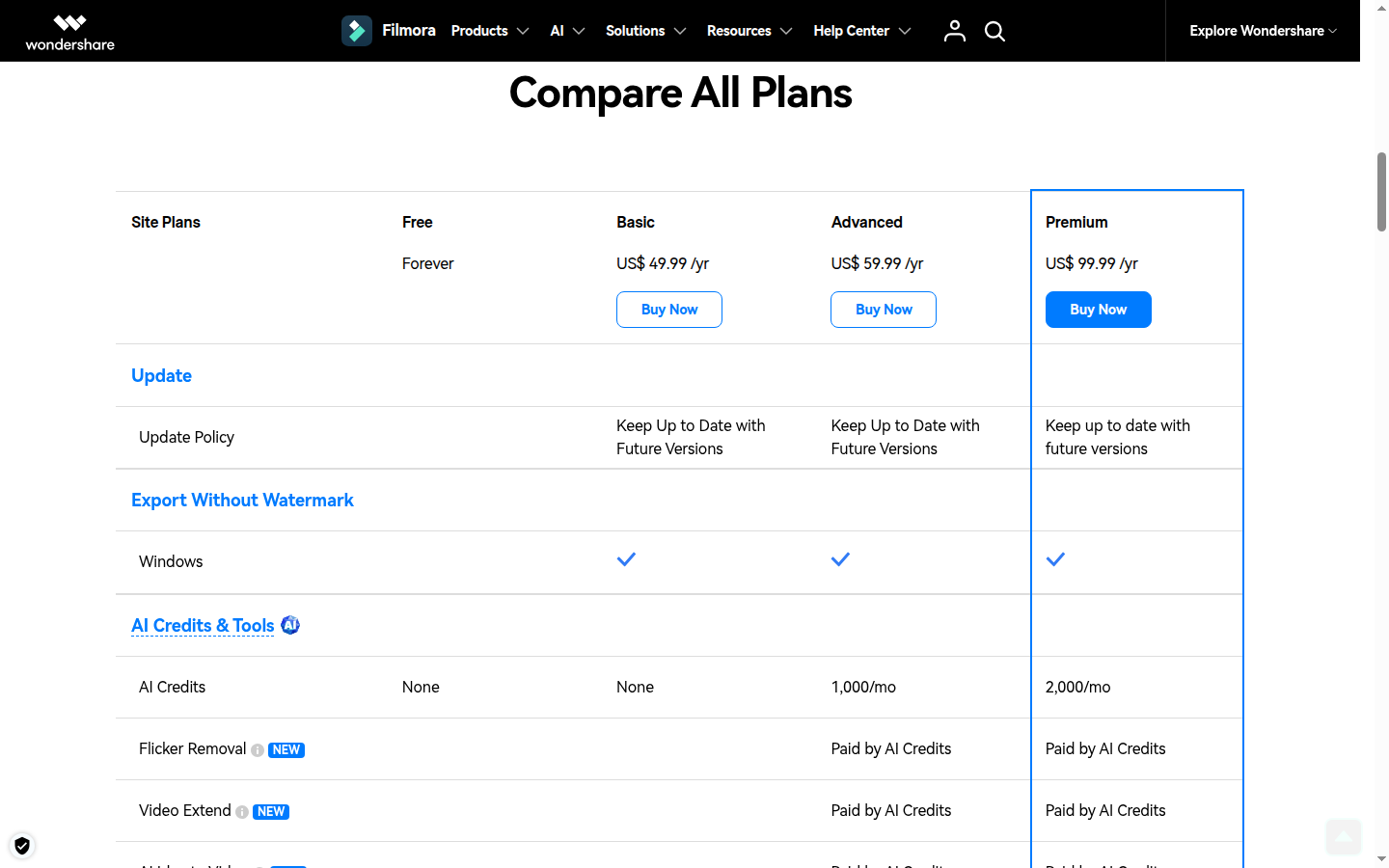
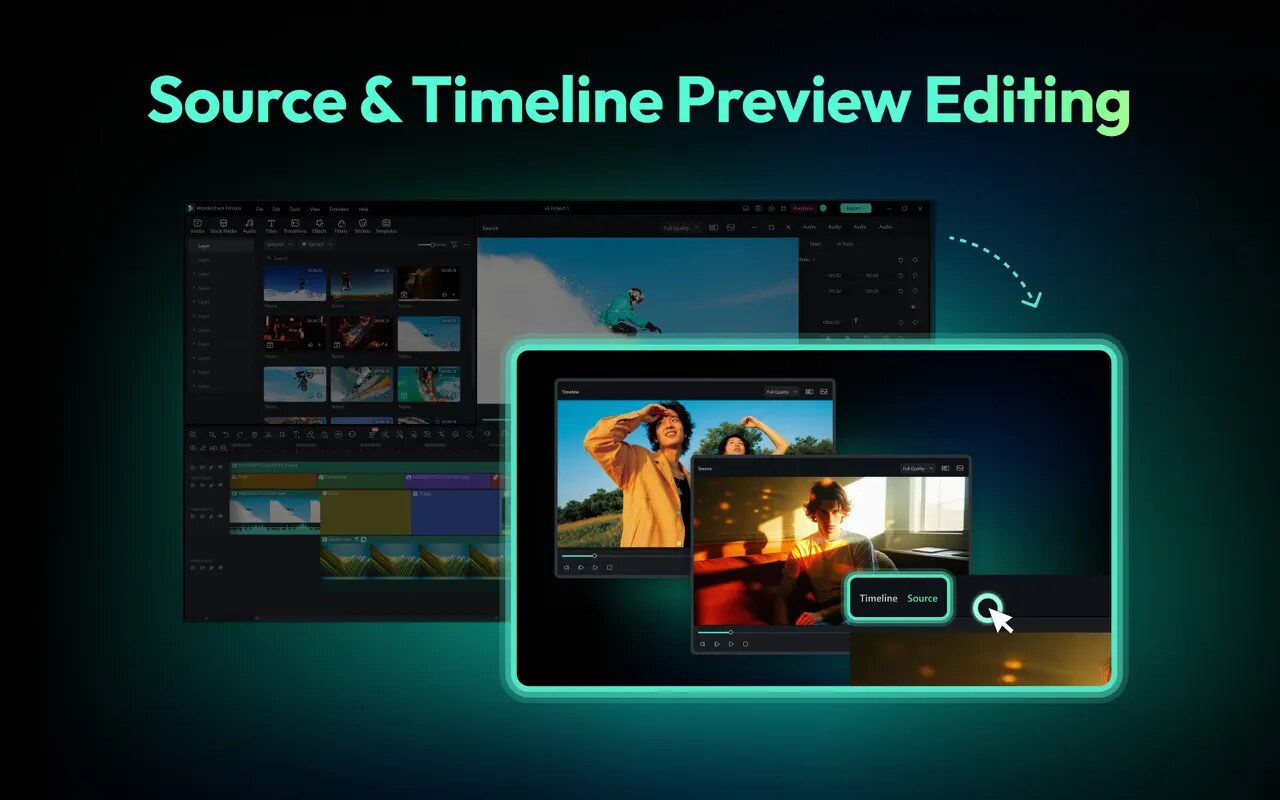
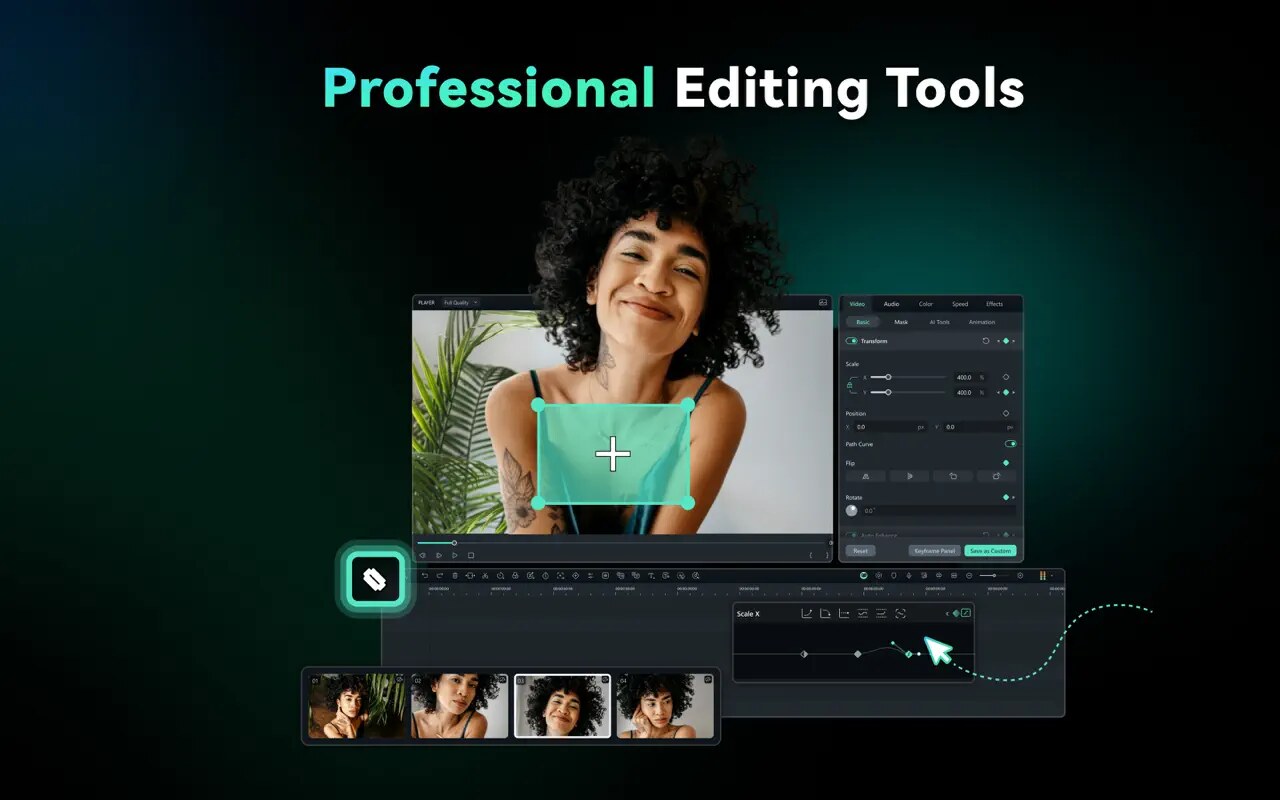
The editing tools go further than most beginner apps. The plan comparison lists a magnetic timeline, multi-camera editing, planar and motion tracking and keyframe animation, plus color tools such as HSL, 3D LUTs, RGB curves, white balance and HDR. Filmora 16 adds camera tracking, color masks and 360° video reframing, and the Source and Timeline preview lets you check raw clips before placing them.
The built-in screen recorder captures screen, camera, microphones and system audio together, with each source kept as its own track. AI Media Analysis tags clips by people, scenes, actions and speech so you can find shots faster, and rough cut tools remove pauses and let you edit from text.
Most generative AI features run on Filmora AI credits. Credit-based tools include Video Extend, AI Idea to Video, Image to Video, Smart Short Clips, AI Text-to-Video, Text-to-Speech, Speech-to-Text, AI Object Remover, AI Video Enhancer, AI Music and AI Voice Cloning. Smart Search, Auto Reframe, AI Face Mosaic, AI Portrait and AI Color Palette are free on paid plans. Speech-to-Text supports 27 languages.
Paid plans unlock 2.9M+ Filmora Creative Assets. The comparison table shows 18K+ effects and filters, 11K+ transitions, 52K+ titles, 45K+ music tracks and 1.1M+ stock media items on paid plans, against 1,500+ effects and 9,600+ music tracks on Free.
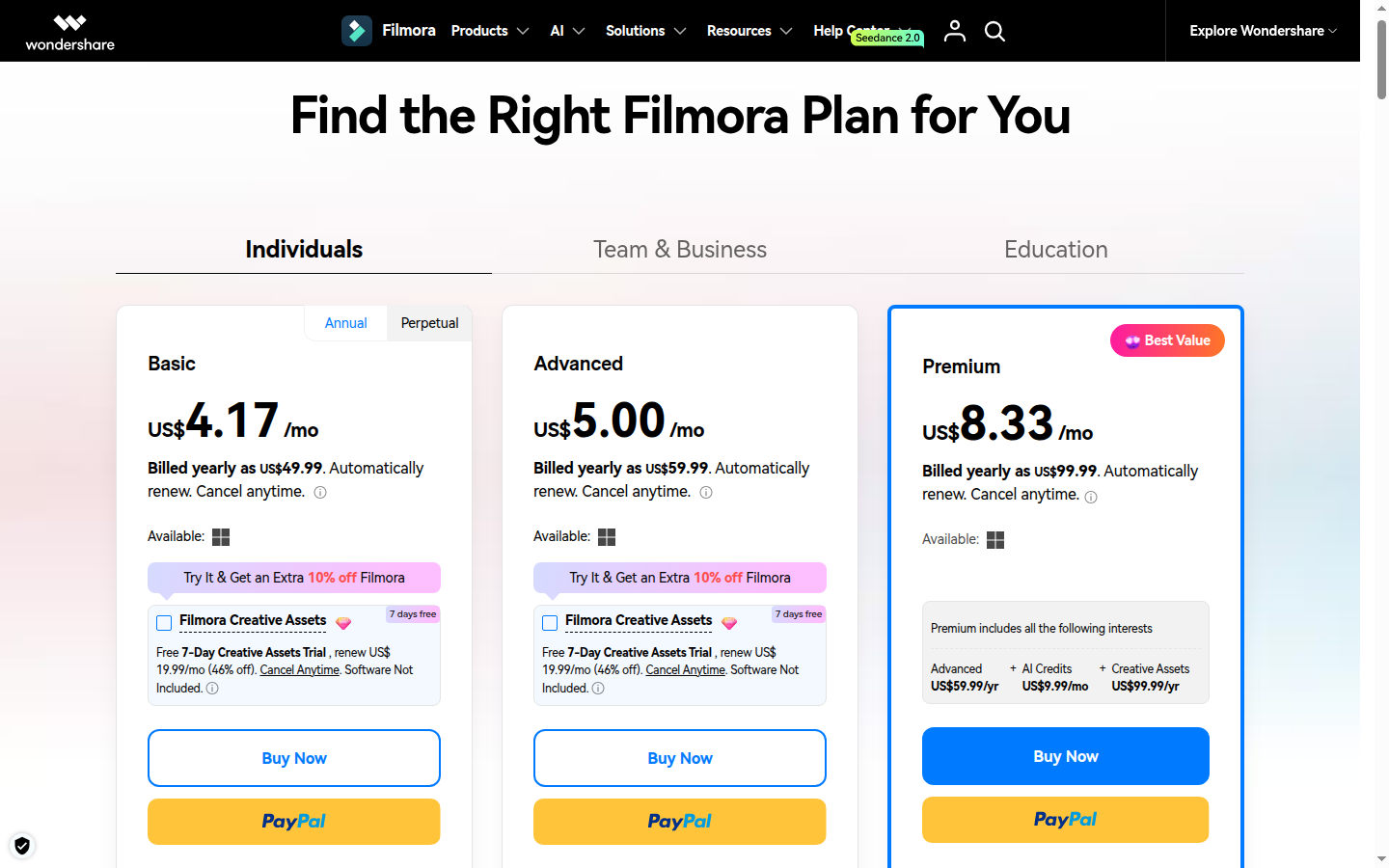
Filmora has a free edition, three yearly plans and a one-off perpetual license, priced in US dollars for individuals. Prices checked 14 Nov 2026.
| Plan | Price (USD) | What you get |
|---|---|---|
| Free | $0, forever | Basic editing features, watermark on export, no AI credits, limited assets |
| Basic | $49.99 a year (about $4.17 a month) | No watermark, 4K export, 1 GB cloud storage, version upgrades, no AI credits |
| Advanced | $59.99 a year (about $5.00 a month) | Everything in Basic, 1,000 AI credits a month, 10 GB cloud storage |
| Premium | $99.99 a year (about $8.33 a month) | Everything in Basic, 2,000 AI credits a month, 100 GB cloud storage |
| Perpetual | $79.99 once | Updates within Filmora 16 only, 1,000 AI credits one time, 1 GB cloud storage |
Yearly plans renew automatically and can be canceled any time. The checkout also ticks a 7 day free Filmora Creative Assets trial that renews at $19.99 a month unless you cancel, so check that box before paying. All plans include 500 AI Mate conversations a month, while Free gets 15 a day. Team and Business and Education plans sit on separate tabs.
The pricing page offers a 30 day money-back guarantee, and Wondershare's refund policy gives most direct purchases 30 days from first payment. Used credits are generally not refundable, and renewal charges are generally not refunded if you forgot to cancel.
A YouTuber who edits weekly and rarely uses generative AI fits Basic at $49.99 a year. Someone who wants AI Extend, text to video or voice cloning most weeks needs Advanced at $59.99 a year for 1,000 credits a month. Subscription credits are issued every 30 days and anything unused is reclaimed when the next batch arrives, so they do not build up. If you would rather pay once, the perpetual license at $79.99 costs about 1.6 years of Basic but stops getting new major versions after Filmora 16.
Ratings for the Filmora mobile app are strong, while the Mac App Store desktop listing has too few ratings to show a score. On 14 Nov 2026 the iPhone app Filmora AI Video Editor and Maker held 4.7 out of 5 from 90K ratings on the US App Store, and the Android app held 4.3 stars from 14.8K reviews on Google Play.
The mobile ratings cover the phone app, not the Windows and Mac editor, so treat them as a guide to the brand. Wondershare's homepage shows 4.5 out of 5 badges from G2, GetApp and Capterra, but those are the vendor's own figures.
Wondershare was founded in 2003 and says it has 2B+ active users across 200+ countries. Its about page lists offices in Vancouver, Tokyo and several Chinese cities including Shenzhen, and the App Store developer for Filmora mobile is Shenzhen Wondershare Software Co., Ltd. Filmora runs on Windows 11, 10, 8.1 and 7 on x64, Windows 11 and 10 on ARM, and macOS 10.15 or later. The Windows minimum is 8 GB RAM, with 16 GB RAM and 4 GB VRAM recommended for HD and 4K. Timeline XML export works with Premiere Pro, DaVinci Resolve and Final Cut Pro. Support is by live chat and email, with email replies promised within 24 hours.
Filmora releases a new version roughly every month, according to its What's New page.
The main drawback is the credit model for AI. Basic includes no AI credits at all, and subscription credits expire every 30 days.
The closest alternatives are other desktop video editors for creators.
Filmora remains one of the easier video editors to learn, with a fair entry price, strong recording and timeline tools and a growing set of AI features. I would pick Basic if you mainly edit without AI, or Advanced if you want monthly AI credits. Untick the Creative Assets trial at checkout, and if you need a professional editor, DaVinci Resolve will serve you better.
Basic is $49.99 a year, Advanced is $59.99 a year and Premium is $99.99 a year for individuals. A perpetual license costs $79.99 once.
There is a free edition with basic editing features, but every export carries a watermark. Paid plans remove the watermark and unlock the full asset library.
Wondershare lists offices in Shenzhen, Beijing, Changsha, Hangzhou and Lhasa as well as Vancouver and Tokyo. The App Store developer for Filmora mobile is Shenzhen Wondershare Software Co., Ltd.
Yes. Filmora runs on Windows and on macOS 10.15 or later, but licenses are platform-specific, so a Windows license does not cover a Mac.
Yes. The pricing page offers a 30 day money-back guarantee, subject to Wondershare's refund policy, but used credits and forgotten renewals are generally not refundable.
No. Subscription AI credits are issued every 30 days from the purchase date, and unused credits are reclaimed when the next batch arrives.
We may earn a commission when you buy through links on SaaSPic. It never changes our verdicts or the price you pay. Affiliate disclosure
Add this badge to your website so your visitors can read this independent review in one click.
 7.8/10
Maker of Camtasia and Snagit, screen recording, capture and video editing tools for training and how-to content.
 8.0/10
TechSmith's screen capture and annotation tool for Windows and Mac, with scrolling capture, Step Capture guides and screen recording.
 7.0/10
Beginner-friendly desktop video editor for Windows and Mac with templates, auto subtitles, AI cleanup tools and effects.
 6.8/10
Agentic AI video editor with a multitrack timeline, natural language edits and AI video and image models.
| Tool | Score | From | Free plan | Best for |
|---|---|---|---|---|
| Wondershare Filmora | 7.0/10 | $49.99/yr | Yes | Beginners and YouTubers who want easy desktop video editing |
| TechSmith (Camtasia and Snagit) | 7.8/10 | £34.64/yr | No | Trainers and teams making screen recordings, tutorials and how-to guides |
| Snagit | 8.0/10 | $19.99/yr | No | Support, training and documentation teams |
| Movavi Video Editor | 7.0/10 | $69.95/yr | Yes | Beginners and small businesses editing on Windows or Mac |
| InVideo | 6.8/10 | $20/mo | Yes | Creators and small teams editing footage with AI agents |
 8.4/10
Voice AI platform with Sonic text to speech, Ink speech to text and Managed Agents for phone voice agents via API.
 8.3/10
AI video and image generator running Kling's own models, with keyframes, character references, native audio, motion control and an API.
 8.3/10
AI voice platform for text to speech, voice cloning, dubbing, music and sound effects, plus voice agents and an API for developers.