 7.0/10
Software maker behind Filmora, an easy AI video editor, plus PDFelement, UniConverter, EdrawMax and Dr.Fone.


Agentic AI video editor with a multitrack timeline, natural language edits and AI video and image models.
Compared: InVideo vs Fliki, which AI video tool suits your content
We may earn a commission when you buy through our links. How this works
invideo AI suits creators and small teams who edit their own footage and want AI agents and generated shots inside a real timeline editor. Skip it if you only make the odd template video, or if burning credits on generations that miss the brief would hurt your budget.
Best for: Creators and small teams editing footage with AI agents
6.8/10 Good, with trade-offs. The overall score is our judgment against the questions we ask of every tool, not an average. How we score
| Question | Score | Why |
|---|---|---|
| Does the jobWhat it actually does for the task it is sold for, and where it falls short. | 7.6 | Agent Two, a full multitrack timeline, custom agents and 200+ AI models cover editing your own footage and generating new shots in one app. |
| Ease of useSetup needed and how quickly you get something useful done. | 7.2 | Edits are described in plain words and stay editable on the timeline, but Trustpilot reviewers call the interface confusing. |
| Pricing and limitsWhat you pay at a realistic size, including caps, add-ons and deal limits. | 6.4 | Annual billing halves seats to $10, $30 or $75 a month, but credits do not roll over and invideo can change credit costs without notice. |
| Reliability and supportUpdate pace, known problems and how support responds. | 5.4 | Trustpilot sits at 1.8 from 1,030 reviews with complaints about credits spent on unusable output and weak support, against 4.5 from 28K App Store ratings. |
| Fit against alternativesHow it compares with the alternatives for the people it is aimed at. | 7.0 | Against Descript, Filmora, Higgsfield and Fliki it is the strongest mix of AI agents and a pro timeline, at a higher per-seat cost. |
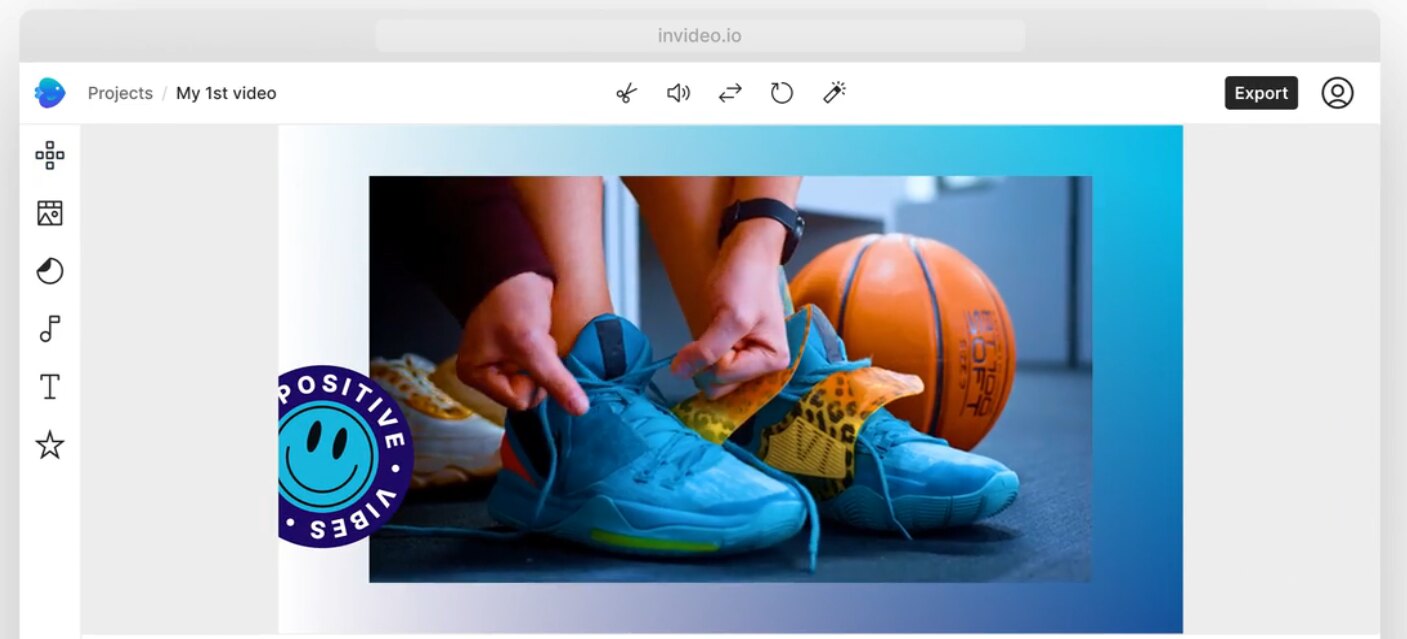
invideo AI is an AI video platform built around Agent Two, an editing agent that works on a real multitrack timeline, plus 200+ AI models for generating new shots, images, voice and music. It suits creators, marketers and small teams who edit their own footage and want AI to handle the repetitive work.
invideo pitches itself at filmmakers, advertisers, microdrama series makers and social media teams, from solo creators to enterprises. It fits people who already shoot footage and want an AI-assisted editor and generated shots in one place.
Skip it if you only need an occasional template video with stock footage, or if you need predictable output per dollar. Every generation is charged whether or not the result is usable.
The invideo workflow has four steps on its homepage: upload footage, describe the edit, review the cut and export. You can also start from an idea or script instead of footage.
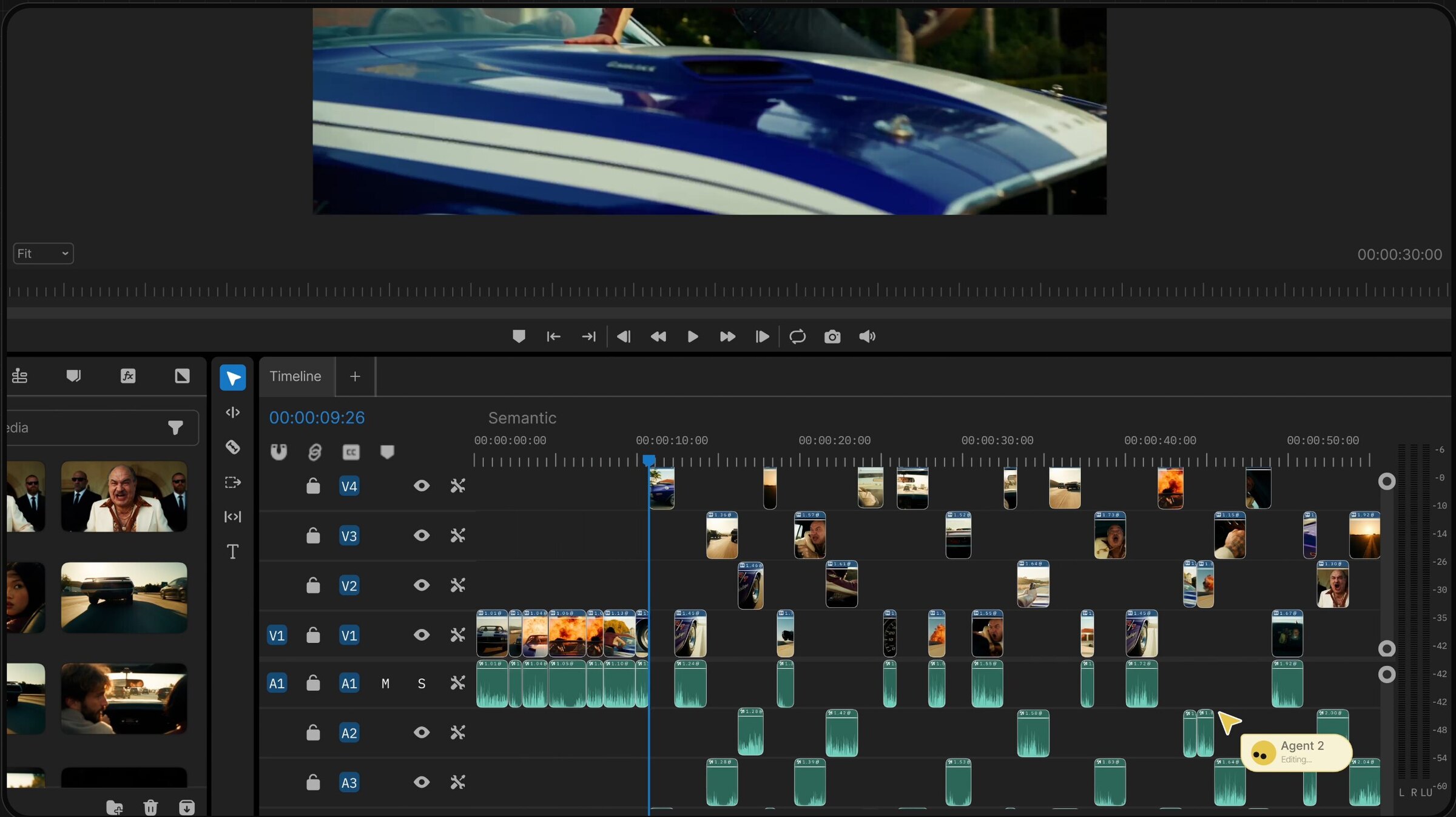
Agent Two watches every clip and logs it in memory, so you can find a moment by describing it. You give it one direction, such as cutting the pauses or matching the look, and it applies the change to every shot on the timeline. invideo says you do not need to be a prompt engineer.
Every AI edit stays editable on a multitrack timeline. The help center covers keyframes, timeline markers, snapping, custom LUT import, color adjustment and a switch between Simple and Professional layouts.
You can turn a script or idea into a shot-by-shot storyboard, write the script with an AI co-writer, and build custom agents for roles such as cinematographer, music designer or colorist.
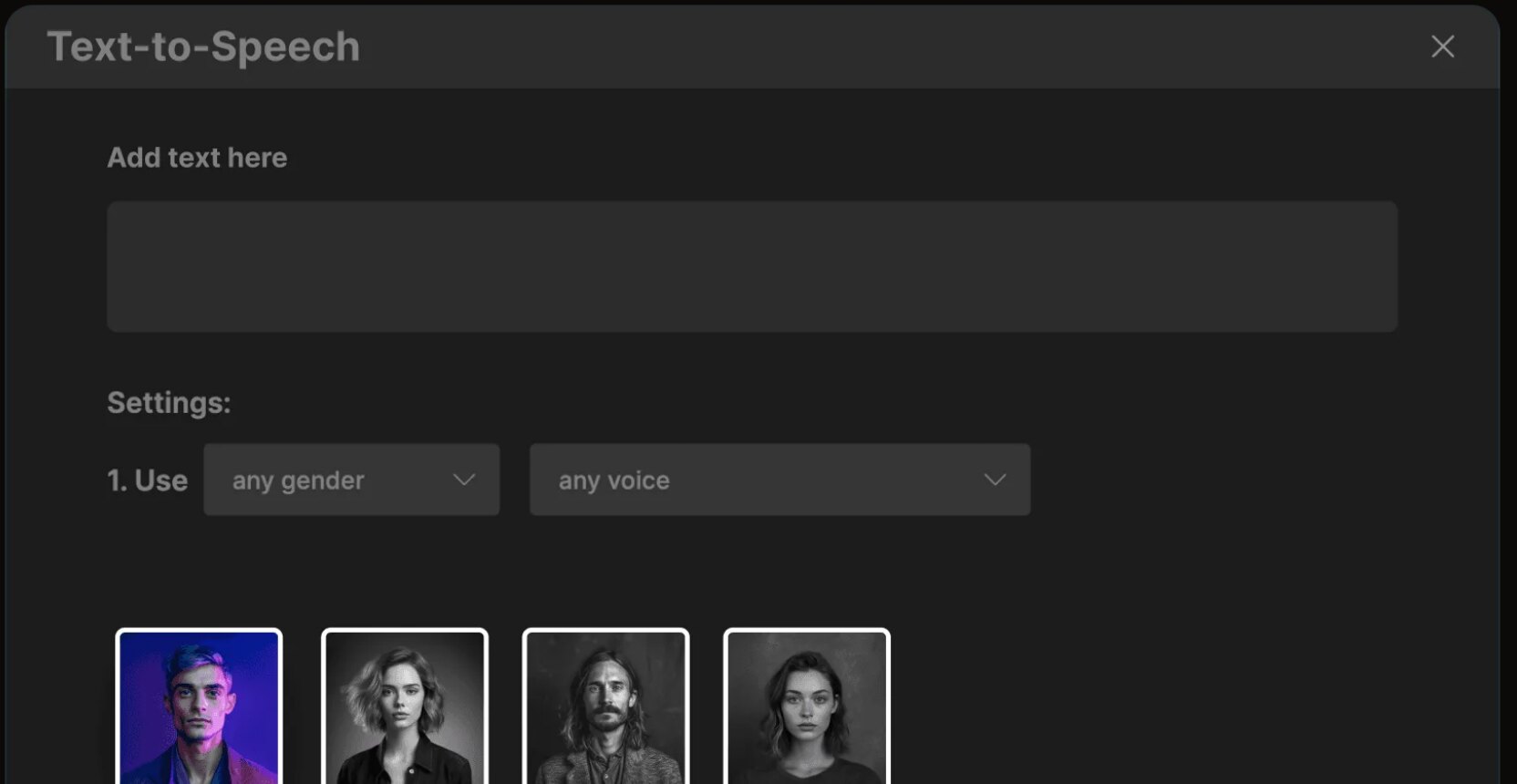
The model library covers video models such as Seedance 2.5, Kling 4.0, Google Veo 3.1 and Wan 3.0, image models such as Nano Banana Pro and GPT Image 2.5, and audio from ElevenLabs. All models are priced in credits at what invideo calls their original API pricing.
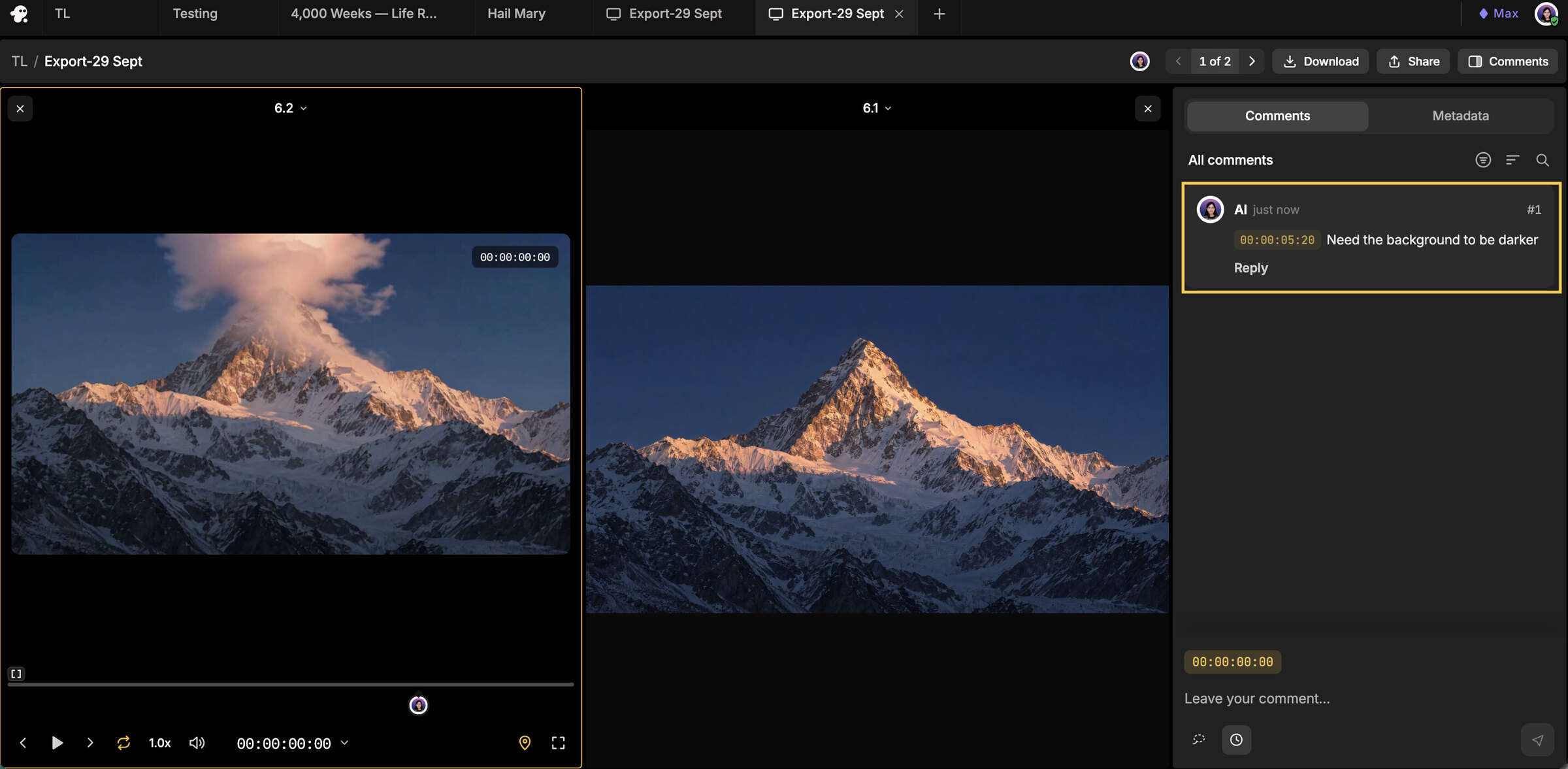
Multiplayer mode shows live cursors for each collaborator. You can also connect an agent you already use, such as Claude, ChatGPT, Grok or Gemini, to trim, grade and mix on your timeline, and invideo runs inside ChatGPT and Claude through MCP.
invideo AI pricing is per seat with a monthly credit allowance, and annual billing halves the per-seat price. Prices checked 15 Nov 2026, in USD.
| Plan | Monthly billing | Annual billing | Credits and key limits |
|---|---|---|---|
| Starter | $20 per seat a month | $10 per seat a month | 400 credits per seat a month, up to 5 seats, Agent Two Lite only, Seedance 2.0 Fast and Mini only, 100 premium stock, 200 GB storage |
| Plus | $60 per seat a month | $30 per seat a month | 2,000 credits per seat a month, up to 10 seats plus 10 free guest seats, Agent Two Lite, Pro and Ultra, Seedance 2.5 at 1080p and 2.0 at 4K, 600 GB storage |
| Max | $150 per seat a month | $75 per seat a month | 5,000 credits per seat a month (10,000 and 15,000 options), up to 20 seats plus 20 free guest seats, lowest cost per credit, 2,000 GB storage |
| Enterprise | Custom | Custom | SOC 2, single sign-on and indemnification |
Credits reset each month on your subscription day, including on annual plans, and unused credits do not roll over. Upgrading moves unused credits to the new plan, while downgrading or cancelling keeps the plan until the end of the cycle, then drops you to the Free plan and expires paid credits. Extra credit packs are available, and invideo reserves the right to change credit costs without notice.
invideo's own figures put a Seedance 2.0 Fast video at about 30 credits and a Nano Banana Pro image at about 2.5. That means Starter covers about 15 Seedance 2.0 Fast videos or 160 images a month, while Plus covers about 52 Seedance 2 videos. A Seedance 2.5 clip at 1080p costs about 96 credits per 5 seconds, so it needs Plus or Max. Timeline editing is free of charge, and invideo says 40 hours of editing costs nothing.
Ratings for this AI video tool split sharply between app stores and review sites. The iPhone app scores 4.5 from 28K ratings on the App Store, and G2 shows 4.2 from 184 reviews (both Nov 2026).
Trustpilot, where the profile is called Invideo Studio, shows 1.8 from 1,030 reviews (Nov 2026). Its summary of 113 recent reviews says most reviewers were unhappy, citing credits used up without usable video, prompts not followed, high subscription costs, unexpected charges and a confusing interface. Product Hunt shows 3.2 from 11 reviews, with complaints that a lifetime plan did not include the newer invideo AI product.
invideo runs in the browser and on iPhone and iPad, and its App Store developer is Invideo Inc. The vendor says it is SOC 2 and GDPR compliant and ISO aligned, and that it is backed by the investors behind Stripe, Spotify, Flipkart and ByteDance.
The current App Store release describes "the new invideo", with Agent Two, a professional multitrack timeline, 200+ AI models and collaborative editing in one app. On 15 Nov 2026 the pricing page also ran an offer of unlimited Seedream 5.5 and Nano Banana 2.1 image generation for 30 days on annual plans, and the monthly Max plan showed a first month at $135 before renewing at $150.
The main limitation is credit risk. Generations are charged whether or not the result works, unused allowance expires monthly, and per-seat pricing multiplies quickly for teams.
The closest alternatives are other AI video editors and generators. Pick one over invideo when you want a different editing style or pricing model.
invideo AI has turned into a capable agent-driven editor, and putting the full timeline on every plan is good value for people editing their own footage. I would start on annual Starter and only move up once I knew how many credits my generations really use. If you mostly want quick explainer videos, Fliki or Descript will cost less effort and fewer surprises.
invideo has a Free plan that accounts fall back to after cancelling, but the pricing page lists only paid plans. Starter costs $20 per seat a month, or $10 a month billed annually.
Starter is $20, Plus $60 and Max $150 per seat a month on monthly billing. Annual billing brings them to $10, $30 and $75 per seat a month.
Agent Two is invideo's editing agent. You describe an edit in plain words and it carries it out on a multitrack timeline, logging your footage so you can find any moment by describing it.
No. Credits reset each month on the day you subscribed, including on annual plans, and unused credits do not carry over. Upgrading moves unused credits to the new plan.
invideo says it is SOC 2 and GDPR compliant and ISO aligned. SOC 2, single sign-on and indemnification are listed under the Enterprise plan.
Any teammate you add to your invideo workspace counts as a seat, and credits are allocated per seat. Plus and Max also include free guest seats with 190 credits each, 10 on Plus and 20 on Max.
We may earn a commission when you buy through links on SaaSPic. It never changes our verdicts or the price you pay. Affiliate disclosure
Add this badge to your website so your visitors can read this independent review in one click.
 7.0/10
Software maker behind Filmora, an easy AI video editor, plus PDFelement, UniConverter, EdrawMax and Dr.Fone.
 6.4/10
AI video and image platform that bundles Kling, Veo, Sora, Seedance and other models with camera controls and ad tools.
 7.3/10
Browser-based AI tool that turns scripts, blogs and slides into narrated videos, with 2,000+ AI voices in 80+ languages.
| Tool | Score | From | Free plan | Best for |
|---|---|---|---|---|
| InVideo | 6.8/10 | $20/mo | Yes | Creators and small teams editing footage with AI agents |
| Wondershare Filmora | 7.0/10 | $49.99/yr | Yes | Beginners and YouTubers who want easy desktop video editing |
| Higgsfield | 6.4/10 | $19/mo | Yes | Creators and agencies testing many AI video models |
| Fliki | 7.3/10 | £20/mo | Yes | Creators turning scripts and blog posts into narrated videos |
Fliki is the easier and cheaper way to turn text into narrated videos, with a free plan, 80+ languages and…
 8.4/10
Voice AI platform with Sonic text to speech, Ink speech to text and Managed Agents for phone voice agents via API.
 8.3/10
AI voice platform for text to speech, voice cloning, dubbing, music and sound effects, plus voice agents and an API for developers.
 8.3/10
AI video and image generator running Kling's own models, with keyframes, character references, native audio, motion control and an API.