 7.8/10
AI tool that turns long videos into short captioned clips for TikTok, Shorts and Reels, with virality scores and scheduling.


Short form video tool for clippers: auto clipping, subtitles, AI voiceovers and Reddit or fake text story videos.
We may earn a commission when you buy through our links. How this works
Crayo AI suits clippers and faceless channel owners who post short-form video every day and want clipping, editing and story videos in one subscription. Skip it if you want a free plan or a refund window, or if you only caption your own videos.
Best for: Daily short-form clippers and faceless channels

6.4/10 Good, with trade-offs. The overall score is our judgment against the questions we ask of every tool, not an average. How we score
| Question | Score | Why |
|---|---|---|
| Does the jobWhat it actually does for the task it is sold for, and where it falls short. | 7.5 | Combines auto clipping from long videos with Reddit and fake text story videos, with 15+ subtitle styles and AI voiceover on every plan. |
| Ease of useSetup needed and how quickly you get something useful done. | 7.0 | The workflow is three steps: upload a file or paste a link, pick a subtitle style, and Crayo generates the clip for one credit. |
| Pricing and limitsWhat you pay at a realistic size, including caps, add-ons and deal limits. | 5.5 | Hobby is $29 a month with only 30 voiceover minutes and 2 hours of export, there is no free plan, and unused credits do not roll over. |
| Fit against alternativesHow it compares with the alternatives for the people it is aimed at. | 7.0 | Unusual in covering both clipping and story videos; Opus Clip only clips and Clippie AI only makes story videos. |
Crayo AI is a browser-based AI clipping tool and video editor that turns podcasts, streams and interviews into short vertical clips with captions, and also makes Reddit story and fake text videos. It suits clippers and faceless channel owners who post short-form video every day.
Crayo AI is built for clippers who cut long videos into TikTok, Reels and Shorts clips at volume, including people working on clipping campaigns for other creators. Its plans are priced by how many AI clips you make, so daily posters get the most from it.
Skip it if you want a free plan to try first, since Crayo has none and does not offer refunds. Skip it too if you only add captions to your own talking-head videos, where a caption-focused tool costs less.
You upload a long video or paste a link, then choose how much the AI does. There are four ways to clip, from fully automatic to fully manual:
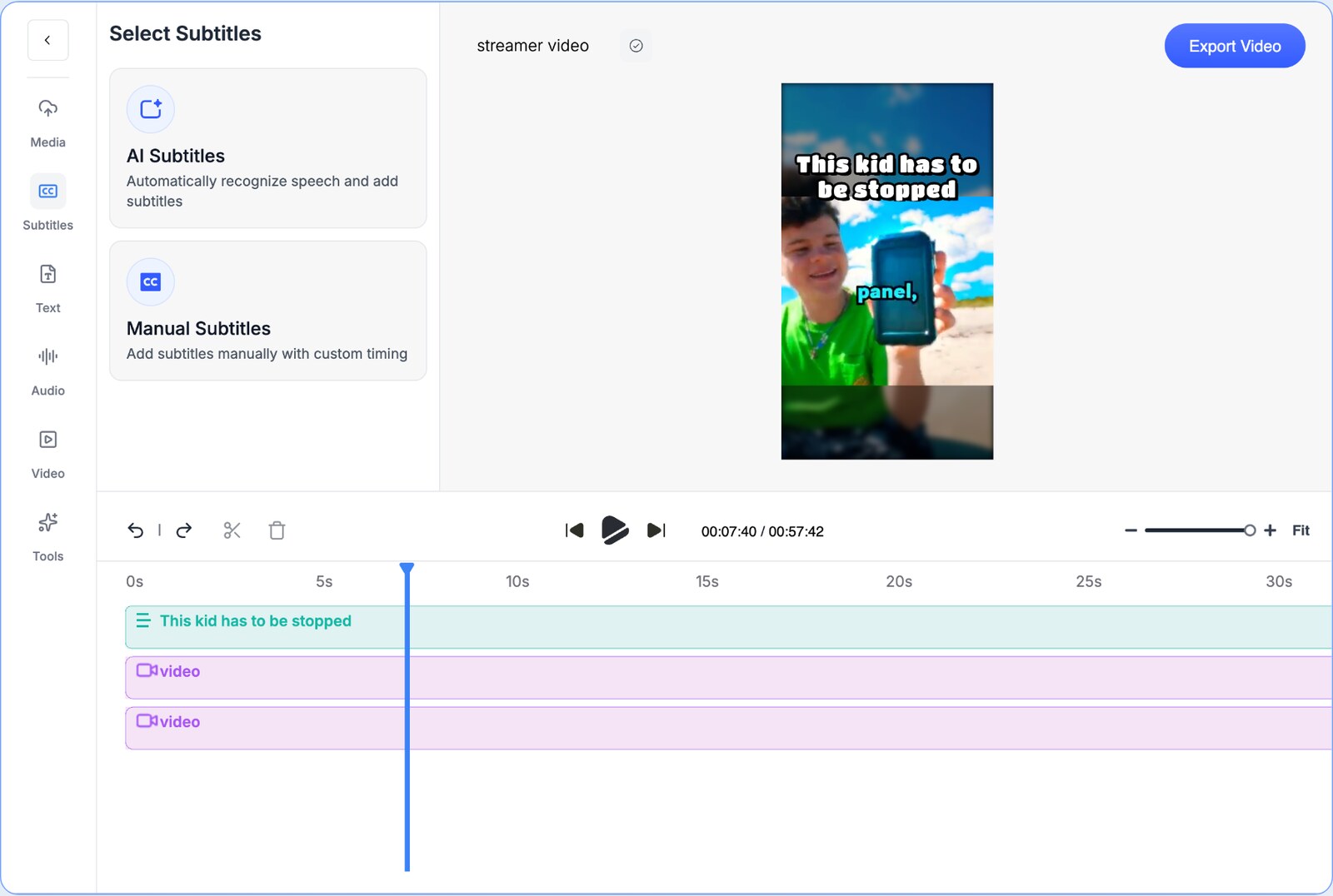
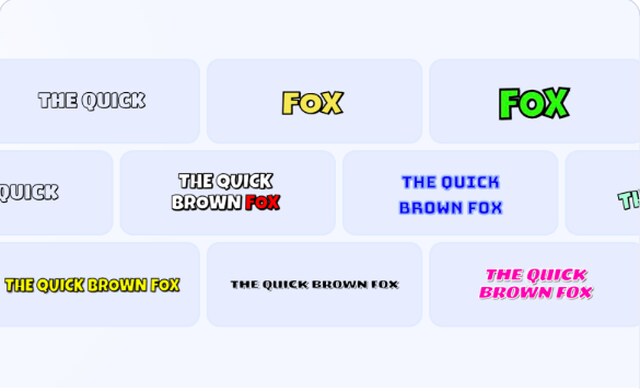
Every result stays editable in a multi-track timeline editor with LUTs, zooms, transitions, reframing, AI or manual subtitles, and cutaways that duck the clip's audio. AutoClip works with more than 50 spoken languages, and a Footage library lets you search podcast and show transcripts for a moment to clip.
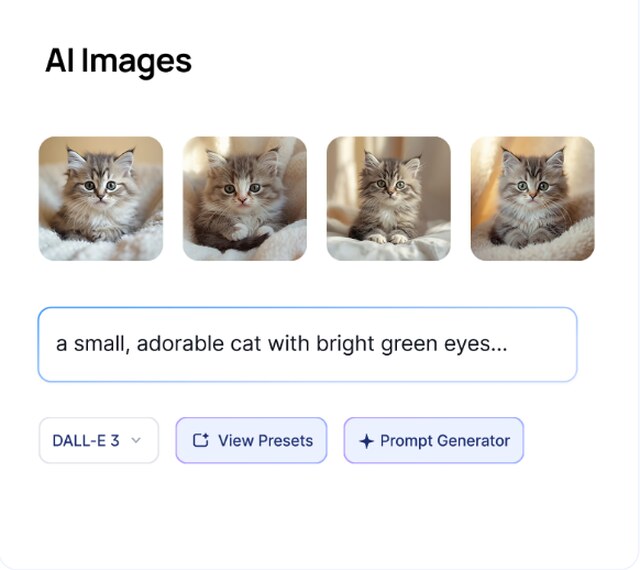
Every plan includes every tool, and the plans differ only in how much you can make. The extra tools cover the rest of a short-form video, from video ideas to the final output:
Crayo AI has three paid plans in US dollars, each available monthly, quarterly or yearly, and there is no free plan. Prices checked 21 Nov 2026.
| Plan | Monthly | Quarterly | Yearly | Monthly limits |
|---|---|---|---|---|
| Hobby | $29 a month | $19 a month, billed $57 every 3 months | $16.58 a month, billed $199 a year | 250 workflow credits, 2 hours of export, 30 voiceover minutes, 100 AI images, 25GB storage |
| Clipper | $59 a month | $39 a month, billed $117 every 3 months | $33.25 a month, billed $399 a year | 1,000 workflow credits, 10 hours of export, 120 voiceover minutes, 300 AI images, 100GB storage |
| Pro | $129 a month | $79 a month, billed $237 every 3 months | $66.58 a month, billed $799 a year | 3,000 workflow credits, 30 hours of export, 180 voiceover minutes, 500 AI images, 500GB storage |
One workflow credit makes one AI clip, and Find Viral Moments uses one credit per moment it finds. Cutting clips by hand is free. Plan credits refill monthly on every billing term and do not roll over, while one-time top-up credits never expire. Crayo does not offer refunds, but you can cancel anytime in Settings and keep the plan until the billing period ends.
A creator posting three one-minute AI clips a day uses about 90 credits and 90 export minutes a month, which fits Hobby at $29 monthly or $16.58 a month on the yearly plan. That works out to under 12 cents per credit on monthly Hobby. Ten clips a day needs about 300 credits and 300 export minutes, which outgrows Hobby's 250 credits and 2 export hours, so Clipper at $59 a month is the realistic plan.
Crayo AI rates 2.6 from 200 Trustpilot reviews, read on 21 Nov 2026. Trustpilot's AI summary of 67 recent reviews says most reviewers were unhappy, citing support emails that went unanswered, refund requests that were refused, unexpected subscription charges and editing features that did not work as asked. The company replies to many of these reviews.
The official iPhone app, Crayo: AI Video Editor from Crayo Inc., rates 4.5 from 17 App Store ratings. One reviewer there asks for in-app auto-posting and scheduling. A separate app called Crayo AI Video Clips Generator, with 4.8 from about 1,200 ratings, is published by a different developer, FERMAVE, so check the seller name before you download.
The web app runs in the browser with nothing to download, and the iPhone app shares the same account, projects, assets and credits. The company behind it is Crayo Inc., and the app needs iOS 18 or later.
The site now presents the product mainly as a clipping tool and editor, with story videos as one feature among many. The Crayo Inc. iPhone app's version history starts with version 1.0.1 on 23 Oct 2026 and reached 1.0.4 on 13 Nov 2026. The company also publishes a comparison hub with dated, source-linked prices for tools such as Opus Clip, Submagic, Klap and Revid, and it notes that it sells one of the products compared.
The main drawbacks are the lack of a free plan and the no-refund policy, which together mean trying it costs at least one month. Other limits to plan around:
These tools do the same job of turning long videos into short videos, or of making faceless shorts, with different pricing models.
Crayo AI is a capable AI video clip generator and editor for creators who post short-form video daily, with every feature on every plan and clear per-clip credits. The weak Trustpilot score, no free plan and no refunds make it a risky first buy. We would try Opus Clip's free plan first, then pick Crayo AI if you want its editor and story video tools in one subscription.
Crayo costs $29, $59 or $129 a month for Hobby, Clipper and Pro on monthly billing, as of 21 Nov 2026. Yearly billing brings those to $16.58, $33.25 and $66.58 a month.
No. Crayo has no free plan, and it does not offer refunds. You can cancel anytime and keep the plan until the billing period ends.
Crayo is a real product from Crayo Inc. with an official iPhone app, but it rates 2.6 from 200 Trustpilot reviews, with complaints about support, refunds and unexpected charges.
One workflow credit makes one AI clip, and Find Viral Moments uses one credit per moment it finds. Cutting clips by hand is free, and plan credits do not roll over.
Yes. Crayo says you can post and monetize the clips you make, as long as you have permission to use the source video, for example through a clipping campaign.
Yes. Crayo: AI Video Editor from Crayo Inc. runs on iPhone and iPad with iOS 18 or later and syncs projects, assets and credits with crayo.ai. Check the seller name, because a similarly named app comes from a different developer.
We may earn a commission when you buy through links on SaaSPic. It never changes our verdicts or the price you pay. Affiliate disclosure
Add this badge to your website so your visitors can read this independent review in one click.
 7.8/10
AI tool that turns long videos into short captioned clips for TikTok, Shorts and Reels, with virality scores and scheduling.
 7.5/10
AI editor for short-form video that adds styled captions, cuts silences, adds B-roll and clips long videos into shorts.
 7.0/10
AI video clipping tool that turns long videos and podcasts into captioned vertical clips for TikTok, Reels and YouTube Shorts.
 6.7/10
AI short-form video generator that remixes viral formats, renders with 100+ tools and auto-publishes to TikTok, Instagram, YouTube and X.
| Tool | Score | From | Free plan | Best for |
|---|---|---|---|---|
| Crayo AI | 6.4/10 | $29/mo | No | Daily short-form clippers and faceless channels |
| Opus Clip | 7.8/10 | $15/mo | Yes | Podcasters and video teams turning long videos into short clips |
| Submagic | 7.5/10 | $19/mo | No | Creators and marketers posting weekly shorts |
| Klap | 7.0/10 | $29/mo | Yes | Creators turning long talking videos into daily shorts |
| Revid AI | 6.7/10 | $39/mo | No | Faceless channels and creators posting short videos daily |
 8.4/10
Voice AI platform with Sonic text to speech, Ink speech to text and Managed Agents for phone voice agents via API.
 8.3/10
AI video and image generator running Kling's own models, with keyframes, character references, native audio, motion control and an API.
 8.3/10
AI voice platform for text to speech, voice cloning, dubbing, music and sound effects, plus voice agents and an API for developers.