 7.9/10
AI meeting assistant that records, transcribes and summarizes calls on Zoom, Meet and Teams, with search and CRM sync.


Bot-free AI note taker that records, transcribes and summarizes meetings from a Chrome extension, desktop or mobile app.
We may earn a commission when you buy through our links. How this works
Bluedot suits people and teams who want AI meeting notes without a bot joining every call, especially sales, recruitment and customer success teams on mixed platforms. If you only have a handful of meetings a month, the five-meeting lifetime free plan will run out quickly, and a tool with a monthly free allowance may suit you better.
Best for: Teams who want AI meeting notes without a bot in the call
7.4/10 Good, with trade-offs. The overall score is our judgment against the questions we ask of every tool, not an average. How we score
| Question | Score | Why |
|---|---|---|
| Does the jobWhat it actually does for the task it is sold for, and where it falls short. | 8.0 | Records meetings without a bot or calendar access across Zoom, Meet, Teams, Webex, Slack huddles, phone and in-person, with 100+ language transcripts and AI chat across meetings. |
| Ease of useSetup needed and how quickly you get something useful done. | 7.5 | Setup is a Chrome extension or desktop app, you start recording yourself, and a homepage demo needs no account. Accuracy is unverified. |
| Pricing and limitsWhat you pay at a realistic size, including caps, add-ons and deal limits. | 6.5 | Free is five meetings for life, Basic is audio only with a one-hour cap, and CRM and ATS integrations need Business at $32 per user. |
| Fit against alternativesHow it compares with the alternatives for the people it is aimed at. | 7.0 | Suits teams that dislike meeting bots and join mixed platforms; the review says to compare free tiers of Otter.ai, Fireflies.ai and Granola first. |
Bluedot is an AI note taker for meetings. It records the conversation, writes a transcript, and turns it into meeting notes with summaries and action items. The main difference from most AI meeting assistants is that Bluedot does not send a bot into your call and does not ask for calendar access. It records from a Chrome extension, a desktop app for Mac and Windows, or a mobile app on iOS and Android.
That makes it a good fit for people who find meeting bots awkward, or who join calls they do not host. Bluedot says you do not need host permissions or special recording rights, as long as you are a participant. It is marketed at sales, recruitment, customer success, engineering and leadership teams, and at solo users who just want reliable notes.
Bluedot says it is trusted by 100,000+ companies. That is the vendor's own figure, and I have not seen it confirmed elsewhere.
Because Bluedot captures audio and video from your browser or desktop rather than joining as a participant, it works with any meeting platform. The FAQ lists Zoom, Google Meet, Microsoft Teams, Webex, Slack huddles and phone calls. In the browser, the Chrome extension captures Google Meet and other browser calls with one click. The desktop app handles Zoom, Teams and Slack.
The mobile app records face-to-face meetings, interviews and team huddles from a phone, tablet or Apple Watch, and produces the same summaries and action items as online calls. You can also upload existing recordings in MP4, MP3, M4A and other common formats for transcription.
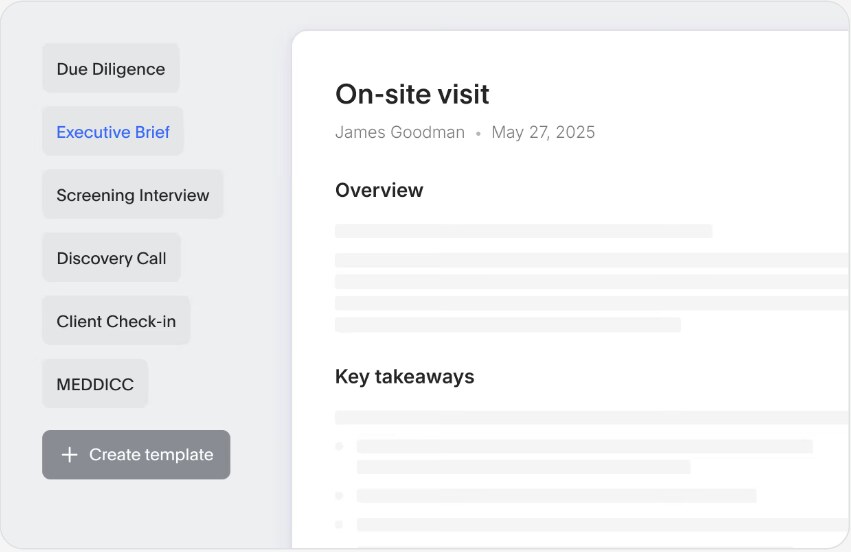
Bluedot offers transcription and summaries in 100+ languages. Meeting notes can be tailored to the type of call, for example Q&A, sales notes or a customer check-in, and custom note templates are available on the Pro plan and above. The vendor says its notes handle technical terms, abbreviations, to-dos and speaker identification well. I would treat that as a claim to check with your own calls on the free plan.
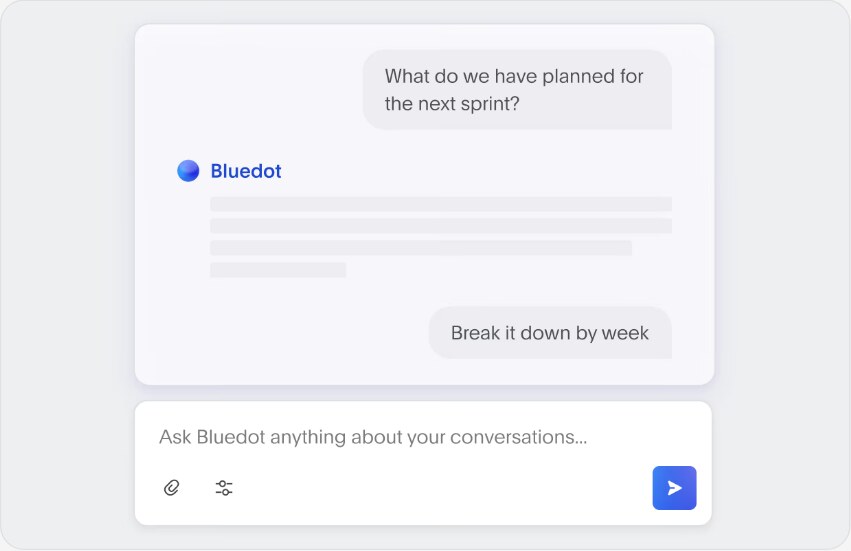
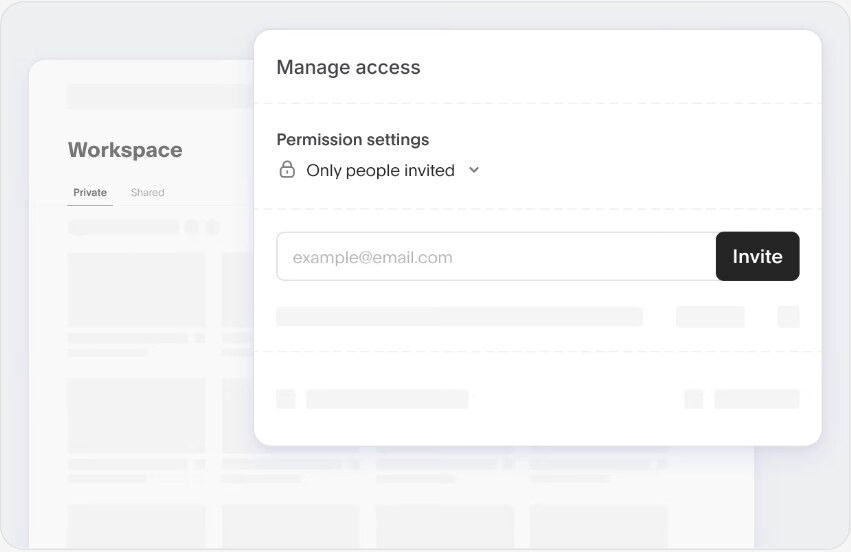
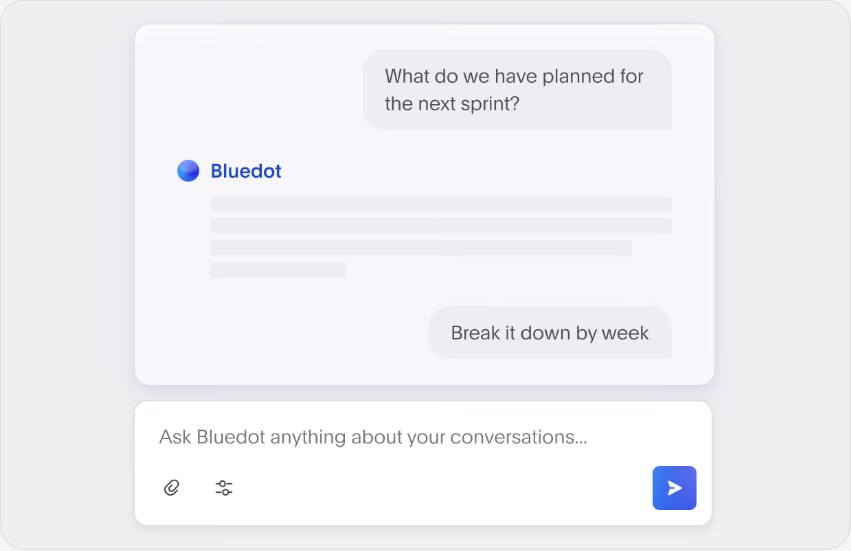
A built-in AI chat lets you ask questions across multiple meetings, find key points and pull information from past calls. You can search every transcript, share recordings with colleagues and control who sees what.
All plans connect to Slack, Notion, Zapier and Make. Webhooks and an MCP integration start on Basic, so you can pass meeting data to other tools or to AI agents such as Claude. CRM and ATS integrations (for automatic CRM updates and keeping recruitment systems current) are on the Business plan, along with SSO, SCIM, advanced admin controls and custom data retention.
Bluedot positions itself as privacy-first and says your data is never used to train or improve AI models. Because it does not announce itself like a bot, Bluedot recommends telling participants that you are using an AI assistant, since recording consent laws vary by region.
The setup is simple from what the vendor shows. You install the Chrome extension for browser calls such as Google Meet, or the desktop app if you use Zoom, Teams or Slack. Then you start recording from the extension or app when the meeting begins. Bluedot produces a transcript and meeting notes after the call, which you can share with colleagues or send on to Notion, Slack or another tool through the integrations.
For in-person meetings you open the mobile app and record from your phone. For older calls, you upload the audio or video file, or import from Zoom and Google Drive on Pro and above. There is also a 'click to try' demo on the homepage that does not need an account, which is a quick way to see the format of the notes before signing up.
The customer quotes on the site give a fair idea of the main use cases, although they are chosen by the vendor:
It also suits freelancers and consultants who join client calls on whatever platform the client uses, since Bluedot does not need to be installed on the host's side.
Bluedot says its AI meeting notes are accurate with technical terms, to-dos, abbreviations and speaker identification. The vendor does not publish an accuracy figure, and I have not seen an independent benchmark, so I would use the free meetings to check how it handles your accents, jargon and audio quality. Audio quality matters with any AI notetaker, and in-person recordings from a phone in the middle of a table are usually harder than a clean online call.
Support options are not set out on the pricing page beyond Business-level admin features, so check what help is included before rolling Bluedot out to a large team.
Bluedot pricing is per user per month, with a free plan to start. The prices below are as shown on the pricing page today. One detail I like: the FAQ says you only pay for users who record meetings, not every member of the workspace.
| Plan | Price | What you get |
|---|---|---|
| Free | $0 | 5 meetings (lifetime), Chrome extension, desktop and mobile apps, Slack, Notion, Zapier and Make |
| Basic | $14/user/month | Unlimited meetings (audio only), unlimited storage, max 1 hour per recording, webhooks, MCP |
| Pro | $20/user/month | Unlimited meetings with video, unlimited recording length, custom templates, Zoom and Google Drive imports |
| Business | $32/user/month | CRM and ATS integrations, SSO and SCIM, admin controls, custom data retention, unlimited imports |
| Flat rate | Not published | One fixed price for the whole company, however many people use Bluedot |
The pricing page has annual and monthly options. The billing FAQ uses $25 for the Pro plan in its worked example, so I would expect monthly billing to cost more than the figures above. Payment is per workspace, so each workspace needs its own upgrade.
Bluedot is a sensible pick if you want AI meeting notes without a bot sitting in every call. Recording from the browser, desktop or phone means it works on almost any platform, and you do not need to be the host. The per-recorder pricing is fair for teams where only some people run meetings.
I would choose Pro for most users, because Basic's audio-only, one-hour limit is tight. Sales and recruitment teams that want CRM or ATS updates should budget for Business. If you only record the odd meeting, the five-meeting free plan will not last, so compare the free tiers of the alternatives first.
There is a Free plan, but it covers your first five meetings for life rather than a monthly allowance. After that you can still view and share recordings, but you need a paid plan to keep recording and transcribing.
The pricing page lists Basic at $14, Pro at $20 and Business at $32 per user per month, and there is a flat-rate option for whole companies. You only pay for users who record meetings.
No. Bluedot captures audio and video from your browser, desktop app or phone instead of joining the call, and you do not need to be the meeting host to record.
Privacy laws vary by region. Bluedot recommends telling participants you are using an AI assistant for note-taking, because it does not announce itself the way a bot does.
Yes. You can upload MP4, MP3, M4A and other common formats and Bluedot will transcribe the file and produce a summary. Zoom and Google Drive imports start on the Pro plan.
We may earn a commission when you buy through links on SaaSPic. It never changes our verdicts or the price you pay. Affiliate disclosure
Add this badge to your website so your visitors can read this independent review in one click.
 7.9/10
AI meeting assistant that records, transcribes and summarizes calls on Zoom, Meet and Teams, with search and CRM sync.
 7.8/10
AI notepad that transcribes meetings from your device audio, with no bot joining the call, and turns your notes into summaries.
 7.2/10
AI meeting notetaker and transcription tool with 58 languages, bilingual transcription, AI summaries and a bot-free recorder.
 7.9/10
AI meeting notes app that records online and in-person meetings, writes notes and action items, and pushes them to your other tools.
 7.2/10
Transcription and conversation analysis for research, meetings and sales calls, with AI chat, a meeting assistant and an MCP server.
| Tool | Score | From | Free plan | Best for |
|---|---|---|---|---|
| Bluedot | 7.4/10 | $14/mo | Yes | Teams who want AI meeting notes without a bot in the call |
| Fireflies.ai | 7.9/10 | $10/mo | Yes | Sales and recruiting teams capturing every call |
| Granola | 7.8/10 | $14/mo | Yes | Founders, sales and product people in back-to-back meetings |
| Notta | 7.2/10 | $97.99/yr | Yes | Multilingual teams transcribing meetings |
| Circleback | 7.9/10 | $18/mo | Yes | Sales and customer teams whose meetings feed a CRM |
| Speak AI | 7.2/10 | $240/yr | Yes | Research and sales teams analyzing many recorded conversations |
 8.4/10
Scheduling software that lets people book time with you through a link, with team routing, reminders, payments and AI meeting recaps.
 8.3/10
Web booking page and scheduler that syncs your calendars and lets clients book and pay for sessions, packages and subscriptions.
 8.1/10
Time tracker and timesheet app for teams, with a free plan and per-seat paid tiers for invoicing, approvals and scheduling.