 8.1/10
Time tracker and timesheet app for teams, with a free plan and per-seat paid tiers for invoicing, approvals and scheduling.

Employee monitoring and time tracking with screenshots, app and website usage, attendance and live view on one cheap plan.
We may earn a commission when you buy through our links. How this works
Mera Work suits budget-minded teams that want full employee monitoring, screenshots and attendance for $3 to $4 per user a month. Skip it if you need a proven public review record, more than three months of data or published security certifications.
Best for: Budget-minded teams that want full monitoring on one cheap plan
6.4/10 Good, with trade-offs. The overall score is our judgment against the questions we ask of every tool, not an average. How we score
| Question | Score | Why |
|---|---|---|
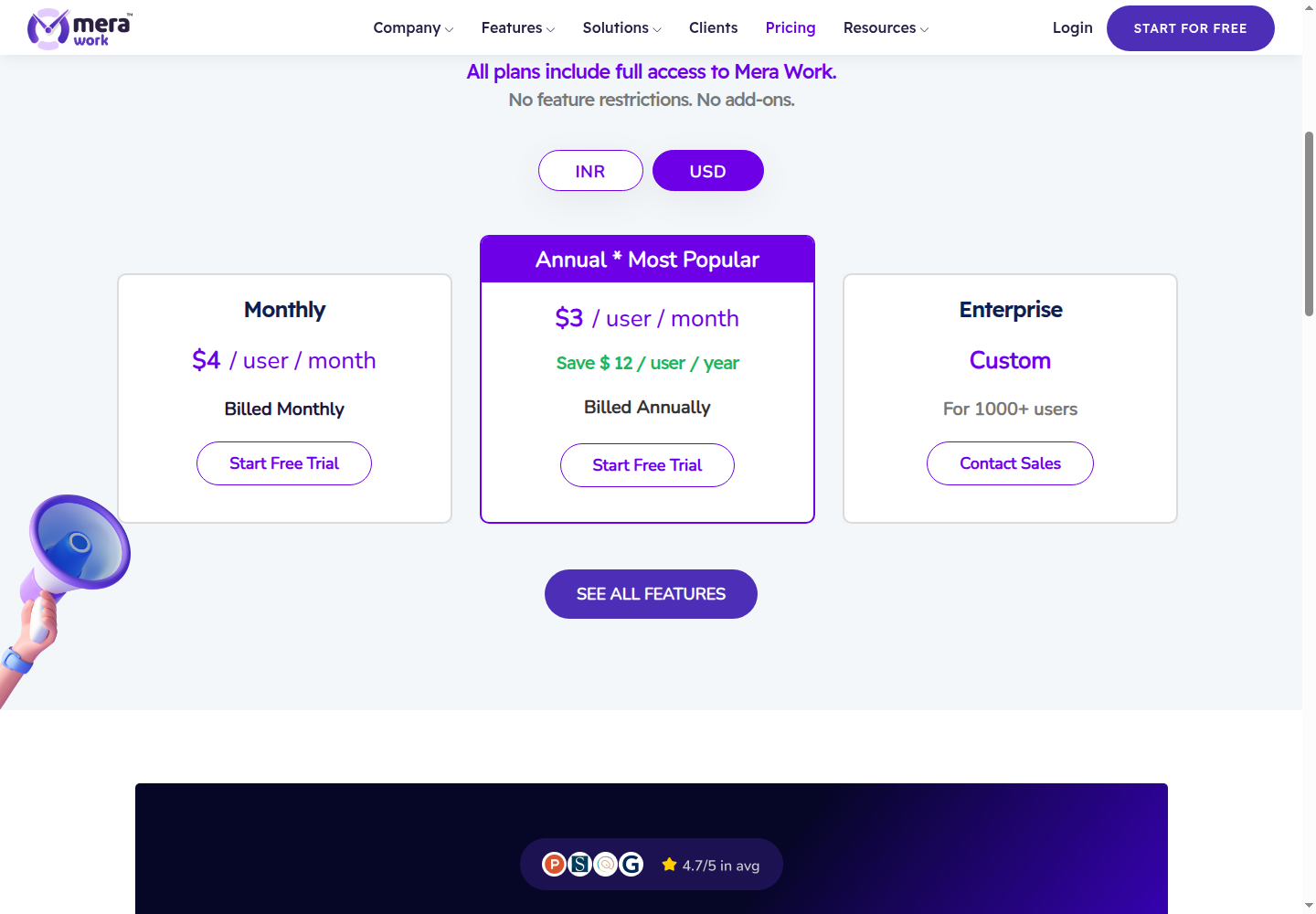
| Does the jobWhat it actually does for the task it is sold for, and where it falls short. | 7.4 | The pricing page lists time tracking, screenshots, live streaming, app and web usage, attendance, time claims and projects on one plan. |
| Ease of useSetup needed and how quickly you get something useful done. | 6.5 | The vendor offers guided setup, onboarding and GPO deployment, but its own comparison notes that the reporting breadth may need manager training. |
| Pricing and limitsWhat you pay at a realistic size, including caps, add-ons and deal limits. | 8.0 | Every feature costs $3 per user a month billed annually or $4 monthly, with a 14-day trial and no card. |
| Reliability and supportUpdate pace, known problems and how support responds. | 5.2 | Support runs on weekdays in India Standard Time, and there are no independent reviews yet on GetApp or Capterra. |
| Fit against alternativesHow it compares with the alternatives for the people it is aimed at. | 5.6 | It undercuts Insightful, Hubstaff and Time Doctor on price, but keeps data for only three months and publishes no security certifications. |
Mera Work is employee monitoring and time tracking software that records work hours, app and website use, screenshots and attendance for remote, hybrid and office teams. It suits cost-conscious managers who want every monitoring feature on one cheap per-user plan. Skip it if you want a tool with an established public review record or longer data retention.
Mera Work, formerly Mera Monitor, is a workforce analytics platform from AAPNA Infotheek Private Limited in Delhi, India. A desktop agent on each employee's computer tracks active, idle and away time, and managers review the data in a web dashboard with organization, team and individual views.
The vendor positions it as one connected system for time tracking, attendance, projects and productivity reporting, rather than a screenshot tool on its own. Its pricing page says all plans include full access, with no feature restrictions and no add-ons.
Mera Work is built for managers of remote, hybrid and office teams who want visibility into hours and activity at a low cost per seat. Its own client stories and contact numbers point to a customer base centered on India and Singapore, with support from 8:00 to 22:00 India Standard Time on weekdays.
Mera Work works by installing a tracking agent on each work computer, which logs time and activity automatically and feeds a live dashboard. Admins then set productivity rules, screenshot settings and roles, and review reports by person, team or department.
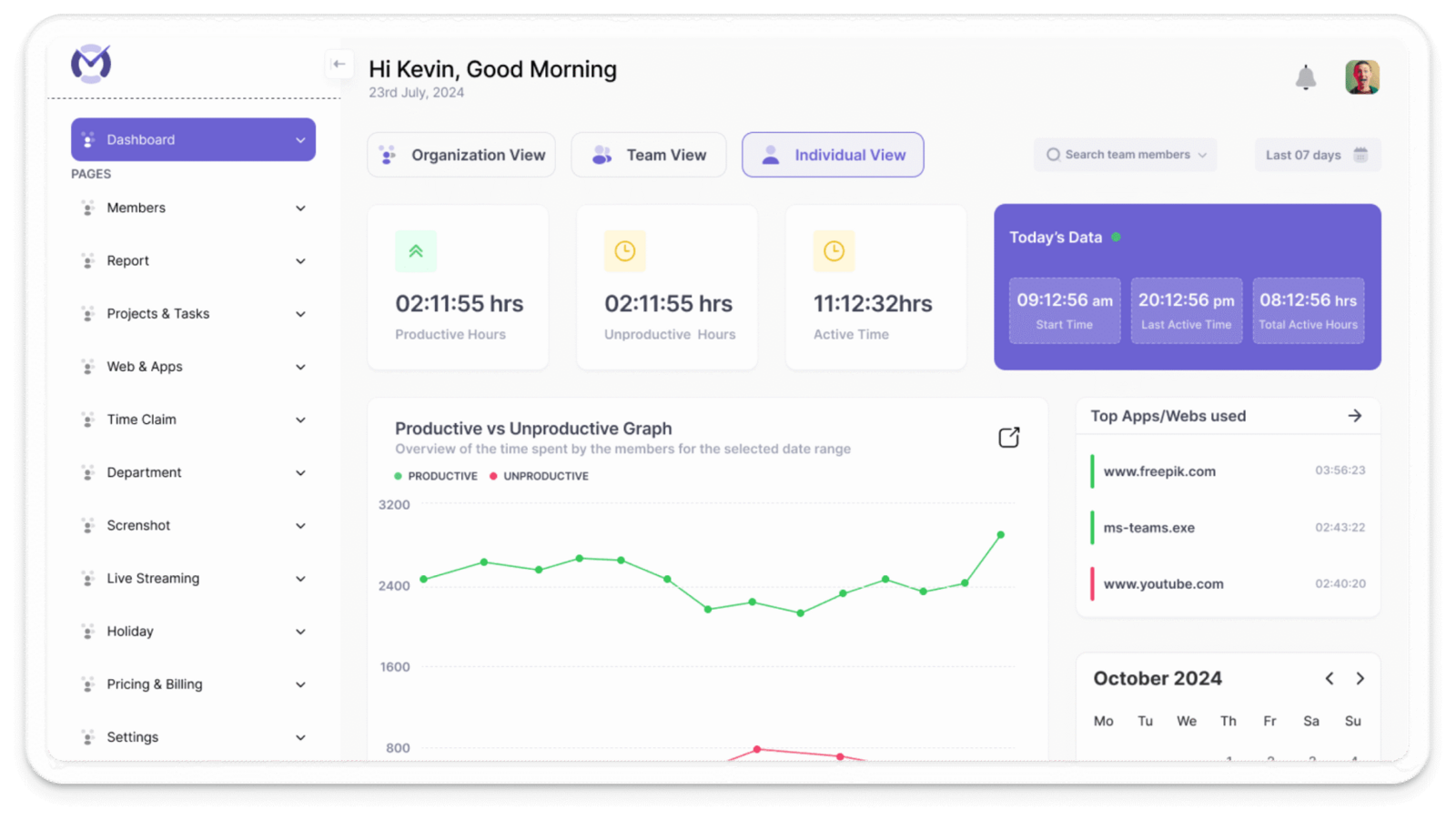
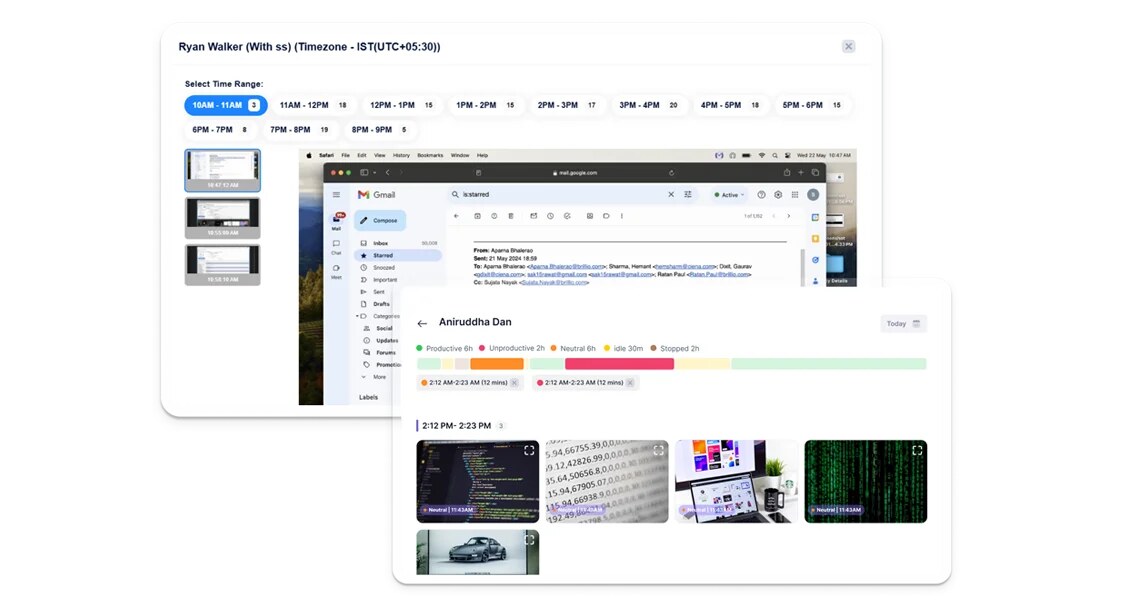
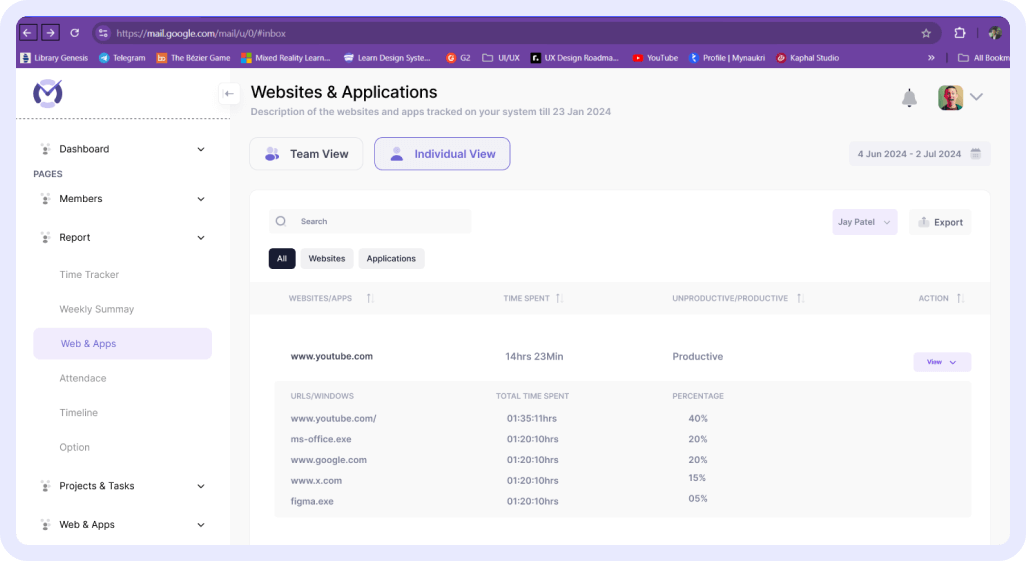
Day to day, a manager opens the dashboard to see who is active, today's start times, productive versus unproductive hours and the top apps used, then drills into screenshots or the website report for anyone whose numbers look off. Real-time alerts flag idle time and suspicious activity.
Mera Work pricing is a single all-features plan at $4 per user a month on monthly billing or $3 per user a month on annual billing, with custom pricing above 1,000 users. A 14-day free trial needs no credit card. Prices checked 8 Nov 2026 on mera.work, in US dollars (an INR price list is also shown).
| Plan | Price | Billing and limits |
|---|---|---|
| Monthly | $4 per user a month | Billed monthly; every feature included; data kept up to three months |
| Annual | $3 per user a month | Billed annually, saving $12 per user a year; every feature included |
| Enterprise | Custom quote | For organizations with more than 1,000 users |
In India the same plans are listed at 325 rupees per user a month billed monthly or 250 rupees billed annually. Mera Work does not publish a refund policy on its pricing page, so use the free trial to check fit before you commit to annual billing.
A 25-person team pays $100 a month on monthly billing, or $75 a month ($900 a year) on annual billing, which saves $300 a year. Because there are no tiers, that price includes screenshots, live streaming, SSO, API access and a dedicated customer success manager.
Independent user reviews for Mera Work are thin. As of November 2026 its GetApp UK and Capterra India listings show no reviews under the new name, so there is no independent rating to quote.
The vendor's own site shows Google reviews and testimonials that praise the live streaming, screen capture, idle and suspicious-activity alerts and the reports section, and it claims an average of 4.7 out of 5 across review platforms. These come from the vendor's own pages, so treat them as marketing until more independent reviews appear.
Mera Work runs a tracking app on Windows, Mac and Linux computers, with a web dashboard for managers. The vendor lists these hard facts on its pricing and contact pages:
The vendor does not publish SOC 2, ISO 27001 or GDPR details on the pages above, which matters if you monitor staff in the EU or UK.
The biggest recent change is the rebrand from Mera Monitor to Mera Work, which runs as a banner across the site in 2026. On 27 Aug 2026 the vendor launched Categorization, which manages productivity rules for apps and websites by category instead of one item at a time.
The pricing page still shows an expired note about a 50% inaugural discount for July, so check the price at checkout.
Mera Work's main drawbacks are its short data retention and the lack of an independent review record. The other limits a buyer should weigh:
Several established tools do the same monitoring and time tracking job, usually at a higher price per seat but with longer track records:
Mera Work is one of the cheapest ways to get full employee monitoring, with every feature on a $3 to $4 per user plan, and it suits budget-minded teams in India and Asia. I would only pick it over Insightful or Hubstaff after a trial, since public reviews, data retention and security paperwork are all thinner.
Mera Work, formerly Mera Monitor, is employee monitoring and time tracking software from AAPNA Infotheek in Delhi. It tracks active and idle time, apps and websites, screenshots, attendance and projects for remote, hybrid and office teams.
Mera Work costs $4 per user a month billed monthly or $3 per user a month billed annually, with every feature included, and custom pricing above 1,000 users. Prices checked 8 Nov 2026.
Yes. Mera Work offers a 14-day free trial with no credit card required, according to its own published comparison. There is no permanent free plan.
Yes. Mera Work captures time-stamped screenshots during work hours based on company settings, with blur options and role-based access, and also offers optional live screen streaming.
Insightful is the closest established alternative for employee monitoring, and GetApp lists it at 4.8 from 253 reviews. Hubstaff suits remote and field teams, and Clockify suits teams that care more about timesheets and invoicing.
Yes. Mera Work is the new name for Mera Monitor, and the site labels itself Mera Work, formerly Mera Monitor. GetApp and Capterra also list the product as Mera Work, formerly Mera Monitor.
We may earn a commission when you buy through links on SaaSPic. It never changes our verdicts or the price you pay. Affiliate disclosure
Add this badge to your website so your visitors can read this independent review in one click.
 8.1/10
Time tracker and timesheet app for teams, with a free plan and per-seat paid tiers for invoicing, approvals and scheduling.
 7.6/10
Employee monitoring and workforce analytics that tracks time, attendance, app and AI tool use from a desktop agent.
| Tool | Score | From | Free plan | Best for |
|---|---|---|---|---|
| Mera Work | 6.4/10 | $3/mo | No | Budget-minded teams that want full monitoring on one cheap plan |
| Clockify | 8.1/10 | $3.99/mo | Yes | Small teams and agencies that bill tracked hours |
| Insightful | 7.6/10 | $8/mo | No | Remote, contact center and BPO teams that need accurate hours |
 8.4/10
Scheduling software that lets people book time with you through a link, with team routing, reminders, payments and AI meeting recaps.
 8.3/10
Web booking page and scheduler that syncs your calendars and lets clients book and pay for sessions, packages and subscriptions.
 8.1/10
Keyboard launcher for Mac and Windows with clipboard history, snippets, window management, thousands of extensions and built-in AI.