
VoiceDash
Lifetime deal on AppSumo
$59$144Ended

AI voice typing app that turns speech into cleaned-up text in any app on Mac, Windows, iPhone and Android.
We may earn a commission when you buy through our links. How this works
VoiceDash suits people who write a lot of emails, documents and AI prompts and would rather talk than type, on Mac, Windows, iPhone or Android. If you only dictate the odd message, the free plan or your operating system's built-in voice typing will probably do.
Best for: Professionals who dictate emails, documents and prompts daily
7.0/10 Good, with trade-offs. The overall score is our judgment against the questions we ask of every tool, not an average. How we score
| Question | Score | Why |
|---|---|---|
| Does the jobWhat it actually does for the task it is sold for, and where it falls short. | 7.5 | Hotkey dictation in any app removes filler words and fixes grammar and punctuation as you speak. |
| Ease of useSetup needed and how quickly you get something useful done. | 7.0 | Needs no voice training and works system-wide on Mac, Windows, iPhone and Android. |
| Pricing and limitsWhat you pay at a realistic size, including caps, add-ons and deal limits. | 7.0 | Pro is $15 a month, or $12 billed yearly, for unlimited words; the free plan stops at 1,000 words a month. |
| Fit against alternativesHow it compares with the alternatives for the people it is aimed at. | 6.5 | Close to Wispr Flow for individuals, but Wispr's free plan covers all four platforms and its paid plans add SSO and HIPAA options. |
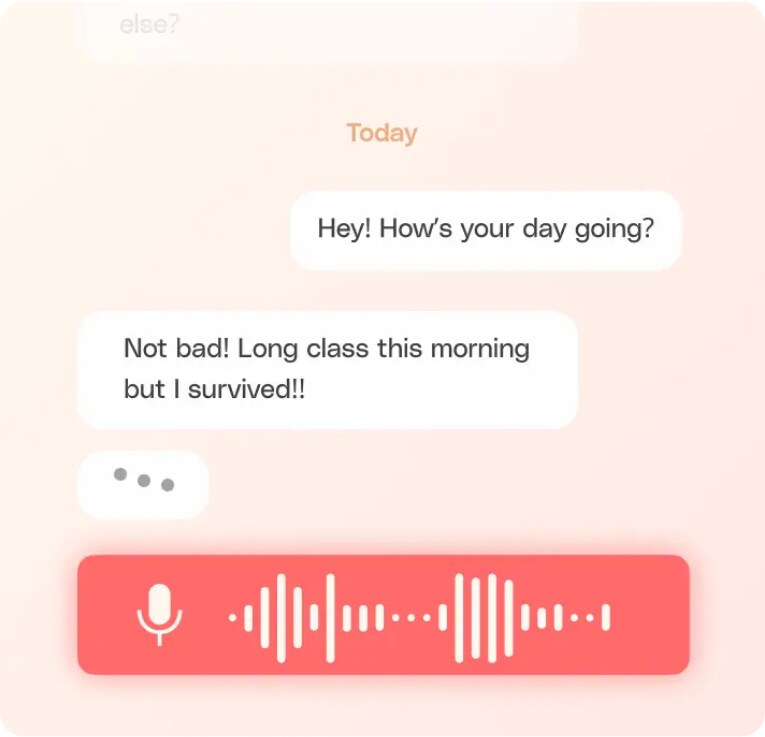
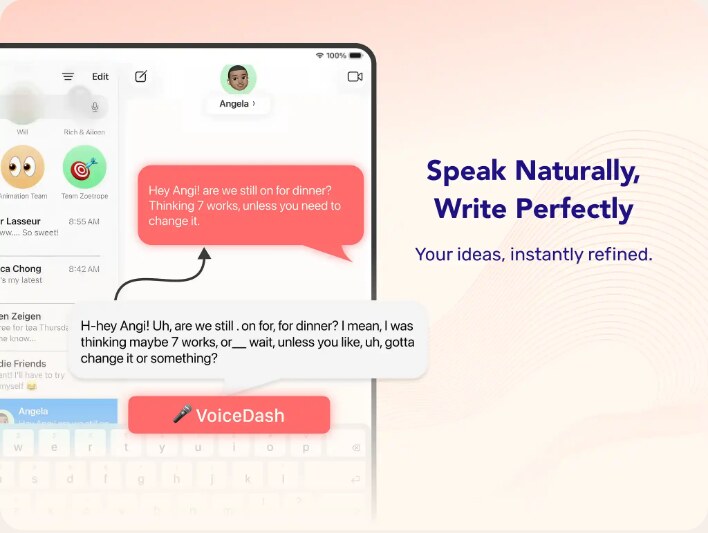
VoiceDash is an AI voice typing app. You press a hotkey, speak normally, and polished text appears in the app you are using. It does more than transcribe word for word: the AI removes filler words, fixes grammar and adds punctuation as you talk, so the result reads like writing rather than a transcript.
The vendor says you can dictate emails, documents, prompts, notes and tasks three times faster than typing. I would treat that as a marketing claim, but the basic idea holds: if you write a lot, speaking is quicker. It suits professionals who spend hours on email and documents, people who write long prompts for ChatGPT or Claude, and anyone who finds typing slow or uncomfortable.
VoiceDash is system-wide, so it types directly into any text field across your apps. The vendor lists Gmail, Google Docs, Slack, Notion, Microsoft Word, Outlook, ChatGPT and Claude among the apps and websites it works with. You do not need to train it on your voice first, which is one of the ways the vendor positions it against older dictation software such as Dragon.
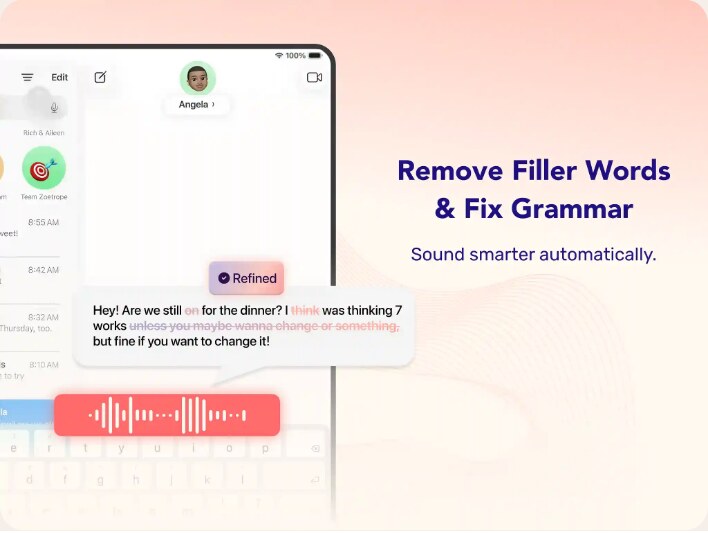
The AI editing layer is the main reason to pay for it over built-in voice typing. It strips out "um" and "uh", tidies grammar, adds punctuation and, according to the vendor, structures messy thoughts into clean text while you speak. Advanced AI editing needs a paid plan; the free plan includes basic voice to text with filler word removal.
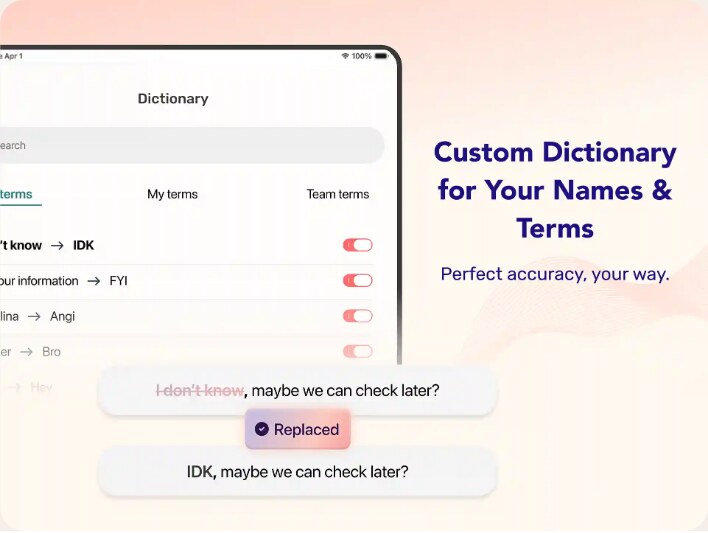
The paid plan adds a personal dictionary for names, jargon and product terms, and a snippet library for text you reuse often. Teams can share snippet libraries.
VoiceDash says it supports more than 50 languages. There are apps for Mac, Windows, iPhone and Android. The free plan is limited to Mac and Windows; paid plans cover all platforms directly from one account.
VoiceDash describes itself as privacy first and says it is built with Zero Data Retention through its OpenAI partnership. If you dictate sensitive material, read the privacy policy to see exactly how audio and text are handled.
VoiceDash publishes these prices. Paid plans come with a 3-day free trial.
| Plan | Monthly | Billed yearly | What you get |
|---|---|---|---|
| Free | $0 | $0 | 1,000 words a month, basic voice to text, filler word removal, Mac and Windows, email support |
| Pro | $15 | $12 a month | Unlimited words, advanced AI editing, personal dictionary, snippet library, priority support, all platforms |
| Teams | $29 | $24 a month | Everything in Pro, up to 5 team members (more on request), shared snippet libraries, dedicated support |
VoiceDash ran a lifetime deal on AppSumo with five tiers starting at $59 for one team member and 200,000 words a month. Higher tiers added more team members, word pooling and a meeting notetaker allowance, and the plan table listed context awareness, command mode, API access and Zero Data Retention. At the time of writing the deal is marked sold out, so the subscription plans above are the current way to buy.
Wispr Flow is the tool most people will compare VoiceDash with, and the two are close on the basics. Both are AI dictation apps that work in any app on Mac, Windows, iPhone and Android, both clean up speech into written text, and both offer a dictionary and snippets.
The differences are mainly in the plans. Wispr Flow's free plan includes dictation on all four platforms and the dictionary and snippets, while VoiceDash keeps the dictionary and snippets for Pro and limits its free plan to Mac and Windows. Wispr Flow says it supports more than 100 languages, against VoiceDash's 50 or more. Wispr Flow also has a meeting notetaker, and its paid plans add team workspaces, usage analytics, SSO and HIPAA options for larger organizations. On price, Wispr Flow's Pro plan is listed on its UK pricing page at £15 per user a month (£12 billed annually), so the two are similar for individuals.
My take: for one person who wants simple, unlimited dictation, both are reasonable and VoiceDash is a little cheaper in dollar terms. For a company that needs admin controls and compliance, Wispr Flow has the more complete offer today.
VoiceDash does a clear job well: speak in any app and get clean, punctuated text back. The Pro plan is reasonably priced for unlimited words, and having apps on desktop and mobile is useful if you write on the move.
With the AppSumo deal sold out, I would try the free plan for a few emails, then use the 3-day Pro trial for a full working day before deciding. If you mostly send short messages, built-in dictation may be all you need.
Lifetime deal on AppSumo
There is a free plan with 1,000 words a month, basic voice to text, filler word removal and Mac and Windows support. Pro removes the word limit.
At the time of writing, Pro is $15 a month or $12 a month billed yearly, and Teams is $29 a month or $24 a month billed yearly for up to 5 team members.
VoiceDash ran a lifetime deal on AppSumo with tiers from $59, but it is marked sold out at the time of writing.
Both are AI dictation apps that work in any app and clean up speech into written text. Wispr Flow has a fuller free plan, more languages and team admin features, while VoiceDash's Pro plan is a simple $15 a month for unlimited words.
VoiceDash says it is built with Zero Data Retention privacy protection through its OpenAI partnership, and Zero Data Retention is listed on its AppSumo plans.
We may earn a commission when you buy through links on SaaSPic. It never changes our verdicts or the price you pay. Affiliate disclosure
Add this badge to your website so your visitors can read this independent review in one click.
 5.6/10
AI voice note app that transcribes your speech, removes filler words and rewrites it as summaries, bullet points or posts.
 8.0/10
Text to speech reading app with voice typing, AI summaries and podcasts, plus a voiceover studio and a developer API.
Guide
AI subscriptions add up quickly, and lifetime deals on AI tools can cut that cost, but they carry more risk than most…
Productivity
Productivity tools are the ones you open every day, which makes them the best candidates for a lifetime deal. These are the…
 8.4/10
Scheduling software that lets people book time with you through a link, with team routing, reminders, payments and AI meeting recaps.
 8.3/10
Web booking page and scheduler that syncs your calendars and lets clients book and pay for sessions, packages and subscriptions.
 8.1/10
Keyboard launcher for Mac and Windows with clipboard history, snippets, window management, thousands of extensions and built-in AI.