
Teable
Lifetime deal on AppSumo
$69$360Ended

AI-native no-code database, an Airtable alternative with AI chat, AI fields, an app builder, automations and self-hosting.
Compared: FuseBase vs Teable vs Agency Handy, which tool suits your agency or team
We may earn a commission when you buy through our links. How this works
Teable suits small teams that have outgrown spreadsheets and want an Airtable-style database with AI chat, AI fields and an app builder, plus the option to self-host. If you depend on a mature ecosystem of integrations and templates, or you need predictable costs for heavy AI use, Airtable or a simpler spreadsheet may still be the safer choice.
Best for: Small teams replacing spreadsheets with an AI database
7.2/10 Good, with trade-offs. The overall score is our judgment against the questions we ask of every tool, not an average. How we score
| Question | Score | Why |
|---|---|---|
| Does the jobWhat it actually does for the task it is sold for, and where it falls short. | 7.5 | AI chat (Cuppy) and AI fields work on tables, records and files, and the app builder turns table data into apps, dashboards and portals. |
| Pricing and limitsWhat you pay at a realistic size, including caps, add-ons and deal limits. | 6.8 | The free plan is generous and Pro includes 250,000 rows per space, but AI runs on credits and pricing is per seat. |
| Reliability and supportUpdate pace, known problems and how support responds. | 6.5 | Support comes through docs and a community, the founder answers buyers directly, and the fast-moving product means documentation can lag behind. |
| Fit against alternativesHow it compares with the alternatives for the people it is aimed at. | 7.0 | Called one of the more convincing Airtable alternatives, but it has a much smaller ecosystem of integrations, templates and tutorials. |
Teable is a no-code database with a spreadsheet-style interface and AI built into most of it. You can import data, ask the AI to organize files into tables, build automations, and turn tables into apps, dashboards and portals. It is pitched as a way to say goodbye to scattered spreadsheets and legacy systems, and the vendor openly compares it with Airtable.
I think it suits small and medium teams that have outgrown Excel or Google Sheets and want a proper relational database without writing code, especially if they want AI to help with data entry and analysis. AppSumo lists Teable as founded in April 2023 in the United States, with 11 to 50 staff and seed funding. The founder's AppSumo post says this is his third database product.
The AI assistant, called Cuppy, opens in the right sidebar and uses natural language to analyze the current table, view, selected records, files or extra context you add. The homepage examples include extracting vendor, date and tax from receipts, pulling key terms from sales contracts, and adding sentiment and draft replies to a feedback spreadsheet. AI fields work on each row to produce summaries, tags, scores, translations or extracted values for each record.
The app builder turns Teable data into apps, dashboards, portals and custom interfaces. Business adds a custom app domain and GitHub sync for app code. The community template gallery includes a task tracker, a simple client CRM, a leads landing page and an SDR cold call manager, which gives a fair idea of what people build with it.
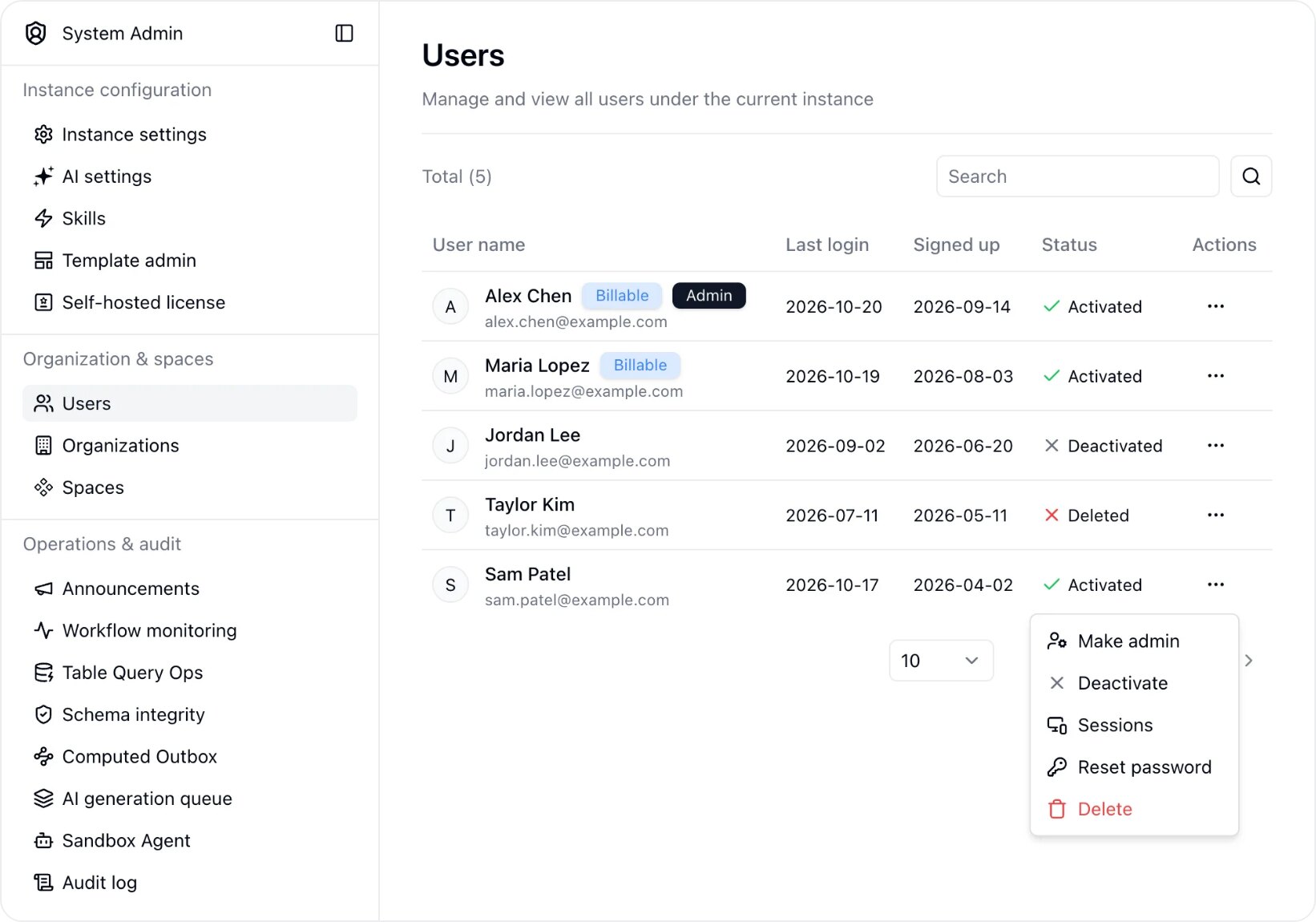
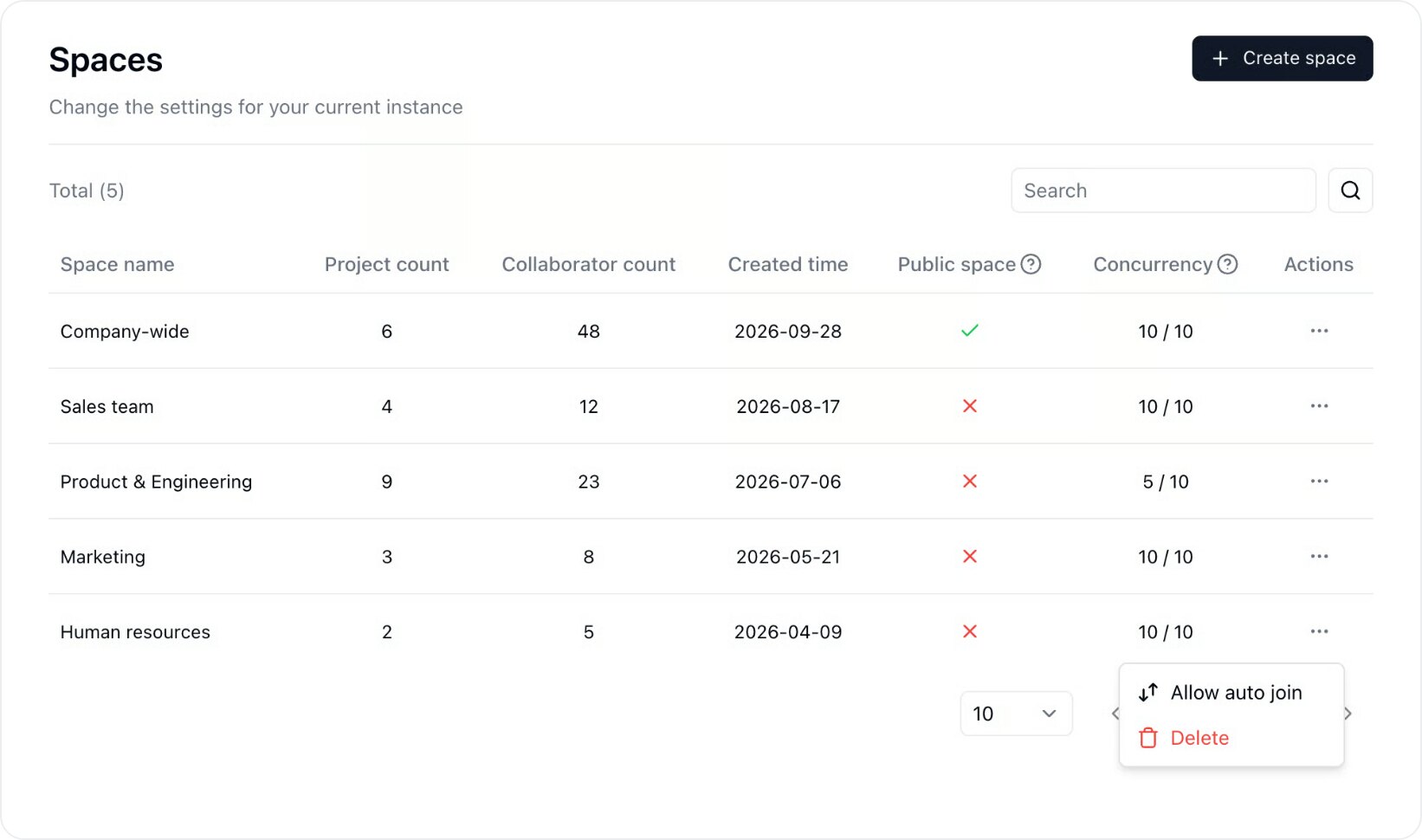
Data lives in spaces, projects and tables. Views include grid, form, Kanban, gallery and calendar, and field types cover the usual text, number, select, date, attachment, checkbox and rating fields. Rows per space are capped by plan, but there is no limit on rows per table. Deleted spaces, projects and tables go to a trash you can restore from.
Automations run on a monthly quota (100 on Free, 25,000 on Pro, 100,000 on Business), with a run history and a built-in email service. You can also connect your own SMTP provider. Teable says you can connect your tools and migrate data in with natural language, so the platform can automate routine actions such as notifications and reports.
The IM Bot is a chat-native Teable agent for Slack and Telegram with full create, read, update and delete access to your data. Business adds an authority matrix for detailed permissions, domain verification and SSO. Teable is available both as a cloud service and self-hosted.
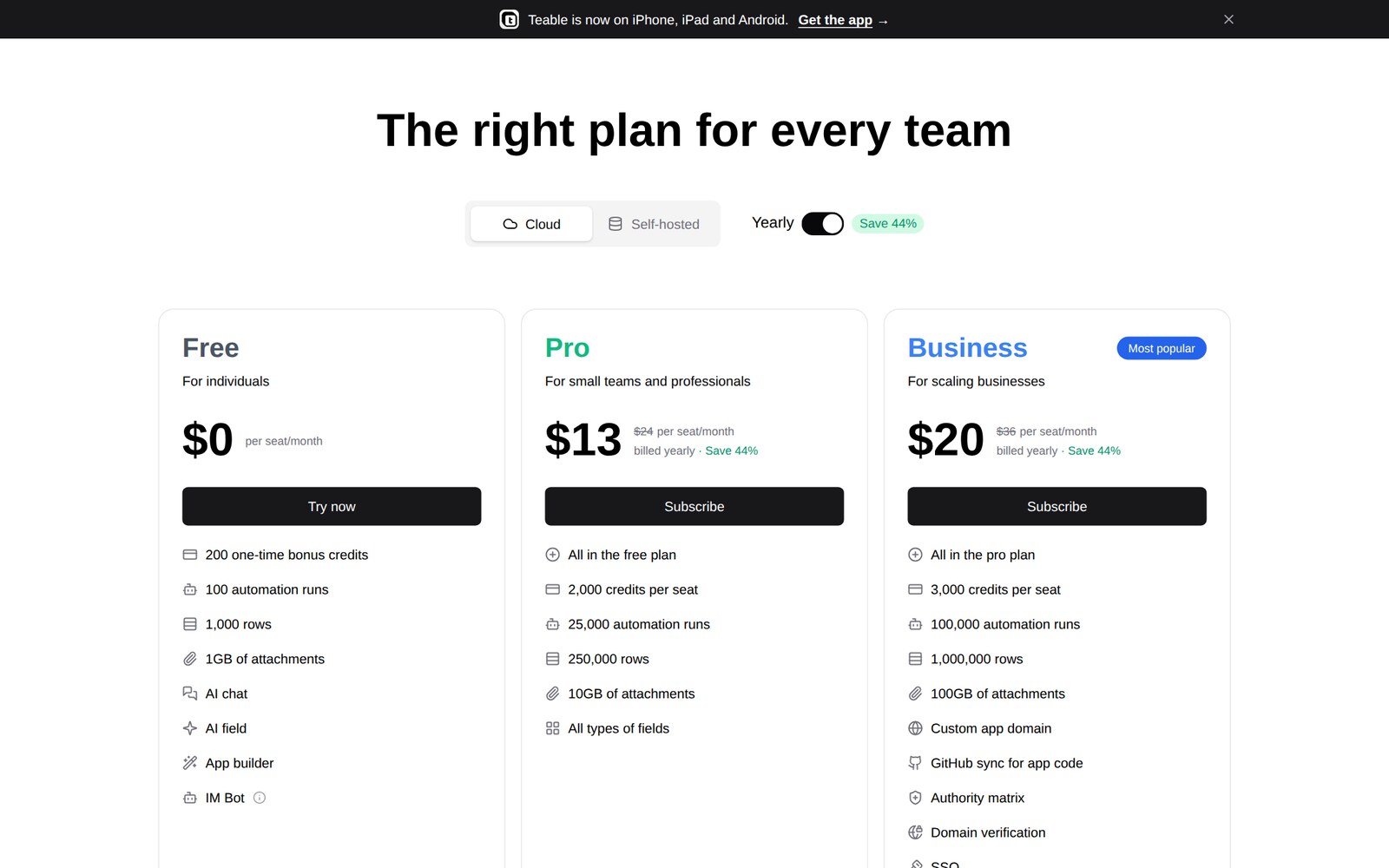
Teable publishes per-seat pricing for its cloud plans. At the time of writing:
| Plan | Price per seat | Credits | Rows per space | Automation runs a month | Attachments |
|---|---|---|---|---|---|
| Free | $0 | 200 one-time bonus | 1,000 | 100 | 1 GB |
| Pro | $13 a month yearly, $24 monthly | 2,000 per seat | 250,000 | 25,000 | 10 GB |
| Business | $20 a month yearly, $36 monthly | 3,000 per seat | 1,000,000 | 100,000 | 100 GB |
Credits pay for AI features such as AI fields, AI chat, the IM Bot and the app builder. Add-ons are available for extra automation runs, records and storage on Pro or above, for example 10,000 extra automation runs for $10 per space a month billed yearly.
Lifetime deal. Teable ran a lifetime deal on AppSumo with four tiers from $69 (3 seats, 100,000 rows, 500 credits a month) to $549 (50 seats, 1,000,000 rows, 6,000 credits a month). At the time of writing the deal is marked sold out.
You can work in Teable from a browser, a phone or a tablet, and bring in data from the tools and spreadsheets you already use. That makes it easier to trial on one real workflow before moving everything across.
Teable also says CSV moves records only. Zaps, forms, app connections and application logic have to be kept or rebuilt separately, so plan for that if automations are central to how your team works.
Teable is one of the more convincing Airtable alternatives I have looked at, mainly because the AI is part of the database rather than a separate add-on, and because the app builder turns tables into something clients or staff can actually use. The free plan is generous enough to try it on real data.
With the lifetime deal sold out, I would start on Free, then move to Pro once you hit the 1,000-row limit, keeping an eye on credit use if you lean heavily on the AI features.
Lifetime deal on AppSumo
Yes. The free plan includes 1,000 rows, 100 automation runs, 1 GB of attachments, AI chat, AI fields, the app builder and 200 one-time bonus credits.
At the time of writing, Pro is $13 per seat a month billed yearly ($24 monthly) and Business is $20 per seat a month billed yearly ($36 monthly).
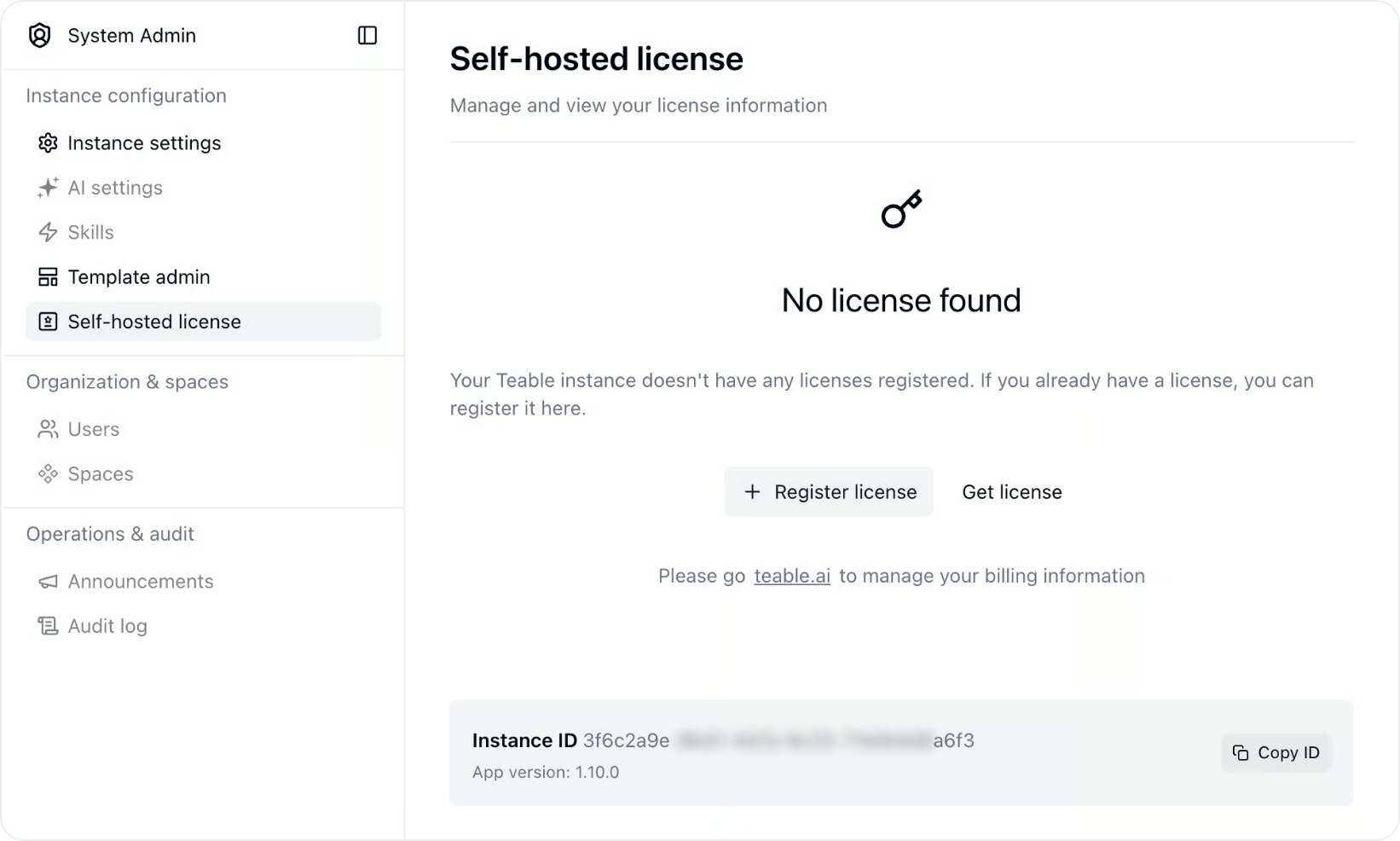
Yes. Teable's pricing page has separate Cloud and Self-hosted options, so you can run it on your own server if you prefer.
For many small teams, yes. It offers spreadsheet-style grids, forms, Kanban, gallery and calendar views, automations and an app builder, with AI built in. Airtable has the larger ecosystem and longer track record.
Teable ran a lifetime deal on AppSumo with tiers from $69, but it is marked sold out at the time of writing.
We may earn a commission when you buy through links on SaaSPic. It never changes our verdicts or the price you pay. Affiliate disclosure
Add this badge to your website so your visitors can read this independent review in one click.
 7.4/10
AI and low-code platform for building secure database apps, portals and dashboards, with unlimited users on every plan.


Pick FuseBase for a branded client workspace with docs, tasks and AI agents. Pick Teable if your work lives in…
Productivity
Productivity tools are the ones you open every day, which makes them the best candidates for a lifetime deal. These are the…
Project management
Project management tools charge per seat, so a lifetime deal can save a growing team a lot. Most of the well-known PM…
Guide
AppSumo always has hundreds of deals, but the ones people recommend often sell out. These are the AppSumo lifetime deals I confirmed…
 8.4/10
AI coding agent with a desktop editor, CLI, cloud agents and code review that plans, writes and fixes code in your repositories.
 8.2/10
Cloud platform where Replit Agent builds, tests and publishes web and mobile apps with built-in hosting, database and auth.
 8.2/10
Virtualization software to run Windows, Linux and macOS VMs on a Mac, authorized by Microsoft for Windows 11 on Apple silicon.