 7.3/10
AI video editor that cuts bad takes, silences and filler words from talking head recordings for YouTubers.


Mac and Windows app that removes silences and ums from footage locally and exports one timeline for Final Cut, Premiere or Resolve.
We may earn a commission when you buy through our links. How this works
AutoTrim suits creators, podcasters and editors who rough-cut long talking footage and finish in Final Cut Pro, Premiere Pro or DaVinci Resolve. Skip it if you want captions and effects in one tool, browser editing or a Linux build.
Best for: Creators and editors who rough-cut talking footage in Final Cut, Premiere or Resolve
7.4/10 Good, with trade-offs. The overall score is our judgment against the questions we ask of every tool, not an average. How we score
| Question | Score | Why |
|---|---|---|
| Does the jobWhat it actually does for the task it is sold for, and where it falls short. | 7.8 | It removes silences and hesitations locally, handles multicam and multi-mic takes, and exports one timeline for Final Cut Pro, Premiere Pro or Resolve. |
| Ease of useSetup needed and how quickly you get something useful done. | 7.6 | The vendor describes a three-step drop, preview and export flow with a three-state preview and an adjustable threshold. |
| Pricing and limitsWhat you pay at a realistic size, including caps, add-ons and deal limits. | 7.2 | Preview is free with no time limit, export costs $19 a month, $149 a year or $249 once, with 2 machines per license and a 14-day refund. |
| Reliability and supportUpdate pace, known problems and how support responds. | 6.5 | Support is by email from a small French company, and user feedback is limited to testimonials on its own site. |
| Fit against alternativesHow it compares with the alternatives for the people it is aimed at. | 7.2 | Narrower than TimeBolt, Gling AI or Descript, but stronger for multi-file shoots that end up in a desktop editor. |
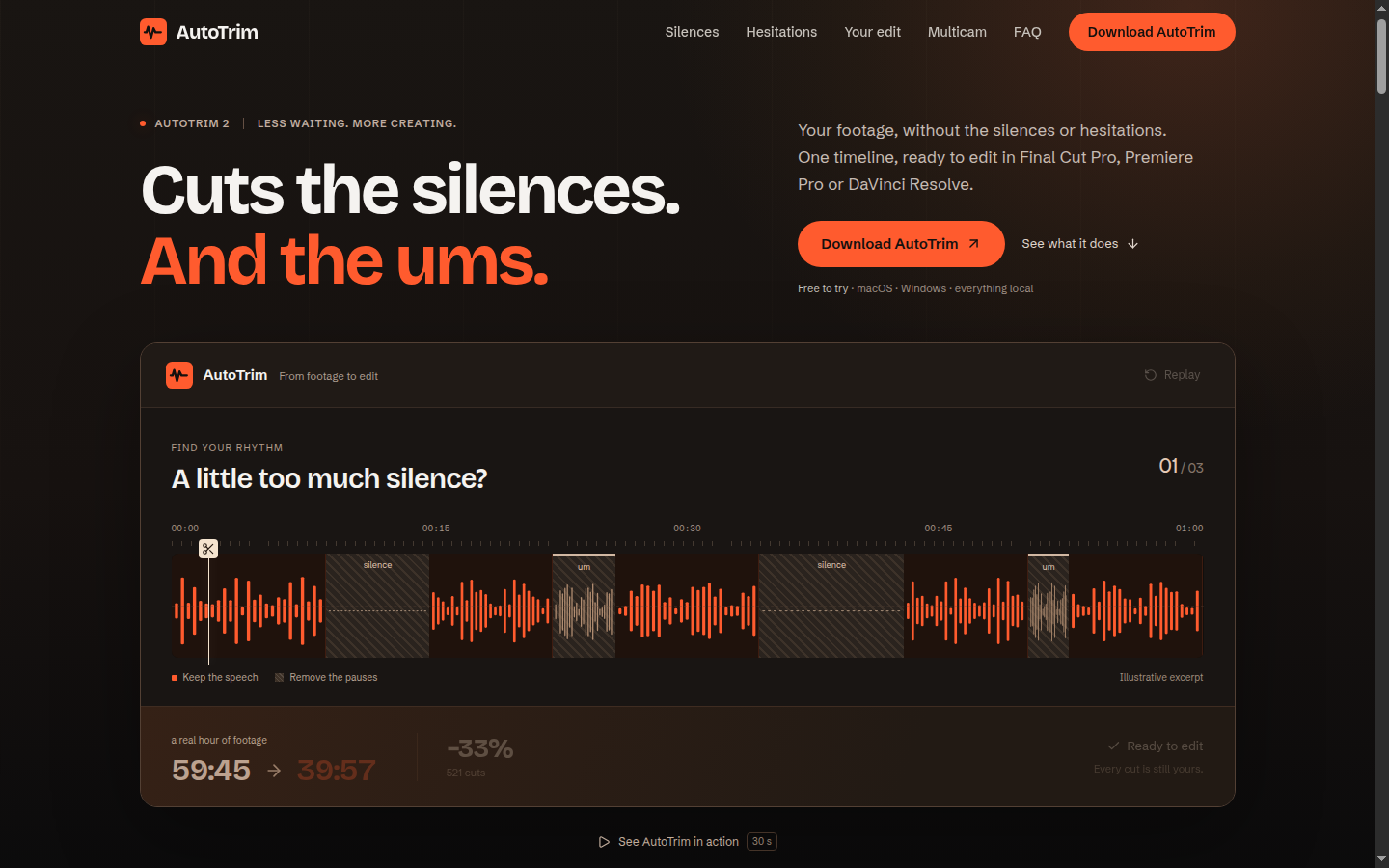
AutoTrim is a desktop app for Mac and Windows that removes silences and "um" hesitations from your footage on your own computer, then hands you one timeline for Final Cut Pro, Premiere Pro or DaVinci Resolve. It suits YouTubers, podcasters and editors who cut talking-head or interview footage in a real editor. Skip it if you want captions, B-roll or a full editor in one app.
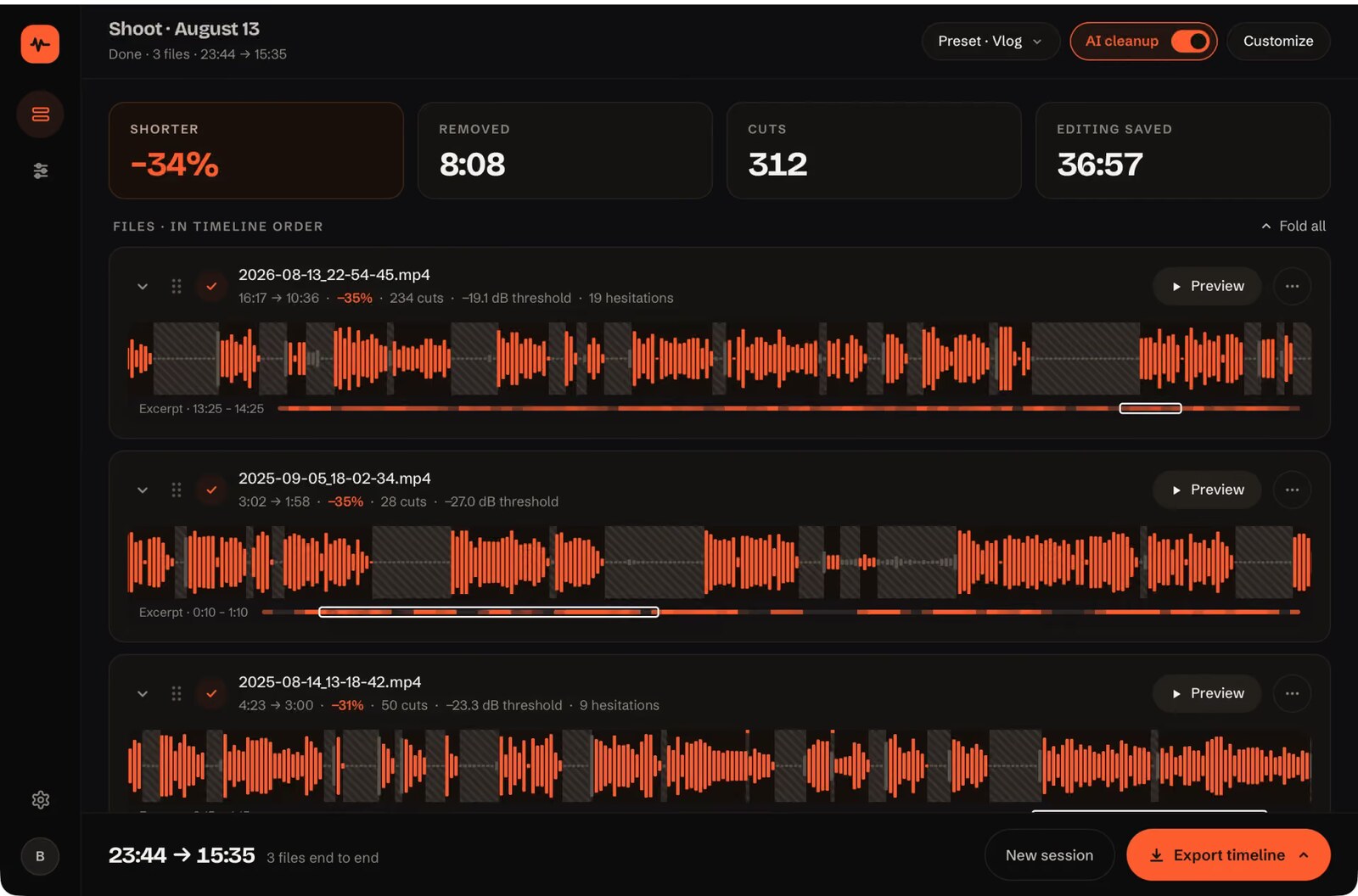
AutoTrim is a rough-cut tool, not a video editor. You drop in all the files from a shoot, it finds and removes the dead air and filler, and you finish the edit in your usual software with every cut still adjustable.
It is a standalone app rather than a plugin. Processing runs locally, so nothing is uploaded, and after the first model download the vendor says cleanup works offline. That makes it a good match for client work, unreleased videos and anyone on a slow connection.
The people it suits best are solo creators who shoot long, multi-file sessions, podcasters with one mic per guest, and freelance editors who live in Final Cut Pro, Premiere Pro or Resolve. It is a weaker fit if you edit in a browser, want text-based editing, or need Linux, which AutoTrim does not support.
The AutoTrim workflow is drop in, preview, then export. You add one clip or a whole session, AutoTrim analyzes the audio and marks what it would cut, you listen to the preview and adjust the threshold if needed, and then you export a timeline or finished files.
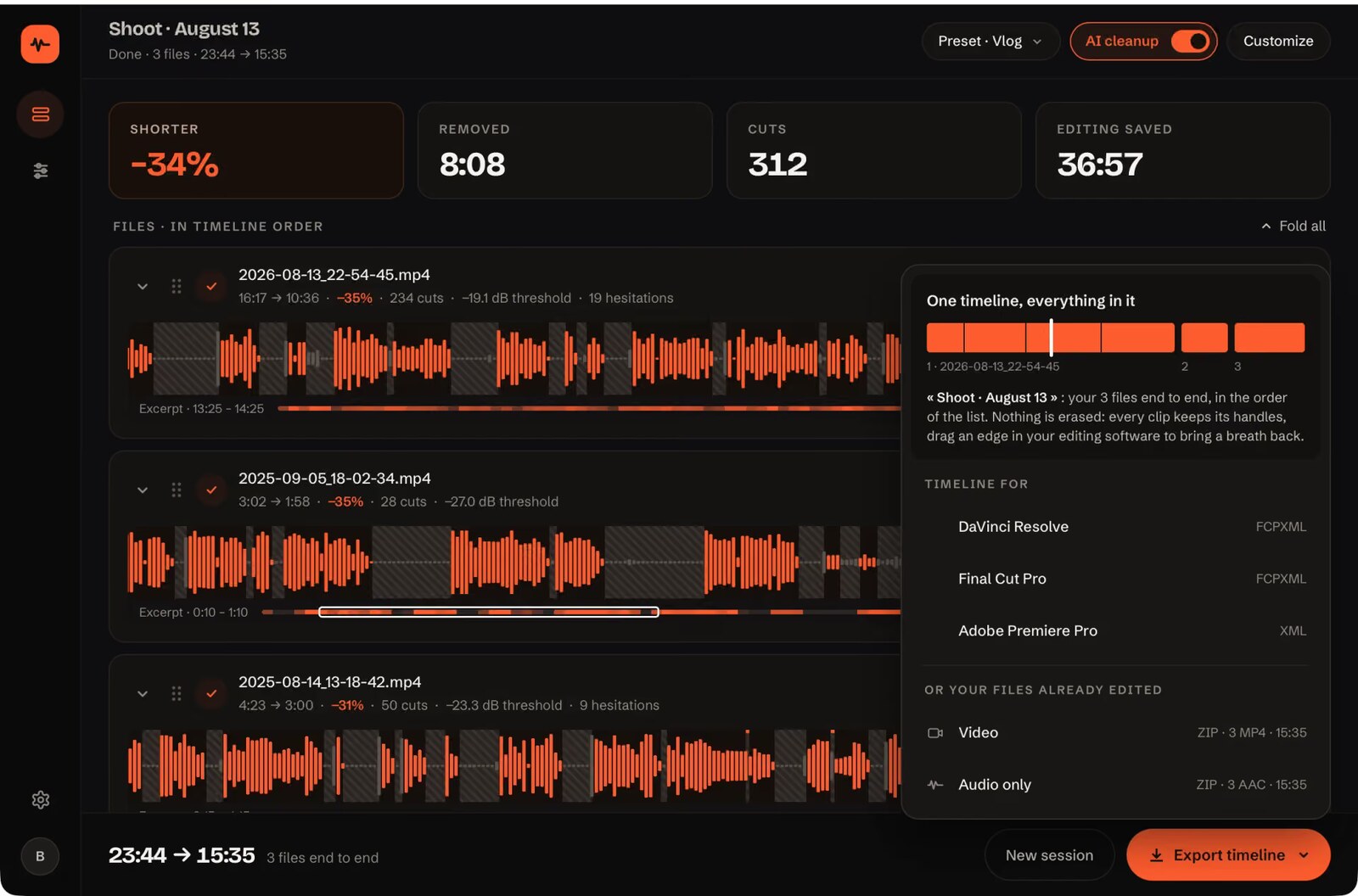
AutoTrim exports FCPXML for Final Cut Pro and DaVinci Resolve, and XML for Premiere Pro. If you do not use an editor, you can export the already-cut video as one MP4 per source. For CapCut, it gives you one numbered clip per cut to drop in order.
AutoTrim's site says the median share of silence across about 2,500 hours of footage it has processed is one third. Its example "real hour" goes from 59:45 to 39:57 with 521 cuts and 123 hesitations removed. These are the vendor's figures, so treat them as a guide to what a talking-head recording can lose rather than a promise for yours.
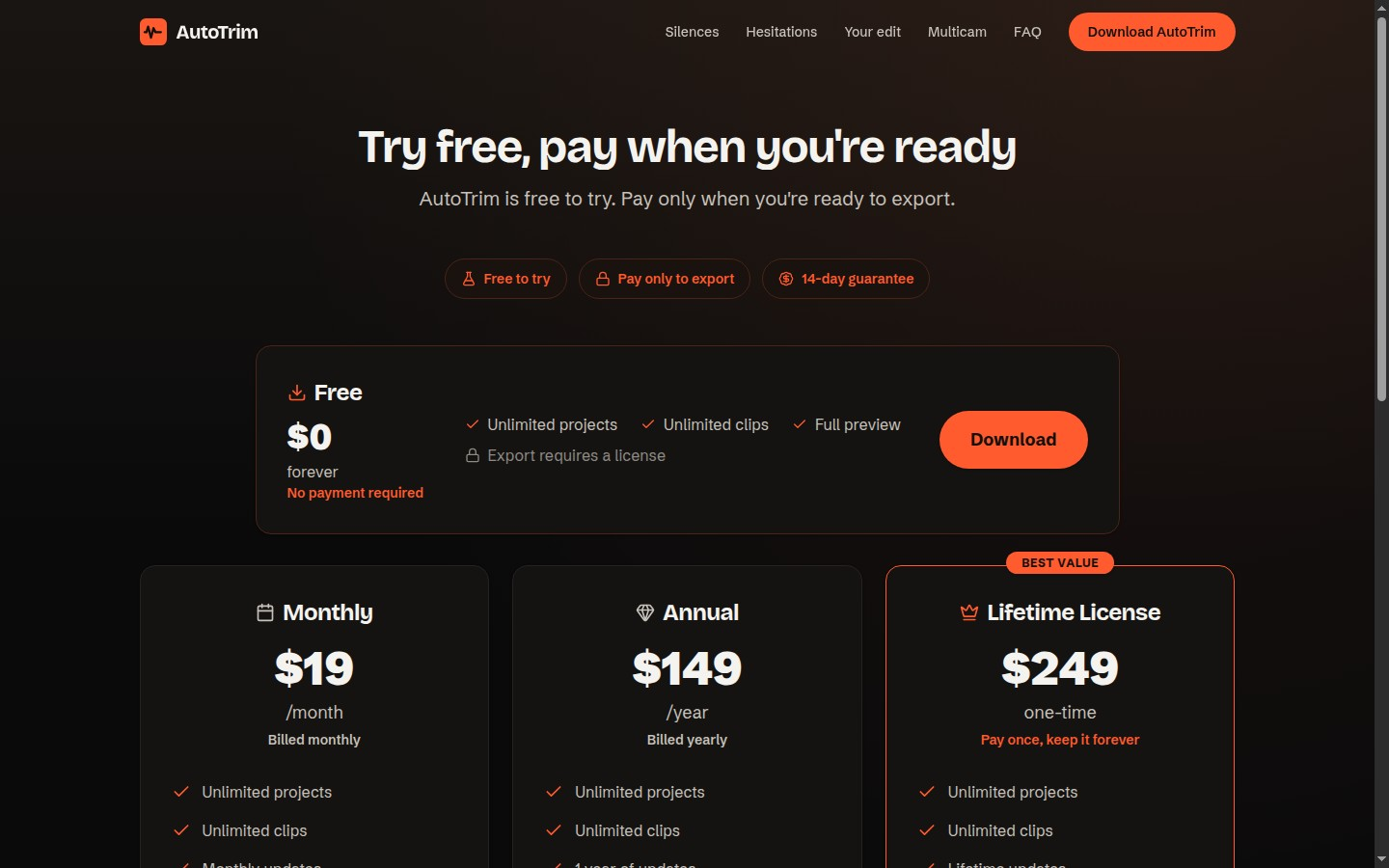
AutoTrim is free to try with no time limit, and you pay only when you want to export, from $19 a month, $149 a year or $249 once. Prices checked 20 Nov 2026, in USD, from the live pricing page.
| Plan | Price (USD) | What you get |
|---|---|---|
| Free | $0, no time limit | Unlimited projects and clips, silences, hesitations, multicam and full preview. Export needs a license. |
| Monthly | $19 a month | Export, unlimited projects and clips, monthly updates, priority export speed, 2 machines |
| Annual | $149 a year | Export, unlimited projects and clips, 1 year of updates, priority export speed, 2 machines |
| Lifetime License | $249 one-time | Export, unlimited projects and clips, lifetime updates, priority export speed, 2 machines |
Each license works on two computers. AutoTrim's refund policy gives a full refund within 14 days of purchase if you email with your order details, and after 14 days sales are final. Checkout runs through Lemon Squeezy.
Because processing and preview are free, you can run your own footage through it before paying anything. If you only have one big project, a single month at $19 covers the export. For regular use, the $249 lifetime license costs the same as about 13 months on the monthly plan, or about 20 months on the annual plan.
The user comments we found for AutoTrim are testimonials on its own site, so they are chosen by the vendor rather than collected by an independent review platform.
Those testimonials point at the same strengths. A Final Cut editor on a DSL line says local processing avoids slow uploads, a podcaster recording 2 to 3 hour multi-guest episodes says it saves at least two hours of editing per episode, and a freelance editor mentions the previews. Treat the time savings as their own estimates.
AutoTrim is published by bdebon SASU, a French single-shareholder company with its head office in Bordeaux, and Benjamin Debon as publication director. The site footer credits Benjamin Code, and support is by email.
The vendor does not publish a founding date, team size or a security certification. With local processing, your footage does not go to its servers in the first place.
AutoTrim's main limit is its narrow scope. It does the rough cut and nothing else, so you still need an editor for titles, captions, color and B-roll.
The closest AutoTrim alternatives also cut silences and filler from raw footage, but they differ on where they run and how much else they do.
AutoTrim does one job, the rough cut, and it is built around how real shoots look, with many files, several cameras and one mic per guest. Local processing, a free preview with no time limit and one assembled timeline for Final Cut Pro, Premiere Pro or Resolve make it easy to judge on your own footage before paying. We would pick it for creators and editors who already have an editor they like. Skip it if you want captions and effects in the same tool, edit in a browser, or need Linux.
AutoTrim is free to try with unlimited previews, and exporting needs a license at $19 a month, $149 a year or $249 one-time. Each license works on 2 computers, prices checked 20 Nov 2026.
Yes. AutoTrim exports FCPXML for Final Cut Pro and DaVinci Resolve, and XML for Premiere Pro, as one timeline with every cut still adjustable.
No. AutoTrim downloads its models once and then processes everything on your computer, even offline, so your files never leave your machine.
Yes. AutoTrim 2 removes hesitations such as um and uh in about ten languages, including English and French, and you can listen to what was removed before exporting.
Yes. AutoTrim offers a full refund within 14 days of purchase if you email with your order details. After 14 days all sales are final.
Yes. AutoTrim groups files from the same take using sound, duration, recording time and metadata, keeps each angle and mic on its own synced track, and only cuts when nobody is speaking.
We may earn a commission when you buy through links on SaaSPic. It never changes our verdicts or the price you pay. Affiliate disclosure
Add this badge to your website so your visitors can read this independent review in one click.
 7.3/10
AI video editor that cuts bad takes, silences and filler words from talking head recordings for YouTubers.
 8.4/10
Voice AI platform with Sonic text to speech, Ink speech to text and Managed Agents for phone voice agents via API.
 8.3/10
AI video and image generator running Kling's own models, with keyframes, character references, native audio, motion control and an API.
 8.3/10
AI voice platform for text to speech, voice cloning, dubbing, music and sound effects, plus voice agents and an API for developers.