 7.8/10
AI tool that turns long videos into short captioned clips for TikTok, Shorts and Reels, with virality scores and scheduling.


AI video clipping tool that turns long videos into short social clips, with auto subtitles, reframing, scheduling and an AI video agent.
We may earn a commission when you buy through our links. How this works
Vizard AI suits podcasters, coaches, marketers and agencies who regularly turn long recordings into short social clips and want captions, reframing and scheduling in one tool. If you mainly make original short videos rather than clipping long ones, a prompt-based AI video generator will suit you better.
Best for: Podcasters and marketers repurposing long videos into short clips
7.5/10 Good, with trade-offs. The overall score is our judgment against the questions we ask of every tool, not an average. How we score
| Question | Score | Why |
|---|---|---|
| Does the jobWhat it actually does for the task it is sold for, and where it falls short. | 8.0 | Finds highlights in long recordings, cuts clips, reframes them vertically and adds captions, though clips still need review and trimming before posting. |
| Ease of useSetup needed and how quickly you get something useful done. | 7.5 | Upload a long video and it transcribes, suggests clips and can produce 30+ clips in one click, ready to schedule. |
| Pricing and limitsWhat you pay at a realistic size, including caps, add-ons and deal limits. | 7.5 | Creator is $14.50 a month billed yearly, while the free plan is limited to 720p with a watermark and 3-day storage. |
Vizard AI is a web-based AI video clipping tool that turns long recordings such as podcasts, webinars, interviews and livestreams into short captioned clips for TikTok, Instagram Reels, YouTube Shorts and other feeds. It suits creators, marketers and agencies who already record long-form video and want a steady supply of short clips without editing each one by hand.
Vizard AI is built for people who already have long videos and need to repurpose them. Its own use case pages name creators and podcasters, coaches and business owners, marketers, and agencies and freelancers, and its iPhone app listing adds educators turning lessons into short clips.
Skip it if you mostly make original short videos from scratch, since the core product assumes a long source file. Vizard now sells a separate prompt-driven product called Vizard Agent for that kind of work, covered below. Skip it too if you need a full editor for long-form episodes.
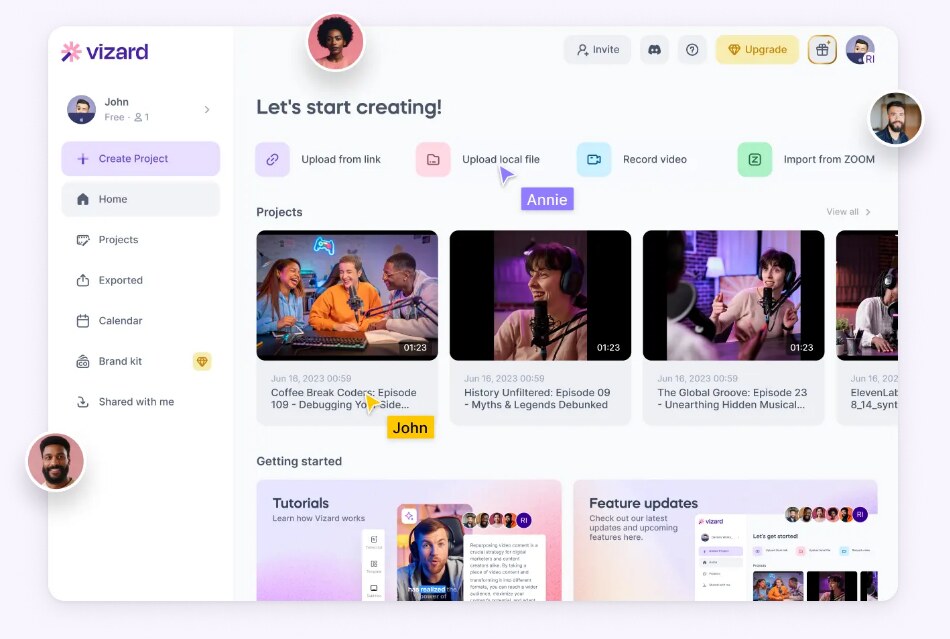
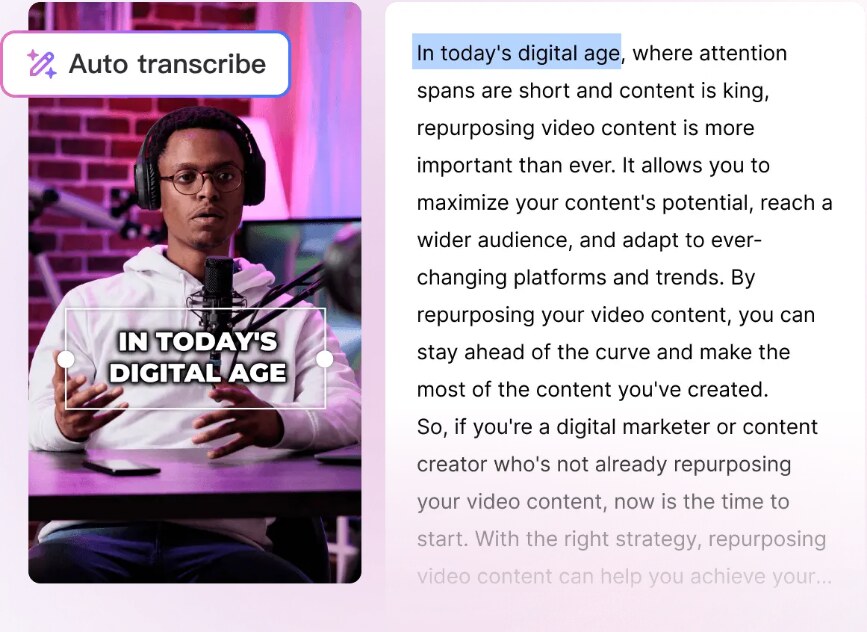
The Vizard workflow has three steps: upload or link a long video, let Vizard transcribe it and pick clip-worthy moments, then edit, caption and publish the clips.
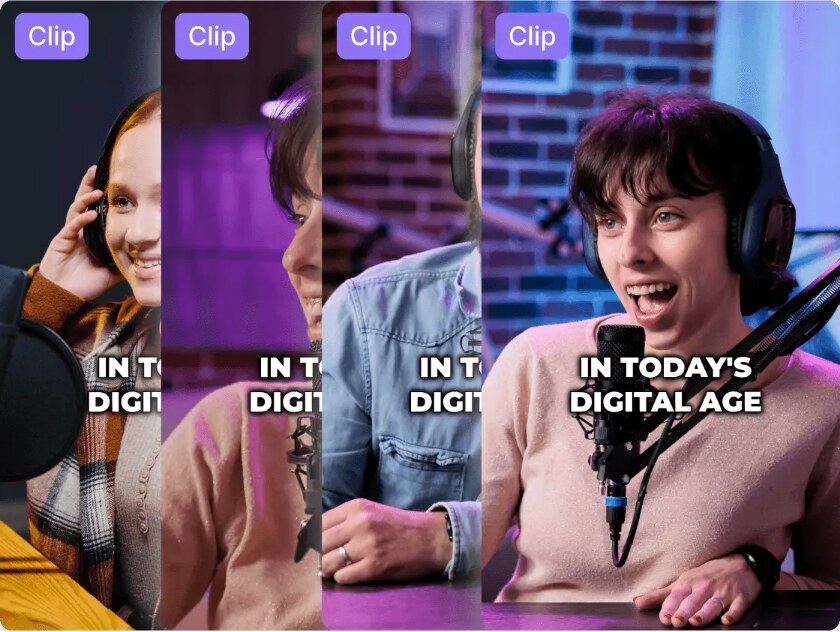
AI clipping is the main feature: Vizard finds highlights, cuts them and reframes them to vertical with the speaker kept in frame. Since 8 July 2026 there are two clipping models. Model v1 is the fast, high-volume option, and Model v2 takes longer, returns fewer clips with complete stories, and explains the viral score with tags such as "Hot take" or "Bold claim hook". A "Clip Again" option lets you re-clip the same upload with your own prompt.
Every plan includes auto captions, caption translation, AI emojis, highlighted keywords and AI B-roll. Free users can download transcripts as TXT, and paid plans add SRT. The editing tool supports text-based editing, subtitle line merge and split, scene and intro insertion, transitions, an audio library, and since March 2026 it can generate motion graphics, images and short videos from a prompt inside the editor. An auto censorship option added on 30 July 2026 can beep or mute sensitive words.
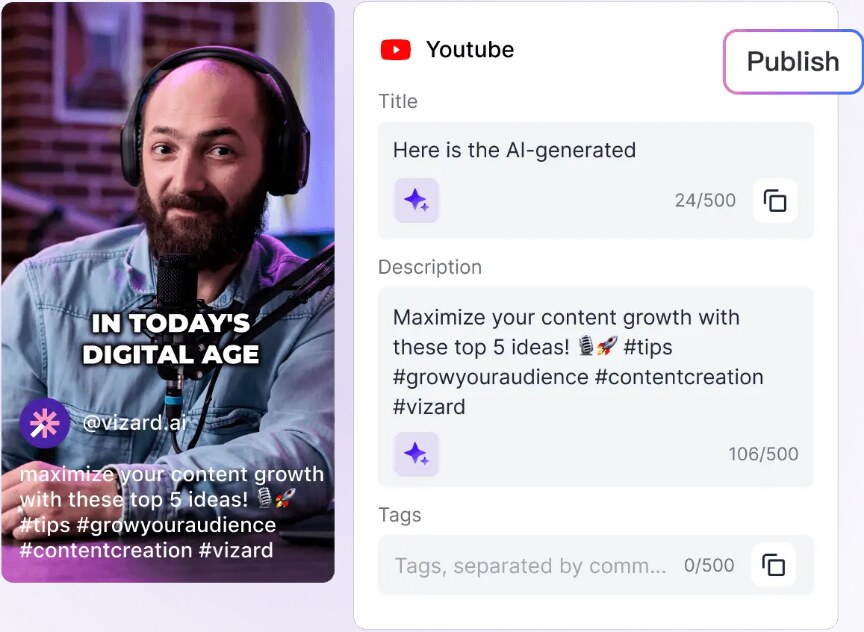
The tool can publish and schedule clips straight to TikTok, YouTube, Instagram, X, Facebook and LinkedIn. Bulk scheduling and AI-written titles, descriptions and hashtags are included. Scheduling and 4K export are paid features, and the free tool exports at 720p.
Vizard AI has a free plan and two paid plans, Creator and Business, billed in US dollars, with yearly billing at half the monthly price. Credits are the main limit: 1 credit equals 1 minute of uploaded video.
Prices checked 8 Nov 2026.
| Plan | Price | Credits | Key limits and extras |
|---|---|---|---|
| Free | $0 | 60 credits a month | 720p export with watermark, uploads up to 60 minutes and 1GB, 3-day storage, 1 social account |
| Creator (monthly) | $29 a month | From 600 credits a month | No watermark, 4K export, uploads up to 600 minutes and 30GB, 100GB storage, scheduling, 6 social accounts |
| Creator (yearly) | $14.50 a month, $174 billed yearly | From 7,200 credits a year | Same features as Creator monthly |
| Business (monthly) | $39 a month | From 600 credits a month | Shared team workspace, brand kit, 20 social accounts, unlimited storage while subscribed, extra seats $5 a month each |
| Business (yearly) | $19.50 a month, $234 billed yearly | From 7,200 credits a year | Same features as Business monthly |
Both paid plans let you pick larger credit bundles (the selector runs up to 74,400 credits a year), and both renew automatically. You can cancel from Workspace, Subscription, and the plan runs to the end of the billing cycle. The pricing page lists Stripe, PayPal and bank transfer as payment options. It does not publish a refund policy on the pricing page, so treat paid plans as non-refundable unless support agrees otherwise.
A weekly one-hour podcast uses about 240 credits a month, which fits inside the entry Creator bundle of 600 credits. On yearly billing that is $14.50 a month. Since January 2026 you can process only the part of a video you select, and credits are charged on that portion, which helps if you only want clips from one segment of a long stream. The free plan's 60 credits cover roughly one hour of video a month, enough to judge the clip quality.
Public ratings for Vizard are high and fairly consistent across platforms. In November 2026, Vizard held 4.7 from 2,521 Trustpilot reviews, 4.7 from 435 G2 reviews, 4.9 from 487 Capterra reviews, 4.9 from 486 GetApp reviews, 4.6 from 18 Product Hunt reviews, and 4.8 from 819 ratings for its iPhone app on the App Store.
Recent Trustpilot and App Store reviews praise speed and how well it handles long recordings, including footage in other languages. The volume of 5-star reviews is large, so read some of the lower-rated ones before you commit,, and test the free credits on your own footage.
Vizard is made by Vizard, Corp., which its About page says was founded in Delaware, with a Palo Alto, California address on its job listings. The rest of the published facts are below.
Vizard ships updates often, and its public changelog shows a steady run of releases through 2026.
Vizard has also launched Vizard Agent, a separate prompt-based video editor and generator with its own templates (product ads, talking heads, podcast clips, AI films) and tiered models.
The pros are covered above (two clipping models, 4K export, scheduling and an included API), and the main cons are the credit cap, the weak free plan and the lack of published refund terms. Free exports are 720p, watermarked, capped at 10 minutes and deleted after 3 days, so the free plan is a trial rather than a workflow.
Credits are tied to upload minutes, so heavy users with many long streams can run through the entry bundle quickly and need a bigger tier. Team seats cost extra on Business, so four extra seats add $20 a month. Multiple products (the clipper, AI Studio and Vizard Agent) can make it unclear which plan covers what.
The closest alternatives do the same long-to-short clipping job, and the right pick depends on volume and how much editing you want.
Vizard AI is a strong pick for podcasters, coaches, marketers and agencies who regularly turn long recordings into short clips and want captions, reframing and scheduling in one tool. The yearly Creator plan is good value for one or two long videos a week, and the steady changelog suggests an active product. If you mainly make original short videos, look at Vizard Agent or an AI video generator instead.
Vizard AI has a free plan with 60 credits a month (about 60 minutes of video) and 720p watermarked exports. Paid plans start at $14.50 a month billed yearly for Creator, or $29 billed monthly.
One credit equals one minute of uploaded video. Creator and Business start at 600 credits a month (7,200 a year), and you can choose larger bundles. If you process only part of a video, credits are charged for that portion.
Free plan exports carry a watermark and are limited to 720p. Creator and Business remove the watermark and export up to 4K.
Yes. Vizard has a free iPhone app with in-app purchases and an Android app launched on 2 May 2026, and projects sync with the web app.
Vizard Agent is a separate Vizard product where you describe a video in a prompt or pick a template, and it creates or edits the video for you. It sits alongside the clipping tool rather than replacing it.
Vizard's docs list 36 transcription languages, including English, Spanish, French, German, Hindi, Japanese, Arabic, Mandarin and Vietnamese. Subtitle translation is included on every plan.
We may earn a commission when you buy through links on SaaSPic. It never changes our verdicts or the price you pay. Affiliate disclosure
Add this badge to your website so your visitors can read this independent review in one click.
 7.8/10
AI tool that turns long videos into short captioned clips for TikTok, Shorts and Reels, with virality scores and scheduling.
 7.0/10
AI video clipping tool that turns long videos and podcasts into captioned vertical clips for TikTok, Reels and YouTube Shorts.
 6.8/10
AI tool, formerly Vidyo.ai, that clips long videos into captioned shorts and schedules them to seven social platforms.
| Tool | Score | From | Free plan | Best for |
|---|---|---|---|---|
| Vizard AI | 7.5/10 | $174/yr | Yes | Podcasters and marketers repurposing long videos into short clips |
| Opus Clip | 7.8/10 | $15/mo | Yes | Podcasters and video teams turning long videos into short clips |
| Klap | 7.0/10 | $29/mo | Yes | Creators turning long talking videos into daily shorts |
| Quso AI | 6.8/10 | $29/mo | Yes | Creators turning long videos into scheduled social clips |
 8.4/10
Voice AI platform with Sonic text to speech, Ink speech to text and Managed Agents for phone voice agents via API.
 8.3/10
AI video and image generator running Kling's own models, with keyframes, character references, native audio, motion control and an API.
 8.3/10
AI voice platform for text to speech, voice cloning, dubbing, music and sound effects, plus voice agents and an API for developers.