 7.6/10
AI video platform for business that turns scripts into avatar-presented videos, with dubbing, translation and LMS export.


AI avatar video generator with talking avatars, photo avatars, text and PPT to video, translation and a daily free plan.
Compared: HeyGen vs Vidnoz AI, which AI avatar video tool to choose
We may earn a commission when you buy through our links. How this works
Vidnoz AI suits small businesses, teachers and trainers who want cheap avatar videos and a free plan to start, with SCORM export for learning systems. Skip it if you need dependable support and flexible refunds, where Synthesia or HeyGen are safer picks.
Best for: Budget avatar videos for training and marketing
7.1/10 Good, with trade-offs. The overall score is our judgment against the questions we ask of every tool, not an average. How we score
| Question | Score | Why |
|---|---|---|
| Does the jobWhat it actually does for the task it is sold for, and where it falls short. | 7.5 | Covers talking avatars, photo avatars, text and PPT to video, SCORM export and 1080p no-watermark exports on paid plans, with a large template library. |
| Pricing and limitsWhat you pay at a realistic size, including caps, add-ons and deal limits. | 7.5 | Free gives 30 credits a day, Starter is $26.99 a month, but voice cloning and translation need the $74.99 Business plan. |
| Fit against alternativesHow it compares with the alternatives for the people it is aimed at. | 7.0 | Called one of the more generous avatar tools for the price, though Synthesia or HeyGen are suggested first for enterprise polish and brand controls. |
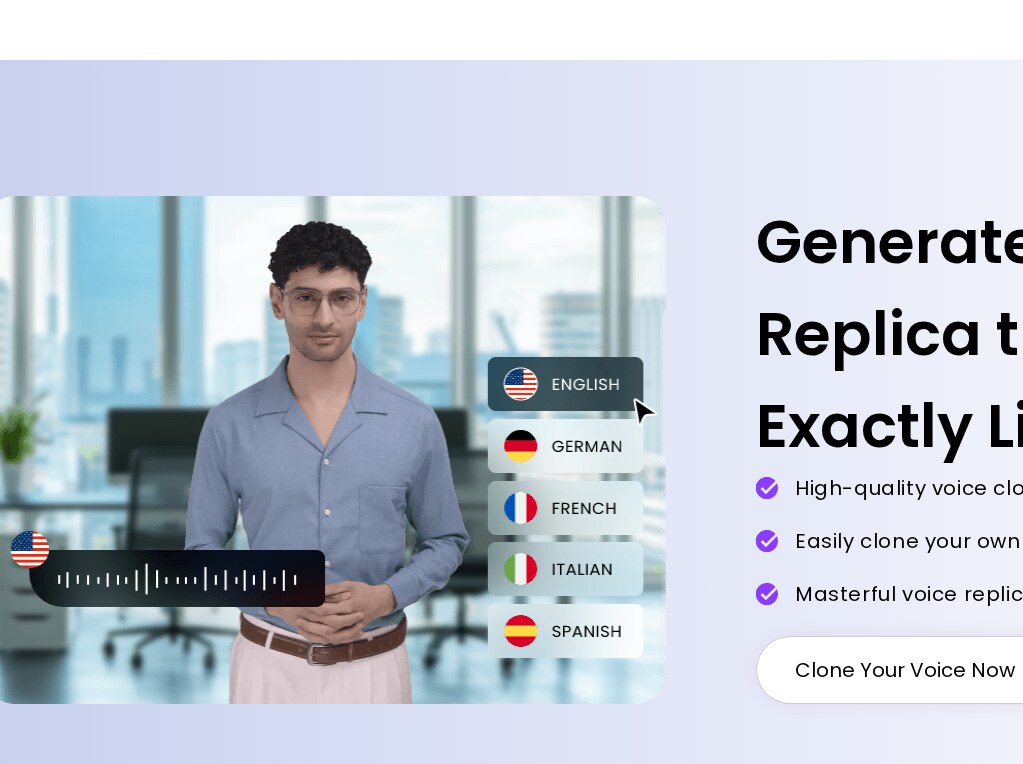
Vidnoz AI is an online AI video generator built around talking avatars: you pick a template and an AI avatar, type a script, choose a voice and generate a presenter-style video. It suits small businesses, teachers, trainers and marketers who want explainer, training or sales videos without filming, and who want to start free.
Vidnoz fits business users, creators and teachers who need fast production of short presenter videos on a small budget, without camera work or video editing skills. The free plan refreshes credits every day, and paid plans add 1080p export, no watermark and SCORM export for learning systems, which matters to trainers.
Skip Vidnoz if you need predictable support and billing. Its Trustpilot rating is poor, and reviewers there report failed free generations and billing changes. Larger companies with strict brand and security reviews may prefer the best Vidnoz alternatives, Synthesia or HeyGen.
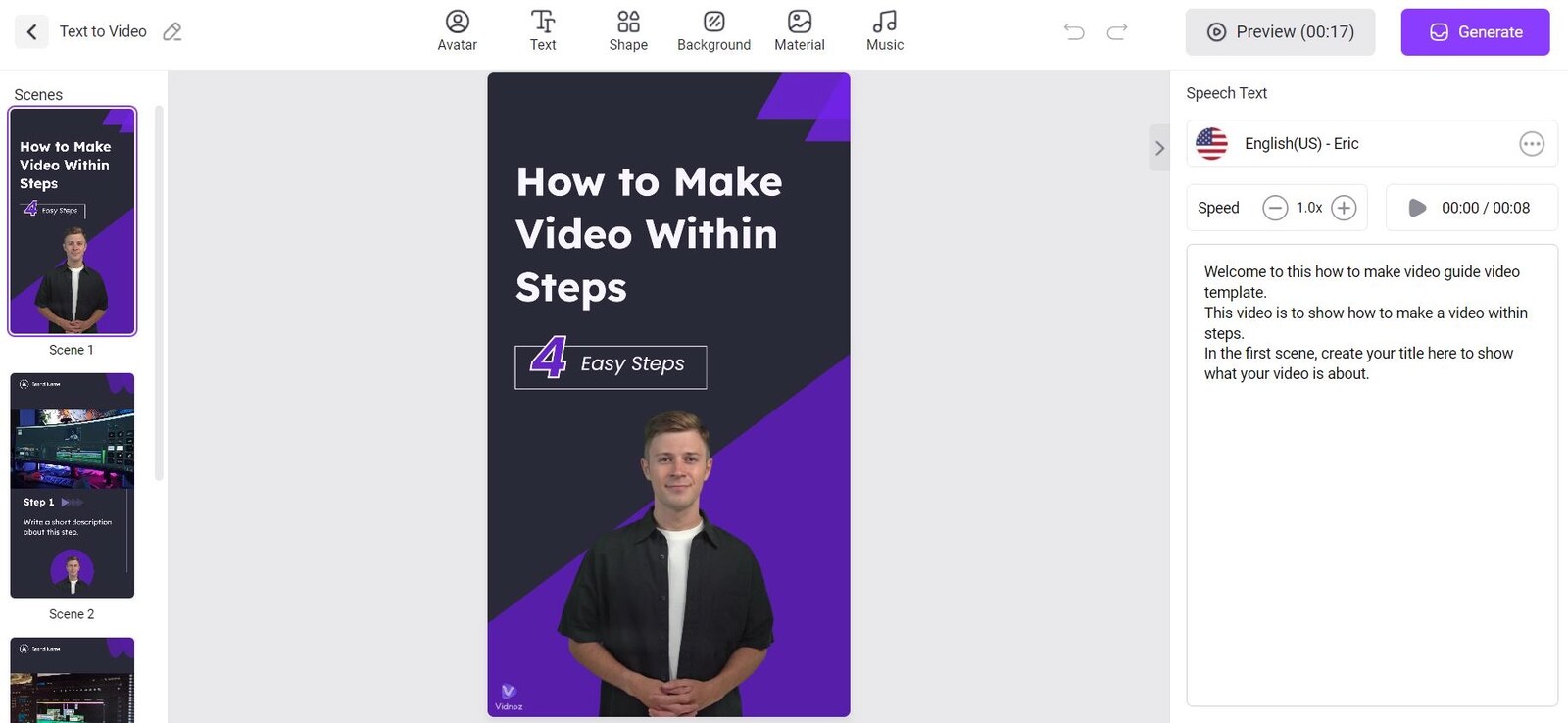
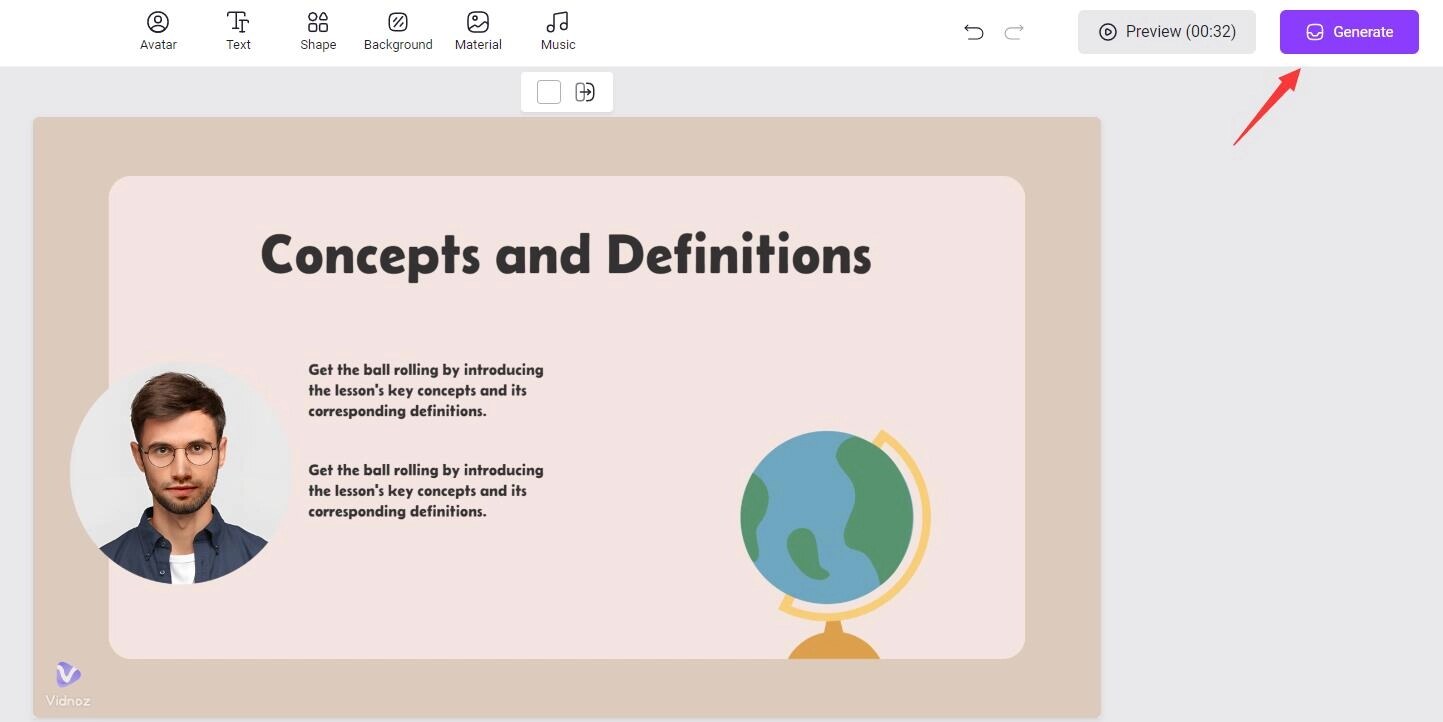
The workflow runs in the browser editor, scene by scene, and Vidnoz's own guides show the steps.
Other ways to start include Import PPT (a slide deck becomes a video in one click), text or prompt to video through the AI Video Wizard, and talking photos that turn a still image into a speaking avatar.
Vidnoz image to video lives in Vidnoz Gen, a separate creative tool for short generated clips and marketing content rather than presenter videos. It holds an AI video generator, an AI image generator, AI avatars and an AI music video maker, and the image-to-video tool works without sign-up, with one free generation a day according to Vidnoz.
You upload an image, add an optional prompt of up to 2,000 characters (the interface suggests ideas such as camera follow or zoom out), and can set a start and end frame. Vidnoz offers its own models (Lite, Turbo, Ultra and Max, the last two needing an upgrade) plus third-party models including Kling, Seedance, Wan, Hailuo, Vidu, PixVerse and Luma Ray 3.2. Clips run 5, 8 or 10 seconds in 16:9 or 9:16, with 1080p on paid plans, and the generator showed 5 credits for a clip. Vidnoz says output is free for commercial use under its license, warns that human faces are not fully supported, and bans unlawful, sexual or non-consensual content.
Vidnoz covers avatars, voices and translation in one tool, with the most useful team features on the top self-serve plan.
Vidnoz has a free plan, two self-serve paid plans in US dollars and an Enterprise quote, and yearly billing takes 25% off. Prices checked 22 Nov 2026.
| Plan | Billed monthly | Billed yearly | Credits and limits |
|---|---|---|---|
| Free | $0 | $0 | 30 credits a day (about 60 seconds), videos up to 3 minutes, 720p, Vidnoz watermark |
| Starter | $26.99 a month | $19.99 a month | 450 credits a month plus 90 free a day, videos up to 60 minutes, 1080p, no watermark, 1 seat |
| Business | $74.99 a month | $56.99 a month | 900 credits a month plus 90 free a day, voice clone, video translation, brand kit, SAML/SSO, up to 1,000 seats |
| Enterprise | Quote only | Quote only | Custom credits, Avatar Pro, dedicated data center and account manager |
Starter and Business also come in larger credit tiers. Add-ons on the pricing page were Avatar Pro at $299 a year (shown as 50% off $598) and Voice Clone at $9.99 a month. Unused credits do not carry over, and add-on packs expire at the end of the cycle.
The refund terms are strict. Vidnoz offers a 7-day full money-back guarantee on yearly subscriptions only, refuses refunds on monthly plans, and you cancel through support.
Standard avatar video uses 0.5 credits per second, so Starter's 450 monthly allowance covers about 15 minutes of video, plus about 3 more minutes a day from the free daily top-up. Expressive and Product Avatars cost 2 per second, so the same allowance buys under 4 minutes of those. On the monthly Starter price, that is roughly $1.80 per standard minute before the free daily credits.
Public ratings are poor. On 22 Nov 2026, Vidnoz AI rated 2.3 from 83 reviews on Trustpilot, with 45% one-star and 37% five-star reviews.
Trustpilot reviewers complain that free videos would not generate (Aug 2026), and one says Vidnoz replaced pay-as-you-go credits with subscriptions (Jan 2026). A positive Trustpilot review praises a trouble-free one-month subscription. Trustpilot shows Vidnoz replies to 75% of negative reviews, typically within 2 weeks.
Vidnoz is a web app with sign-in through Google, Facebook, LinkedIn, Microsoft or SSO, and SAML/SSO setup guides cover Microsoft Entra ID and Okta. The company is Vidnoz Inc., with a contact address in Austin, Texas on Trustpilot. Vidnoz also sells Vidnoz Flex, a separate video product with its own plans.
Vidnoz is currently promoting Expressive Avatars as newly released, with avatars that add gestures and body language from your script. The pricing page now caps Expressive and Product Avatar minutes by plan (15 minutes in HD on Starter, 30 on Business), and a Trustpilot reviewer in Jan 2026 reports the move from pay-as-you-go credits to subscriptions.
The main limits are the credit system and support reputation. Free videos are 720p, watermarked and capped at 3 minutes. Voice clone and translation, two of the most useful features, need the higher plan. Credits do not roll over, monthly plans cannot be refunded, and avatar counts differ between the homepage and the pricing page.
Each Vidnoz alternative below is another AI avatar video generator tool, and each suits a different buyer.
Vidnoz AI is a cheap way to make presenter-style avatar videos, with a usable free plan and SCORM export for trainers. Choose yearly billing only after the free plan proves the output works, because monthly plans have no refunds and Trustpilot complaints are common.
Yes. The free plan gives 30 credits a day, about 60 seconds of video, with videos up to 3 minutes at 720p and a Vidnoz watermark.
Starter is $26.99 a month or $19.99 a month billed yearly, and Business is $74.99 a month or $56.99 billed yearly, as of 22 Nov 2026. Enterprise is quote only.
Vidnoz says it applies multi-layered security measures on its servers, and Business adds SAML/SSO. Trustpilot reviews raise billing and support complaints rather than data issues.
Only on yearly plans, which carry a 7-day full money-back guarantee. Vidnoz does not refund monthly subscriptions, and you cancel by contacting support.
Yes. The AI Video Wizard makes a video from a text script, an uploaded .txt file or a prompt, and Import PPT turns slides into a video.
No. Unused subscription credits do not carry over to the next billing period, deleting a video does not restore its credits, and add-on credit packs expire at the end of the current cycle.
We may earn a commission when you buy through links on SaaSPic. It never changes our verdicts or the price you pay. Affiliate disclosure
Add this badge to your website so your visitors can read this independent review in one click.
 7.6/10
AI video platform for business that turns scripts into avatar-presented videos, with dubbing, translation and LMS export.
 8.0/10
AI video platform for avatar presenter videos, voice cloning and lip-synced video translation in 175+ languages and dialects.
 5.6/10
One-off payment AI app that turns photos of people, cartoons, animals and objects into talking, singing and dancing videos with lip sync.
 6.6/10
AI avatar video and ad creative platform with 140-language voices, video translation and URL-to-video ads.
 5.6/10
One-time-payment AI avatar video maker with talking and walking presenters, 800+ voices, lip-synced dubbing and subtitles.
 5.2/10
Browser-based video maker with customizable talking 3D cartoon avatars, templates and text to speech, sold for a one-time price.
| Tool | Score | From | Free plan | Best for |
|---|---|---|---|---|
| Vidnoz AI | 7.1/10 | $26.99/mo | Yes | Budget avatar videos for training and marketing |
| Synthesia | 7.6/10 | £19/mo | Yes | Training and L&D teams making multilingual video |
| HeyGen | 8.0/10 | $29/mo | Yes | Marketing and training teams making avatar-led and translated videos |
| TalkingPhotos | 5.6/10 | $49 one-off | No | Creators making playful talking and singing photo clips |
| KreadoAI | 6.6/10 | $19/mo | Yes | Ecommerce teams producing many avatar video ads |
| HumanPal | 5.6/10 | $49 one-off | No | Budget marketers making short AI presenter clips |
| AvatarBuilder | 5.2/10 | $49 one-off | No | Marketers wanting cheap cartoon avatar videos |
Vidnoz is the better value starting point, with a daily free allowance and paid plans from $19.99 a month billed…
 8.4/10
Voice AI platform with Sonic text to speech, Ink speech to text and Managed Agents for phone voice agents via API.
 8.3/10
AI video and image generator running Kling's own models, with keyframes, character references, native audio, motion control and an API.
 8.3/10
AI voice platform for text to speech, voice cloning, dubbing, music and sound effects, plus voice agents and an API for developers.