 6.4/10
News analysis terminal that weighs market news into one read per market and flags when a move is already priced in.


Charting and market analysis platform for stocks, crypto, forex and futures, with Pine Script, screeners, alerts and broker trading.
We may earn a commission when you buy through our links. How this works
TradingView suits investors and traders who want strong charts, alerts and screeners across almost every market, starting free and upgrading only when a limit bites. Skip it if you mainly need fundamental valuation research or want a broker built in.
Best for: Active traders and investors who want pro charting and alerts
8.2/10 Strong choice. The overall score is our judgment against the questions we ask of every tool, not an average. How we score
| Question | Score | Why |
|---|---|---|
| Does the jobWhat it actually does for the task it is sold for, and where it falls short. | 9.0 | Fast customizable charts, Pine Script, alerts, screeners and trading through more than 100 connected brokers across nearly every market. |
| Pricing and limitsWhat you pay at a realistic size, including caps, add-ons and deal limits. | 7.5 | Free Basic plan, paid plans from 12.95 GBP a month billed annually, but real-time data for some exchanges costs extra and Basic shows ads. |
| Fit against alternativesHow it compares with the alternatives for the people it is aimed at. | 8.5 | Called hard to beat for most traders, though long-term investors needing fundamental research may prefer a research-first tool such as Stock Rover. |
TradingView is a charting platform and social network for traders and investors, covering stocks, ETFs, crypto, forex, futures and bonds in the browser, on desktop and on mobile. The free Basic plan suits casual investors, and the four paid plans suit active traders who need more charts, indicators and alerts.
TradingView suits anyone who looks at price charts often, from investors checking a watchlist to day traders and people who write their own indicators. The vendor says 100M+ traders and investors use it, and the large community of published ideas and scripts is a big part of why people stay.
Skip it if you mainly want deep valuation work on company accounts, where a research-first tool fits better. It is also the wrong buy if you want a broker. TradingView is not one, so trades only happen through a broker account you connect.
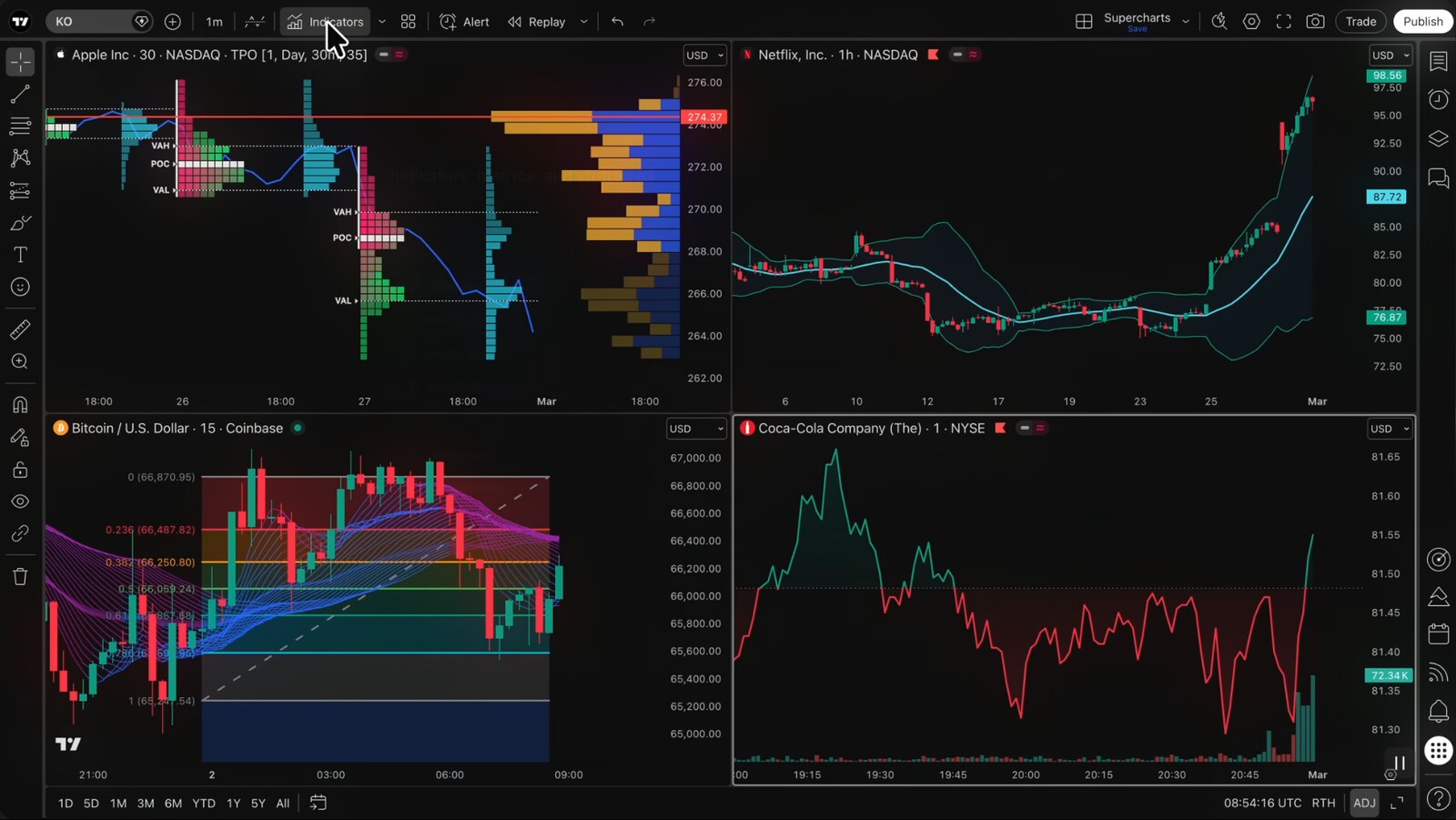
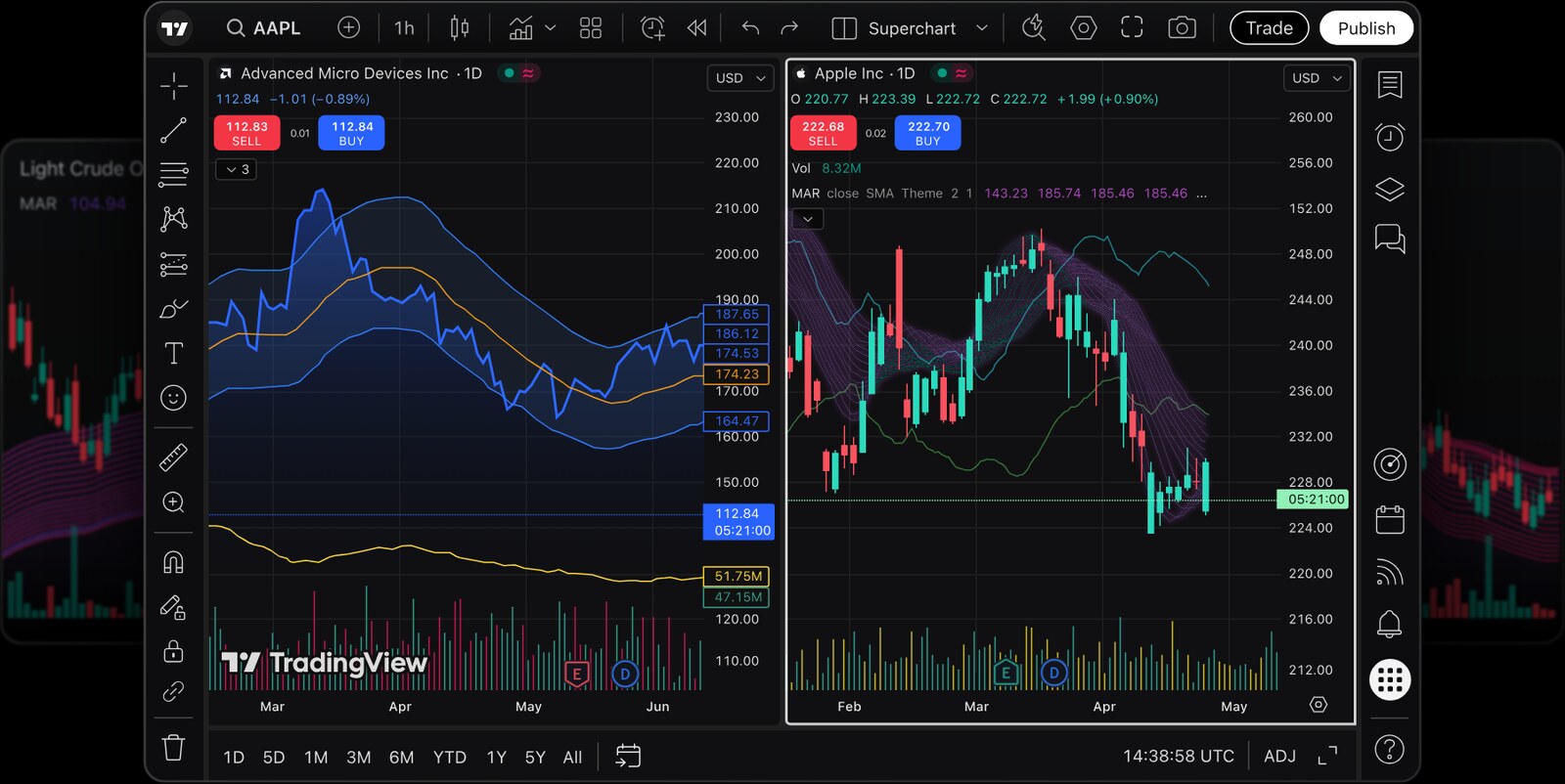
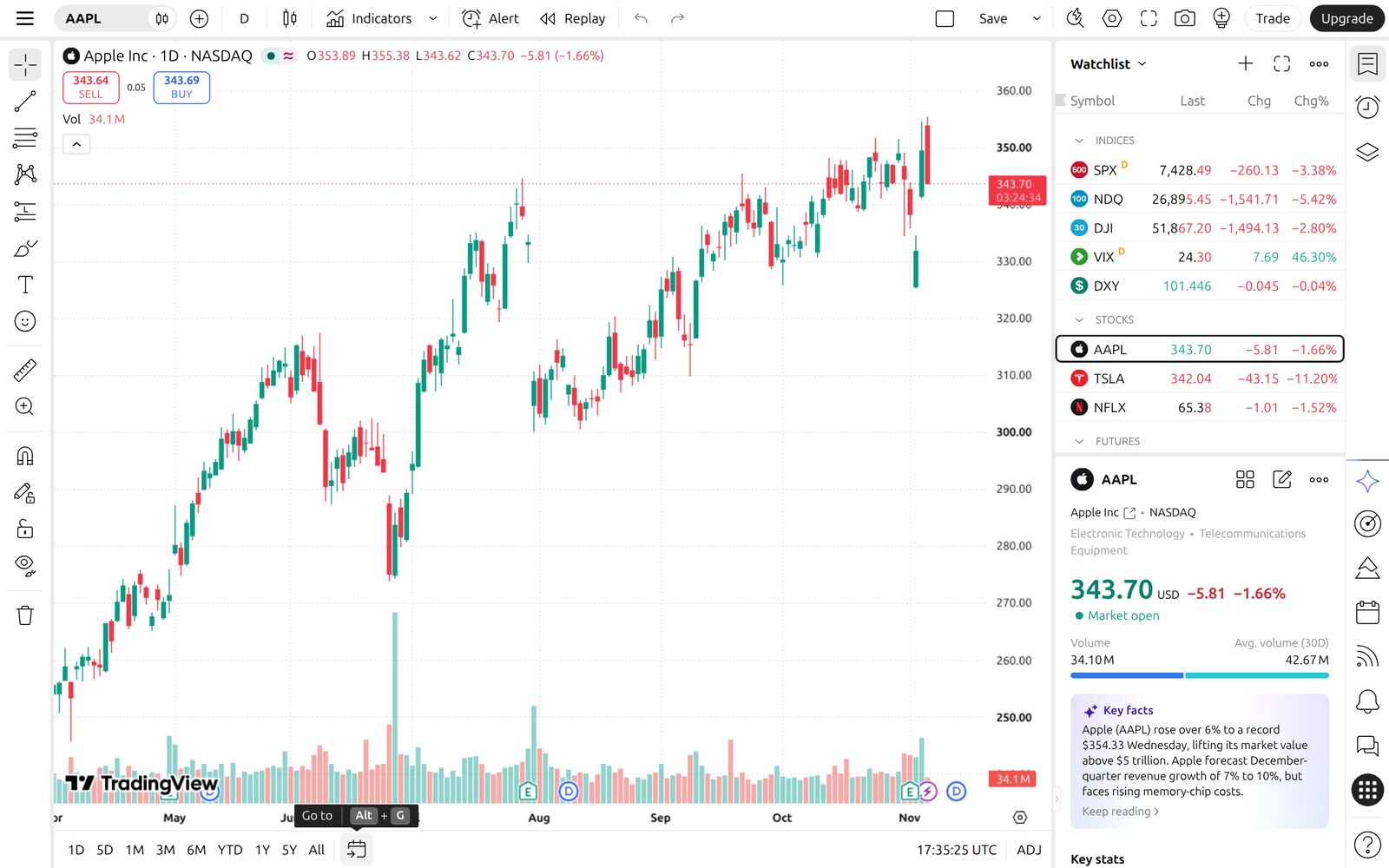
Using TradingView starts on Supercharts. You open a symbol, pick a timeframe and chart type, add indicators and drawings, then set alerts so the platform watches the market for you on one screen or across multiple screens. When a setup triggers, you can trade from the chart through a connected broker, or practice with simulated paper trading first.
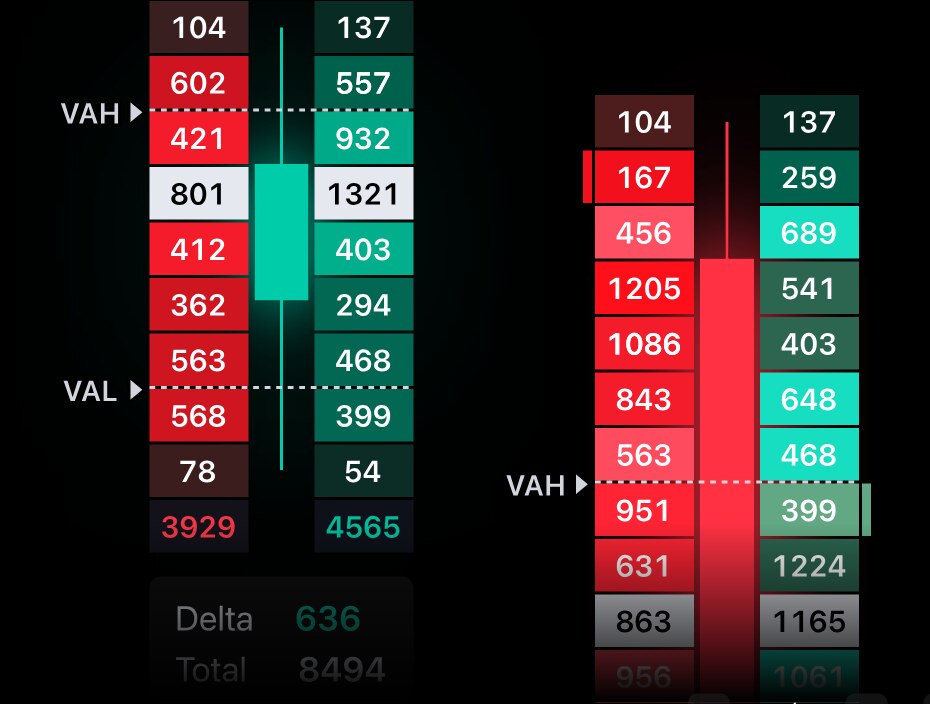
The pricing page lists 400+ built-in indicators, 150K+ community-powered indicators and 110+ drawing tools on every plan. Pine Script, TradingView's own language, gives you the ability to write custom indicators and strategies, and strategy backtesting comes with report metrics that get deeper on higher plans. Bar Replay lets you step through past price action to practice, and paid plans add intraday price-based and spread views plus orderflow tools such as volume profile and volume footprint.
TradingView lets alerts fire on price, on indicators and drawings, or on financial metrics, with webhook notifications for people who route them into other tools. Screeners cover stocks, ETFs, crypto and bonds across 150+ exchanges in 50+ countries with 500+ fundamental and technical fields, and the Pine Screener runs your own script conditions across a list. There are economic and earnings calendars, yield curves, options tools and a news feed.
You can place, change and manage stock, forex and futures trading orders on the chart or from a depth of market panel through selected brokers. The iOS and Android apps sync your layouts, watchlists and alerts, and the desktop app adds native multi-monitor support and tab linking between windows.
Yes, TradingView offers a free Basic plan, plus four paid plans, Essential, Plus, Premium and Ultimate, billed monthly or annually. Paying yearly saves up to 17%. The pricing page lists US prices in dollars, as below, and adds sales tax where it applies. Prices checked 14 Nov 2026.
| Plan | Price per month, billed annually | Price per month, billed monthly | Key limits |
|---|---|---|---|
| Basic | Free | Free | 1 chart per tab, 2 indicators per chart, 3 price alerts, 5K historical bars, ads |
| Essential | $12.95 | $14.95 | 2 charts per tab, 5 indicators per chart, 20 price and 20 technical alerts, 10K bars, no ads |
| Plus | $29.95 | $34.95 | 4 charts per tab, 10 indicators per chart, 100 price and 100 technical alerts, 10K bars |
| Premium | $59.95 | $69.95 | 8 charts per tab, 25 indicators per chart, 400 price and 400 technical alerts, 20K bars, second-based data |
| Ultimate | $199.95 | $239.95 | 16 charts per tab, 50 indicators per chart, 1,000 price and 1,000 technical alerts, 40K bars, 7 days of tick data |
Basic needs no credit card and has no time limit. Paid plans carry a "Try free" button, and a canceled trial stops at once. You can cancel any time and the plan will not auto-renew after the paid term. Refunds are for annual plans only, requested within 14 calendar days of payment, with none for monthly plans, upgrades or market data. You can pay by card, PayPal, Apple Pay or crypto.
Real-time data for exchanges such as NASDAQ, NYSE and CME costs extra on top of a paid plan or trial. Essential allows 2 market data subscriptions, Plus 4 and Premium 6. The AI Copilot is a separate add-on available on every paid plan.
A swing trader who watches four charts side by side and keeps about 100 alerts running fits Plus, which comes to $359.40 a year on annual billing or $419.40 paid monthly. The TradingView Essential plan at $155.40 a year covers someone with two layouts open and 20 price alerts. Minute-level history is 180 days on Essential and 365 days on Plus, and it only runs back over all history from Premium, so traders who backtest intraday strategies over years usually end up on Premium at $719.40 a year, before any exchange data add-ons.
App store ratings are very high and come from a huge base of users. On Google Play the TradingView app holds 4.6 stars from 964K reviews, and on the US App Store it holds 4.8 out of 5 from 426K ratings, both seen 14 Nov 2026. The Google Play listing also notes the free app contains ads.
Store ratings mostly reflect the mobile app, not data costs, so read them alongside the limits above.
TradingView, Inc. publishes the apps, and its site footer says it is SOC 2 compliant and GDPR compliant. It runs on the web, Windows and Mac desktop apps, iOS (17.0 or later, English and 18 more languages) and Android.
For AI tools, an official MCP server (in beta) connects TradingView data to Claude, ChatGPT, Cursor, Grok and Perplexity. It is included from Essential up, logs in with OAuth and is not part of trial plans.
TradingView ships updates almost weekly, and its blog lists several in the past month.
The main drawback is that the limits are layered. Layouts per tab, indicators, alert counts, historical bars and saved layouts all change by tier, so you need to read the comparison table before picking one.
The closest alternatives add automation, focus on fundamentals, or come with a broker.
TradingView is the default charting platform for most traders, with very wide market coverage, Pine Script, deep alerts and a big community, plus a free plan with no time limit. I would start on Basic and only pay when a specific limit gets in the way, and I would budget for exchange data on top of the TradingView paid plans before choosing a tier. Fundamental investors and anyone who wants an all-in-one broker should look at the alternatives first.
Yes. The Basic plan is free with no time limit and no credit card, but it allows 1 chart per tab, 2 indicators per chart and 3 price alerts, and it shows ads.
It is worth paying for once you hit a limit, such as needing several charts side by side or more alerts. Essential starts at $12.95 a month billed annually on the UK pricing page.
Yes for charting and alerts, especially from Plus, which adds standard second-based intervals and 100 alerts. Premium and Ultimate add second-level and tick data, and you trade through a connected broker.
TradingView says it is SOC 2 and GDPR compliant and does not store payment credentials. It is not a broker, so check the broker you connect separately.
Annual plans can be refunded if you ask within 14 calendar days of payment. Monthly plans, upgrades and market data are never refunded.
Yes. Real-time and intraday data for exchanges such as NASDAQ, NYSE and CME is added separately, needs a paid plan or trial, and is never refunded.
We may earn a commission when you buy through links on SaaSPic. It never changes our verdicts or the price you pay. Affiliate disclosure
Add this badge to your website so your visitors can read this independent review in one click.
 6.4/10
News analysis terminal that weighs market news into one read per market and flags when a move is already priced in.
 8.4/10
International money transfers and multi-currency account at the mid-market rate with low, upfront fees.
 7.8/10
Cloud financial reporting and multi-entity consolidation for Xero, QuickBooks and Sage users, with AI insights.
 7.6/10
Multi-currency business accounts, FX transfers, company cards, bill pay and payment acceptance for global businesses.