 8.0/10
AI video platform for avatar presenter videos, voice cloning and lip-synced video translation in 175+ languages and dialects.


AI video agent for marketing videos, UGC-style ads and short dramas, with an editable canvas and access to models such as Seedance and Wan.
We may earn a commission when you buy through our links. How this works
Topview AI suits marketers, ecommerce brands and small studios who generate lots of short product and social video and want one agent across many models. Skip it if you need fast unlimited generations or only make a few videos.
Best for: Ecommerce marketers making many short product videos
7.0/10 Good, with trade-offs. The overall score is our judgment against the questions we ask of every tool, not an average. How we score
| Question | Score | Why |
|---|---|---|
| Does the jobWhat it actually does for the task it is sold for, and where it falls short. | 7.5 | The agent plans scenes, picks models and generates assets from a prompt, script, reference video or product URL, and every shot stays editable on the Canvas. |
| Ease of useSetup needed and how quickly you get something useful done. | 7.0 | You only need a prompt or a link to start, and the agent handles planning, model choice and assembly, though a minute-long ad may need several attempts per scene. |
| Pricing and limitsWhat you pay at a realistic size, including caps, add-ons and deal limits. | 5.5 | Best prices need annual billing paid upfront, monthly list prices run up to three times higher, unused monthly credits do not roll over, and unlimited generation is not priority speed. |
| Fit against alternativesHow it compares with the alternatives for the people it is aimed at. | 7.0 | Called one of the more complete AI video agents, with a detailed pricing page, though its Seedance 2.5 price comparison against rivals is the vendor's own. |
Topview AI is an AI video agent for marketing videos, product ads and short films. You describe an idea or add a script, reference video or product URL, and Topview plans the scenes, picks the AI models, generates the assets and keeps every shot editable on its Canvas. It suits e-commerce brands, marketers and small studios that produce a lot of short video in multiple formats.
Topview is built for e-commerce teams making UGC-style product ads and social videos, agencies producing creative for clients, and creators working on short films or micro-dramas. Its strength is volume, so skip it if you make one or two videos a month, because credits reset monthly and the best value is on annual plans paid upfront.
Every Topview feature sits on one workspace that routes work across video, image, avatar, voice and localization models, so you rarely need a second tool.
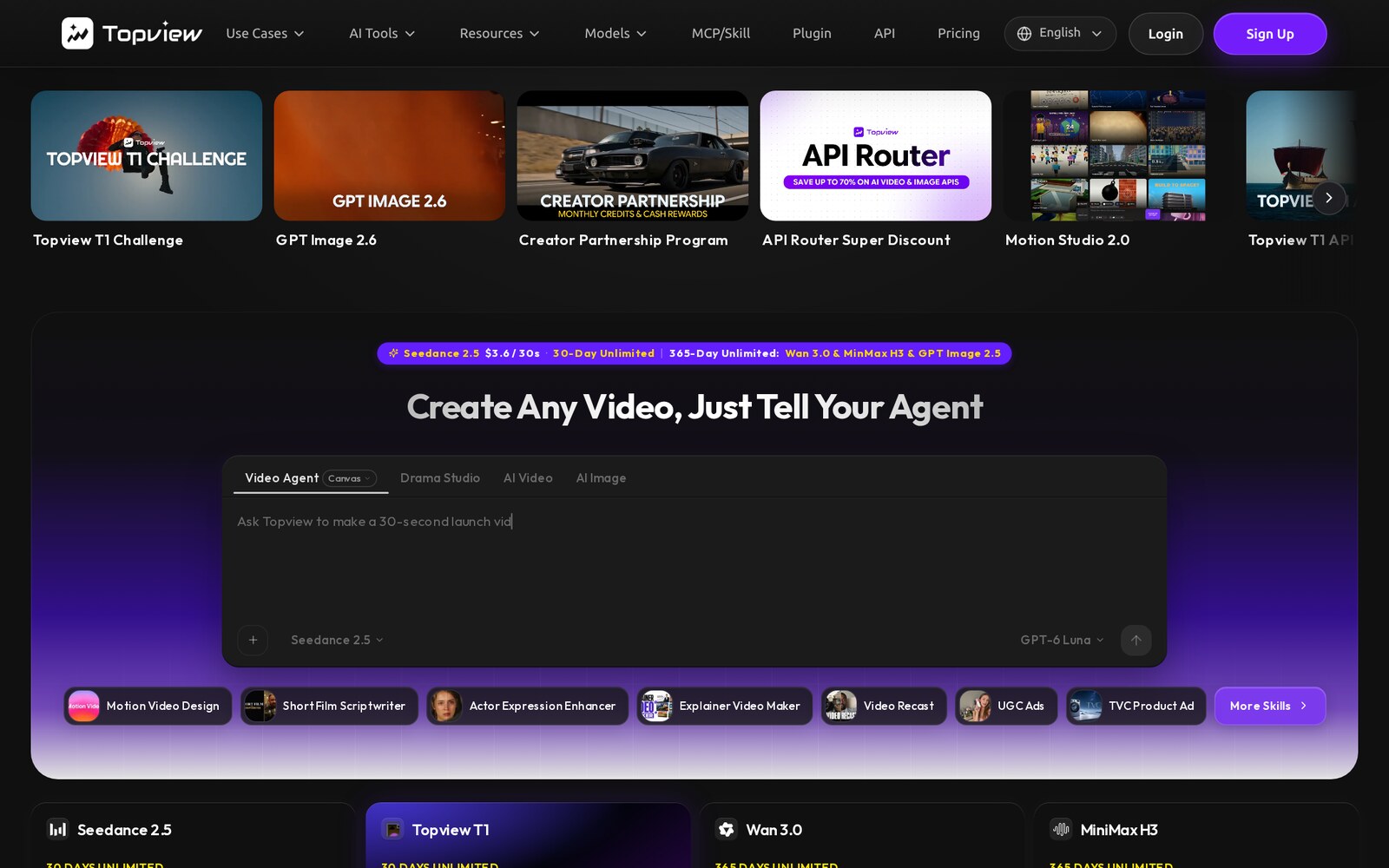
The video agent takes a prompt, script, reference video or product URL and builds the video, so a product URL alone is enough to start generating. Example prompts on the homepage include a UGC-style product ad, a 30-second launch video and a TikTok-ready vertical video. Video Clone remakes a viral video for your product or adapts a competitor ad to your brand, and Canvas is a free-form workspace where you steer the agent shot by shot.
AI avatars are the presenter side of Topview. The AI avatar generator turns a script or audio (up to 180 seconds) into a talking presenter video with lip sync and multilingual voices, using Avatar 4 or Avatar 4 Fast models. The Product Avatar feature shows a presenter holding your product, and voice cloning, voiceover, captions and localization into 30+ languages are listed too.
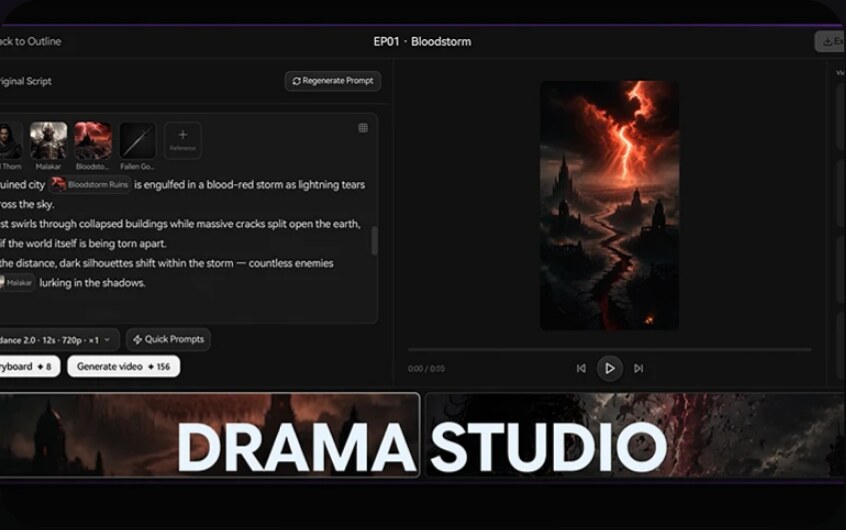
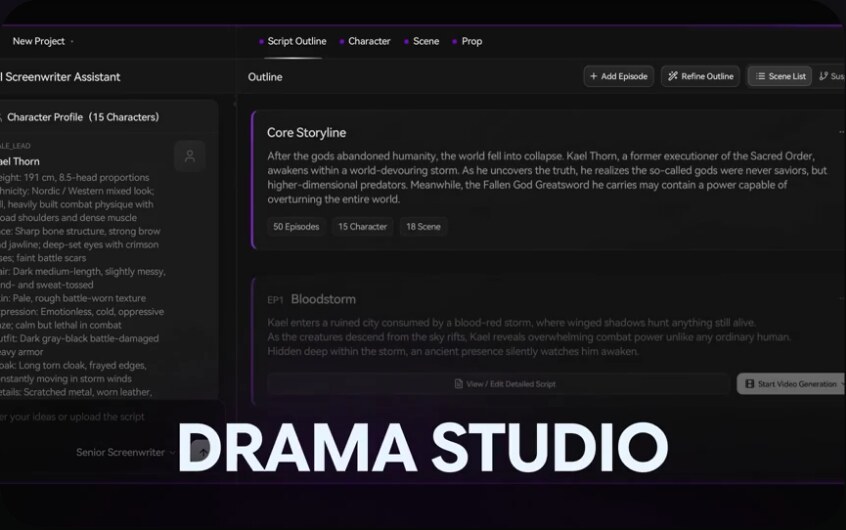
Drama Studio produces micro-dramas and film series from an uploaded script or novel, with V2 in beta adding skills and agent editing of shot prompts. The Board feature keeps image, video and avatar output together for review and comparison, and there are image tools such as product photography, upscaling and virtual try-on.
Plans give access to third party models such as Seedance 2.5, Kling 4.0 and Wan 3.0 alongside Topview's own T1, which fits a multi-model workflow. An MCP server works with Claude, ChatGPT, Codex and Cursor, and one REST API covers models such as Veo, Sora, Seedance, Kling and Topview's avatar and URL-to-video models.
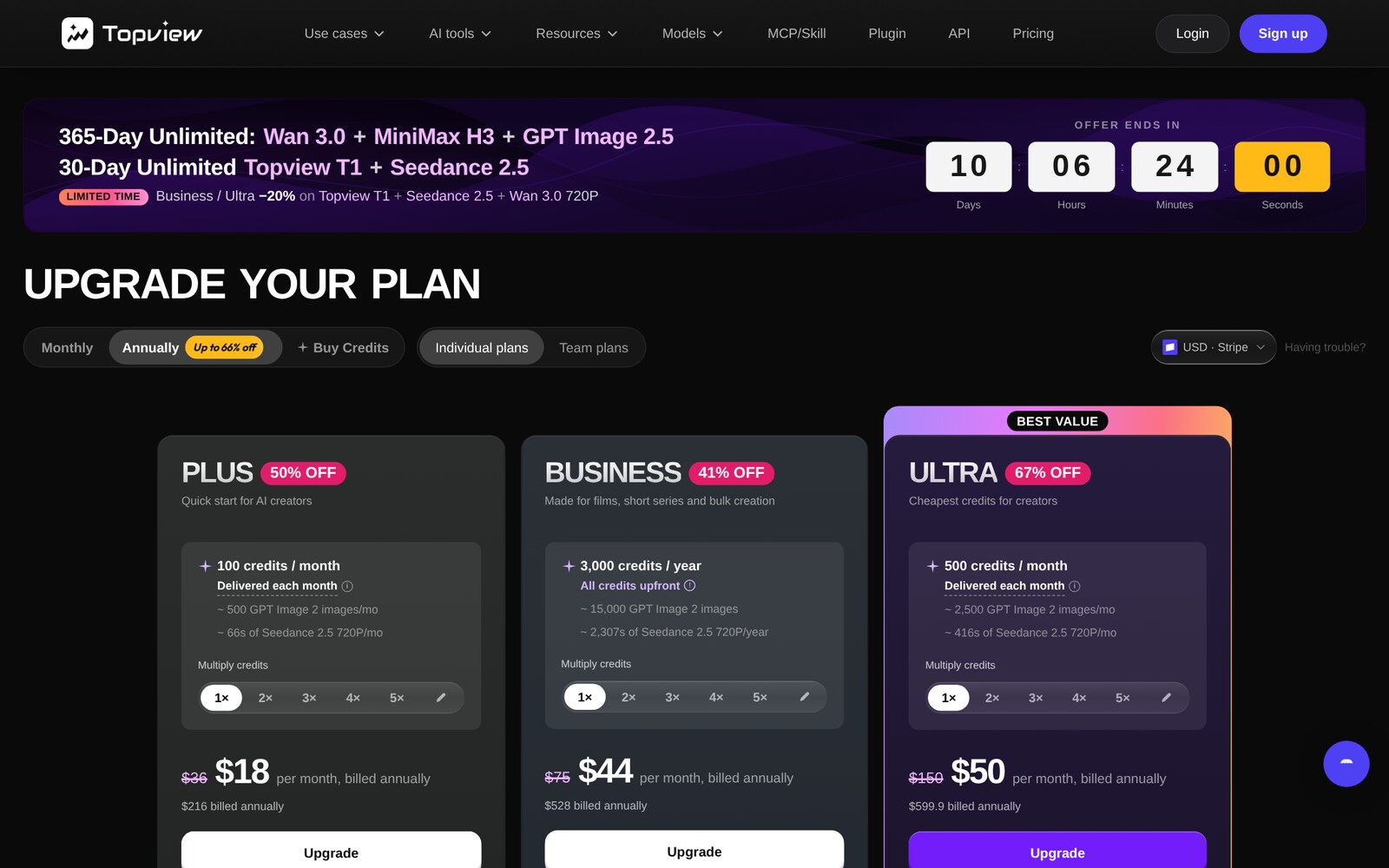
Topview sells credit plans in USD, with large discounts for annual billing and a Black Friday promotion running now. Prices checked 17 Nov 2026.
| Plan | Monthly billing | Annual billing | Credits and limits |
|---|---|---|---|
| Plus | $24 a month | $18 a month, billed $216 a year | 100 credits a month, 4 concurrent tasks, MCP and API access |
| Business | $58 a month | $44 a month, billed $528 a year | 250 credits a month (annual gives 3,000 credits upfront), 8 concurrent tasks, unlimited Nano Banana and Seedream image models |
| Ultra | $112 a month | $50 a month, billed $599.90 a year | 500 credits a month, 12 concurrent tasks, annual adds 30-day unlimited Seedance 2.5 and other video models at 720p |
| Team | $118 per seat a month | $56 per seat a month, billed $672 a year per seat | 500 credits per seat a month, shared workspace and assets, seat and credit controls, SSO add-on |
| Enterprise | Custom | Custom | Custom credits and seats, SSO and SAML, no training on your data |
Annual plans are paid in full upfront and regular plans renew automatically, while Black Friday plans are one-time payments that do not renew. Monthly credits reset each month with no rollover, prices exclude VAT and local taxes, and the pricing FAQ points team buyers to a standard refund policy. The Black Friday deal offers a 2-year Ultra plan at $40 a month.
Seedance 2.5 at 720p costs 6 credits per 4 seconds, so a 30-second clip uses 45 credits. That means Plus covers about two 30-second Seedance clips a month, and Ultra covers about 333 seconds, or a little over five minutes. Topview's own T1 model at 720p costs 4 credits per 4 seconds, so the same 30-second clip uses 30 credits. "Unlimited" generations included in plans are credit-free but not priority, so waits vary with demand.
Topview AI has a 4.0 TrustScore from 360 Trustpilot reviews (Nov 2026), with clear praise for value and clear complaints about "unlimited" wait times.
Topview is run by TopView PTE. LTD., registered in Singapore at 20 Collyer Quay.
Topview has launched its own T1 video model, which it says matches Seedance 2.5 quality at 38% of the official price, with a T1 API now live. The homepage also announces Seedance 2.5 flash, Seedream 5.5, Video Recast and Motion Studio 2.0. The old Pro plan is no longer sold to new buyers, and the Black Friday promotion runs once a year.
The strengths and weaknesses both come down to credits and queues.
Cheap access to many top video models with an agent on top, and output you can still edit shot by shot.
The headline unlimited offers come with long queues, and a heavy user needs careful credit planning.
The closest Topview AI alternatives are AI ad and avatar video tools for marketers, each with a different strength.
Topview AI is good value for teams who generate a lot of short product and social video and want one agent across many models. I would use Topview on a monthly plan first to judge output quality, then move to annual if the credit math works. I would skip it if you need guaranteed fast turnaround on unlimited generations or only make a few videos a year.
Plus is $24, Business $58 and Ultra $112 a month on monthly billing, or $18, $44 and $50 a month on annual plans paid upfront. Team is $118 per seat a month, or $56 per seat a month billed annually.
No. On monthly plans credits reset every month and unused credits do not roll over, though they carry over if you upgrade or switch from monthly to annual.
Unlimited means credit-free access, not priority speed. Topview says wait times vary with demand, and several Trustpilot reviewers report very long queues.
Yes. The AI avatar generator turns a script or up to 180 seconds of audio into a talking presenter video with lip sync and multilingual voices, and Product Avatar shows a presenter with your product.
Yes. Topview has a REST API covering models such as Veo, Sora, Seedance, Kling and its own avatar and URL-to-video models, plus an MCP server for Claude, ChatGPT, Codex and Cursor.
Topview is run by TopView PTE. LTD., registered at 20 Collyer Quay in Singapore.
We may earn a commission when you buy through links on SaaSPic. It never changes our verdicts or the price you pay. Affiliate disclosure
Add this badge to your website so your visitors can read this independent review in one click.
 8.0/10
AI video platform for avatar presenter videos, voice cloning and lip-synced video translation in 175+ languages and dialects.
 6.5/10
AI ad platform that turns scripts and product images into UGC-style video ads with AI actors and video models.
 6.2/10
AI UGC ad generator with 1,000+ AI actors, product-in-hand videos, ad remakes, many AI video models and an API on every plan.
 6.4/10
AI video and image platform that bundles Kling, Veo, Sora, Seedance and other models with camera controls and ad tools.
| Tool | Score | From | Free plan | Best for |
|---|---|---|---|---|
| Topview AI | 7.0/10 | $24/mo | No | Ecommerce marketers making many short product videos |
| HeyGen | 8.0/10 | $29/mo | Yes | Marketing and training teams making avatar-led and translated videos |
| Arcads | 6.5/10 | - | Yes | Performance marketers testing many UGC video ads |
| MakeUGC | 6.2/10 | $59/mo | No | Ecommerce brands testing many AI UGC ads |
| Higgsfield | 6.4/10 | $19/mo | Yes | Creators and agencies testing many AI video models |
 8.4/10
Voice AI platform with Sonic text to speech, Ink speech to text and Managed Agents for phone voice agents via API.
 8.3/10
AI voice platform for text to speech, voice cloning, dubbing, music and sound effects, plus voice agents and an API for developers.
 8.3/10
AI video and image generator running Kling's own models, with keyframes, character references, native audio, motion control and an API.