 8.4/10
Scheduling software that lets people book time with you through a link, with team routing, reminders, payments and AI meeting recaps.


To-do list and notes app from the Wunderlist creators, with shared lists, voice capture, AI meeting notes and MCP.
We may earn a commission when you buy through our links. How this works
Superlist suits individuals, households and small teams who want tasks and notes together across Mac, iPhone, Android and the web, with AI meeting notes as an option. Skip it if you need a Windows desktop app, Gantt charts or time tracking, or AI notes for a whole team on a small budget.
Best for: Individuals and small teams sharing work and home lists
7.2/10 Good, with trade-offs. The overall score is our judgment against the questions we ask of every tool, not an average. How we score
| Question | Score | Why |
|---|---|---|
| Does the jobWhat it actually does for the task it is sold for, and where it falls short. | 7.6 | Tasks with notes, shared lists, Talk voice capture, bot-free AI meeting notes and an MCP connector, per its feature pages. |
| Ease of useSetup needed and how quickly you get something useful done. | 8.0 | Rated 4.5 from 464 App Store ratings, with reviewers praising the clean design and simple interface. |
| Pricing and limitsWhat you pay at a realistic size, including caps, add-ons and deal limits. | 6.8 | A usable free plan and Basic at $59 a year, but unlimited AI meeting notes need Super at $249 per person a year. |
| Reliability and supportUpdate pace, known problems and how support responds. | 6.6 | Dated releases every month or two, while some Google Play reviewers report shared lists that do not always sync. |
| Fit against alternativesHow it compares with the alternatives for the people it is aimed at. | 7.0 | Lighter than Notion and more AI-led than Todoist or TickTick, but with no Windows download or project planning views. |
Superlist is a to-do list and notes app from the creators of Wunderlist that keeps tasks, notes and shared lists together, with AI meeting notes, voice capture and an MCP connector for AI assistants. It suits individuals, families and small teams who want a clean, shareable task app on Mac, iPhone, Android and the web.
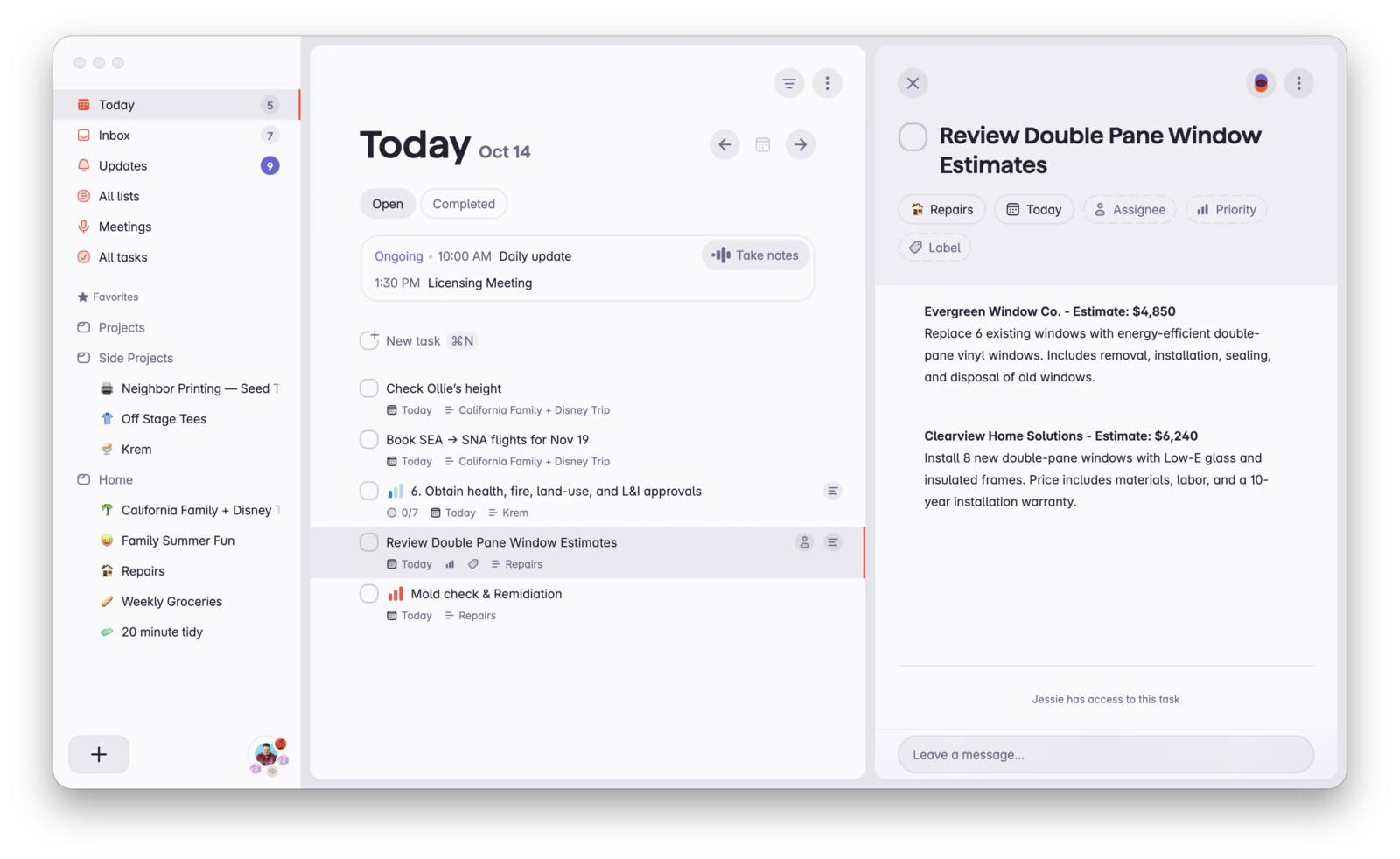
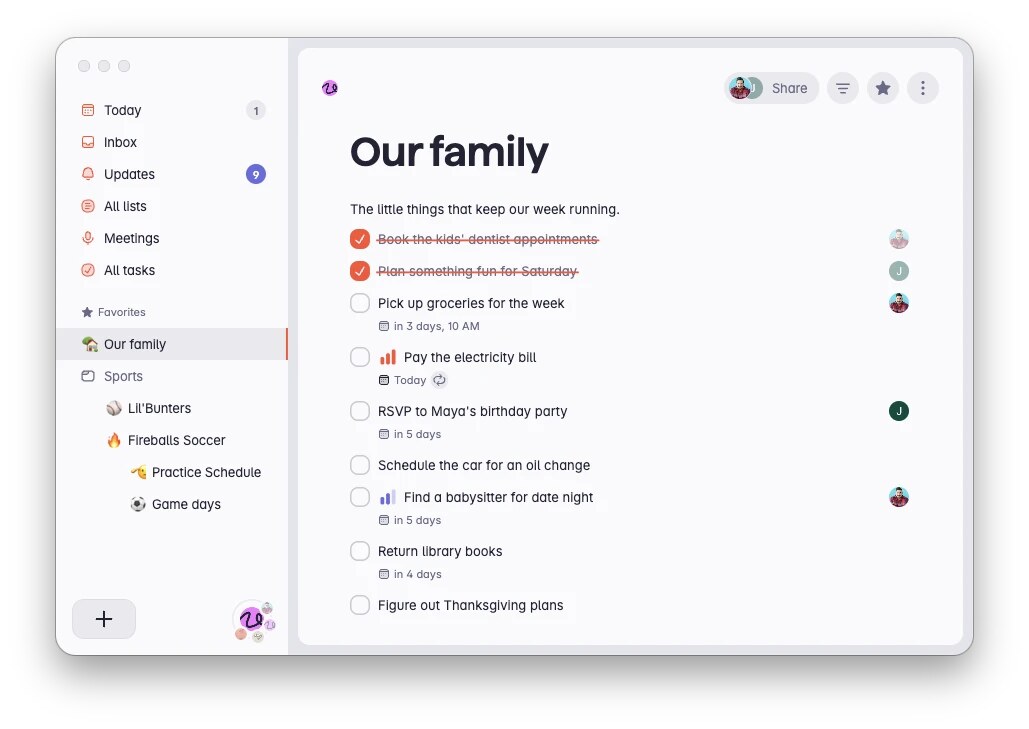
Superlist is for people who want one app for work and home tasks, with the notes for each task kept right next to it. The homepage pitches it "for work, for home, and for everything in between", and the screenshots show both a family list (groceries, bills, the dentist) and a marketing launch list.
It also suits small teams that want shared lists, assignees and comments without the weight of a full project management tool, and anyone who already lives in Claude or ChatGPT and wants an assistant to drop tasks into a list.
Skip it if your team needs Gantt charts, workload planning or time tracking, which Superlist does not list. Windows users should know the homepage offers downloads for Mac, iPhone and Android only, so on a Windows PC you would work in the web app.
The workflow is capture, plan, then share. You catch a thought by typing it or saying it with Talk, give it a date or reminder in the Today view, keep the details in the task's note, and share the list so others can pick up their part.
Each task can hold its own note, sublists and subtasks, so a bigger plan breaks down into smaller steps with the context already there. You can set dates, reminders and recurring tasks. Since version 1.57, recurring tasks can land on specific weekdays, and every task has an Activity Log showing who changed what and when.
You can share a list, assign the next steps to people and keep the conversation in a message thread on the task. Free shares with up to 5 people, while paid plans add unlimited team members and guests.
Talk turns spoken thoughts into to-dos, reminders or a project outline, and files them where they belong, so you can brain-dump ideas or assign work by voice. Voice AI is part of Basic and above.
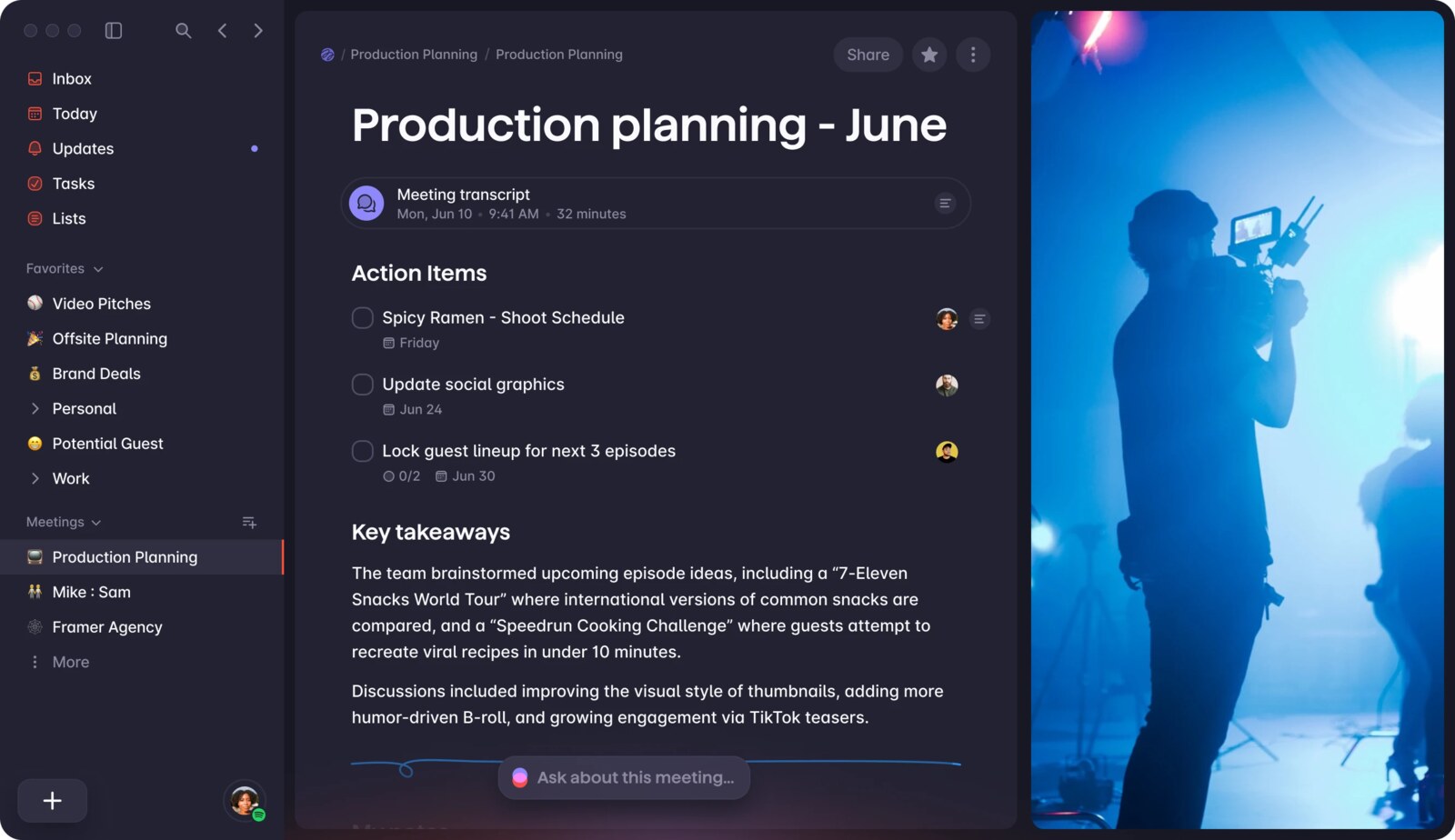
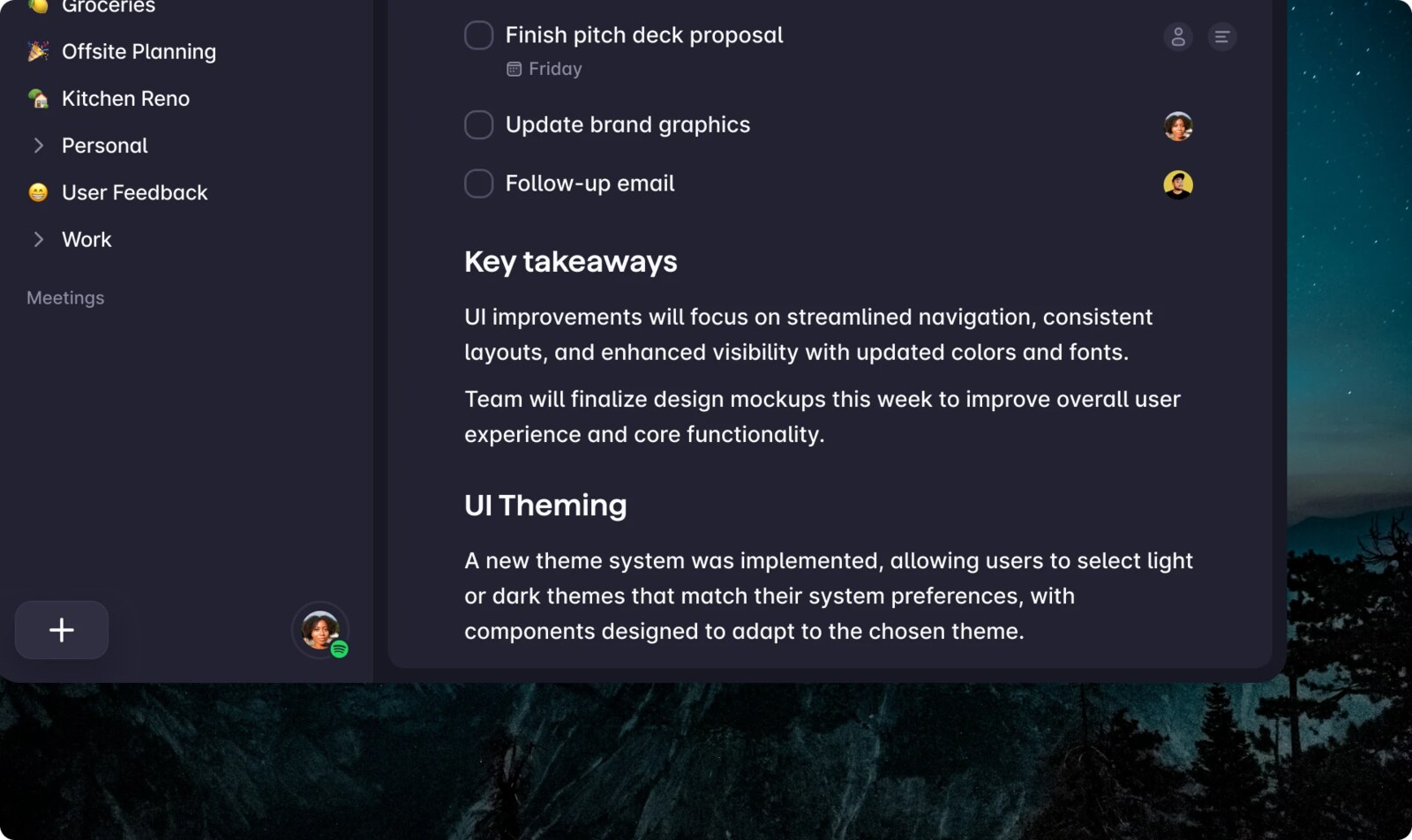
Superlist acts as an AI note-taker with no bot joining the call. It works from any app, detects the language, and produces a summary, action items, assignees and due dates. You can chat with the transcript during and after the call, and since version 1.56 it also records in-person meetings on iOS and Android. Unlimited use is on Super.
The MCP connector links Claude, ChatGPT, Cursor or any MCP-compatible agent to your account. You can ask the agent to add a to-do with a due date, priority and labels, turn a transcript into assigned work, give you a daily briefing, or build a project from a brief. The help center covers creating tasks from Gmail, Slack and GitHub and connecting your calendar, and the Google Play listing adds Linear and Google Calendar.
Superlist has a free plan and two paid plans priced per person, and the pricing page shows yearly billing with a 20% saving over monthly. Prices checked 5 Nov 2026 on the Superlist pricing page, in US dollars.
| Plan | Price | Lists and sharing | Storage | AI and extras |
|---|---|---|---|---|
| Free | $0, free forever | Up to 5 private and shared lists, shared with up to 5 people; unlimited tasks and notes | 25MB uploads, 500MB storage | Core tasks and notes |
| Basic | $5 per person a month, $59 a year billed yearly | Unlimited lists, sublists and shared lists with team and guests; unlimited team members | 100MB uploads, 25GB storage | Talk voice AI and all integrations |
| Super | $21 per person a month, $249 a year billed yearly | Everything in Basic | 100MB uploads, 25GB storage | Unlimited AI meeting notes, unlimited AI chat, Make AI generation, email and Slack task summarization |
The App Store listing says subscriptions bought on iPhone renew automatically unless canceled at least 24 hours before the period ends, and that you cancel in your Apple account settings. Larger teams can contact Superlist through the pricing page.
A household of three can stay on Free, as long as it keeps to 5 lists and 5 people. Once you need more lists or Talk, each person pays $59 a year on Basic.
A five-person team that wants unlimited AI meeting notes needs Super for everyone, which comes to $1,245 a year. Prices are per person, so ask Superlist before mixing plans in one team.
Superlist rates well on the app stores. On 5 Nov 2026 it held 4.5 out of 5 from 464 ratings on the US App Store and 4.1 from 1.44K reviews on Google Play, where it shows 100K+ downloads.
App Store reviewers praise the design and the simplicity of the interface, and reviews quoted on Superlist's own site compare it to a mix of Todoist and Notion. The most helpful Google Play reviews are more critical: one says shared lists synced only some of the time, another objects to paying for unlimited lists, and a third asked for completing or snoozing tasks from notifications, which version 1.58 has since added.
These are the facts Superlist and its app store listings publish.
Superlist releases a numbered update every month or two, and its Updates page dates each one.
The main limits are the Free caps, the price jump to Super, and missing heavier project features. Free stops at 5 lists and 5 people, which a busy household or small team will hit quickly.
The AI meeting notes that set Superlist apart sit on Super at $249 per person a year, about four times the Basic price. The homepage has no Windows download, and the app lists no Gantt views, time tracking or workload planning. Google Play reviewers also report occasional sync problems with shared lists.
These apps do the same job of task management for personal and shared work. If you are weighing Superlist vs Todoist, Todoist is the closest match.
Superlist is a polished productivity app that handles work and home lists well, with real extras in Talk, AI meeting notes and the MCP connector, and a steady release pace. I would pick it if I wanted a clean shared to-do list app across Mac, iPhone and Android. If you need a Windows desktop app, heavy project planning, or AI notes for a whole team on a tight budget, look at Todoist or TickTick first.
You add tasks by typing or speaking, give them dates and reminders, keep notes and subtasks inside each task, and share lists with others who can be assigned tasks and comment on them.
Yes. The Free plan is free forever with unlimited tasks and notes, up to 5 private and shared lists, sharing with up to 5 people and 500MB of storage.
Basic is $59 per person a year (about $5 a month) and Super is $249 per person a year (about $21 a month), on yearly billing. Super adds unlimited AI meeting notes and AI chat.
Yes. Superlist describes itself as from the creators of Wunderlist, and the apps are published by Superlist Software GmbH.
Yes. Its MCP connector links Claude, ChatGPT, Cursor and other MCP-compatible agents, so they can create tasks, triage your inbox and build lists from a brief.
We may earn a commission when you buy through links on SaaSPic. It never changes our verdicts or the price you pay. Affiliate disclosure
Add this badge to your website so your visitors can read this independent review in one click.
 8.4/10
Scheduling software that lets people book time with you through a link, with team routing, reminders, payments and AI meeting recaps.
 8.3/10
Web booking page and scheduler that syncs your calendars and lets clients book and pay for sessions, packages and subscriptions.
 8.1/10
Time tracker and timesheet app for teams, with a free plan and per-seat paid tiers for invoicing, approvals and scheduling.