 8.4/10
Scheduling software that lets people book time with you through a link, with team routing, reminders, payments and AI meeting recaps.


AI calendar assistant for Google and Outlook that auto-schedules focus time, habits, tasks and meetings.
We may earn a commission when you buy through our links. How this works
Reclaim AI suits busy professionals and teams on Google Calendar or Outlook who want focus time, habits and tasks scheduled and defended automatically around meetings. Skip it if your calendar is light, or if you do not want an app adding events to your main calendar.
Best for: Meeting-heavy professionals and teams on Google Calendar
7.8/10 Good, with trade-offs. The overall score is our judgment against the questions we ask of every tool, not an average. How we score
| Question | Score | Why |
|---|---|---|
| Does the jobWhat it actually does for the task it is sold for, and where it falls short. | 8.0 | Focus Time, Habits, Buffer Time and Smart Meetings are on every plan including free, and tasks sync from Todoist, Asana, ClickUp, Jira, Linear and Google Tasks. |
| Ease of useSetup needed and how quickly you get something useful done. | 7.0 | You connect a calendar quickly, but priorities, working hours and habit windows need setting before auto-scheduling behaves the way you want. |
| Pricing and limitsWhat you pay at a realistic size, including caps, add-ons and deal limits. | 7.5 | Lite is free, Starter is $10 per seat a month billed yearly, but the free plan schedules one week ahead with one link and per seat costs add up for teams. |
| Fit against alternativesHow it compares with the alternatives for the people it is aimed at. | 7.5 | It works only with Google Calendar and Outlook; Motion costs more and adds projects, while Calendly suits booking links only. |
Reclaim AI is an AI scheduling assistant that works on top of Google Calendar and Outlook Calendar. Reclaim automatically schedules focus time, recurring habits, tasks, breaks and meetings around each other, and moves each block to another slot when your week changes. It suits busy professionals and teams whose calendars fill up with meetings, and it is now owned by Dropbox.
Reclaim suits managers, engineers, sales teams and executive assistants who lose deep work time to meetings and want their calendar to defend it automatically. It is free for one user, and paid plans are priced per seat for teams.
Skip it if your calendar has only a few meetings a week, where a plain calendar and a to-do list will do. Also skip it if you do not want an app adding events to your main calendar, because that is how Reclaim works.
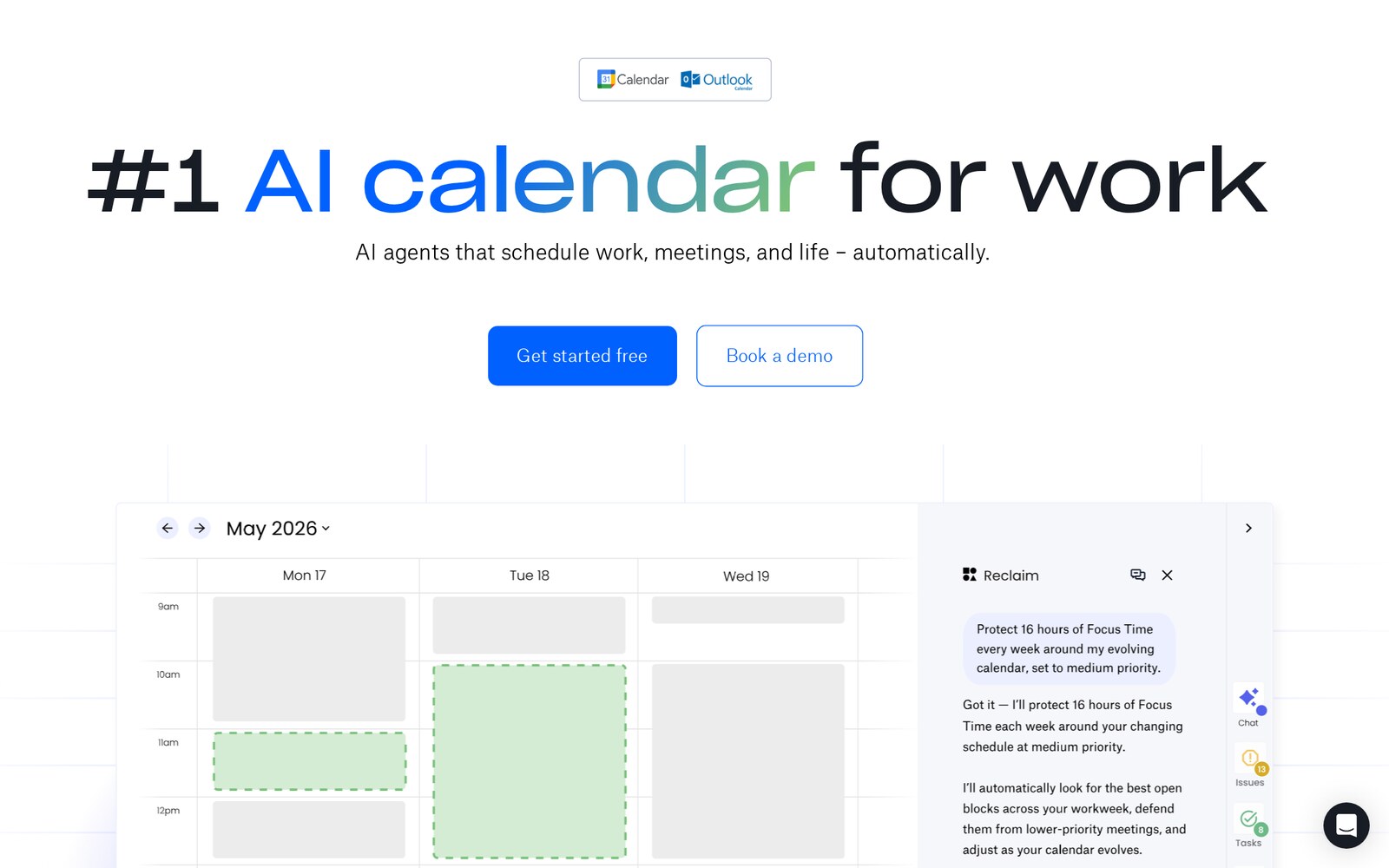
You connect your Google or Outlook calendar, set working hours and priorities, and Reclaim's AI places every task, habit and meeting into a free slot. The workflow comes down to five scheduling features.
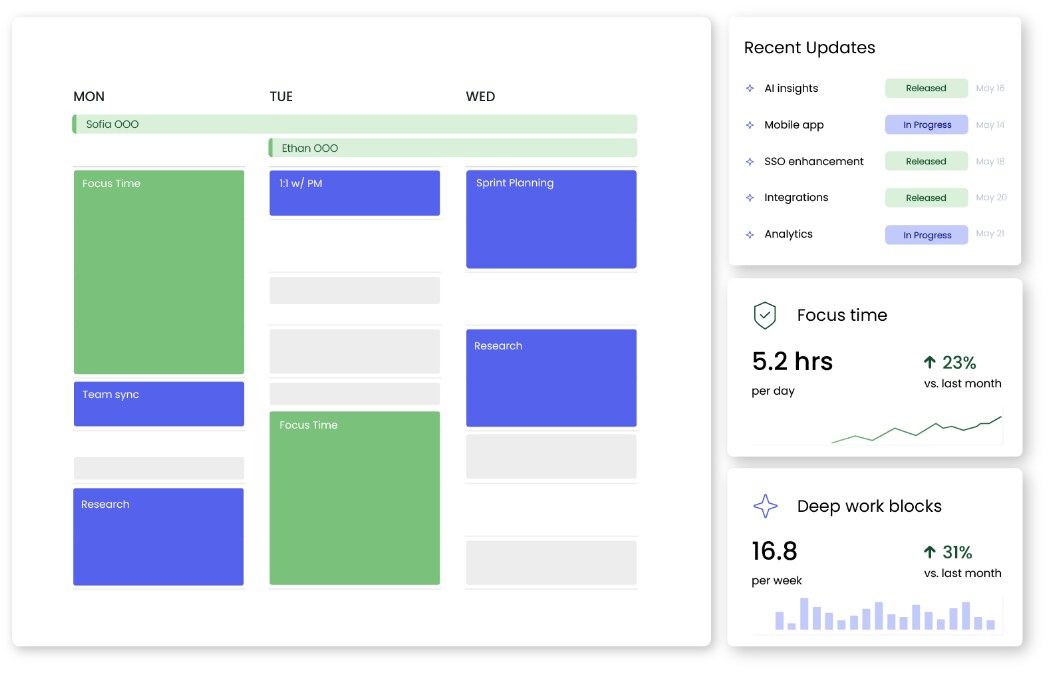
You set a weekly focus time goal and Reclaim defends blocks for deep work that flex as meetings arrive. Habits are recurring routines such as lunch, a planning slot or weekly reporting, each with a time window and priority, and Reclaim finds the best slot each day and moves the habit if a more important meeting or task comes up.
Reclaim time blocks each task in your calendar based on due date and duration, and every plan, including the free one, has task recommendations. Task integration covers Google Tasks, Todoist, Asana, ClickUp, Jira and Linear, so work from your task manager gets real time on the calendar. Slack status sync, Zoom and Raycast integrations are also listed.
Smart Meetings find the best time for a recurring meeting across all attendees and reschedule it automatically when conflicts appear, which saves a team the back and forth. Scheduling Links are booking pages, similar to Calendly, that share your availability.
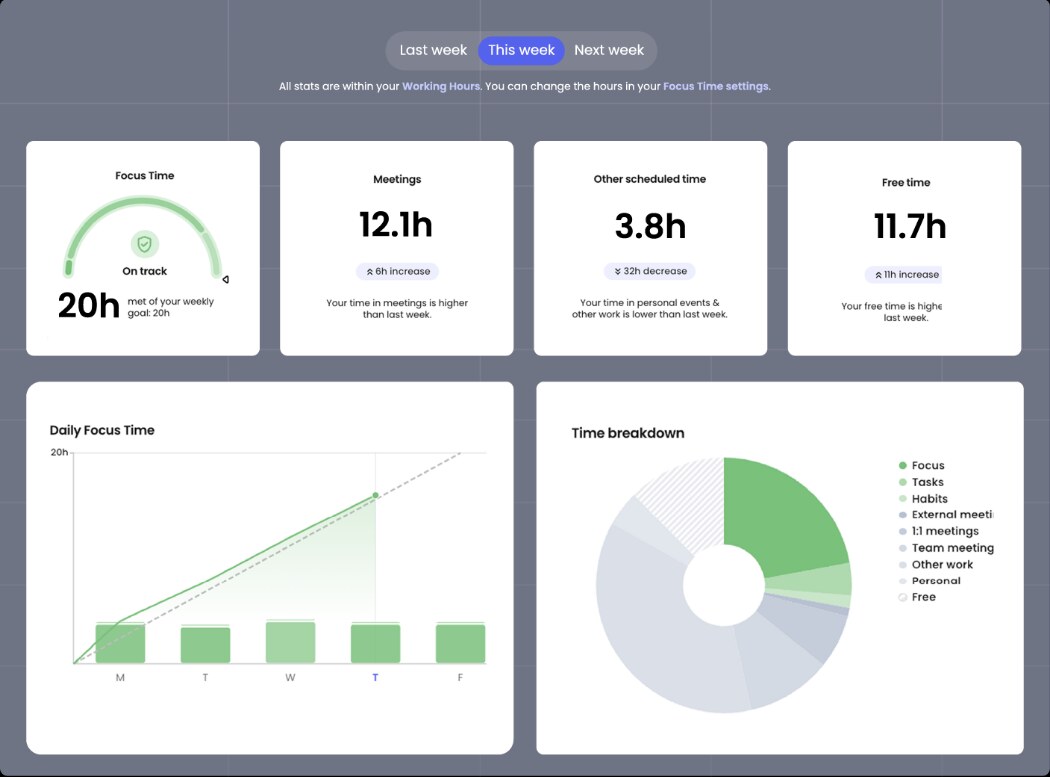
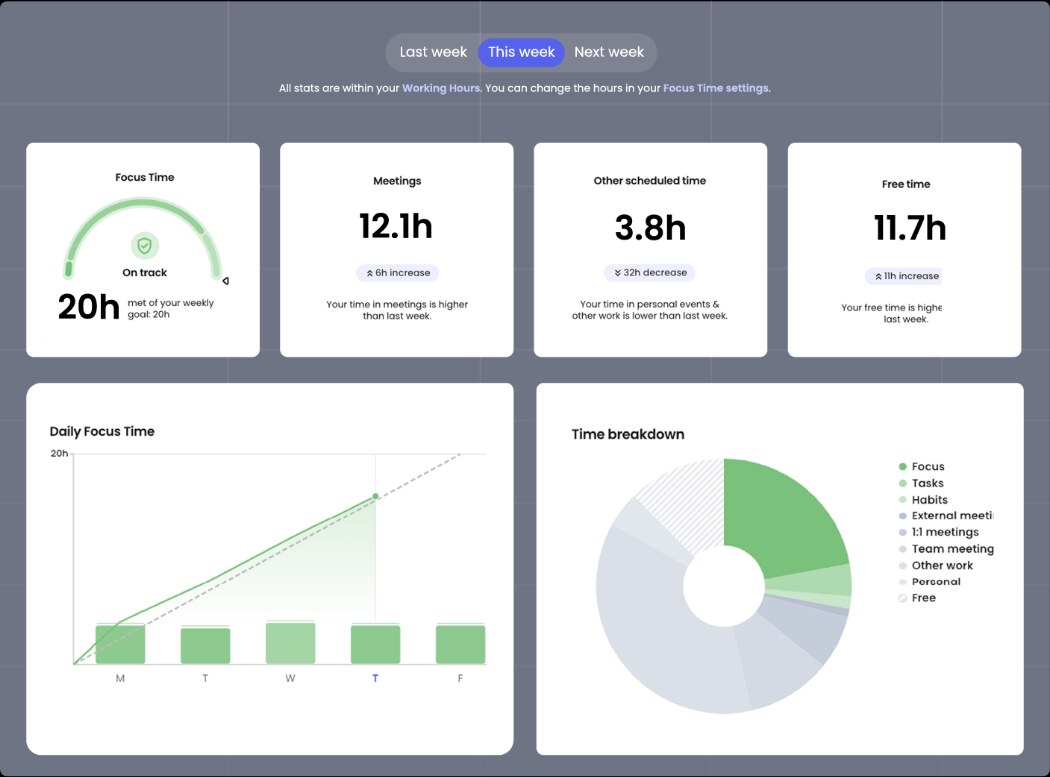
Buffer Time adds breaks and travel time between events automatically. Calendar Sync blocks your availability across work and personal calendars. A stats dashboard shows where your time goes, split into focus, meetings, tasks, habits and other work.
Reclaim AI has a free Lite plan and three paid plans priced per seat, from $10 to $22 a seat each month on yearly billing. New users get a 14-day trial of the Business plan, then drop to Lite unless they upgrade. Prices are in USD and exclude tax. Prices checked 18 Nov 2026.
| Plan | Monthly billing | Yearly billing | Seats | Key limits |
|---|---|---|---|---|
| Lite | Free | Free | 1 user | 5 AI agents, 1 week scheduling range, 1 calendar sync, 1 scheduling link, limited integrations |
| Starter | $12 a seat a month | $10 a seat a month | Up to 10 seats | 10 AI agents a seat, 8 week range, 3 calendar syncs, 3 scheduling links, unlimited integrations |
| Business | $18 a seat a month | $15 a seat a month | Up to 100 seats | 100 AI agents a seat, 12 week range, unlimited syncs and links, webhooks, Team OOO calendar, delegated access |
| Enterprise | Not offered monthly | $22 a seat a month | Over 100 seats | Unlimited AI agents, SSO and SCIM provisioning, org-chart aware scheduling |
Yearly plans are billed annually. The pricing page toggle says yearly saves 20% while its FAQ says 29%, but on the listed prices the saving works out to about 17%. Smart Meetings with three or more people need an Attendee User (AU) for each attendee without a paid seat, sold in packs such as 3 AUs for $10 a month on monthly Starter, and each pack includes a free seat. Discounts are 50% off for 12 months for students and educators, 20% off for 3 years for nonprofits and startups, and 20% off for 6 months if you switch from Clockwise, Motion or Calendly.
A solo consultant who wants focus time, habits and one booking link can stay on Lite for free, though scheduling only looks one week ahead. A team of eight people moving to a paid plan on Starter costs $80 a month on yearly billing, or $96 on monthly billing. A 30-person team that needs unlimited scheduling links and delegated access for an assistant needs Business at $450 a month on yearly billing.
Reviews of Reclaim are strong on business software sites and weak on Trustpilot. G2 shows 4.8 out of 5 from 144 reviews (Nov 2026), and the Google Workspace Marketplace listing shows more than 1 million installs and 241 reviews.
Trustpilot is different, with 2.0 from 25 reviews on an unclaimed profile. The recent complaints are about billing and cancellation, including a November 2026 review from a user who says they could not cancel, and one about events added to a calendar without warning. On G2, dislikes include features locked to higher plans, no desktop app, no support for NHS.net calendars, and that tasks are created on the main calendar so you cannot view your schedule without Reclaim's changes.
Reclaim is owned by Dropbox, which acquired it on August 20, 2024, and the site now brands it "Reclaim.ai from Dropbox". The security page lists SOC 2 Type 2, GDPR, CCPA and Data Privacy Framework compliance, and a self-service delete that wipes calendar data within an hour. Reclaim stores data from your primary calendar but does not store events from calendars connected only for sync. The vendor says it does not train AI on your data and that it is used by 600,000+ people across 70,000 companies. It works with Google Calendar and Outlook Calendar, with a Google Calendar add-on.
The main changes are plan limits built around AI agents and the new Attendee User add-on. Reclaim's machine-readable pricing file, dated July 9, 2026, lists the four plans with AI agent counts per seat, and the pricing page still carries a launch promo saying AUs were free through July 31.
The main limits are the short free plan and the way Reclaim writes to your calendar.
The closest Reclaim alternatives are other AI scheduling and planning tools, plus plain booking tools if you only need links.
Reclaim AI is one of the most complete AI scheduling tools for people and teams on Google Calendar or Outlook, with a useful free plan and fair per-seat pricing. It suits anyone whose week is full of meetings and who wants focus time defended automatically. Skip it if you dislike an app writing events to your main calendar, and keep a note of your renewal date if you pay.
Yes. The Lite plan is free forever for one user and includes Focus Time, Habits, Buffer Time, Smart Meetings, one calendar sync and one scheduling link, with a one-week scheduling range.
Starter is $10 a seat a month and Business $15 a seat a month on yearly billing, or $12 and $18 on monthly billing. Enterprise is $22 a seat a month, yearly only.
Yes. Reclaim works on top of Google Calendar and Outlook Calendar, and it also has a Google Calendar add-on.
Dropbox acquired Reclaim.ai in August 2024, and the site now brands it as Reclaim.ai from Dropbox.
They solve different problems. Reclaim focuses on defending focus time, habits and meetings on your existing calendar, while Motion leans more toward task and project planning.
Yes. Students and educators get 50% off for 12 months, nonprofits and startups get 20% off for 3 years, and people switching from Clockwise, Motion or Calendly get 20% off for 6 months.
We may earn a commission when you buy through links on SaaSPic. It never changes our verdicts or the price you pay. Affiliate disclosure
Add this badge to your website so your visitors can read this independent review in one click.
 8.4/10
Scheduling software that lets people book time with you through a link, with team routing, reminders, payments and AI meeting recaps.
 8.3/10
Web booking page and scheduler that syncs your calendars and lets clients book and pay for sessions, packages and subscriptions.
| Tool | Score | From | Free plan | Best for |
|---|---|---|---|---|
| Reclaim AI | 7.8/10 | $12/mo | Yes | Meeting-heavy professionals and teams on Google Calendar |
| Calendly | 8.4/10 | $10/mo | Yes | Sales and customer teams booking meetings at scale |
| TidyCal | 8.3/10 | $99/yr | Yes | Solo professionals who charge clients for sessions |
 8.1/10
Time tracker and timesheet app for teams, with a free plan and per-seat paid tiers for invoicing, approvals and scheduling.
 8.1/10
Keyboard launcher for Mac and Windows with clipboard history, snippets, window management, thousands of extensions and built-in AI.
 8.0/10
Text to speech reading app with voice typing, AI summaries and podcasts, plus a voiceover studio and a developer API.