 7.6/10
AI research workspace for academics: search 300M+ papers, ask questions across your library and write with passage-level citations.


Chat with PDFs to get answers, summaries and cited sections, plus OCR, a Chrome extension and parse and extract APIs for developers.
We may earn a commission when you buy through our links. How this works
PDF.ai suits students, researchers and professionals who read a lot of PDFs, and developers who want a simple parse and extract API. Start on monthly Pro because there are no refunds, and skip it if your files are mostly not PDFs.
Best for: Heavy PDF readers and developers parsing PDFs
7.0/10 Good, with trade-offs. The overall score is our judgment against the questions we ask of every tool, not an average. How we score
| Question | Score | Why |
|---|---|---|
| Does the jobWhat it actually does for the task it is sold for, and where it falls short. | 7.5 | Chat with a PDF, get summaries and answers pointing back to the source, plus OCR; the review warns tables and scanned pages can produce errors. |
| Ease of useSetup needed and how quickly you get something useful done. | 7.5 | Upload a PDF and ask questions in plain English; all plans include a Chrome extension and the site offers free utilities for common PDF jobs. |
| Pricing and limitsWhat you pay at a realistic size, including caps, add-ons and deal limits. | 6.5 | Free plan allows 1 PDF and 100 questions a month; Pro is $10 billed yearly but uses the basic model and has no cross-document chat. |
| Fit against alternativesHow it compares with the alternatives for the people it is aimed at. | 7.0 | ChatPDF and AskYourPDF do the core job; PDF.ai adds OCR page limits, library-wide chat, team plans and developer APIs. |
PDF.ai is an AI PDF tool that lets you upload a PDF and chat with it, asking questions, getting a summary and finding answers with cited sources, plus a separate developer API that turns PDFs into structured data. It suits students, researchers and professionals who read long PDF documents, and developers who need to parse or extract data from files at volume.
PDF.ai is for people who work with a lot of PDF files and want quick insight from them, such as students reading papers, professionals going through a contract or financial report, and developers building document workflows.
Skip it if your files are mostly Word, slides or web pages, because the FAQ says you can only upload PDF files for now. Skip it too if you want the option of a refund, since the vendor says it does not offer refunds, partial or full. If you only open the odd PDF, the free Hobby plan or an AI assistant you already pay for may be enough.
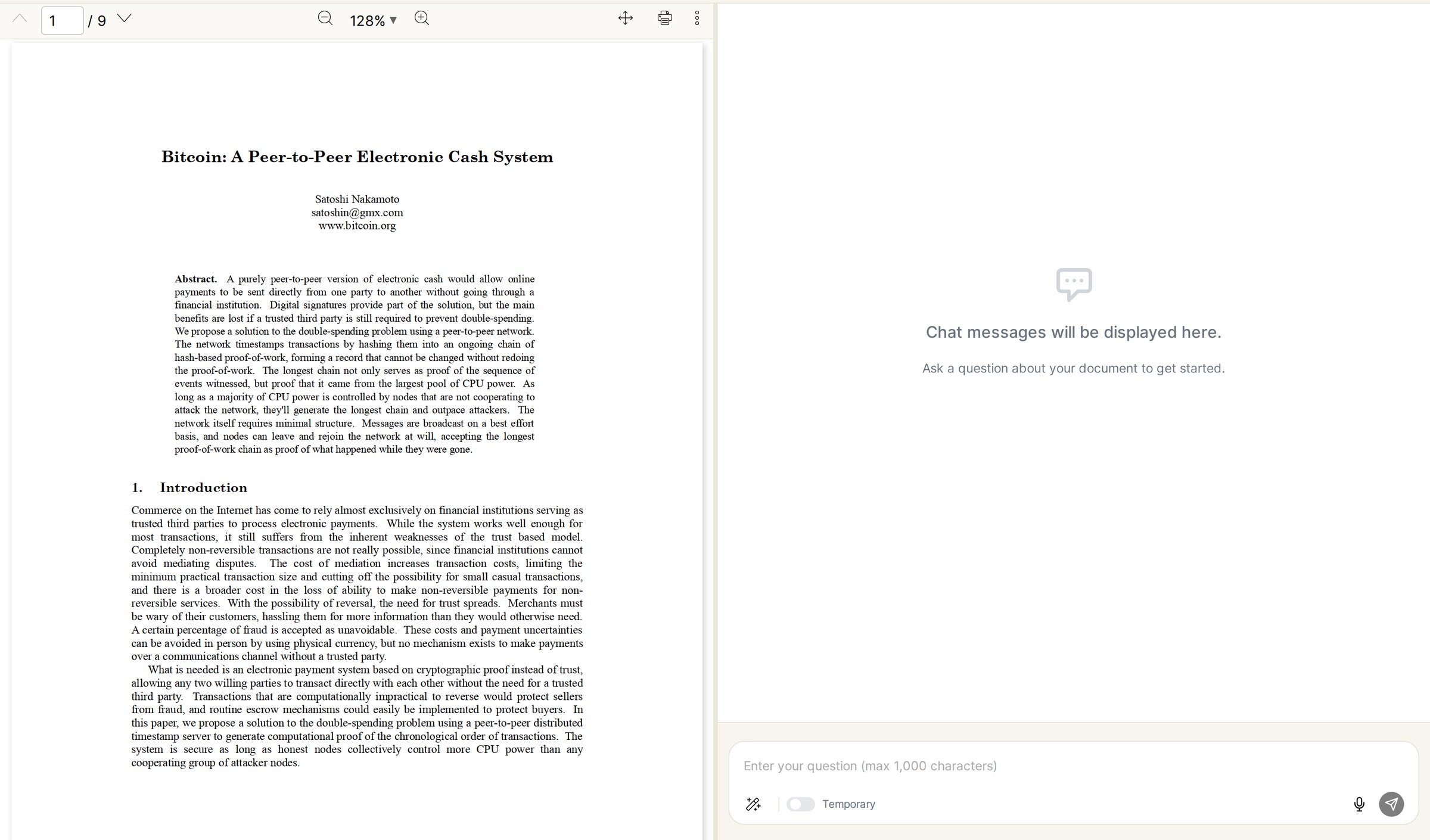
You sign up, upload a PDF document and ask questions in plain language, and the AI model retrieves the relevant text and replies with cited references you can check. It is not a full PDF editor, though the site has free PDF tools to merge, split, compress and convert PDFs.
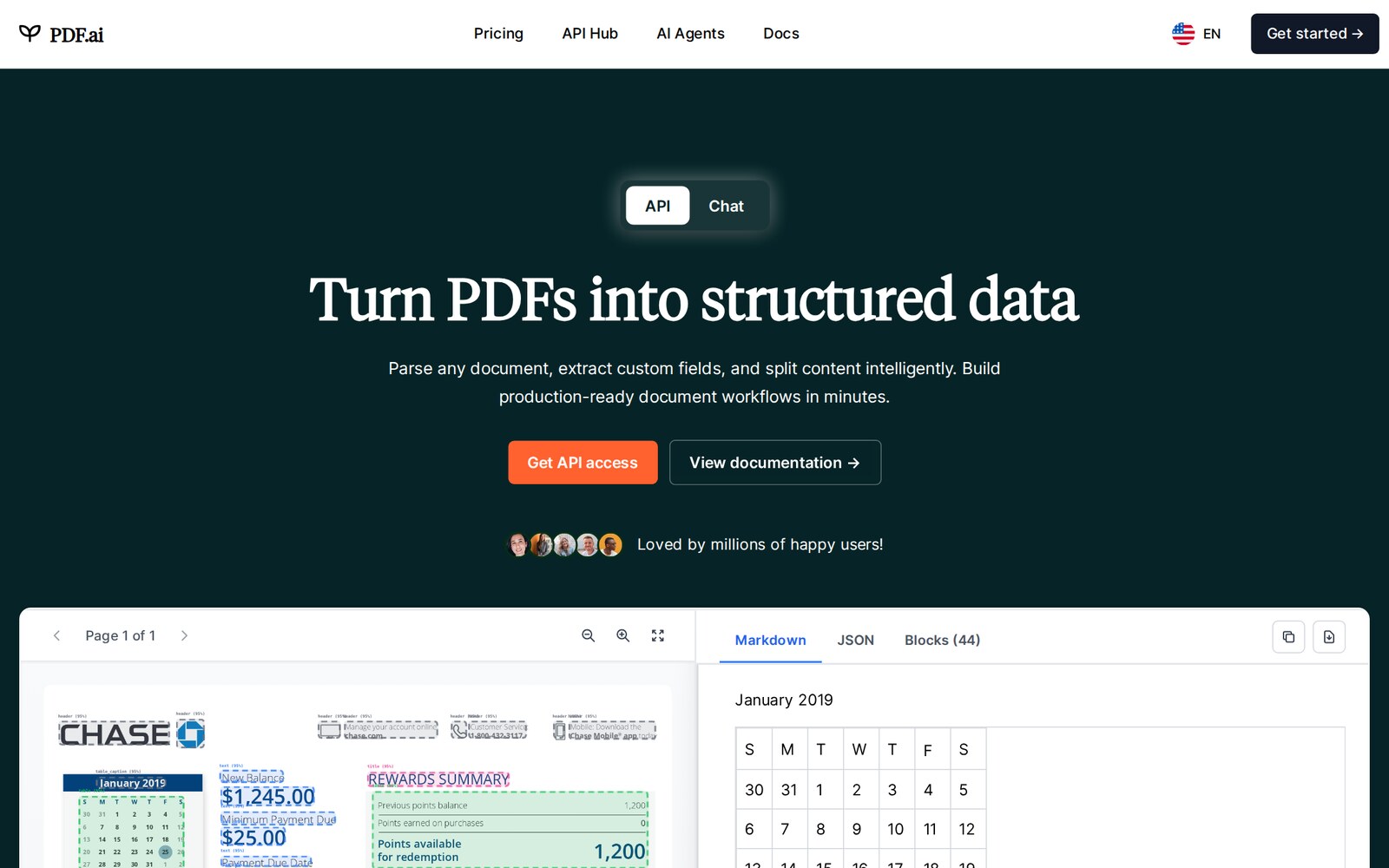
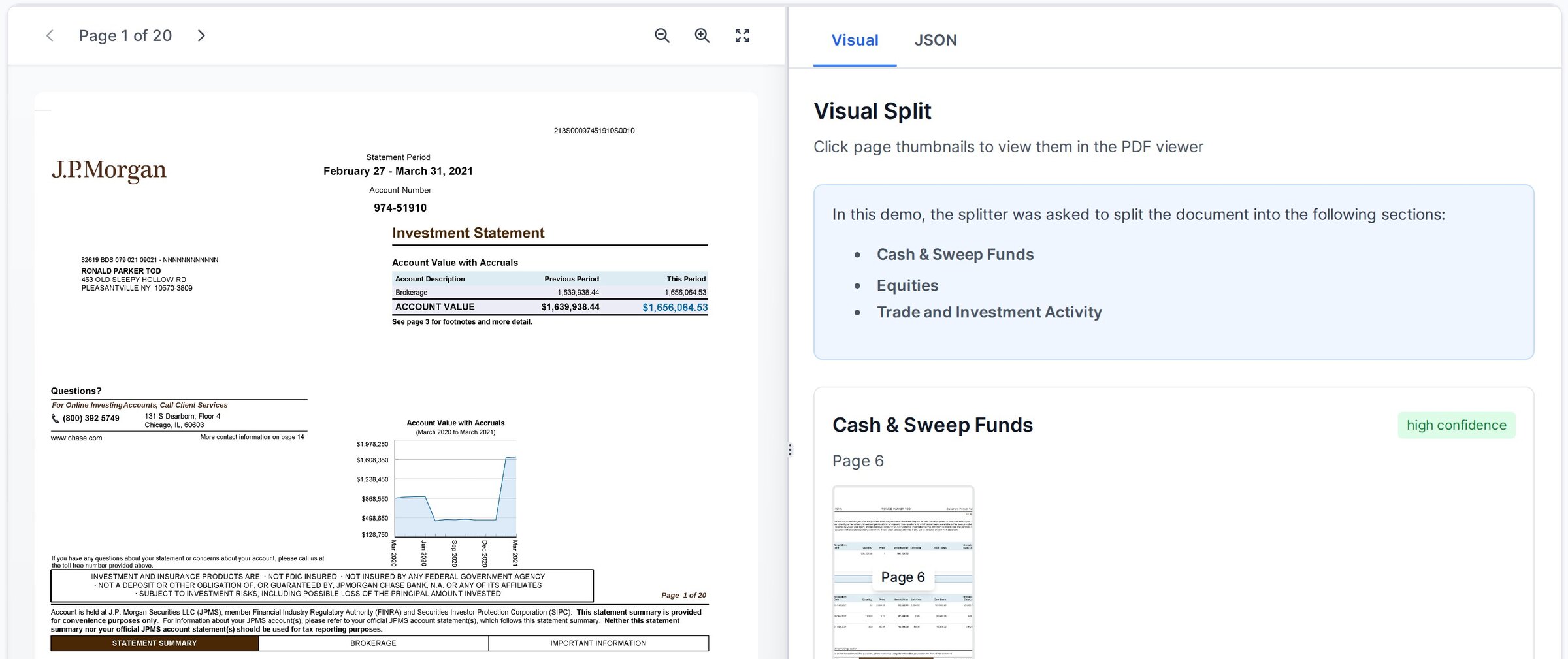
The API Hub offers three main endpoints, Parse, Extract and Split, plus Ask (chat) and Delete. Parse returns JSON with headings, paragraphs, tables and figures, Extract pulls fields such as dates and amounts, and Split breaks a PDF into sections by pages, ranges or AI-defined sections. The vendor says most documents return in under 5 seconds and files are deleted after processing. A free web parser shows the output as Markdown, JSON or blocks.
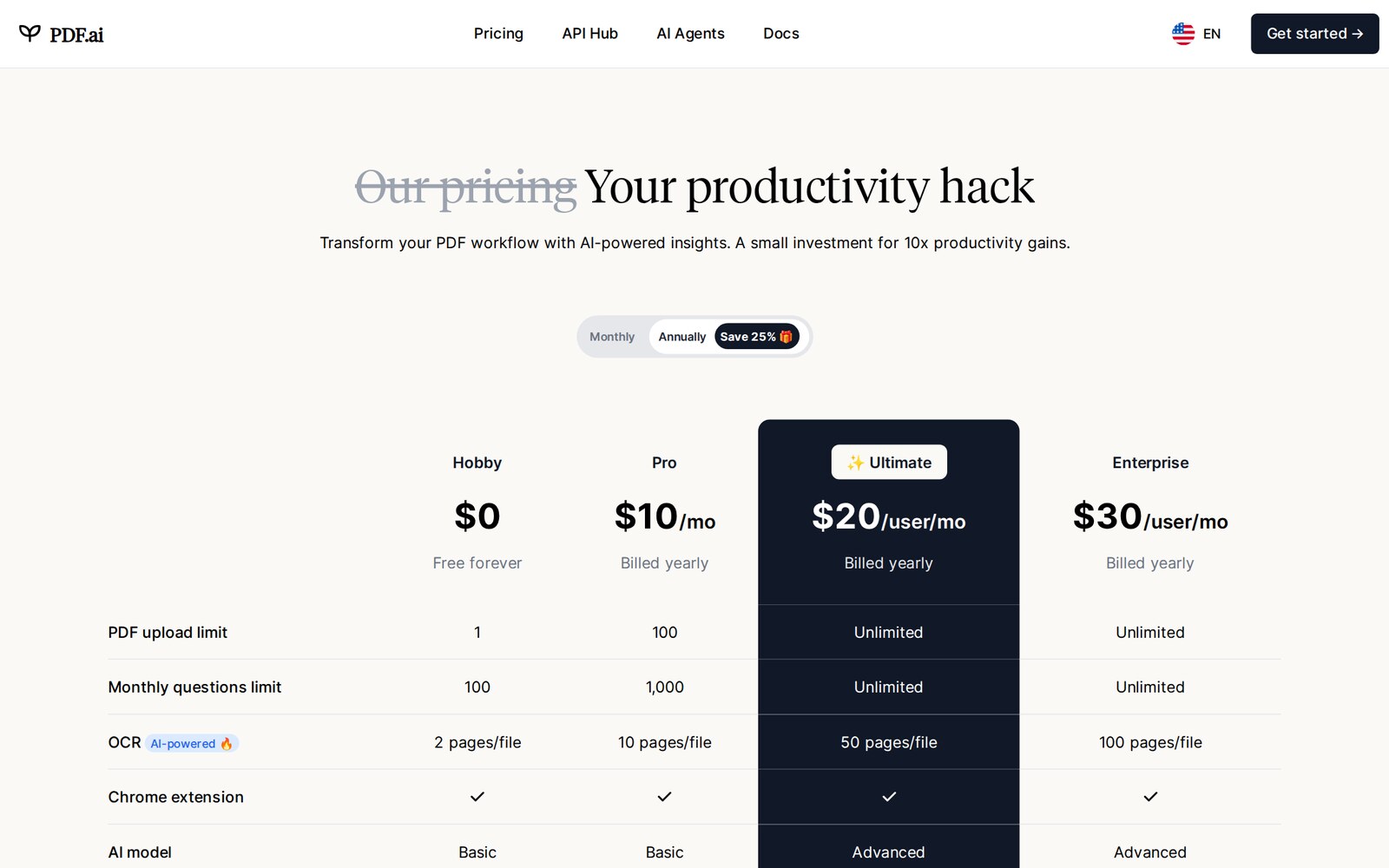
PDF.ai has a free Hobby plan and three paid chat plans from $10 a month billed yearly, and the API is priced separately by credits. Prices checked 23 Nov 2026 (US dollars).
| Plan | Price | What you get |
|---|---|---|
| Hobby (chat app) | $0, free forever | 1 PDF, 100 questions a month, OCR on 2 pages per file, 10MB max file, basic model |
| Pro (chat app) | $10/month billed yearly, or $17 billed monthly | 100 PDFs, 1,000 questions a month, OCR on 10 pages per file, 50MB files, basic model, chat with all PDFs |
| Ultimate (chat app) | $20/user/month billed yearly, or $27 billed monthly | Unlimited PDFs and questions, OCR on 50 pages per file, advanced model, AI agents, capture and ask, team invites |
| Enterprise (chat app) | $30/user/month billed yearly, or $37 billed monthly | Everything in Ultimate, OCR on 100 pages per file, 100MB files, white-labeled PDF embed, early access |
| API Free | $0/month | 200 API credits a month, all APIs, no credit card |
| API Starter | $49/month | 3,000 credits a month ($0.016 per credit) |
| API Pro | $99/month | 10,000 credits a month ($0.010 per credit) |
| API Scale | $249/month | 30,000 credits a month ($0.008 per credit) |
| API Growth | $599/month | 100,000 credits a month ($0.006 per credit) |
Yearly billing saves 25% on the chat plans. A chatbot widget that lets visitors chat with PDFs on your own site is an extra paid plan for Ultimate users and above. The API access bundled with Ultimate is for non-commercial use only, and the commercial API add-on starts at $50 a month for 1,000 credits. There are no refunds, but you can cancel at any time and are not charged again.
On the chat app, Pro covers about 1,000 questions a month across up to 100 PDFs, which is plenty for a reading list, but if you're working with a 30-page scanned contract, only 10 pages get OCR. On the API, a standard parse costs 1 credit per page, so the $49 Starter plan covers about 3,000 parsed pages a month. Parsing plus a small extraction (5 fields or fewer) costs 3 credits per page, or about 1,000 pages on Starter, and asking questions costs 3 credits per page across the documents you query. Cached parses cost 0 credits.
The one rating we could confirm is middling. The PDF.ai Chrome extension has 3.7 out of 5 from 219 ratings on the Chrome Web Store, with 40,000 users (23 Nov 2026).
PDF.ai runs in the browser, with a Chrome extension and a REST API that needs only an API key and no SDK.
Recent work has gone into the developer side. The PDF.ai blog published how-tos for the v2 Parse, Extract, Split and Ask endpoints in September 2026, an API credit usage guide on 25 Sep 2026, and posts on a Resume Scanner API (22 Oct 2026) and an Invoice API that returns JSON (19 Oct 2026). AI agents are marked new on the pricing page.
The main drawbacks are the refund policy, the basic model on Pro and the per-document OCR caps.
Several AI PDF tools do the same job of chatting with a PDF, each with a different focus.
PDF.ai is a capable AI PDF reader with clear plan limits, multi-PDF chat from the Pro plan and a well-documented API priced by credits. We would start on monthly Pro, since there are no refunds, and move to Ultimate only if you need the advanced model, agents or more OCR pages. A middling user rating means you should check its answers against the cited pages before relying on them.
Yes. The Hobby plan is free forever with 1 PDF, 100 questions a month, OCR on 2 pages per file and a 10MB file limit. Paid chat plans start at $10 a month billed yearly.
Yes, PDF.ai is one. You upload a PDF, ask questions in plain language and get answers with cited sources, and paid plans can chat across all your PDFs at once.
No. Its FAQ says it does not offer refunds, partial or full, but you can cancel at any time and you will not be charged again.
Yes, with AI-powered OCR. The limit is per file, at 2 pages on Hobby, 10 on Pro, 50 on Ultimate and 100 on Enterprise.
The API has a free plan with 200 credits a month, then $49 for 3,000 credits, $99 for 10,000, $249 for 30,000 and $599 for 100,000. A standard parse costs 1 credit per page.
Yes, from the Pro plan up. Chat with all PDFs is included on Pro, Ultimate and Enterprise, but not on the free Hobby plan, which allows one PDF.
We may earn a commission when you buy through links on SaaSPic. It never changes our verdicts or the price you pay. Affiliate disclosure
Add this badge to your website so your visitors can read this independent review in one click.
 7.6/10
AI research workspace for academics: search 300M+ papers, ask questions across your library and write with passage-level citations.
 6.9/10
AI research paper summarizer with structured summaries, figure chat, paper comparison and a cheap Pro plan.
| Tool | Score | From | Free plan | Best for |
|---|---|---|---|---|
| PDF.ai | 7.0/10 | $10/mo | Yes | Heavy PDF readers and developers parsing PDFs |
| Anara | 7.6/10 | $10/mo | Yes | Researchers running literature reviews across large paper libraries |
| SciSummary | 6.9/10 | $7/mo | Yes | Students and researchers triaging research papers |
 8.4/10
Scheduling software that lets people book time with you through a link, with team routing, reminders, payments and AI meeting recaps.
 8.3/10
Web booking page and scheduler that syncs your calendars and lets clients book and pay for sessions, packages and subscriptions.
 8.1/10
Time tracker and timesheet app for teams, with a free plan and per-seat paid tiers for invoicing, approvals and scheduling.