 7.5/10
AI video clipping tool that turns long videos into short social clips, with auto subtitles, reframing, scheduling and an AI video agent.


AI tool that turns long videos into short captioned clips for TikTok, Shorts and Reels, with virality scores and scheduling.
We may earn a commission when you buy through our links. How this works
Opus Clip suits podcasters, YouTubers and marketing teams who want a steady supply of short clips from long videos, ideally on Pro with yearly billing. Skip it if you mainly film short videos from scratch or need detailed manual editing.
Best for: Podcasters and video teams turning long videos into short clips
7.8/10 Good, with trade-offs. The overall score is our judgment against the questions we ask of every tool, not an average. How we score
| Question | Score | Why |
|---|---|---|
| Does the jobWhat it actually does for the task it is sold for, and where it falls short. | 8.2 | Clips long videos with ClipAnything, captions in 20+ languages, reframes, adds B-roll and, since 4.0, auto-edits raw talking videos. |
| Ease of useSetup needed and how quickly you get something useful done. | 8.0 | Paste a link or upload, get ranked clips with captions, then edit, post or schedule from one dashboard; Trustpilot reviewers praise the simple interface. |
| Pricing and limitsWhat you pay at a realistic size, including caps, add-ons and deal limits. | 7.6 | Pro is $14.50 a month on yearly billing for 300 source minutes a month, but Starter is monthly only and free clips are watermarked and expire. |
| Reliability and supportUpdate pace, known problems and how support responds. | 6.8 | Rated 4.0 from 513 Trustpilot reviews, with praise for helpful agents alongside reports of slow or missing replies. |
| Fit against alternativesHow it compares with the alternatives for the people it is aimed at. | 7.8 | Broader than most long-to-short clippers such as Klap, though Descript suits people who need full editing of the long episode. |
Opus Clip (now styled OpusClip) is an AI video tool that cuts long videos into short, captioned clips for TikTok, YouTube Shorts and Instagram Reels, and since version 4.0 also edits raw talking videos. It suits podcasters, YouTubers and marketing teams with a steady supply of long-form video; skip it if you mostly film short videos from scratch.
Opus Clip is for creators and teams who already record long videos (podcasts, interviews, webinars, livestreams, keynotes) and want short-form clips without scrubbing the timeline by hand. Pro adds team seats, a scheduler and exports to Premiere Pro and DaVinci Resolve, so it also fits small agencies and in-house video teams.
Skip it if your content is already short, if you need frame-accurate manual editing as the main job, or if you can't live with credits that are tied to the length of your source video. Free users should also note that clips carry a watermark and can't be exported after 3 days.
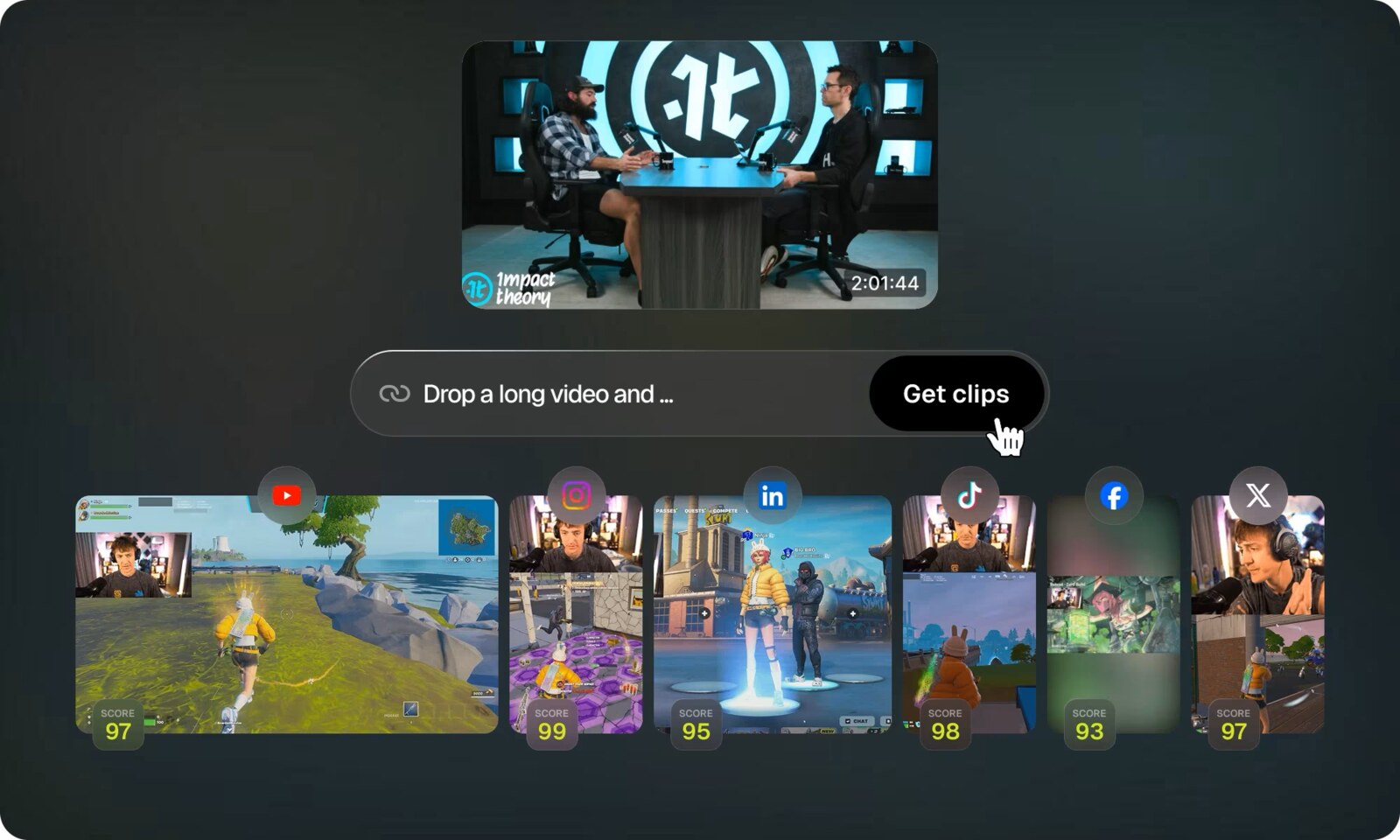
You paste a link or upload a long video, and Opus Clip's AI picks the strongest moments, reframes them to vertical, adds animated captions and gives each clip a virality score. You then edit, post or schedule the clips from the same dashboard.
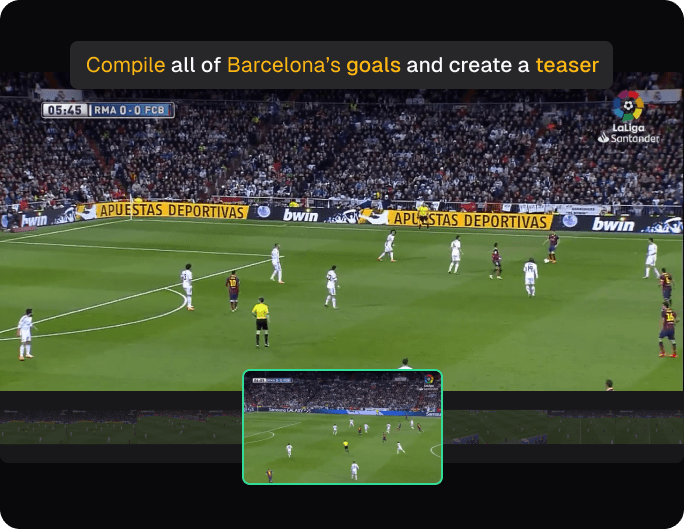
ClipAnything finds moments in talking and low-dialogue videos, and you can set the clipping timeframe, clip length (from under a minute up to 15 minutes) and, on Pro, prompt-based clipping and topic search. The virality score is the vendor's estimate of how well a clip may perform, used to rank the results; treat it as a guide rather than a promise.
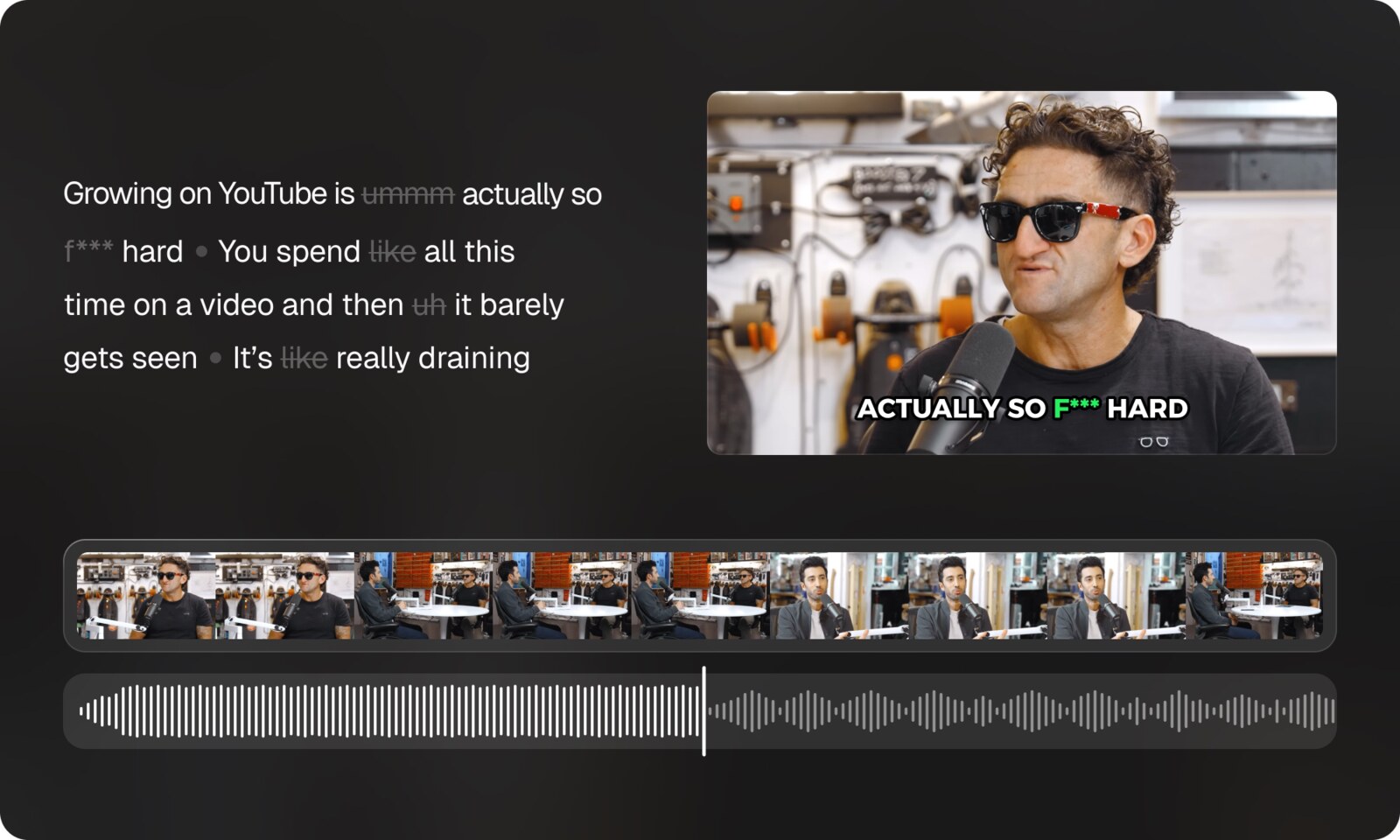
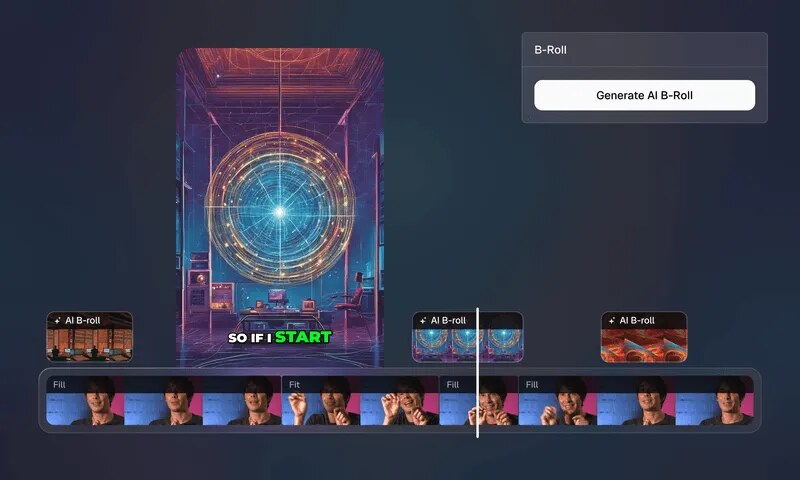
Animated captions come in 20+ languages with emoji and keyword highlights, and AI reframe crops wide footage to vertical while following the subject. Starter and Pro add filler and silence removal, while Pro adds AI B-roll (image, video and stock), 9:16, 1:1 and 16:9 ratios, custom fonts, speech enhancement and video dubbing.
Paid plans include a text and timeline editor and direct posting to YouTube Shorts, TikTok and Instagram Reels. Pro adds a social scheduler with 6 account connections, Premiere Pro and DaVinci Resolve export, a Zapier integration and limited API access.
Opus Clip has a free plan, Starter at $15 a month, Pro at $29 a month or $14.50 a month billed yearly, and custom Business pricing. Prices checked 4 Nov 2026.
| Plan | Price (USD) | What you get |
|---|---|---|
| Free | $0 | 60 credits a month, clips up to 1080p with a watermark, auto reframe, AI captions, no editing; clips can't be exported after 3 days |
| Starter | $15 a month, monthly billing only | 150 credits a month, virality score, editor, filler removal, auto posting, 1 brand template, no watermark; media kept 29 days |
| Pro (monthly) | $29 a month per pack | 300 credits a month, unused credits roll over for 2 months, 2 seats per pack (up to 4), AI B-roll, scheduler, Premiere Pro and DaVinci Resolve export, 100GB storage |
| Pro (yearly) | $174 a year per pack ($14.50 a month) | 3,600 credits for the year granted upfront and valid 12 months, plus everything in Pro monthly |
| Business | Custom | Custom credits, seats and storage, priority processing, API, Master Service Agreement, Slack support, enterprise security |
Starter and Pro start with a free trial and no card. You can buy top-up credits or add packs on Pro, and Max (1,500 credits a month) is sold through Agent Opus, the vendor's separate video generator. If you cancel, remaining credits expire on their original date.
Processing costs 1 credit per minute of the source video, not per clip produced, so a 60-minute podcast uses 60 credits however many clips come out of it. Videos under a minute round up to 1 credit and partial minutes round down, and posting to X costs 3 credits per clip per account.
In practice, the free plan covers one hour-long episode a month (watermarked), Starter covers about two and a half hours, and Pro covers five hour-long episodes a month. A weekly 60-minute podcast plus a few short videos fits Pro, which works out at $14.50 a month on yearly billing. Trim the processing timeframe slider to skip intros and Q&A you won't clip, and the same credits stretch further.
Opus Clip rates 4.0 from 513 Trustpilot reviews (Nov 2026). Trustpilot's summary of recent reviews says users like the simple interface and the time saved turning long videos into short clips, and many praise the support team.
The same summary notes complaints about slow or missing support replies, some editing features, and processing times. Four-star reviews mention occasional minor bugs and a manual editing UI that could be better. The vendor itself claims to be trusted by 2M+ creators and 1M+ businesses, which is its own figure.
Opus Clip is a web app run by a Palo Alto company whose co-founder and CEO is Young Zhao.
The biggest change is OpusClip 4.0, launched in early November 2026, which moves the product from clipping into full editing of talking videos. Auto-edit takes raw footage and applies speech cleanup, captions and B-roll, and one edit can become 60 to 90 second highlights or a 3 to 5 minute extended cut.
4.0 also adds Recipes (saved editing setups), Viral Hook and Motion Graphics templates, and AI Producer, a plugin for editing from inside ChatGPT or Claude. The pricing page also lists on-demand credit top-ups on Pro as new.
The main limits are the free plan's restrictions, monthly-only Starter billing and mixed support reports.
The closest Opus Clip alternatives are other AI tools that turn long videos into short clips.
Opus Clip remains one of the most complete AI clipping tools, with good captions, reframing, scheduling and, since 4.0, auto-editing of raw talking videos. Pro on yearly billing at $14.50 a month is the plan most people should consider, because Starter is monthly only and lacks B-roll, extra aspect ratios and pro exports. Watch the credit math on long recordings and expect mixed support. I would try the free plan on one real episode, then move to Pro yearly if the clips need little fixing.
Yes, there is a free plan with 60 credits a month (about an hour of source video), but clips are watermarked, can't be edited and can't be exported after 3 days. Starter and Pro also start with a free trial and no card.
Starter is $15 a month on monthly billing only. Pro is $29 a month or $14.50 a month billed $174 yearly, per pack of 300 monthly credits and 2 seats. Business is custom priced.
Processing costs 1 credit per minute of the original video, so a 30-minute video uses 30 credits. Monthly credits roll over for one extra month, and yearly credits arrive upfront and last 12 months.
It is the vendor's estimate of how likely each clip is to perform well on social media, used to rank clips. It is a guide rather than a guarantee, and it isn't included on the free plan.
Launched in early November 2026, 4.0 adds auto-editing of raw talking videos, multiple output formats from one edit, saved Recipes, Viral Hook and Motion Graphics, and an AI Producer plugin for ChatGPT and Claude.
We may earn a commission when you buy through links on SaaSPic. It never changes our verdicts or the price you pay. Affiliate disclosure
Add this badge to your website so your visitors can read this independent review in one click.
 7.5/10
AI video clipping tool that turns long videos into short social clips, with auto subtitles, reframing, scheduling and an AI video agent.
 7.0/10
AI video clipping tool that turns long videos and podcasts into captioned vertical clips for TikTok, Reels and YouTube Shorts.
 5.6/10
AI short video generator that creates and auto-publishes faceless video series to YouTube, Instagram and TikTok.
 7.2/10
AI video clipping tool that turns long videos into captioned short clips, with dubbing, reframing and social scheduling.
 6.8/10
AI tool, formerly Vidyo.ai, that clips long videos into captioned shorts and schedules them to seven social platforms.
| Tool | Score | From | Free plan | Best for |
|---|---|---|---|---|
| Opus Clip | 7.8/10 | $15/mo | Yes | Podcasters and video teams turning long videos into short clips |
| Vizard AI | 7.5/10 | $174/yr | Yes | Podcasters and marketers repurposing long videos into short clips |
| Klap | 7.0/10 | $29/mo | Yes | Creators turning long talking videos into daily shorts |
| Clipwise | 5.6/10 | $25/mo | No | Small businesses posting simple daily AI shorts |
| reap | 7.2/10 | $24/mo | Yes | Podcasters and creators repurposing long videos into shorts |
| Quso AI | 6.8/10 | $29/mo | Yes | Creators turning long videos into scheduled social clips |
 8.4/10
Voice AI platform with Sonic text to speech, Ink speech to text and Managed Agents for phone voice agents via API.
 8.3/10
AI video and image generator running Kling's own models, with keyframes, character references, native audio, motion control and an API.
 8.3/10
AI voice platform for text to speech, voice cloning, dubbing, music and sound effects, plus voice agents and an API for developers.