 7.0/10
AI browser sidebar and agent: chat with many models, summarize pages and PDFs, automate web tasks and create images, slides and video.


All-in-one AI assistant with GPT, Claude and Gemini models in a browser sidebar, plus writing, PDF, translation, image and agent tools.
We may earn a commission when you buy through our links. How this works
Monica suits individuals who want several leading AI models and everyday tools (summaries, translation, PDF chat, writing help) inside their browser for one yearly fee. If you mostly use one model heavily, a direct subscription to that model's own app may suit you better, and teams should note that Monica accounts are for personal use only.
Best for: Individuals who want many AI models in one browser sidebar
7.0/10 Good, with trade-offs. The overall score is our judgment against the questions we ask of every tool, not an average. How we score
| Question | Score | Why |
|---|---|---|
| Does the jobWhat it actually does for the task it is sold for, and where it falls short. | 7.5 | One subscription covers models from OpenAI, Anthropic and Google with side-by-side comparison, plus writing, translation, PDF chat and image tools. |
| Ease of useSetup needed and how quickly you get something useful done. | 7.0 | The sidebar and smart toolbar work on any web page, with extras for YouTube, Gmail and Outlook. |
| Pricing and limitsWhat you pay at a realistic size, including caps, add-ons and deal limits. | 7.0 | Pro costs $99 a year, but caps advanced models at 200 queries a month, and agent, research and media features use a separate credit pool. |
| Reliability and supportUpdate pace, known problems and how support responds. | 5.5 | Max is still in beta, Monica says Max and Ultra rules and prices may change, and credit costs for agent and media tasks are not published. |
| Fit against alternativesHow it compares with the alternatives for the people it is aimed at. | 6.5 | Accounts are personal use only, and a direct subscription to one model's own app may give more for heavy single-model users. |
Monica is an all-in-one AI assistant that puts models from OpenAI, Anthropic and Google into one browser sidebar, plus desktop and mobile apps. It suits individuals who want chat, summaries, writing help, translation, PDF chat and image tools wherever they work, for one yearly fee.
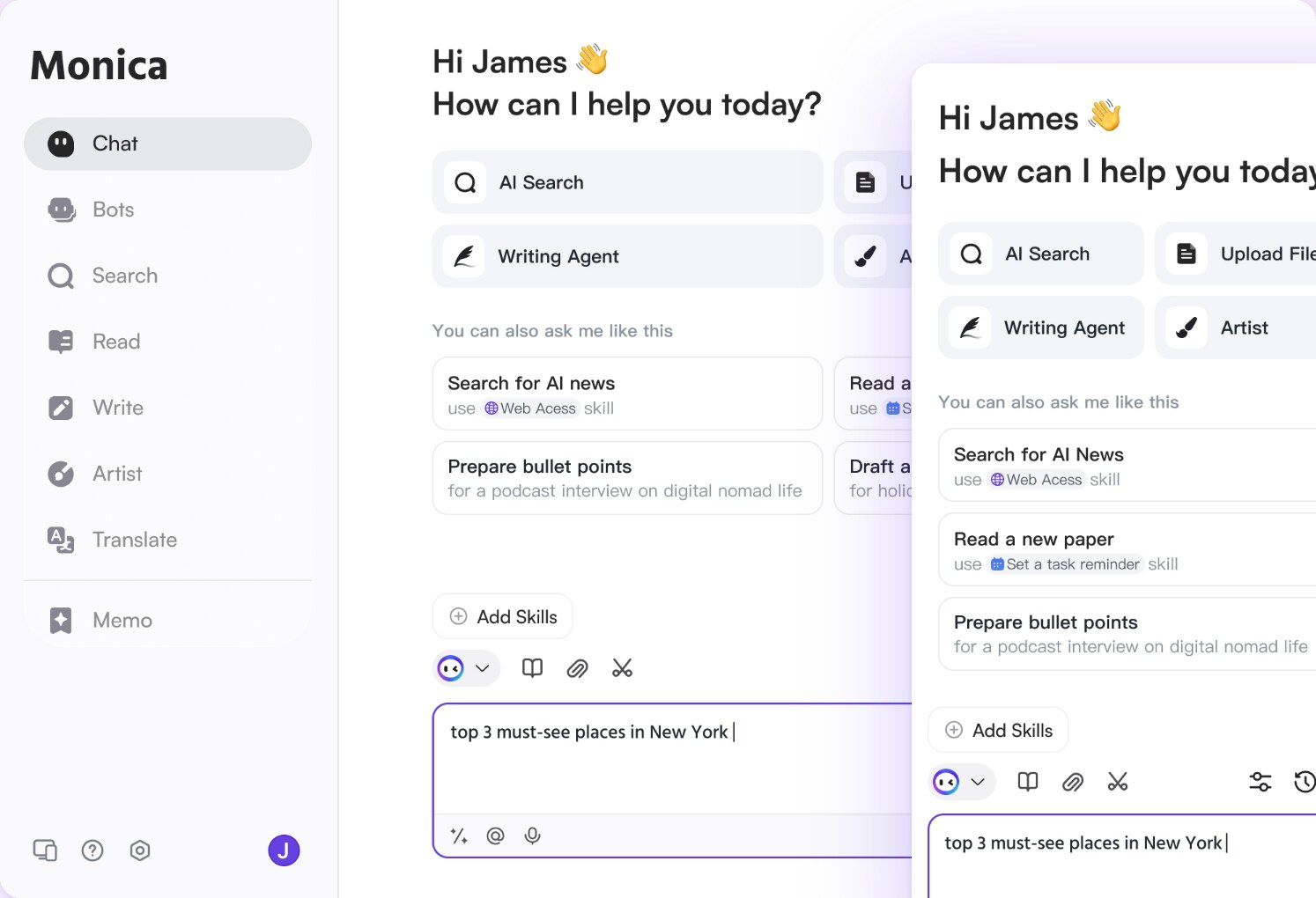
Monica is for people who use AI throughout the day across many websites, such as writers, researchers, students, marketers and support staff. Instead of switching between ChatGPT, Claude and Gemini, you open one panel with Cmd or Ctrl plus M and pick a model.
I would skip it if you rely on one model all day, where that model's own app gives the deepest features, or if you need a team account. Monica says accounts are for personal use only.
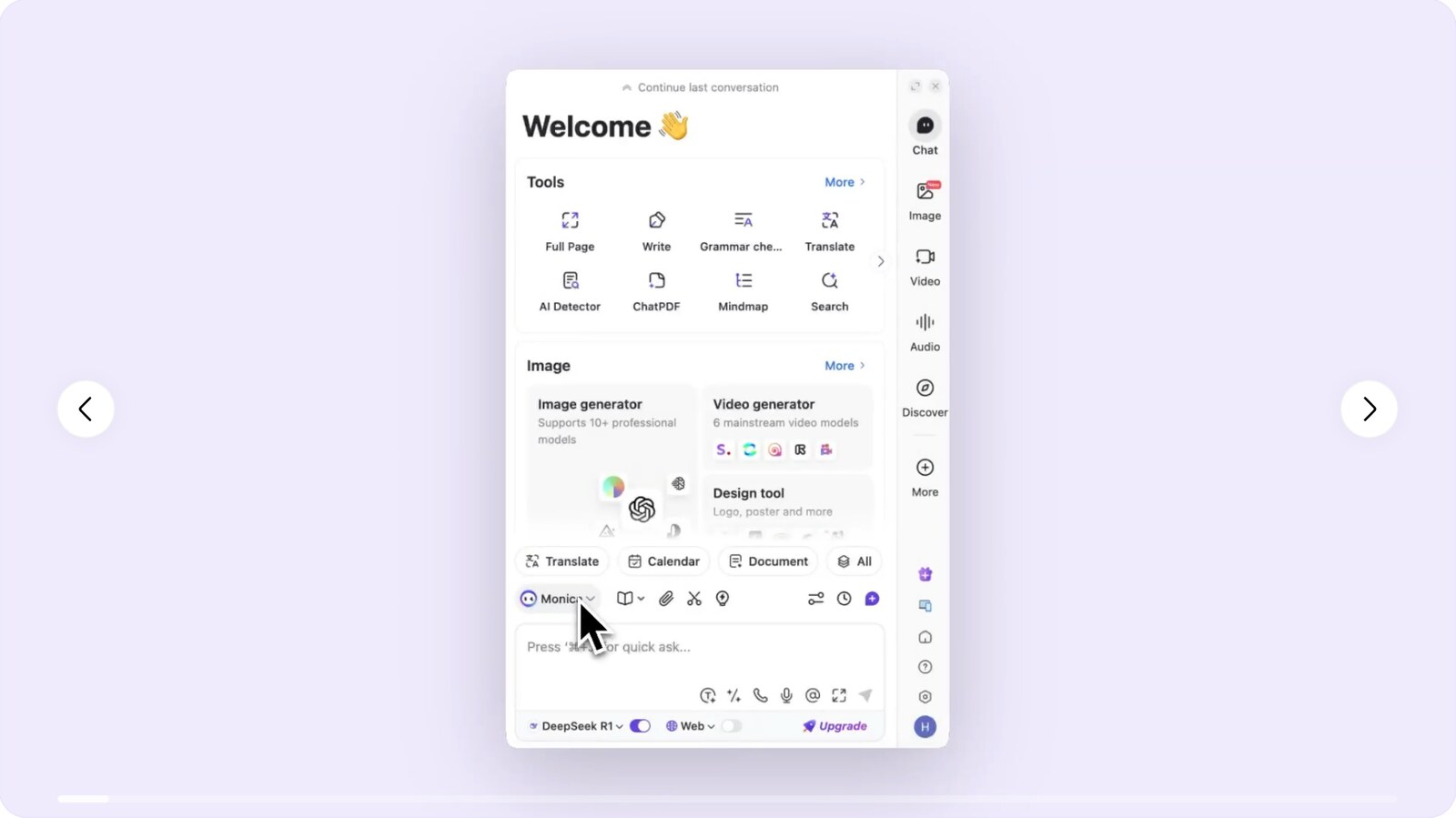
Monica's features fall into chat, reading, writing, translation, image and video, and agent tools, all reachable from the sidebar or a smart toolbar that appears when you select text. Most advanced tools draw on a monthly pool of advanced credits.
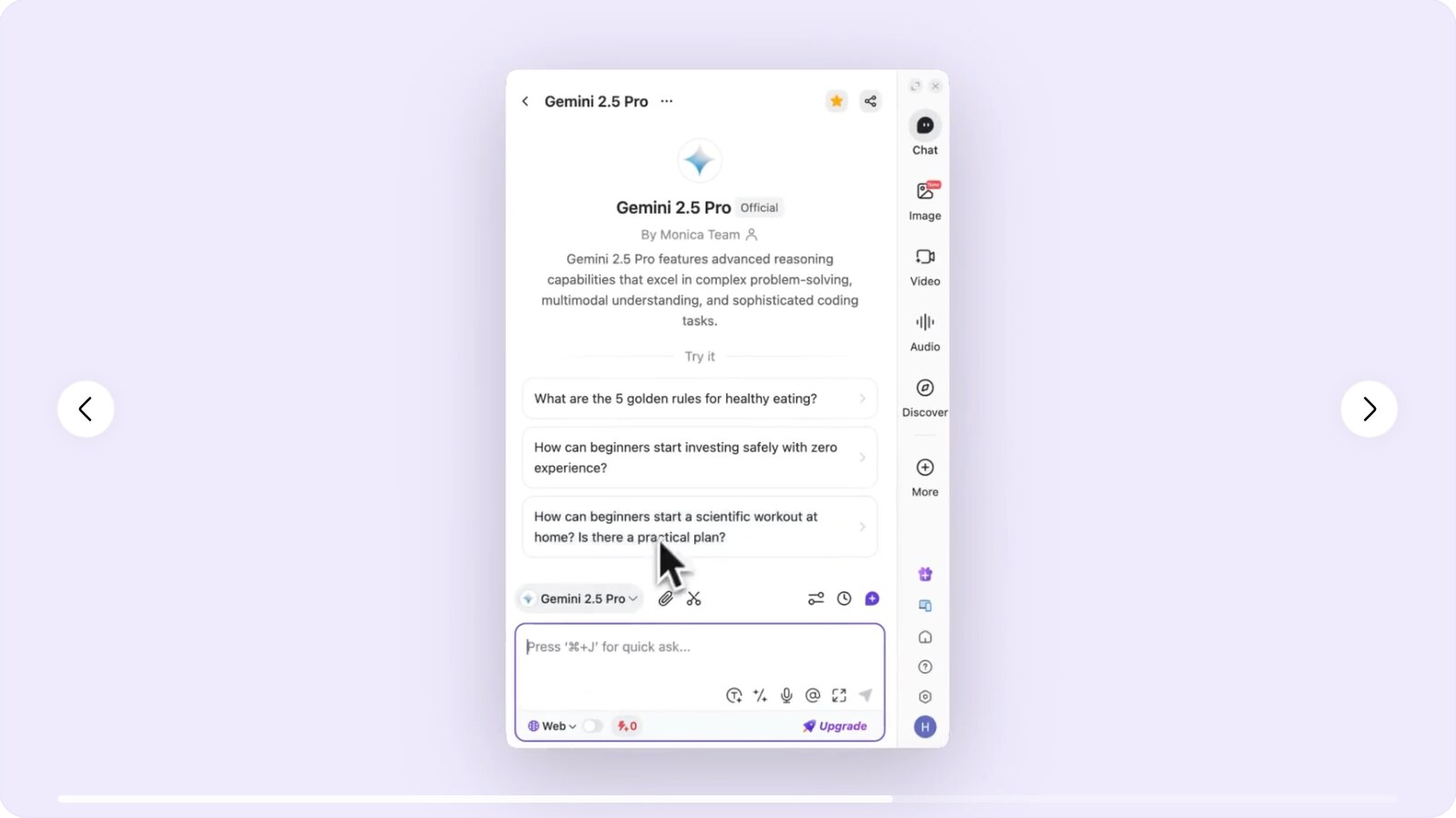
You can chat with basic models such as Claude Haiku 5.5, Gemini 3.5 Flash-Lite and GPT-6 Luna, and on paid plans advanced models such as GPT-6.1 Sol, Claude Sonnet 5.5 and Gemini 3.8 Flash. Monica also offers real-time web search, a prompt library opened with "/", voice input and multi-model answer comparison, so you can see several models answer the same question side by side.
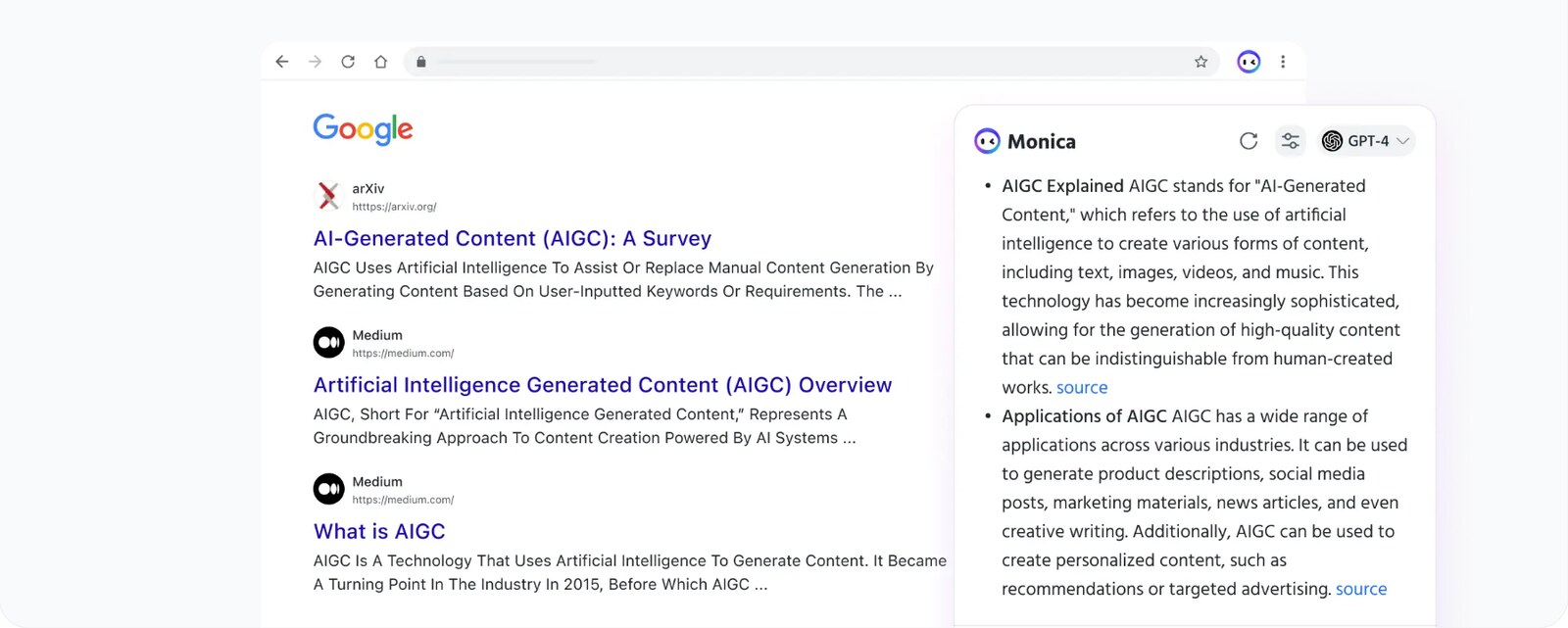
The extension adds an AI sidebar to any web page, a smart toolbar to explain, translate or summarize selected text, and a writing assistant inside text boxes. It also shows AI answers beside Google results, summarizes YouTube videos with timestamps and suggests email replies in Gmail and Outlook, with writing help on X, Facebook, WhatsApp and Messenger.
ChatPDF lets you upload a PDF and ask questions, alongside webpage and file summaries, a mindmap generator and grammar check. Translation covers text, whole webpages (with DeepL as an option) and PDFs.
Monica Agent, Deep Research, Create Slides, Image Studio and Browser Operator handle bigger jobs such as research reports, slide decks and repetitive browser tasks across websites. These cost advanced credits on every paid plan.
Image and video tools use models such as Nano Banana 2, GPT Image 2.5 Flare, Seedance 2.5 and Veo 3.1, plus image editing tools like background removal and upscaling.
Monica Code is a code assistant for VS Code and JetBrains IDEs, included as a membership benefit, and the homepage also lists SQL and Python help for data work.
Getting started takes a few minutes: add the free Chrome or Edge extension, sign in, and press Cmd or Ctrl plus M on any page to open the sidebar. From there a typical workflow is to summarize the page or video in front of you, then ask follow-up questions in chat.
For documents, you upload a PDF to ChatPDF and ask about it, or translate it whole. For writing, you select text and use the toolbar to rewrite, explain or translate it, or let Monica draft a reply in Gmail. The same assistant is also available in the desktop and mobile apps.
Monica has a Free plan and three paid plans, Pro, Max and Ultra, sold on annual billing on the public pricing page. Prices are in USD. Prices checked 7 Nov 2026.
| Plan | Price (USD) | Model access | Advanced credits and extras |
|---|---|---|---|
| Free | $0 | 40 basic model queries a day | Limited trials of image and video, ChatPDF and AI agent |
| Pro | $99 a year (about $8.30 a month) | 5,000 basic and 200 advanced model queries a month | 1,500 advanced credits, agent, image and video generation |
| Max | $199 a year in a 33% flash sale, normally $299 (about $16.60 a month) | Unlimited basic and advanced models | 4,500 advanced credits, priority email support, 5 login devices |
| Ultra | $995 a year (about $82.90 a month) | Unlimited basic and advanced models | 20,000 advanced credits, the same tools as Max |
Monica says Max and Ultra rules and prices may change with costs from model providers such as OpenAI and Anthropic, and that it will notify users in the app and update the pricing page if they do.
For chat alone, Pro's 200 advanced queries a month work out to roughly 6 or 7 questions a day to GPT-6.1 Sol or Claude Sonnet 5.5, with 5,000 basic model queries on top. Heavy chat users would hit that cap and need Max.
Agent, research, slides, image and video jobs all spend advanced credits, and Monica does not publish a fixed cost per task. Pro's 1,500 credits suit occasional use; Max's 4,500 suit regular use.
Store ratings are high but Trustpilot is poor, and the gap is wide. In the Chrome Web Store, Monica was rated 4.8 from 32.4K ratings with 3,000,000 users on 7 Nov 2026, and the iOS app was rated 4.7 from 6,873 ratings on the US App Store.
The monica.im profile on Trustpilot is unclaimed and held a 1.5 TrustScore from 36 reviews on the same date. Recent reviews, including one from 5 Nov 2026, complain about refund requests being stalled after cancellation. The homepage claims 4.9 on the Chrome Web Store and 4.6 on Product Hunt, which are the vendor's figures.
Monica is published by Butterfly Effect Pte. Ltd., the company named on its Chrome Web Store and App Store listings, and support runs by email at [email protected].
The biggest recent change is the plan lineup. The former Unlimited plan has been renamed Max, with the same benefits, and a new Ultra plan with higher limits was added because the AI agent uses far more tokens.
Max is currently in a 33% flash sale at $199 a year. The iOS app reached version 5.14.0 on 21 Jul 2026, and the model list now leads with GPT-6.1 Sol, Claude Opus 5.5 and Gemini 4 Argon on the homepage.
The main drawback is that "unlimited" covers chat, not the heavier tools. Agent, research, slides and media generation draw on capped advanced credits on every plan.
The closest Monica alternatives are other multi-model AI browser assistants. Here is when I would pick each one instead.
Monica is a capable all-in-one AI assistant, and Pro at $99 a year is a cheap way to get several leading models in your browser. Strong store ratings against poor Trustpilot reviews about refunds keep my score at 7.0, so I would test the free tier first and only then commit to a year.
Yes. The Free plan gives 40 basic model queries a day plus limited trials of image and video generation, ChatPDF and the AI agent. Paid plans start at $99 a year for Pro.
Monica is run by Butterfly Effect Pte. Ltd., publishes its pricing, terms and support address ([email protected]), and has 3,000,000 Chrome Web Store users with a 4.8 rating. Trustpilot reviews are far more negative, mostly about refunds.
Pro is $99 a year (about $8.30 a month), Max is $199 a year in a 33% flash sale (normally $299) and Ultra is $995 a year. The free plan costs nothing.
Install the Chrome or Edge extension and press Cmd or Ctrl plus M to open the sidebar on any page. You can also use the web app, the Windows and Mac desktop apps or the mobile apps.
The pricing page lists basic models such as Claude Haiku 5.5, Gemini 3.5 Flash-Lite and GPT-6 Luna, advanced models such as GPT-6.1 Sol, Claude Sonnet 5.5 and Gemini 3.8 Flash, and image and video models such as Nano Banana 2, GPT Image 2.5 Flare, Seedance 2.5 and Veo 3.1.
No. Monica says accounts are for personal use only, and account sharing, multi-user use or automated batch calls may lead to suspension or restrictions. Max allows up to 5 login devices for one person.
We may earn a commission when you buy through links on SaaSPic. It never changes our verdicts or the price you pay. Affiliate disclosure
Add this badge to your website so your visitors can read this independent review in one click.
 7.0/10
AI browser sidebar and agent: chat with many models, summarize pages and PDFs, automate web tasks and create images, slides and video.
 6.8/10
AI browser extension for Chrome and Edge that chats with many models, summarizes pages, PDFs and videos, and rewrites text.
 6.8/10
Multi model AI assistant with a Chrome extension for summaries, writing and research, plus web and mobile apps.
| Tool | Score | From | Free plan | Best for |
|---|---|---|---|---|
| Monica | 7.0/10 | $99/yr | Yes | Individuals who want many AI models in one browser sidebar |
| Sider AI | 7.0/10 | $10/mo | Yes | Browser-based knowledge workers using several AI models |
| MaxAI | 6.8/10 | $30/mo | Yes | Heavy Chrome and Edge users who want AI on every site |
| Merlin AI | 6.8/10 | $19/mo | Yes | Students and knowledge workers who want many AI models in a browser extension |
 8.4/10
Scheduling software that lets people book time with you through a link, with team routing, reminders, payments and AI meeting recaps.
 8.3/10
Web booking page and scheduler that syncs your calendars and lets clients book and pay for sessions, packages and subscriptions.
 8.1/10
Time tracker and timesheet app for teams, with a free plan and per-seat paid tiers for invoicing, approvals and scheduling.