
MindManager
Lifetime deal on MindManager
£329£367.20Lowest we have seen

Mind mapping and visual planning software from Corel for Windows, Mac, web and Microsoft Teams, with Gantt and Kanban views.
We may earn a commission when you buy through our links. How this works
MindManager suits professionals and Microsoft 365 teams who plan complex projects visually and want Gantt, Kanban and Excel tools in the same application. Skip it if you only brainstorm, work mainly on a Mac, or need a free plan.
Best for: Professionals planning projects visually in Microsoft 365
7.2/10 Good, with trade-offs. The overall score is our judgment against the questions we ask of every tool, not an average. How we score
| Question | Score | Why |
|---|---|---|
| Does the jobWhat it actually does for the task it is sold for, and where it falls short. | 8.0 | Covers a wide range of map and diagram types and moves from mind map to Gantt, Kanban, PERT or critical path chart in the same file. |
| Ease of useSetup needed and how quickly you get something useful done. | 5.5 | With so many map types and views, it takes longer to learn than a simple mind map app. |
| Pricing and limitsWhat you pay at a realistic size, including caps, add-ons and deal limits. | 6.0 | Professional is u00a3176.40 a year and the one-time license is u00a3367.20 without upgrades, which is pricey when you only need mind maps. |
| Fit against alternativesHow it compares with the alternatives for the people it is aimed at. | 6.5 | Best for Microsoft 365 teams planning complex projects, but more tool than needed for quick mind maps, where cheaper tools will do. |
MindManager is mind mapping and visual planning software from Corel that turns a brainstorm into project plans, flowcharts, Gantt charts and Kanban boards in the same application. It suits managers, consultants and teams in Microsoft 365 organizations who plan complex projects, not people who only want a quick free mind map.
MindManager fits professionals and project managers who keep plans, notes, tasks, costs and links in one visual map and share them with team members. Its newest features lean toward Microsoft 365, SharePoint and IT administration, so the program suits company-wide rollouts as well as individuals.
Skip it if you need simple mind maps, want a free plan, or work mainly on a Mac. G2 reviewers mention a steep learning curve for beginners, and one Trustpilot reviewer says the Mac edition trails Windows.
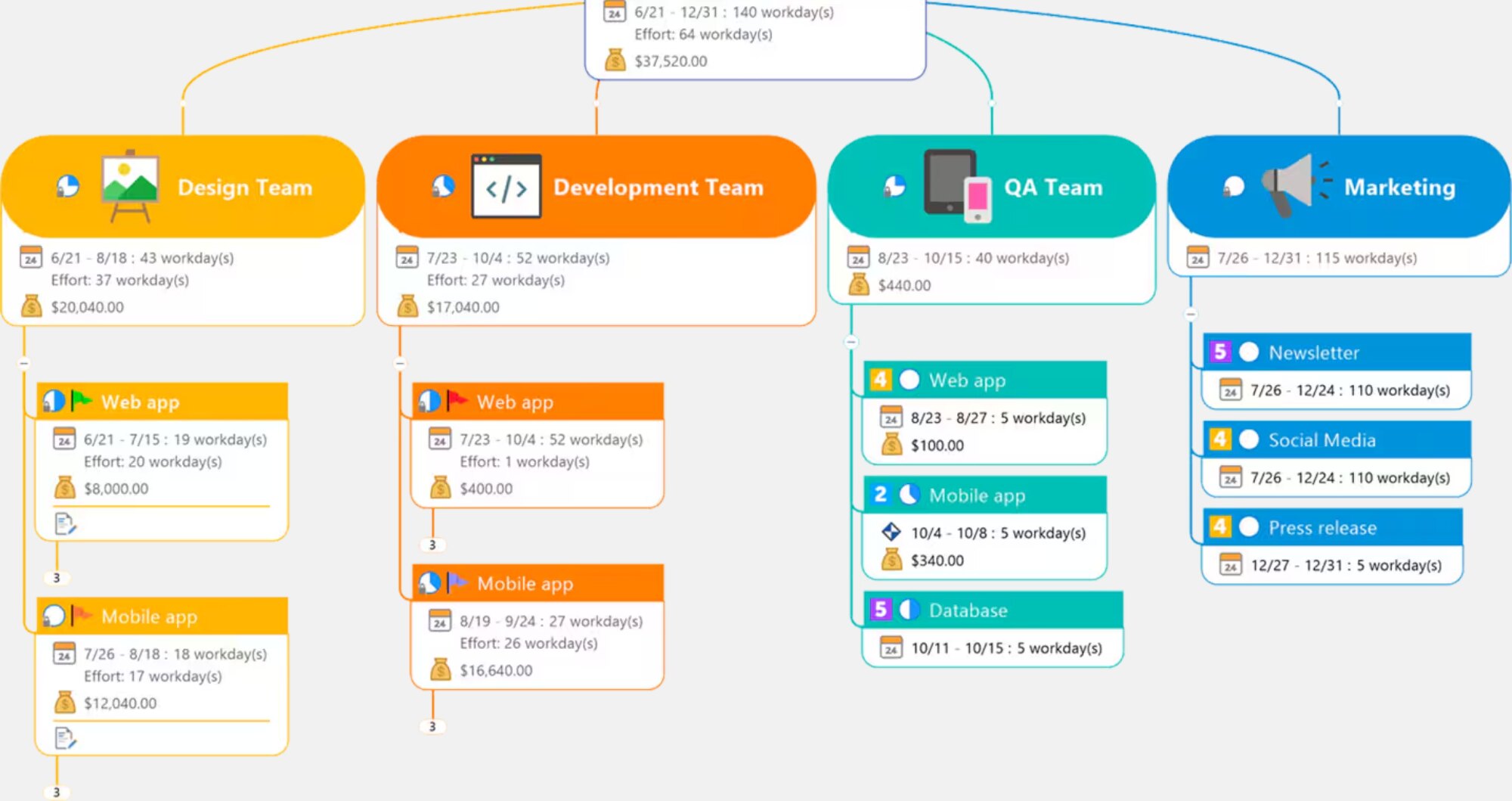
A typical MindManager workflow starts from a template or a blank map. You add topics as fast as you think of them, drag and drop to move them, then enrich each topic with resources, dates, costs, notes, priority icons and tags before switching to other views. Typing @ or # in the topic text adds resources and tags as you write, and in-app tutorials, sticky notes and activity digests help newcomers get going.
The features page lists templates for mind maps, concept maps, org charts, timelines, flowcharts, swim lane diagrams, process maps, fishbone, Venn and matrix diagrams, SWOT analysis, decision trees and customer journey maps.
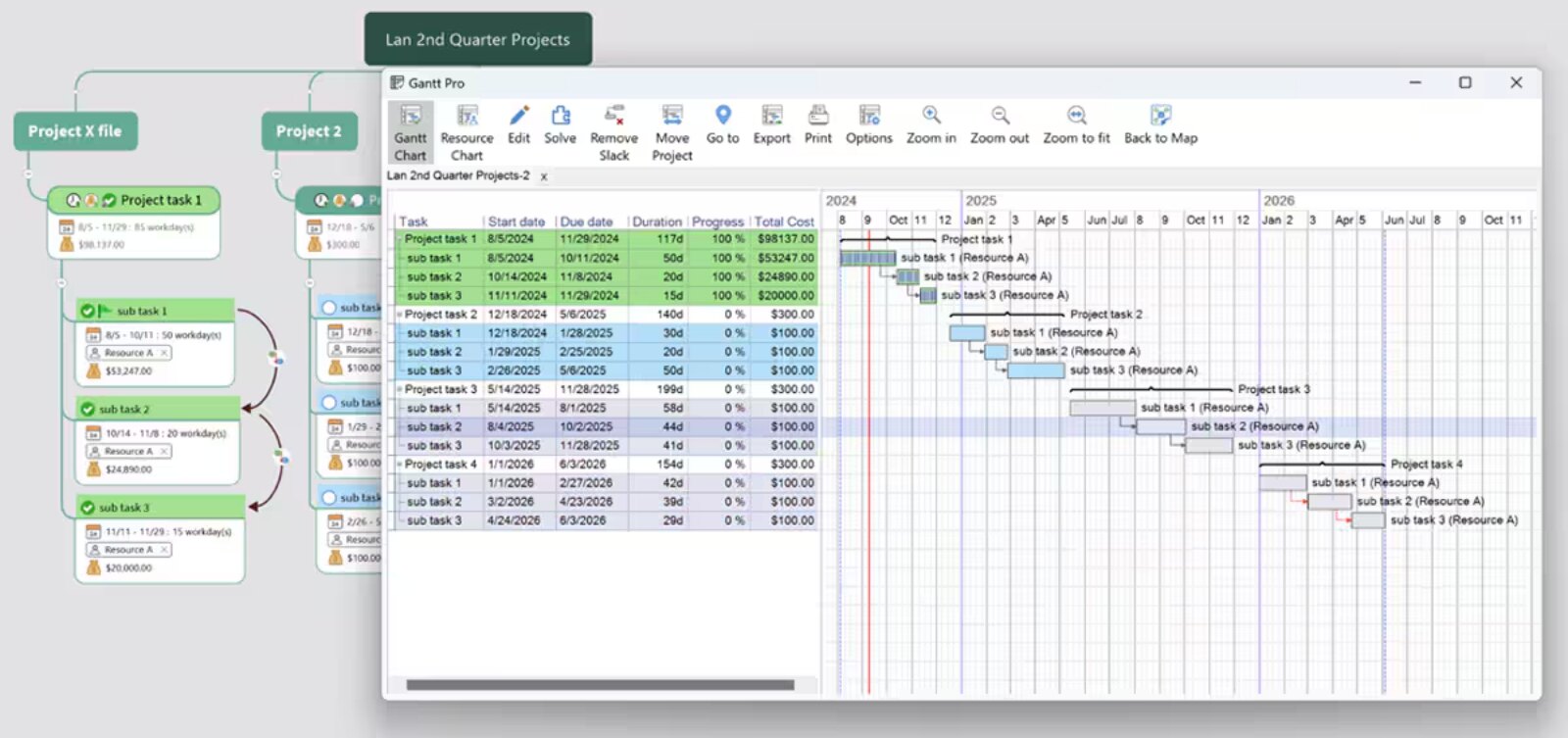
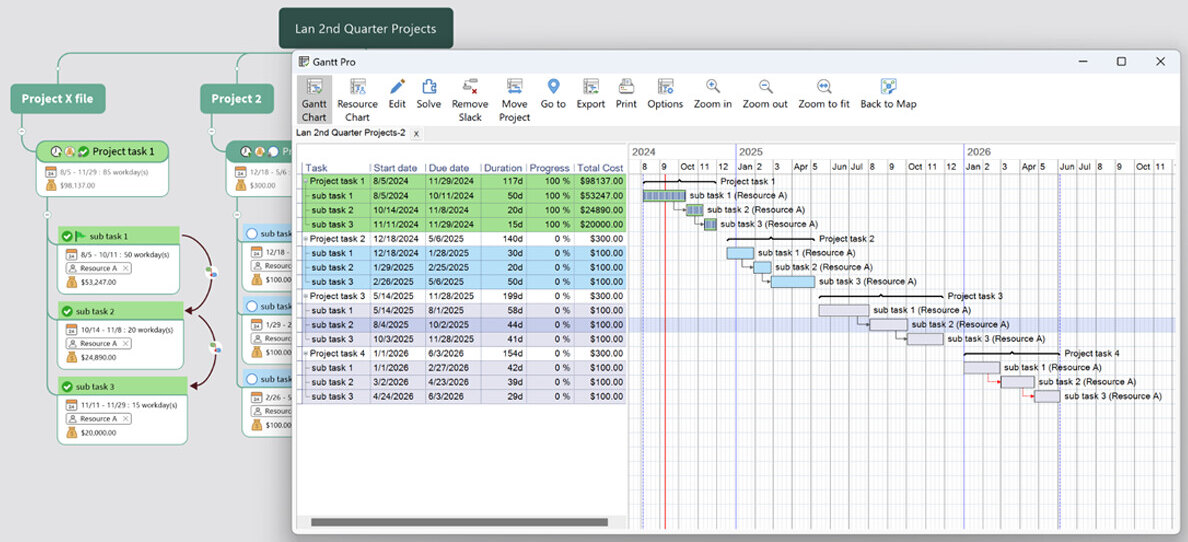
MindManager Professional adds Gantt charts that track costs, start and due dates and resources, Kanban boards, cost tracking, relationships and dependencies, and SmartRules and formulas. Maps can be published in Gantt view and Gantt charts exported in HTML5.
MindManager is also a powerful way to gather knowledge in one place. Each map can hold links, documents, images, notes, business data and tasks, with import, export and sync to online storage, MindManager Files, map roll ups and dynamic views.
The Excel Data Mapper turns spreadsheet rows into topics with dates, resources and tags, and a SharePoint and Microsoft Lists linker pulls list items into a map. Professional also offers real-time co-editing across devices, publishing and sharing, map part sharing, Slides for presenting, MindManager Snap for capturing content from anywhere, a Jira integration and a Microsoft Teams app.
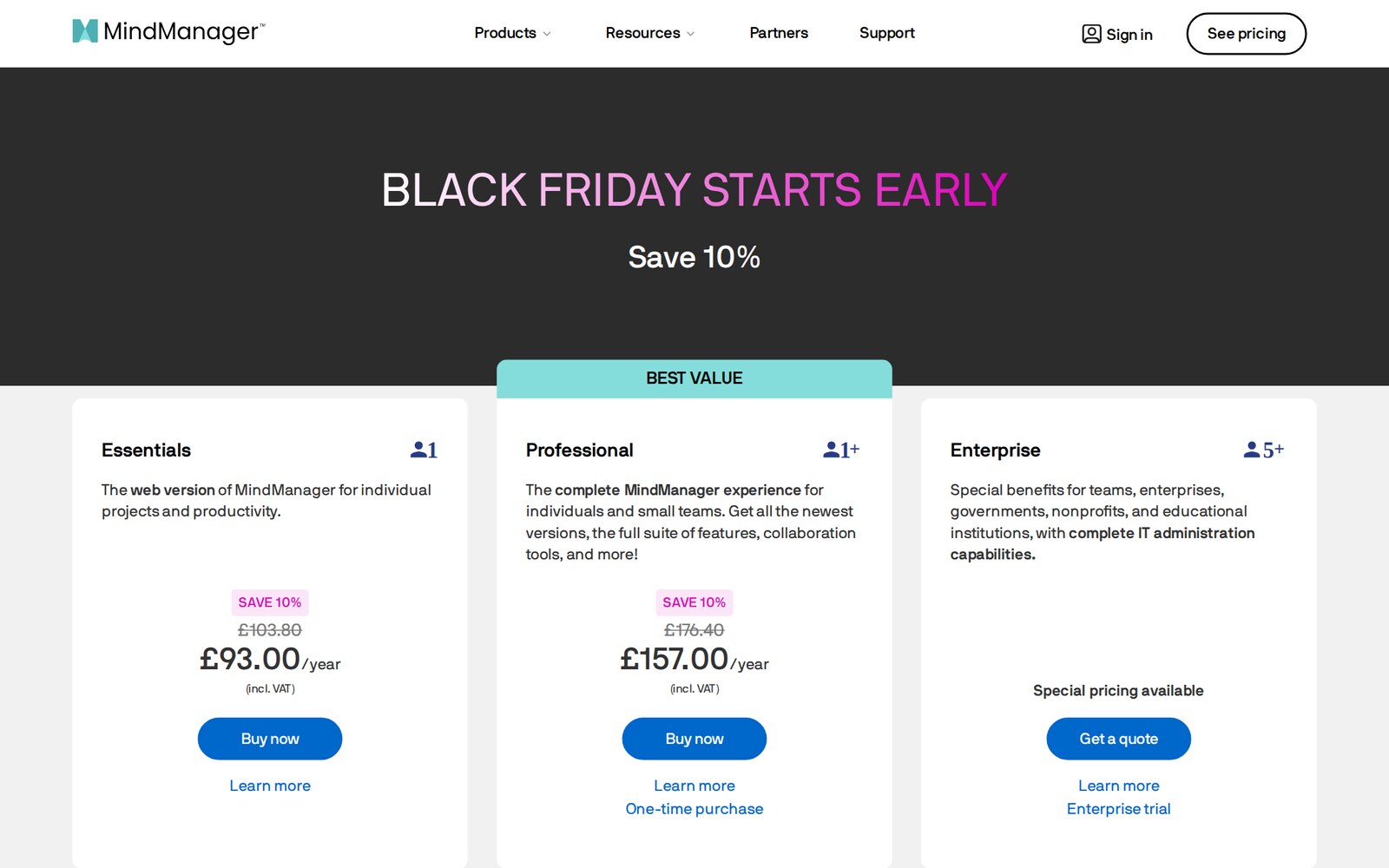
MindManager is sold as annual subscriptions or a one-time license, and a Black Friday offer was taking 10% off the first year. Prices checked 16 Nov 2026.
| Plan | Price (USD) | What you get |
|---|---|---|
| Essentials | $99 a year ($89 first year in the current offer) | Web version only, for individuals, basic project planning, upgrades included |
| Professional | $179 a year ($159 first year in the current offer) | Desktop, web, Teams and Chromebook, advanced planning, co-editing, publishing, upgrades included |
| One-time purchase | $369 once ($329 in the current offer) | Desktop only, current release and single-user features, no web access, co-editing or upgrades |
| Enterprise | Quote | Volume discounts, admin portal, SSO, read-only licenses, premium support, Enterprise trial |
All prices are per user or license. There is a 30-day fully functional free trial with no credit card, and the product pages offer a 30-day money-back guarantee. Separate editions exist for students and educators and for Microsoft Teams. Enterprise adds large-scale deployment tools, single-key activation and optional training and consulting services.
A solo consultant on the desktop pays $179 a year for Professional, or $369 once for a desktop license without upgrades. A five-person team on Professional pays $895 a year at list price before any Enterprise volume discount.
Ratings depend on where you look. G2 showed 4.5 out of 5 from 192 reviews on 16 Nov 2026, with praise for versatility and integrations and flagging the learning curve and complex setup. G2's summary of requested improvements includes bringing the Mac, web and mobile apps closer to the desktop version.
Trustpilot is thinner and harsher, with 2.8 from 4 reviews on an unclaimed profile. A February 2026 reviewer reported constant crashes and trouble cancelling, and an April 2026 reviewer said they moved to XMind. MindManager's own site quotes 4.5 stars from 565+ reviews.
MindManager runs on desktop, web and mobile, though functionality varies by platform and purchase option.
The October 2026 update (14 Oct 2026) is the latest version of MindManager, and it pushes further into process mapping and Microsoft 365.
MindManager's main drawbacks are price, complexity and uneven support across devices.
These mind mapping tools do the same job with different trade-offs on price and depth.
MindManager is one of the most complete mind mapping tools for project planning, with Gantt, Kanban, Excel and SharePoint links that lighter apps lack. I would pick Professional if you plan real projects in Microsoft 365. If you mostly brainstorm or want a free tier, XMind or MindMeister will cost less and feel lighter.
Lifetime deal on MindManager
MindManager Essentials is $99 a year, Professional $179 a year, and a one-time desktop license $369. A Black Friday offer was taking 10% off the first year, and Enterprise pricing is by quote.
No. There is a 30-day fully functional free trial that needs no credit card, and paid plans carry a 30-day money-back guarantee.
Yes. Professional and the one-time license include desktop apps for Windows and Mac, but some features, such as content control, the SharePoint Linker and the new BPMN shapes, are Windows only.
You can buy a one-time license for $369. It covers the current desktop version and single-user features only, without the web app, co-editing or upgrades to later versions.
If you want free mind mapping, XMind offers a free plan of up to 10 online maps and MindMeister a free plan of 3 maps with unlimited collaborators. Neither matches MindManager's Gantt and Excel tools.
Yes, in Microsoft 365. The October 2026 update lets anyone open a map stored in SharePoint, OneDrive or Teams read-only in the MindManager HTML5 client without a license, once an administrator configures it.
We may earn a commission when you buy through links on SaaSPic. It never changes our verdicts or the price you pay. Affiliate disclosure
Add this badge to your website so your visitors can read this independent review in one click.

 6.6/10
AI canvas that turns chat, notes, PDFs or videos into editable mind maps, flowcharts, diagrams and slides.
 8.4/10
Scheduling software that lets people book time with you through a link, with team routing, reminders, payments and AI meeting recaps.
 8.3/10
Web booking page and scheduler that syncs your calendars and lets clients book and pay for sessions, packages and subscriptions.
 8.1/10
Time tracker and timesheet app for teams, with a free plan and per-seat paid tiers for invoicing, approvals and scheduling.