 6.8/10
All-in-one AI video and image generator with its own Pollo models plus Kling, Veo, Sora, Wan and others, run on a shared credit system.


AI video and image platform with video-to-video anime styling, many third-party models, avatars and effects.
We may earn a commission when you buy through our links. How this works
GoEnhance AI suits social creators who want anime-style restyling, trending effect videos and access to many AI video models from one account. Skip it if you need commercial rights on the cheapest plan, a refund safety net, or a brand-safe workspace for a team.
Best for: Social creators restyling clips and trying many AI video models

6.6/10 Good, with trade-offs. The overall score is our judgment against the questions we ask of every tool, not an average. How we score
| Question | Score | Why |
|---|---|---|
| Does the jobWhat it actually does for the task it is sold for, and where it falls short. | 7.0 | Video-to-video restyling into anime and other looks runs up to 60 seconds on Pro, with many third-party video models available from one account. |
| Pricing and limitsWhat you pay at a realistic size, including caps, add-ons and deal limits. | 5.5 | Plans start at $8 a month yearly, but Basic is personal use only, and per-model caps and tokens make the real cost hard to judge. |
| Reliability and supportUpdate pace, known problems and how support responds. | 5.5 | Subscriptions are not refundable even though many generations miss, and support is by email and Discord. |
| Fit against alternativesHow it compares with the alternatives for the people it is aimed at. | 6.5 | Broad rather than deep, with no proper editor or team features, and some effects are adult-leaning and not brand safe. |
GoEnhance AI is an AI video and image platform known for video-to-video style transfer, such as turning real footage into anime, plus a large library of effects and access to many third-party AI video models on one token balance. It is aimed at social creators and casual users rather than production teams.
GoEnhance fits creators making short social clips who want to restyle footage, animate a photo or try trending effects without learning separate tools. The vendor says it is built for beginners and professionals alike and runs on PC and mobile.
Skip it if you need a brand-safe workspace for a business team. The effects library mixes useful video tools with prank, dance and some adult-leaning effects, and a few video models are labeled spicy. Also skip it if you need commercial rights on the cheapest plan or any chance of a refund.
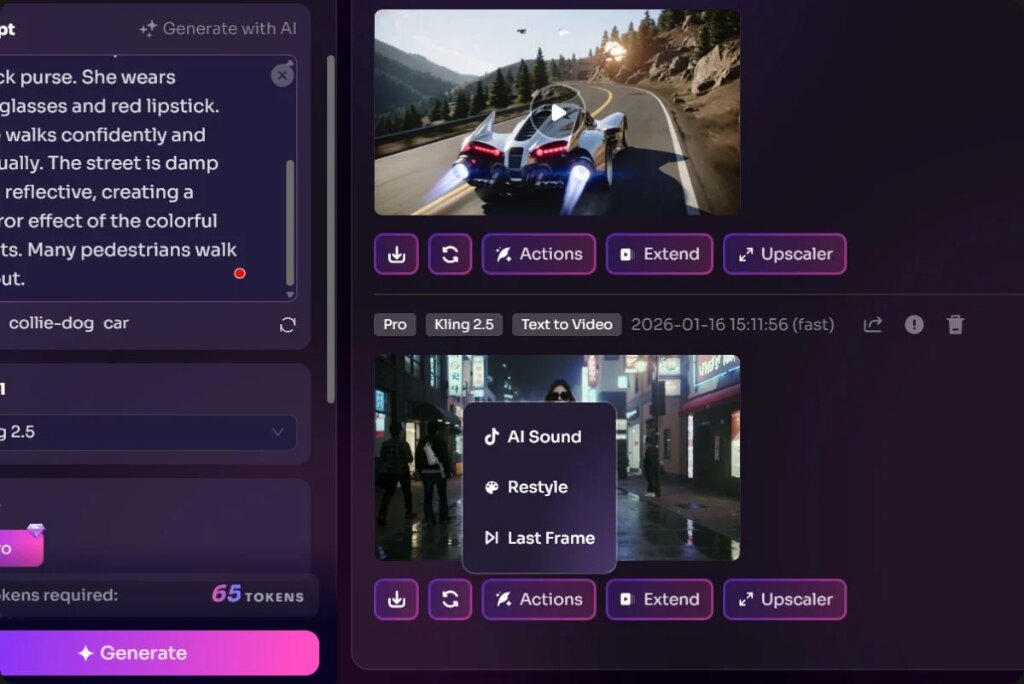
The online workspace has a left menu of tools, a form where you pick a mode and model, add an image or text prompt and set the aspect ratio, length and resolution, and a Generate button that shows the token cost first.
The video-to-video tool converts footage into styles such as anime, clay animation, Pixar-style, Ghibli style, pixel art, pop art, knit and 3D CG. You can restyle only the subject and keep the real background, which gives you creative control without editing skills. On paid plans, video to video runs up to 20 seconds on Standard and 60 seconds on Pro and Mega.
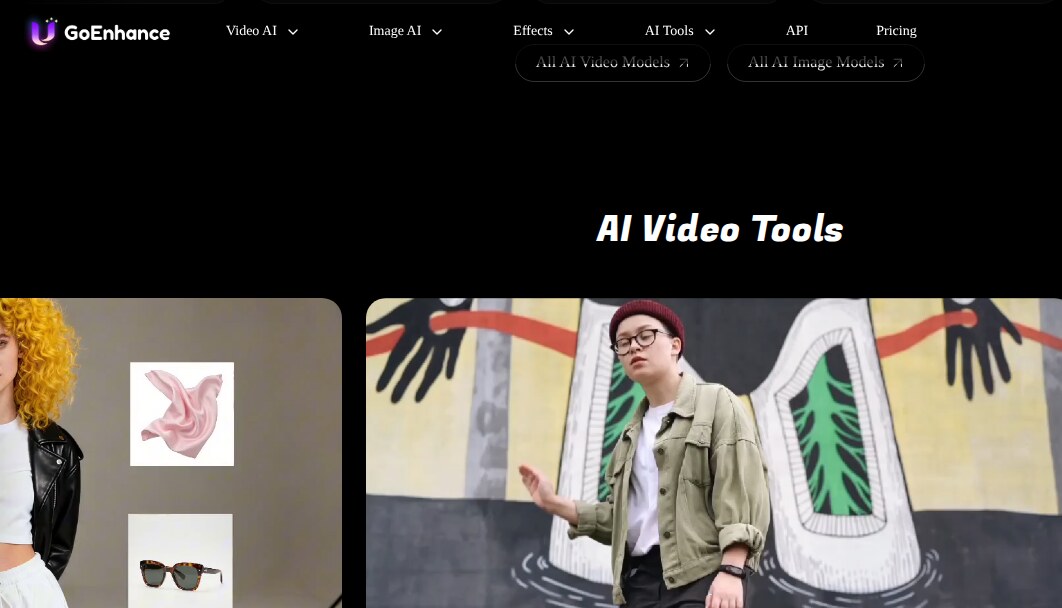
The AI video generator handles text to video, image to video, frames, reference to video, a video extender and video to audio. One account gives access to third-party models including Kling, Runway, Hailuo, Luma, Seaweed, Wan, Vidu, Hunyuan, Midjourney Video, Veo 3, Sora 2, Grok Imagine and Pixverse, alongside GoEnhance's own.
Image tools include an AI image generator with options such as Flux, Ideogram, Recraft, Nano Banana Pro, Seedream and Midjourney, plus an image enhancer, face swap and an upscaler. There are also lip sync, talking avatars, character animation, a video upscaler, AI music and text to speech, and a long list of video and photo effects.
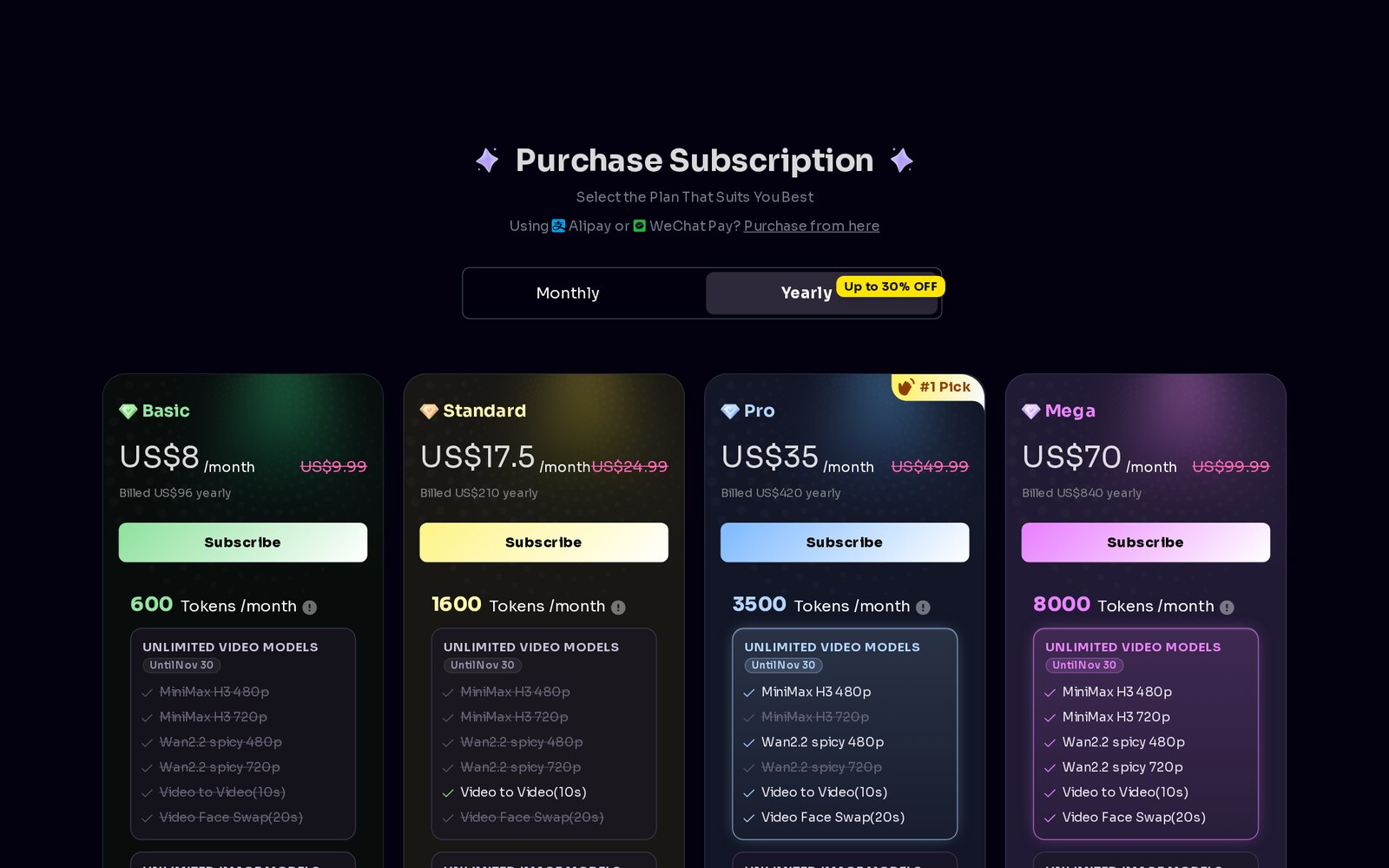
GoEnhance has a free sign-up allowance and four paid plans, each with monthly tokens, priced in US dollars. Prices checked 15 Nov 2026.
| Plan | Monthly billing | Yearly billing | Tokens a month | Key limits |
|---|---|---|---|---|
| Free | $0 | $0 | A small amount on sign-up | Personal use only |
| Basic | $9.99 a month | $8 a month ($96 a year) | 600 | Personal use only, 3 concurrent fast jobs, no Relax Mode |
| Standard | $24.99 a month | $17.50 a month ($210 a year) | 1,600 | Commercial license, Relax Mode, video to video up to 20 seconds, 3 concurrent fast jobs |
| Pro | $49.99 a month | $35 a month ($420 a year) | 3,500 | Commercial license, Relax Mode, video to video up to 60 seconds, 6 concurrent fast jobs |
| Mega | $99.99 a month | $70 a month ($840 a year) | 8,000 | Commercial license, Relax Mode, video to video up to 60 seconds, 12 concurrent fast jobs |
Every paid plan includes no watermark, private generation and 180 days of storage. A one-time pack of 500 tokens costs $10 and the tokens don't expire, and Standard, Pro and Mega add a 5%, 10% or 15% bonus on token purchases. On yearly plans the token allowance resets each month on your subscription date.
Fast Mode uses tokens, while Relax Mode uses none but may queue your jobs, and it only covers supported features. Until 30 Nov 2026, the pricing page lists the same set of video and image models as unlimited on every paid plan.
You can cancel at any time through the Stripe billing portal. GoEnhance does not offer refunds, citing GPU costs, and says you waive the right to a refund when you sign up.
In the video generator, a 5-second, 480p video on MiniMax H3 Flex at 16:9 shows a cost of 25 tokens. At that rate Basic's 600 tokens cover about 24 such videos a month and Pro's 3,500 cover about 140. Higher resolutions, longer durations and premium engines cost more, so check the token cost shown before each job.
There is very little independent feedback to go on. On 15 Nov 2026, GoEnhance had no reviews on an unclaimed Trustpilot profile, and its Product Hunt page had 7 followers, 8 upvotes and no reviews.
The vendor calls GoEnhance the choice of 3 million plus creators, but that is its own figure. Without public reviews, the free tokens are the best way to judge output quality and speed before paying.
GoEnhance runs in the browser and has an iOS app, an Android app on Google Play, a desktop app and a Pinterest Chrome extension. It also offers an API with its own documentation.
The tool list keeps growing. The app menu now marks AI Story, AI Music Video, Marketing Studio, AI Baby Generator, a watermark remover, a background remover and an HD upscaler as new, and a limited-time offer gives Pro and higher users free 5-second MiniMax H3 clips in Relax Mode until 30 Nov 2026.
The biggest drawbacks are the no-refund policy, personal-use-only rights on Basic, and the thin public track record. Token costs vary by engine and settings, Relax Mode can queue jobs, and the mix of novelty and adult-leaning effects makes it a poor fit for brand or client work that needs a clean tool list.
Other AI video generators cover the same ground, each with a different strength.
GoEnhance AI is a broad, low-cost way to restyle videos into anime and other looks and to try many AI video models from one token balance. I would start with the free tokens, then pick Standard on yearly billing if you need commercial rights, and avoid it for brand or client work where the effects library and no-refund terms are a problem.
You can sign up for free and get a small amount of tokens to try every tool. For regular use you need a paid plan, which starts at $9.99 a month or $8 a month billed yearly.
Monthly plans are $9.99 for Basic, $24.99 for Standard, $49.99 for Pro and $99.99 for Mega. Yearly billing brings them to $8, $17.50, $35 and $70 a month.
Only on the Standard, Pro and Mega plans. Free users and Basic subscribers are limited to personal use, and GoEnhance asks users not to use copyrighted or trademarked material such as celebrities or cartoon characters.
No. GoEnhance says it can't refund subscriptions because of the GPU costs of generating video, and you agree to waive refunds when you sign up.
Fast Mode uses tokens and tries to give you instant GPU access. Relax Mode uses no tokens but jobs may be queued, and it is only for supported features on the Standard, Pro and Mega plans.
Plan tokens are a monthly allowance that resets on your subscription date, even on yearly plans. Tokens from the one-time pack of 500 for $10 do not expire.
We may earn a commission when you buy through links on SaaSPic. It never changes our verdicts or the price you pay. Affiliate disclosure
Add this badge to your website so your visitors can read this independent review in one click.
 6.8/10
All-in-one AI video and image generator with its own Pollo models plus Kling, Veo, Sora, Wan and others, run on a shared credit system.
 8.3/10
AI video and image generator running Kling's own models, with keyframes, character references, native audio, motion control and an API.
 7.0/10
AI character animation app for swapping characters into videos, memes and live streams, plus PINOC 3D worlds and an API.
| Tool | Score | From | Free plan | Best for |
|---|---|---|---|---|
| GoEnhance AI | 6.6/10 | $9.99/mo | Yes | Social creators restyling clips and trying many AI video models |
| Pollo AI | 6.8/10 | $99.99/yr | Yes | Marketers and creators testing many AI video models in one place |
| Kling AI | 8.3/10 | $8.80/mo | Yes | Creators directing cinematic AI video clips |
| Viggle AI | 7.0/10 | $9.99/mo | Yes | Creators making character swap memes and dance videos |
 8.4/10
Voice AI platform with Sonic text to speech, Ink speech to text and Managed Agents for phone voice agents via API.
 8.3/10
AI voice platform for text to speech, voice cloning, dubbing, music and sound effects, plus voice agents and an API for developers.
 8.0/10
AI video platform for avatar presenter videos, voice cloning and lip-synced video translation in 175+ languages and dialects.