 8.0/10
AI video platform for avatar presenter videos, voice cloning and lip-synced video translation in 175+ languages and dialects.


AI video suite for face swap, talking avatars, video translation and multi-model video and image generation.
We may earn a commission when you buy through our links. How this works
Akool suits marketers, agencies and creators who want face swap, avatars, translation and many generation models under one account. Skip it if you only need a presenter avatar or want flat pricing and firm refund terms.
Best for: Marketing teams mixing face swap, avatars and AI video
7.2/10 Good, with trade-offs. The overall score is our judgment against the questions we ask of every tool, not an average. How we score
| Question | Score | Why |
|---|---|---|
| Does the jobWhat it actually does for the task it is sold for, and where it falls short. | 7.5 | Face swap covers photos, video and live camera, and video translation lists 155+ languages with lip sync, plus avatars and many third-party models. |
| Ease of useSetup needed and how quickly you get something useful done. | 6.5 | The product range is very wide and the site is busy, so new users may struggle to work out which tool to use. |
| Pricing and limitsWhat you pay at a realistic size, including caps, add-ons and deal limits. | 6.5 | Starter is $12 per seat on yearly billing, but credit costs vary by model and plans below the top tiers carry a personal license. |
| Fit against alternativesHow it compares with the alternatives for the people it is aimed at. | 7.0 | HeyGen is the closest rival for avatar video, so a presenter-only buyer may prefer a focused tool, while Akool bundles face swap and generation models. |
Akool is an AI video platform that bundles face swap, talking avatars, video translation and a hub of third party video and image models under one credit balance. It suits marketers, agencies and creators who want several kinds of AI video in one account rather than one specialist tool.
Akool fits social media managers, ecommerce sellers and agencies who need a steady production line of short marketing video and want face swap, avatars, dubbing and generation models without paying for four separate tools. Its own plan names follow that split, with Starter for first time creators, Pro for professional creators, Pro Max for power creators and Business for agencies.
Skip it if you only need a presenter avatar for training videos, where a focused avatar tool is simpler to budget for. It is also a poor fit if you want flat, predictable monthly output, because every model burns credits at its own rate, or if you need a refund policy you can rely on.
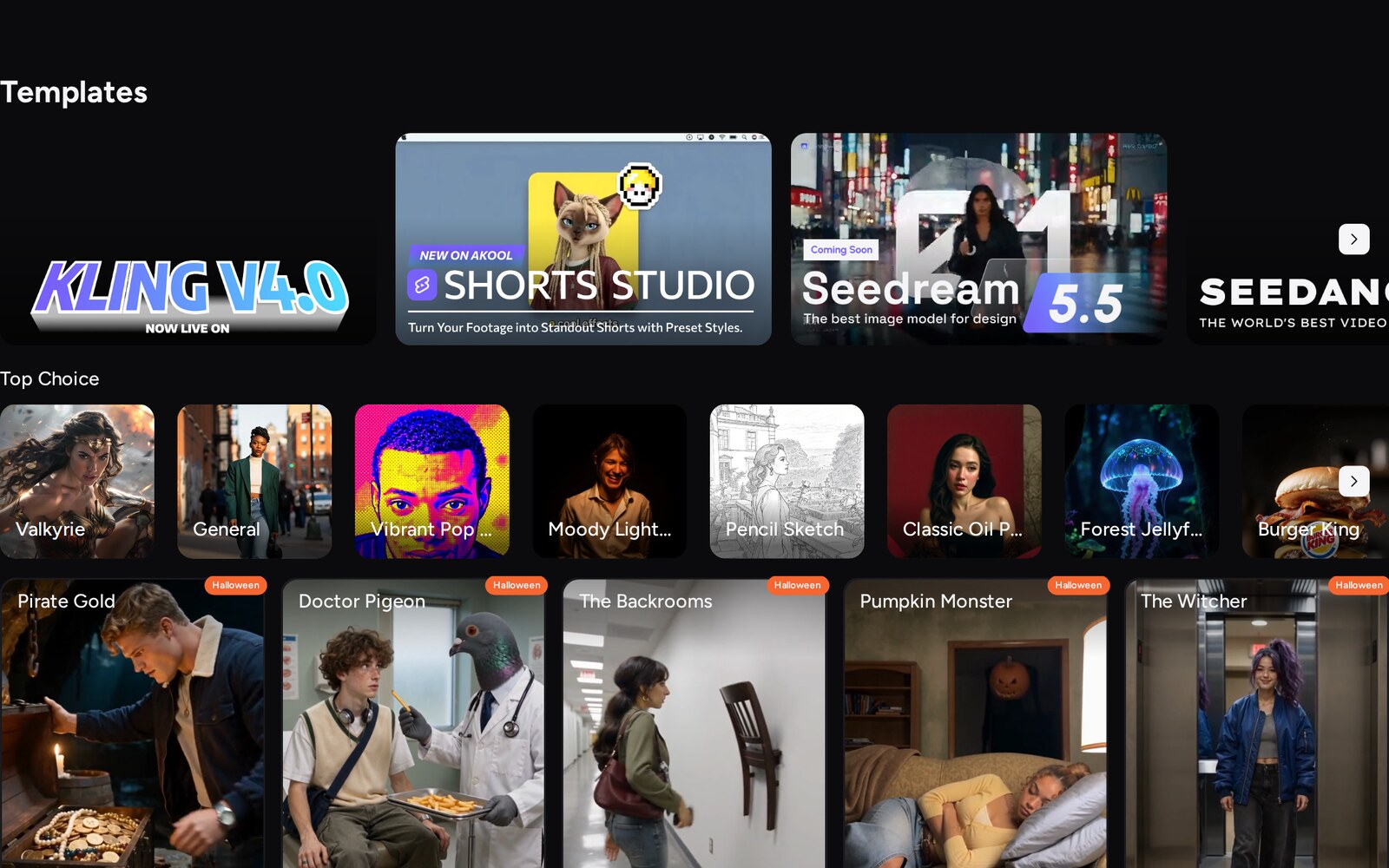
Most Akool jobs follow the same creative pattern. You pick a tool or a model, upload a photo, video or script, generate the result and spend credits for it. The homepage groups the tools under Swap, Image, Video, Avatar and Voice.
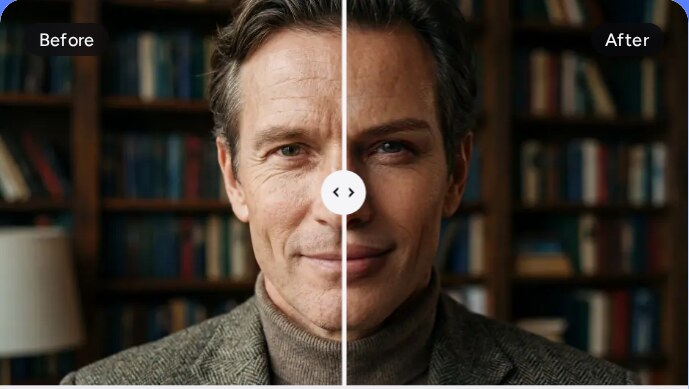
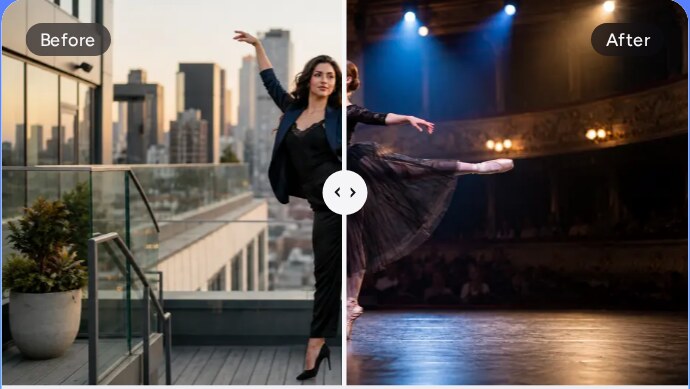
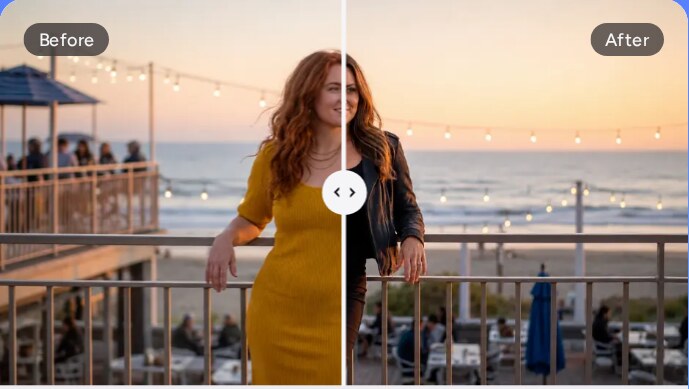
Face swap is still the feature Akool is best known for. The face swap app takes up to 50 files at once (MP4, MOV, AVI, MKV or WebM video and JPG, PNG or WebP images) or pasted video links, and the same screen now offers Character Swap, Motion Swap, Head Swap, Hair Swap and Clothing Swap. Multi face detection and re-age work on every plan, face enhance needs a paid plan, and live face swap runs on a camera feed.
Avatar video uses a library of public avatars or your own instant avatar (one on Free, up to ten on Business). Talking Photo animates a still headshot from a script, with a choice of emotion. Streaming Avatar puts a real time avatar in front of customers, with a knowledge base on every plan, and Character Studio builds videos from an avatar and a script with no camera.
Video translation covers 155+ languages with lip sync, background music removal, captions and AI or cloned voices. Paid plans add a proofread editor for fixing names and brand terms before export, and Pro Max and Business can upload and download SRT or ASS subtitle files.
The Model Hub lists third party models such as Seedance 2.5, Kling, Wan, Grok, Hailuo, MiniMax, PixVerse, GPT Image 2 and Nano Banana 2, each billed in credits. Video Agent and Agentic Canvas let you build and edit a project from prompts on every paid plan, and Shorts Studio, which Akool marks as new, turns your own footage into short videos.
Akool has a free plan, four self serve paid plans priced per seat and a custom Enterprise plan. Prices checked 14 Nov 2026, in US dollars. Yearly billing shows a 30% discount on Pro, Pro Max and Business.
| Plan | Monthly billing | Yearly billing | What it includes |
|---|---|---|---|
| Free | $0 | $0 | Full screen watermark, slow processing, 720p avatar video up to 10 minutes, 30 second face swap clips, 5 GB storage |
| Starter | $12 per seat a month | $12 per seat a month ($144 a year) | 200 credits a month, 1080p, 15 minute videos, selected models, personal license, no watermark |
| Pro | $30 per seat a month | $21 per seat a month ($252 a year) | 600 credits a month, 4K, 30 minute videos, all leading models except Seedance 2.5, proofread editor, personal license |
| Pro Max | $59 per seat a month | $41.30 per seat a month ($495.60 a year) | 1,200 credits a month, 8K, 45 minute videos, API access, workspace collaboration, Seedance 2.5, personal license |
| Business | $249 per seat a month | $174.30 per seat a month ($2,091.60 a year) | 6,000 credits a month, 16K, 60 minute videos, one fine tuned Studio Avatar, business license |
| Enterprise | Custom | Custom yearly plan | Credits that do not expire, Ultra Avatar, SSO, dedicated servers and account manager, enterprise license |
Pro, Pro Max and Business have sliders for bigger credit bundles, and the prices above are the entry bundle. Every invited admin or editor costs the same as the owner's seat. Subscriptions renew automatically at the then current price, and Akool's terms say fee disputes raised within 30 days are settled as account credit, never cash. Fees paid for a trial are non-refundable.
The pricing page converts credits into output, which makes rough budgeting possible. Starter's 200 credits equal 20 Kling 3.0 videos or 100 Nano Banana Pro images, so a Kling clip costs about $0.60 on Starter. Pro's 600 credits equal 60 Kling 3.0 videos, about $0.50 each on monthly billing or $0.35 on yearly billing. Pro Max works out at about $0.49 per Kling 3.0 video on monthly billing. Other models cost more or less per clip.
Ratings depend heavily on where you look. On 14 Nov 2026 G2 showed 4.8 out of 5 from 626 reviews, with 93% five star. The Akool iPhone app on the App Store showed 3.9 out of 5 from 167 ratings.
The App Store reviews shown on the listing praise quick turnaround from script to video for marketers who need fresh content. The same reviewers ask for more editing control, such as removing specific elements from a generated video, and mention occasional glitches in transitions.
Akool Inc. is a private US company founded in 2022, led by CEO Jiajun Lu, and Wikipedia gives its headquarters as California. It runs in the browser, and its iPhone and iPad app also installs on Macs with an M1 chip or later.
Akool's model line up and plans move quickly. The pricing page now offers an Unlimited Mode on Pro and above for selected Akool, PixVerse and Nano Banana models, and keeps Seedance 2.5 for Pro Max and above. The homepage promotes Seedance 2.5, Seedream 5.5, an AI World Model and two features marked new, Shorts Studio and Motion Swap.
The iPhone app history shows a Starter subscription added in version 1.4.0 (13 July), credit pack purchases in version 1.5.0 (19 August) and version 1.5.3 on 23 October. Akool's terms of service were revised on 1 Oct 2026 and include dynamic billing for overdraft credits.
The biggest drawback is cost predictability. Credits buy very different amounts of output depending on the model, and the terms allow overdraft charges and discretionary surcharges that are final and non-refundable.
The best Akool alternative depends on which of its jobs matters most to you. These tools cover the same ground for the same buyers.
I would pick Akool if you want face swap, avatar video, translation and a wide model hub in one account and you are comfortable budgeting in credits. If you only need talking presenter videos, or you want simple pricing and firm refund terms, HeyGen or Synthesia will be easier to live with.
Akool is an AI video platform from Akool Inc. that offers face swap, talking avatars, video translation in 155+ languages and a hub of third party video and image models, all paid for with credits.
There is a free plan, then Starter at $12, Pro at $30, Pro Max at $59 and Business at $249 per seat a month on monthly billing, with yearly billing about 30% cheaper on the top three. Enterprise is custom.
Yes, there is a free plan, but it adds a full screen watermark, runs at slow speed and limits face swap to 30 second clips. Paid plans remove the watermark.
Yes. Akool has an Open API with public docs and a Postman collection, and API access is included from the Pro Max plan upward.
Akool's terms say fee disputes raised within 30 days are resolved as account credit, never as cash refunds, and trial fees and overdraft charges are non-refundable.
Yes. Akool's terms say you cancel by emailing [email protected] at least 24 hours before renewal, and the plan then runs to the end of the paid period without renewing.
We may earn a commission when you buy through links on SaaSPic. It never changes our verdicts or the price you pay. Affiliate disclosure
Add this badge to your website so your visitors can read this independent review in one click.
 8.0/10
AI video platform for avatar presenter videos, voice cloning and lip-synced video translation in 175+ languages and dialects.
 7.6/10
AI video platform for business that turns scripts into avatar-presented videos, with dubbing, translation and LMS export.
 7.1/10
AI avatar video generator with talking avatars, photo avatars, text and PPT to video, translation and a daily free plan.
 6.4/10
AI video and image platform that bundles Kling, Veo, Sora, Seedance and other models with camera controls and ad tools.
| Tool | Score | From | Free plan | Best for |
|---|---|---|---|---|
| Akool | 7.2/10 | $12/mo | Yes | Marketing teams mixing face swap, avatars and AI video |
| HeyGen | 8.0/10 | $29/mo | Yes | Marketing and training teams making avatar-led and translated videos |
| Synthesia | 7.6/10 | £19/mo | Yes | Training and L&D teams making multilingual video |
| Vidnoz AI | 7.1/10 | $26.99/mo | Yes | Budget avatar videos for training and marketing |
| Higgsfield | 6.4/10 | $19/mo | Yes | Creators and agencies testing many AI video models |
 8.4/10
Voice AI platform with Sonic text to speech, Ink speech to text and Managed Agents for phone voice agents via API.
 8.3/10
AI video and image generator running Kling's own models, with keyframes, character references, native audio, motion control and an API.
 8.3/10
AI voice platform for text to speech, voice cloning, dubbing, music and sound effects, plus voice agents and an API for developers.