 8.1/10
Keyboard launcher for Mac and Windows with clipboard history, snippets, window management, thousands of extensions and built-in AI.


Mac app that gives each Codex or Claude Code project its own windows on its own displays and switches them with the chat.
We may earn a commission when you buy through our links. How this works
AI Desktop Manager suits developers who run several Codex or Claude Code projects on an Apple silicon Mac with two or more displays. Skip it if you work on one screen, use an Intel Mac or code with a different assistant.
Best for: Mac developers juggling Codex or Claude Code projects on two or more displays
6.3/10 Good, with trade-offs. The overall score is our judgment against the questions we ask of every tool, not an average. How we score
| Question | Score | Why |
|---|---|---|
| Does the jobWhat it actually does for the task it is sold for, and where it falls short. | 7.0 | Opening a conversation brings that project's editor, simulator and browser forward on the displays you assigned, and same-project chats share one layout. |
| Ease of useSetup needed and how quickly you get something useful done. | 6.5 | Setup is three steps and layouts survive restarts, but it needs Accessibility permission and the Displays have separate Spaces setting. |
| Pricing and limitsWhat you pay at a realistic size, including caps, add-ons and deal limits. | 8.0 | It is $4.99 once for two Macs with a 7-day trial that needs no card and never charges automatically. |
| Reliability and supportUpdate pace, known problems and how support responds. | 4.5 | Support is a personal email address, there are no docs beyond the homepage and no public user reviews yet. |
| Fit against alternativesHow it compares with the alternatives for the people it is aimed at. | 5.5 | It is built around Codex and Claude chats, but it only fits Apple silicon Macs with two or more displays. |
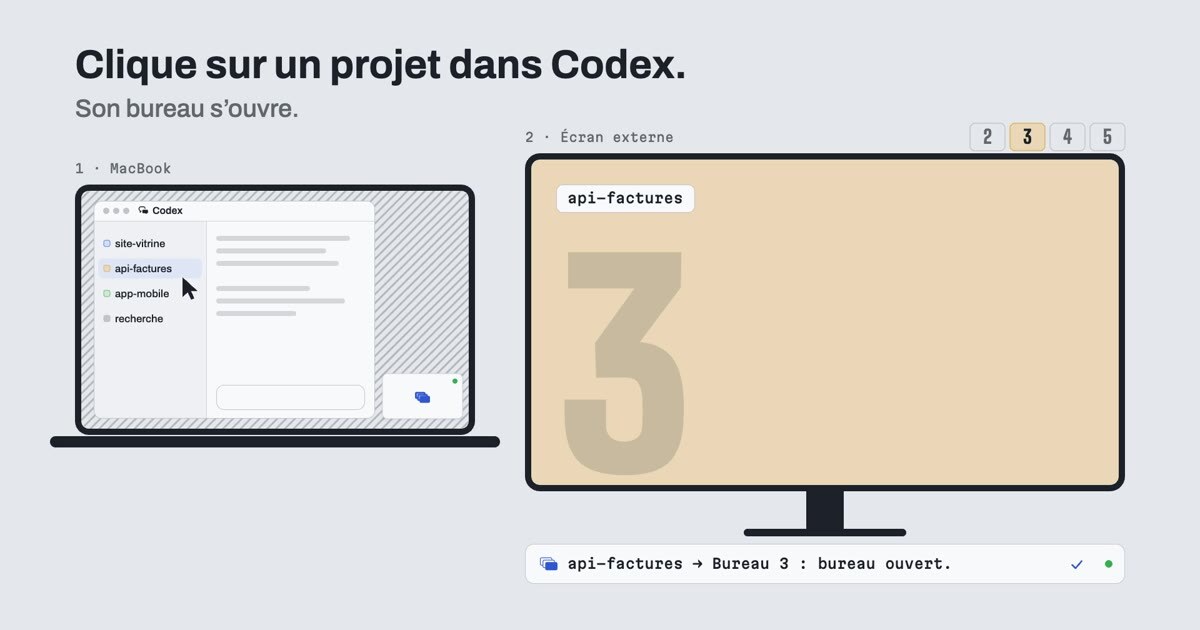
AI Desktop Manager is a Mac app that gives each Codex or Claude Code project its own set of windows on its own displays. When you open a conversation, the editor, simulator and browser for that project come forward on the screens you assigned, so you stop hunting for the right windows every time you switch.
AI Desktop Manager is a small, independent macOS utility for developers who run several coding projects through Codex or Claude Code at once, on a Mac with two or more displays. The maker describes the problem plainly. The assistant remembers every project, but your desktop forgets them all, so each jump to another conversation starts with finding the right editor, simulator and browser tab.
The app keeps a window layout for each project and brings it forward when you switch conversations. Conversations in the same project share one layout, so moving between them does not shuffle anything.
It supports Codex for Mac and Claude Code projects in the Claude Mac app, separately or together. The site says it is an independent app and not affiliated with OpenAI, Anthropic or Apple. Skip it if you work on a single laptop screen, use a different coding assistant, or run Claude Code only in a terminal.
The feature set is narrow and focused on one job, which is matching windows on your displays to the project of the conversation you open.
The maker describes three steps. You turn on your assistants (Codex, Claude Code or both), place each project's windows, then keep working, and the app reads project folders to know which project a conversation belongs to.
The app needs macOS Accessibility permission to bring windows forward, and Screen Recording is optional and only used for window previews. The maker says it reads local project and navigation metadata from Codex and Claude, and that conversation content is never read or sent. Usage analytics are off unless you opt in, and the app is signed with a Developer ID and notarized by Apple. The current download is version 1.39, and the site is in English and French.
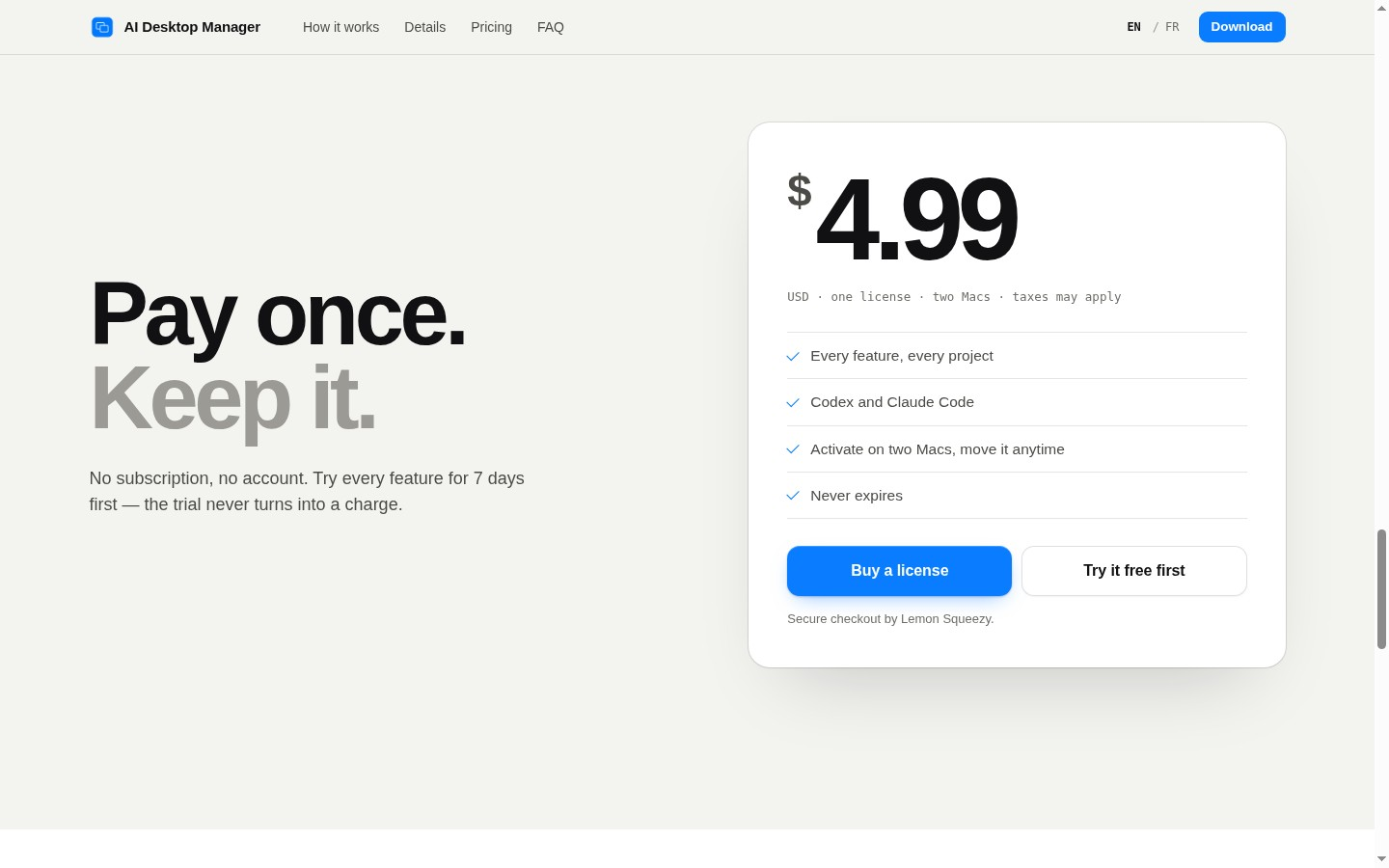
AI Desktop Manager costs $4.99 as a one-time purchase, with no subscription and no account. Prices checked 18 Nov 2026 on the maker's site.
| Option | Price (USD) | What you get |
|---|---|---|
| Free trial | $0 for 7 days | Every feature, no account or card, and no automatic charge when it ends |
| License | $4.99 once, taxes may apply | Every feature and project, Codex and Claude Code, activation on two Macs, never expires |
Checkout is handled by Lemon Squeezy. To start the trial you download the app and click Start my 7-day trial in its License tab. The trial stores a random installation ID in your Keychain and sends it to the maker's site to check the dates, so reinstalling does not restart it. After 7 days you need a license to keep switching, and your projects and layouts stay saved.
The requirements are strict, so check them before you download.
The nearest alternatives are general Mac window managers, which arrange windows by hand, by shortcut or by saved layout rather than by the conversation you open.
AI Desktop Manager does one specific job for a specific setup, and at $4.99 once with a 7-day trial that never turns into a charge, there is very little risk in trying it. I would pick it if you run several Codex or Claude Code projects on a Mac with two or more screens and keep losing time rearranging windows. Skip it if you work on one screen, use an Intel Mac, or code with a different assistant.
It keeps a window layout for each Codex or Claude Code project and brings those windows forward on your chosen displays when you open a conversation in that project.
It is a one-time purchase of $4.99 USD (taxes may apply) for one license that works on two Macs and never expires. There is no subscription.
No. The maker says you need at least two displays, one for your assistants and one or more for your project windows.
The maker says no. It uses local project and navigation metadata from Codex and Claude to know which project is open, and conversation content is never read or sent.
Yes. Every feature is free for 7 days with no account or card, and you are never charged automatically when it ends.
An Apple silicon Mac on macOS 13 or later, two or more displays with Displays have separate Spaces turned on, and Accessibility permission. Screen Recording is optional and only used for window previews.
We may earn a commission when you buy through links on SaaSPic. It never changes our verdicts or the price you pay. Affiliate disclosure
Add this badge to your website so your visitors can read this independent review in one click.
 8.1/10
Keyboard launcher for Mac and Windows with clipboard history, snippets, window management, thousands of extensions and built-in AI.
 8.4/10
AI coding agent with a desktop editor, CLI, cloud agents and code review that plans, writes and fixes code in your repositories.
 8.2/10
Cloud platform where Replit Agent builds, tests and publishes web and mobile apps with built-in hosting, database and auth.
 7.9/10
Virtualization software to run Windows, Linux and macOS VMs on a Mac, authorized by Microsoft for Windows 11 on Apple silicon.