 6.6/10
French shift planning, timesheet and team logbook app for bars, restaurants, clubs and cafes, priced per venue.


HR app for leave requests, time tracking, shift planning and overtime banking, with Swiss and French labor agreement checks.
We may earn a commission when you buy through our links. How this works
Leavo is a strong, low-cost pick for small and mid-size teams in Switzerland or France, especially in hospitality, cleaning or construction, where collective-agreement rules and overtime banking matter. Teams elsewhere that only need a simple leave tracker with calendar and Slack integrations should look at Timetastic or LeaveDates first.
Best for: Swiss and French shift-based teams that bank overtime
6.6/10 Good, with trade-offs. The overall score is our judgment against the questions we ask of every tool, not an average. How we score
| Question | Score | Why |
|---|---|---|
| Does the jobWhat it actually does for the task it is sold for, and where it falls short. | 7.2 | Leave, clock-in time tracking, shift planning, overtime banking and Swiss and French agreement checks are all documented on leavo.com. |
| Ease of useSetup needed and how quickly you get something useful done. | 6.8 | The vendor describes a four-step setup with automatic public holidays, though no independent usability feedback exists. |
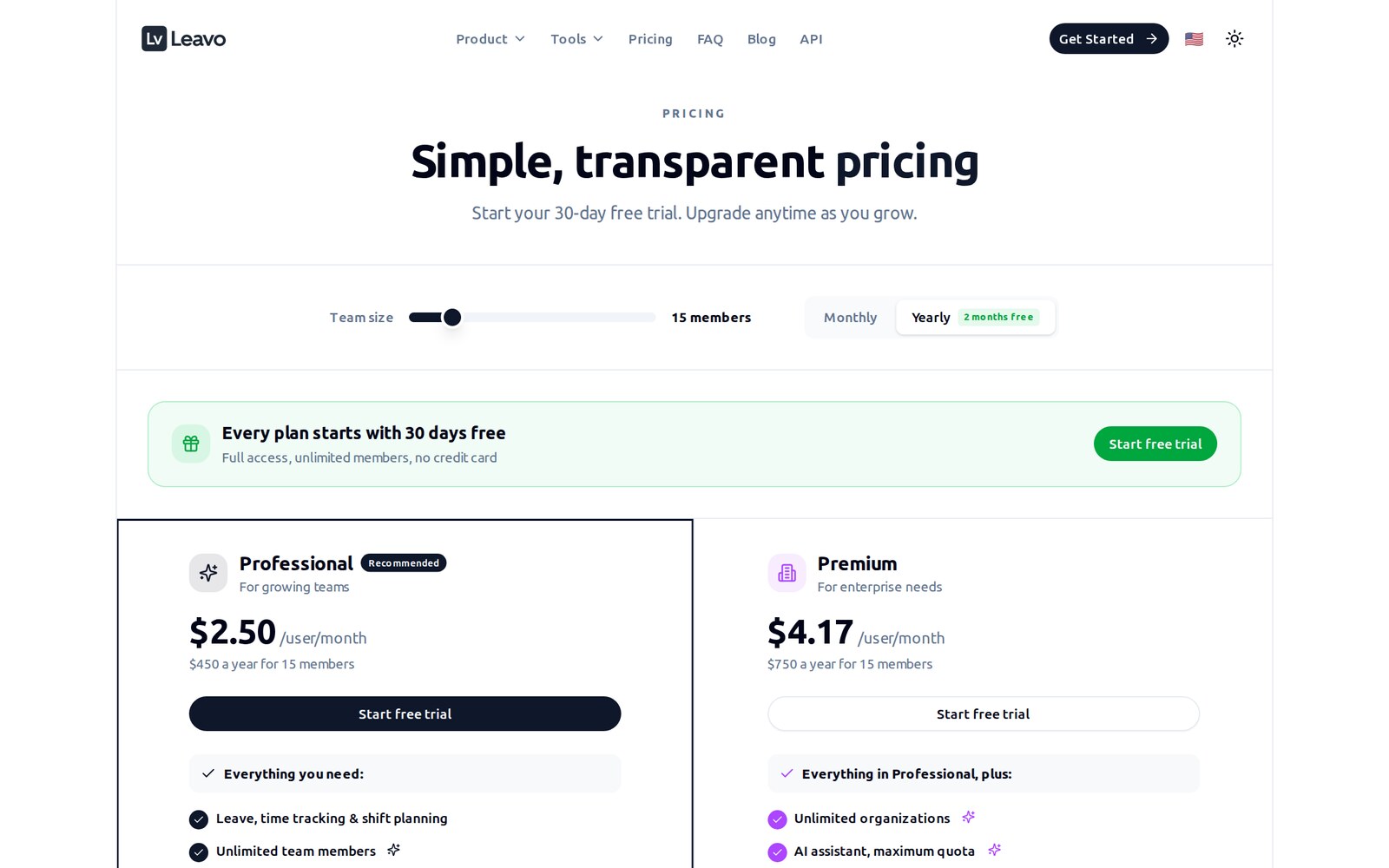
| Pricing and limitsWhat you pay at a realistic size, including caps, add-ons and deal limits. | 7.4 | Professional is $3 per user a month ($2.50 yearly) with a 30-day trial and no contract. |
| Reliability and supportUpdate pace, known problems and how support responds. | 5.0 | Email support on all plans and priority support on paid plans per the FAQ, but no public reviews to show how it performs. |
| Fit against alternativesHow it compares with the alternatives for the people it is aimed at. | 6.2 | Stronger than simple leave trackers for Swiss and French shift teams, weaker on integrations than LeaveDates as described on Leavo's own comparison page. |
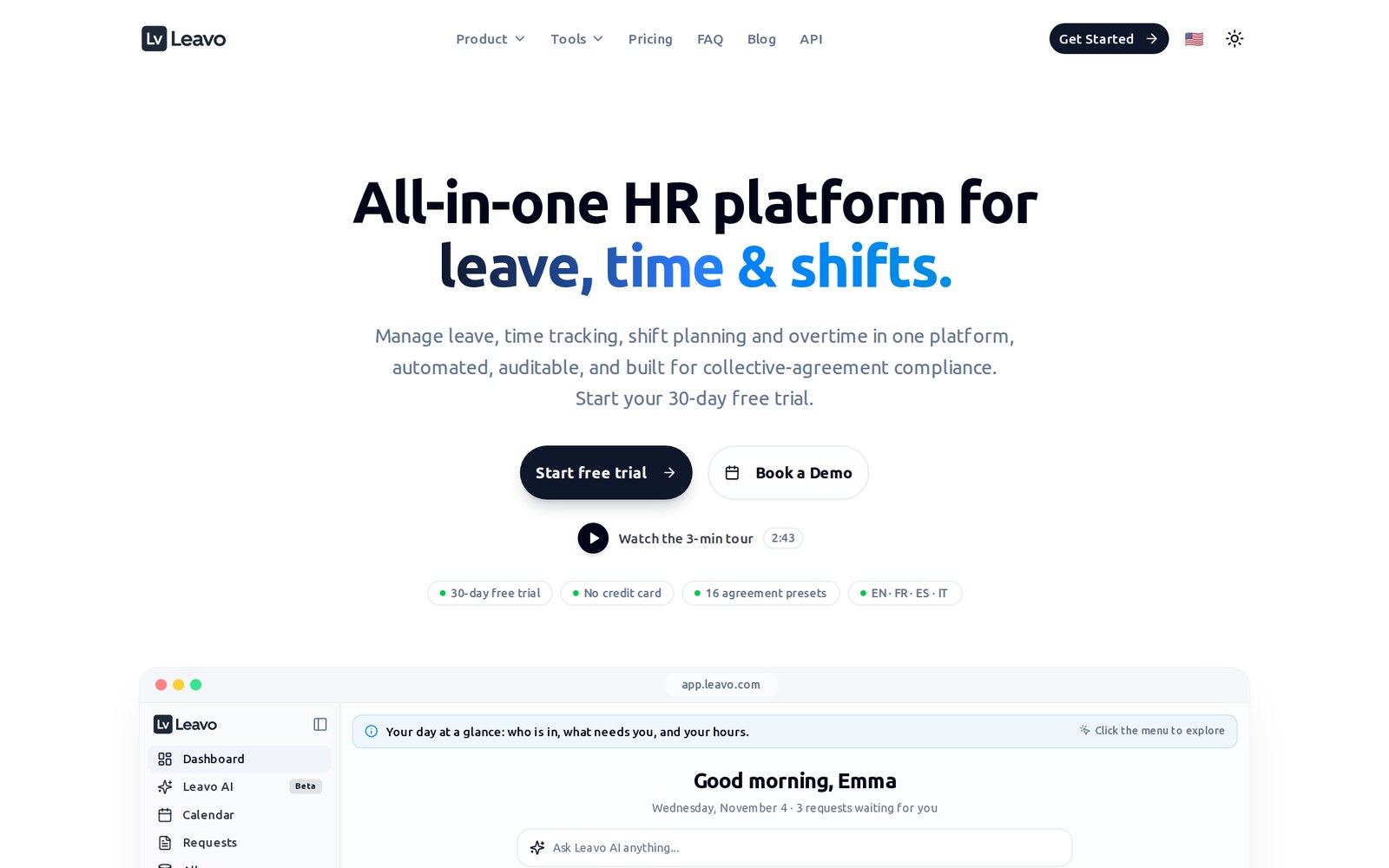
Leavo is a web-based HR app that brings leave management, time tracking, shift planning and an overtime bank into one platform. It is made by Cappsule Sarl in Geneva, Switzerland, and its standout feature is that it can check shifts and timesheets against Swiss and French collective labor agreements and block entries that break them.
Leavo fits small and mid-size employers that run shifts and track hours, especially in Switzerland and France. Its compliance presets name sectors such as hospitality (CCNT), construction, cleaning, road transport, retail pharmacy, Syntec and metalworking. A restaurant, cleaning company or care team that needs rotas, clock-in times, overtime and holidays to line up will get the most from it.
Skip it if you only need a simple holiday planner wired into Slack, Outlook or Google Calendar. Leavo lists no native integrations of that kind, and simpler leave tools cost less. Also skip it if you need payroll, since Leavo produces payroll-ready hours but doesn't run payroll.
The vendor describes a four-step setup: add your company and members (by hand or by CSV import), set public holidays and leave allowances, define the standard working schedule, then switch on the time tracking and hours balance modules. Public holidays fill in automatically by country and region, with the vendor citing 100+ countries.
Staff request time off in full days, half days or hours. Requests follow approval routes based on teams and reporting lines, and policies can approve some requests automatically. Balances recalculate live, and pending requests count as used so a manager can't over-allocate. You can create custom leave types, accrual rules and carry-over rules, with year-end carry-over handled automatically.
Employees clock in and out across morning and afternoon sessions. Leavo calculates worked and overtime minutes, and managers validate by day or by week. Physical badge readers and time clocks are supported: raw punches are turned into timesheet entries. Every edit is recorded in an immutable before and after audit trail.
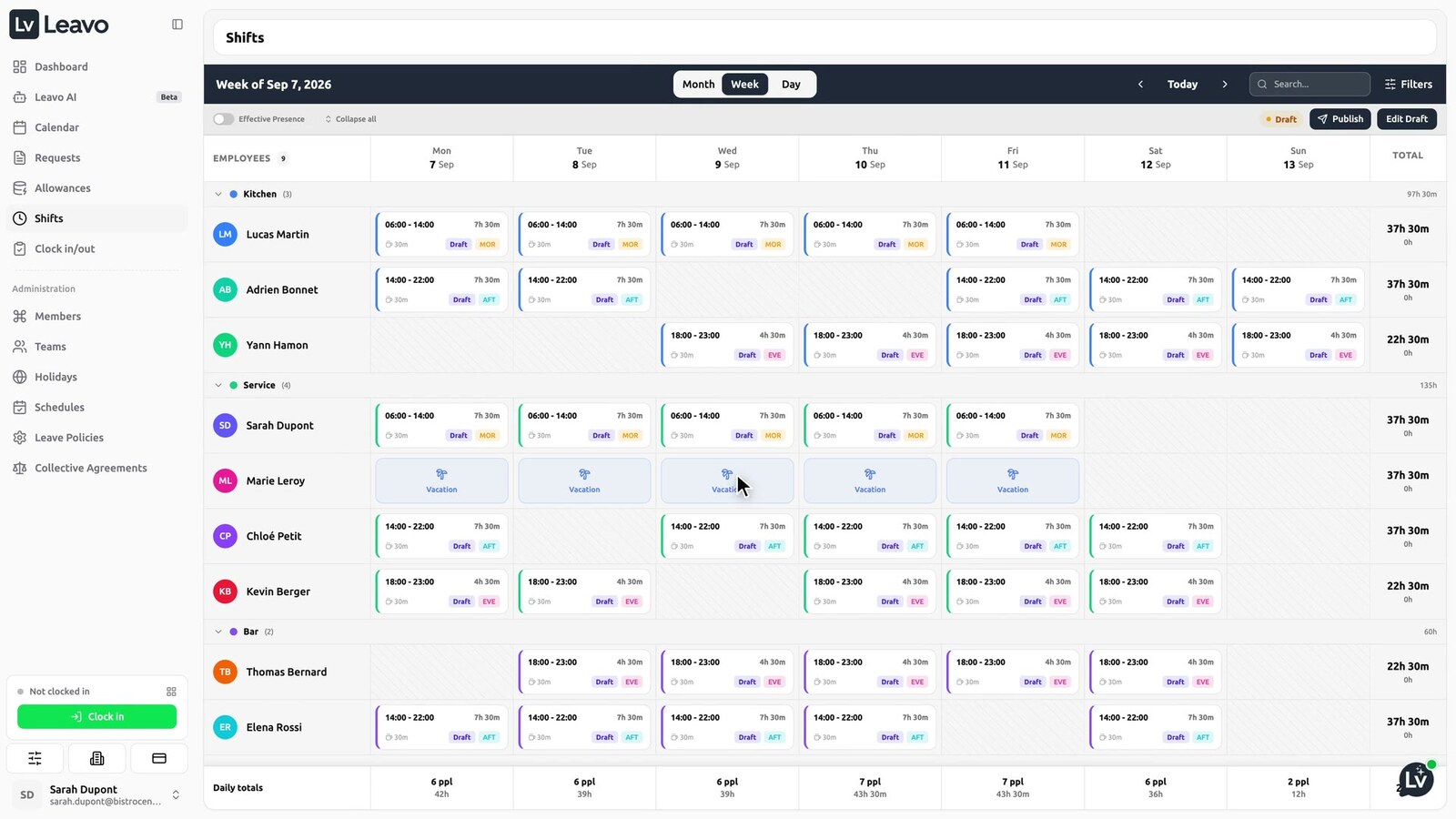
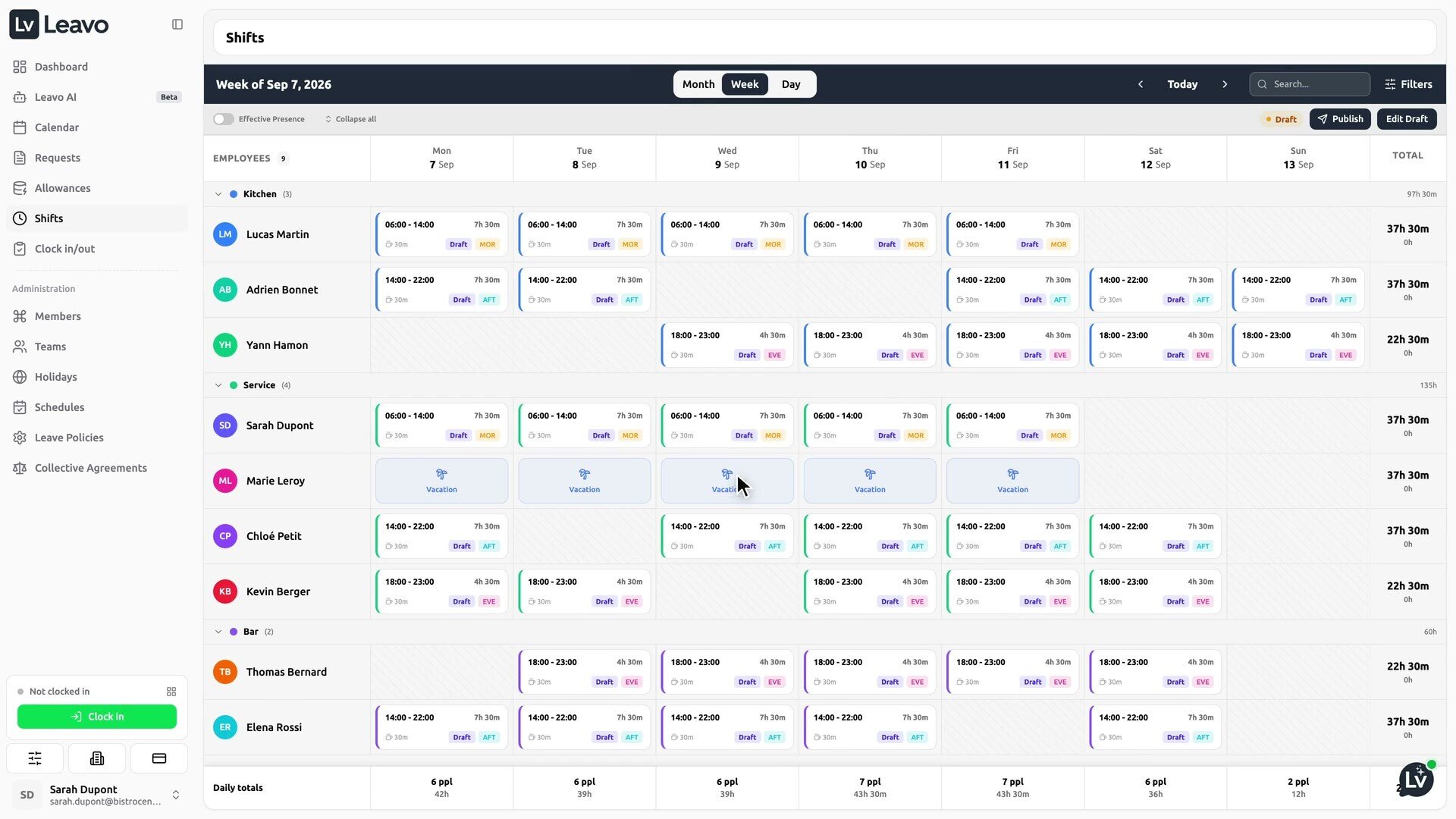
Managers build weekly shift plans from reusable templates, copy last week in one click, and publish to the team. Plans auto-lock before the week begins, and staff can request changes for a manager to approve. The demo tour shows a weekly rota grouped by department with daily headcount and hours totals.
Hours worked beyond plan go into an append-only ledger. You can convert banked hours into paid days off (time off in lieu) or record payouts, and every change is reversible without deleting history. The FAQ says this module is on the Professional and Premium plans.
Leavo ships 16 Swiss CCT and French CCN presets and lets you build your own agreement for any country or sector. In advisory mode it warns; in enforce mode it blocks a shift or timesheet that exceeds working-time limits or rest minimums, and it falls back to statutory minimums where an agreement is silent. The vendor says wage checks and night-work limits are on the roadmap. A free collective agreement checker is also on the site.
The assistant answers questions about balances, team availability, holidays and policies by chat or voice, and can book leave after one confirmation. It respects user permissions and answers in the user's language. It covers leave only: time tracking, shifts and compliance are handled in the app itself.
Prices checked 31 Oct 2026 on leavo.com, in US dollars, per user per month.
| Plan | Monthly billing | Yearly billing | What it includes |
|---|---|---|---|
| Free trial | $0 for 30 days | n/a | Full access, unlimited members, one organization, standard AI quota, no credit card |
| Professional | $3 per user | $2.50 per user (2 months free) | Leave, time tracking, shift planning, hours balance and overtime banking, unlimited members, higher AI quota, one organization |
| Premium | $5 per user | $4.17 per user | Everything in Professional plus unlimited organizations, maximum AI quota, extra AI credit packs, dedicated account manager, priority support |
All plans include the team calendar, approvals, leave policies, holiday sets, schedules, time tracking and validation, badge and clock devices, the audit trail, shift planning, CCT/CCN compliance, document management, Google sign-in and CSV import. There is no free plan. You pay by card through Stripe, or by bank transfer against a monthly invoice on Professional and Premium. Plan changes take effect immediately and are prorated, new members are charged pro rata, and there is no contract: monthly and yearly plans can both be canceled from billing settings. The pricing page doesn't state a refund policy. Volume pricing is available for large teams on request.
Some third-party directory listings still describe a free tier for teams under nine people. Leavo's own pricing page no longer shows one.
A 15-person restaurant on Professional pays $45 a month, or $450 a year on yearly billing, according to Leavo's own calculator. A 10-person cleaning team pays $30 a month or $300 a year. Premium only makes sense if you run several companies from one account or need to buy extra AI credits, and it costs $75 a month for 15 people. When the AI quota runs out, the assistant pauses until the next cycle unless you are on Premium and buy a credit pack, and purchased packs never expire.
There is very little public feedback. As of 31 Oct 2026 Leavo has no Trustpilot or G2 review profile, SaaSHub shows 0 reviews, and its Product Hunt page has 5 followers. On a comparison page Leavo says it is "trusted by Airbus, IBM, Nvidia, FIFA", which is the vendor's own claim with no case studies attached; the homepage instead invites customers to become a case study. Judge it on the 30-day trial rather than on reputation.
Leavo started as a leave tracker and has grown into a wider workforce tool. Its site now marks collective-agreement enforcement and the AI assistant as new, and time tracking, shift planning and the hours balance sit alongside leave. Leavo doesn't publish a dated changelog, so I can't put dates on these launches.
I would pick Leavo over these if your rotas must respect a Swiss or French collective agreement and you want overtime to turn into time off automatically.
Leavo does more than most leave tools at its price: leave, time tracking, shift plans and an overtime bank in one place, with real collective-agreement enforcement for Swiss and French employers. The weak spots are the lack of ready-made integrations and mobile apps and the absence of public reviews. Use the 30-day trial to run a full month of rotas and timesheets before you commit.
Not on its own pricing page, checked 31 Oct 2026. You get a 30-day free trial with full access and no credit card, then choose Professional ($3 per user a month, or $2.50 billed yearly) or Premium ($5, or $4.17 yearly).
Yes. Staff clock in and out by morning and afternoon session, Leavo works out worked and overtime minutes for managers to validate, and weekly shift plans can be built from templates, published and auto-locked.
The app works for teams anywhere, but its compliance presets are 16 Swiss (CCT) and French (CCN) collective agreements. You can build your own agreement for other countries, and it enforces working-time and rest rules.
Leavo's site lists a REST API with API keys, CSV member import and Google sign-in, and says to get in touch if you need something specific. It doesn't list native Slack or calendar integrations.
Leavo says it is built in Geneva and its data is stored in Frankfurt, with encryption in transit and at rest, role-based access and GDPR-aligned practices.
We may earn a commission when you buy through links on SaaSPic. It never changes our verdicts or the price you pay. Affiliate disclosure
Add this badge to your website so your visitors can read this independent review in one click.
 6.6/10
French shift planning, timesheet and team logbook app for bars, restaurants, clubs and cafes, priced per venue.
 7.0/10
AI recruiting software with resume screening, an applicant tracking system, sourcing and an agency CRM.
 6.9/10
AI job search toolkit with resume builder, ATS checker, LinkedIn optimizer, job tracker and mock interviews.
 6.8/10
Web resume builder with a free ATS resume checker, AI job tailoring, cover letters and a resume website, from $7 a month.