 7.0/10
AI browser sidebar and agent: chat with many models, summarize pages and PDFs, automate web tasks and create images, slides and video.


Multi-model AI workspace with a Chrome extension and Mac app for writing, research, images, video, websites and browser games.
We may earn a commission when you buy through our links. How this works
Clico suits students, writers and knowledge workers who want one AI assistant inside Gmail, Docs and the pages they already use, with image and video creation on top. Skip it if you need team admin, a long track record or predictable unlimited usage, because credits run out and the company is young.
Best for: Students and knowledge workers who want a multi-model AI helper inside the browser

6.8/10 Good, with trade-offs. The overall score is our judgment against the questions we ask of every tool, not an average. How we score
| Question | Score | Why |
|---|---|---|
| Does the jobWhat it actually does for the task it is sold for, and where it falls short. | 7.0 | Covers page-aware writing, summaries, research with sources, image and video creation and a website builder across extension, Mac app and web. |
| Ease of useSetup needed and how quickly you get something useful done. | 7.5 | Keyboard shortcuts open Clico on any page and drafts insert at the cursor in Gmail, Docs and LinkedIn, per the Chrome Web Store listing. |
| Pricing and limitsWhat you pay at a realistic size, including caps, add-ons and deal limits. | 6.5 | A free 200-credit plan and $19.90 Pro are fair, but credits do not roll over and Pro covers only about 20 short videos a month by the maker's own estimate. |
| Reliability and supportUpdate pace, known problems and how support responds. | 6.0 | A 14-day refund window and frequent dated updates help, but there are only 16 public ratings and the product changed shape several times in 2026. |
| Fit against alternativesHow it compares with the alternatives for the people it is aimed at. | 6.5 | Bundles more creative tools than Sider AI or Monica, with a shorter track record and fewer public reviews. |
Clico is an AI assistant that lives in three places: a Chrome extension that works on the page you are reading or writing in, a Mac desktop app, and Clico Web, which the maker now calls an AI creative studio. Inside it you can pick models from OpenAI, Anthropic, Google and others, draft text straight into Gmail or Google Docs, run research with sources, and generate images, videos, websites and browser games. It is made by Ampliftai Inc.
Clico fits students, writers, marketers and knowledge workers who switch between tabs all day and want an AI helper that reads the page in front of them. The maker's own updates mention building with students, and the extension shortcuts are built around summarizing articles, PDFs and videos. It also suits solo creators who want image and video models without paying for several separate tools.
Skip Clico if you need team seats, admin controls or a vendor with years of history. The product took its current shape in 2026, and the plans are personal credit allowances rather than business accounts. Developers who want an AI coding tool should look elsewhere too: the website builder makes static sites and front-end apps, and backends, user accounts and payments need their own setup.
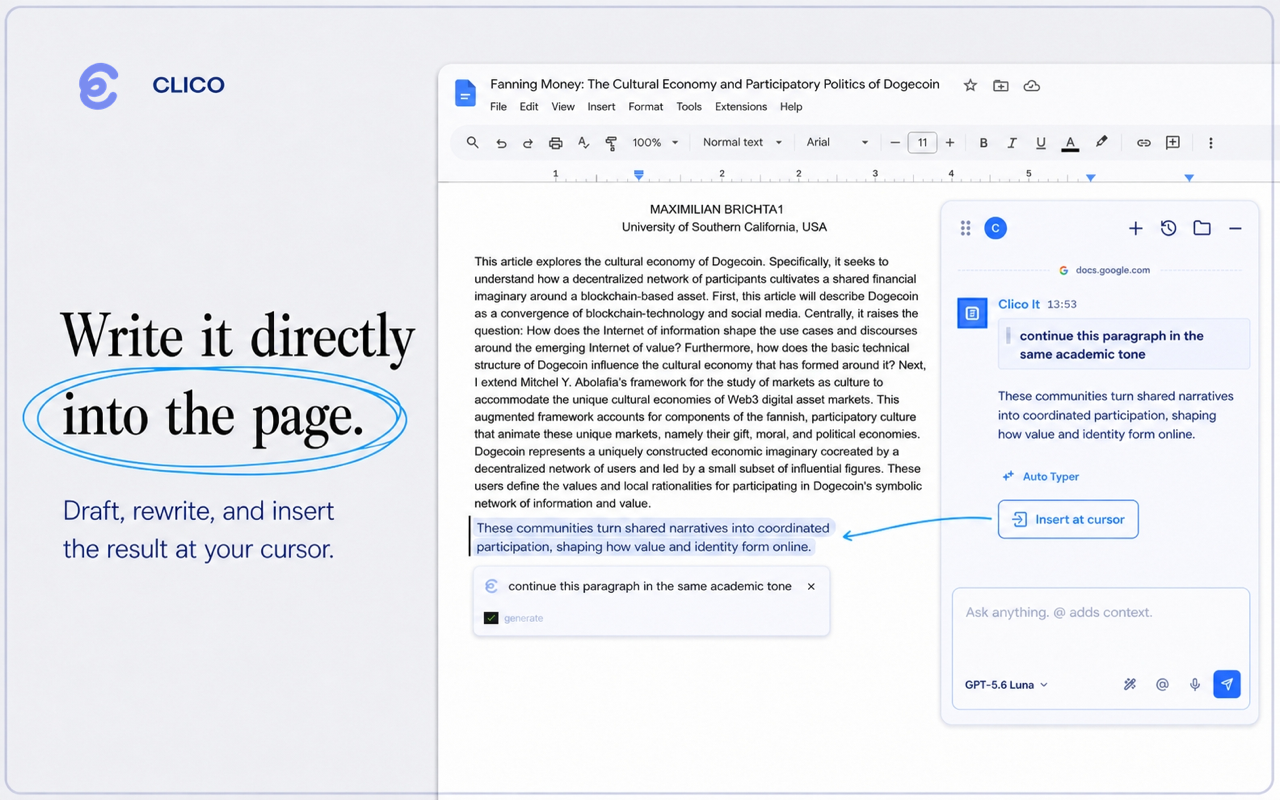
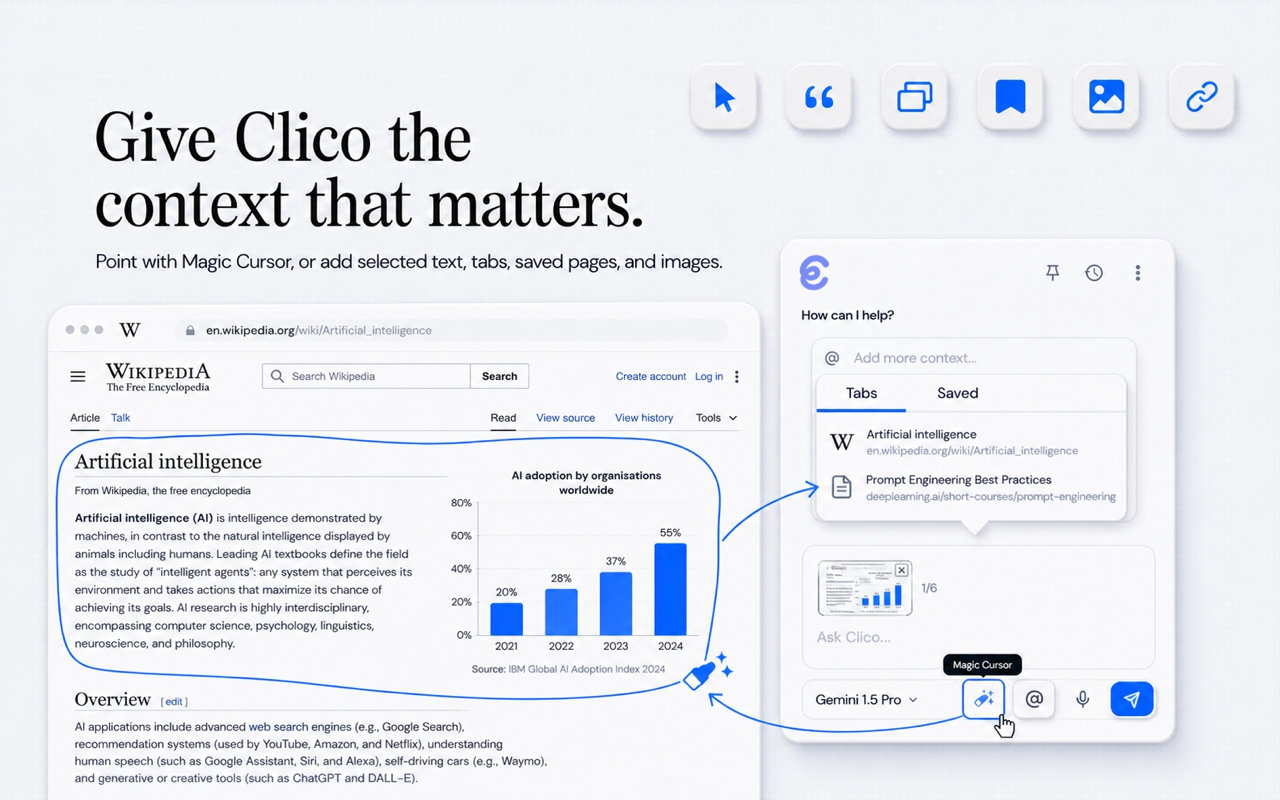
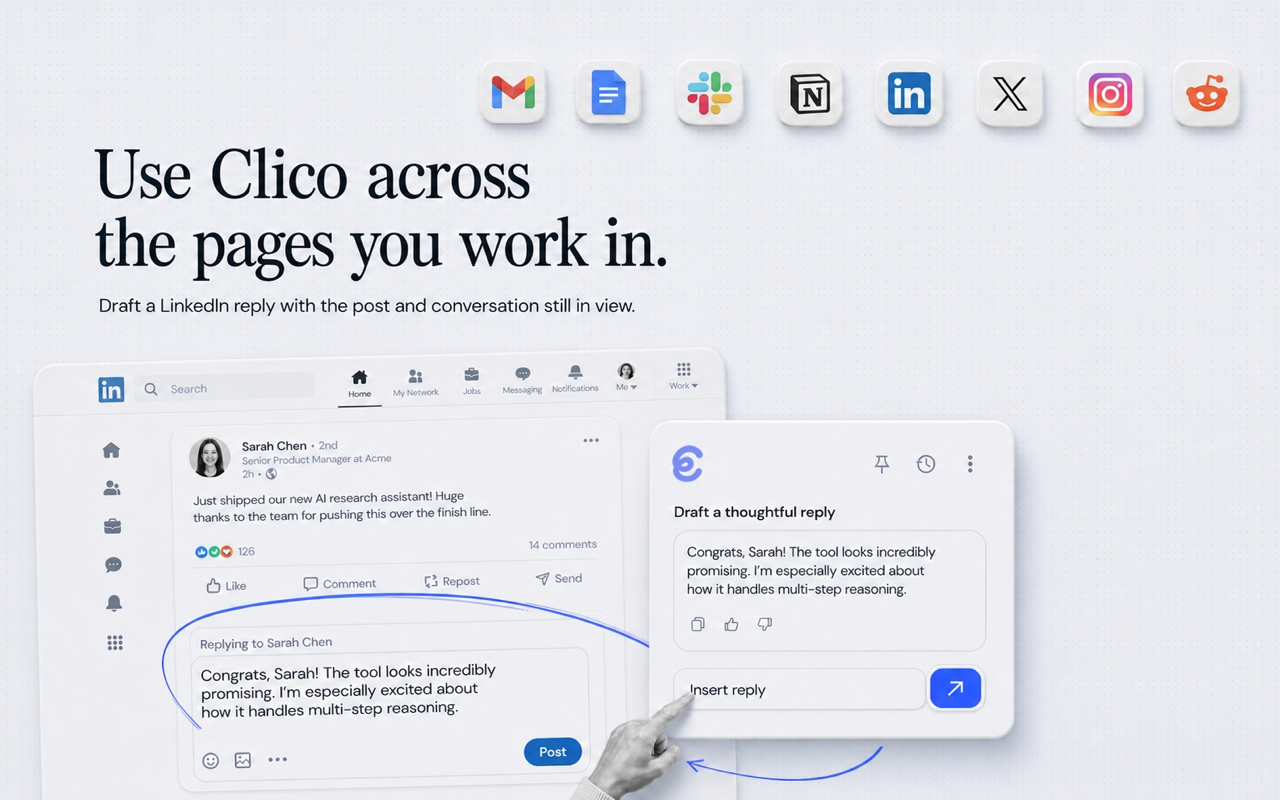
Press Cmd + O (Ctrl + O on Windows) to open Clico on any page. You can draft an email or reply, finish a paragraph, rewrite selected text, change tone or length and insert the result back at your cursor. Double press Cmd or Ctrl to summarize the current page, or use Cmd + Shift + P to summarize a PDF. Clico can use the page, selected text, screenshots, images, open tabs and saved context. The listing names Gmail, Google Docs, LinkedIn and Reddit as places it works, and it can auto type into Google Docs and humanize AI text. Personas change the writing voice, from natural to your own style.
Since September 2026 the extension also has Browser Use. Clico can read a page, open links, click controls, type into fields, choose options and move between tabs, while you follow the activity in the chat and cancel when you want.
The desktop app sits beside work across Mac apps. Hold Fn, speak, and Clico sees the screen in front of you and answers in place. The maker says it asks before it writes, sends, creates or clicks.
Clico Web keeps saved conversations for research, writing and creation. Deep Research combines your files with public web sources and returns an answer with source links. You can add PDF, DOCX, PPTX, TXT, MD, CSV and XLSX files, up to ten per request, 8 MB each and 20 MB combined. Image tools cover generation and editing with reference images, and video tools cover text to video, image to video and templates. Since October 2026 you can edit an MP4 (up to 100 MB) through chat, trimming clips, changing titles and adjusting audio, then export at 30 fps up to 1920 pixels and 10 minutes. The website and game builder lets you preview, refine and publish a project, and Pro and Max add a ZIP download of the source. Clico does not add its own watermark to downloaded images or videos.
Prices checked 31 Oct 2026, in US dollars. Taxes are added at checkout.
| Plan | Monthly | Yearly | Credits | What it includes |
|---|---|---|---|---|
| Free | $0 | $0 | 200 a month | Selected chat and image models, Web, Chrome Extension and Desktop for Mac, no card required, no video |
| Pro | $19.90 | $192 ($16 a month) | 2,000 a month | Expanded chat models, paid image and video models, website and game source download |
| Max | $49.90 | $480 ($40 a month) | 5,000 a month | Same access as Pro with more credits and enhanced routing |
Credits refresh monthly and unused credits do not roll over. Annual plans are paid upfront, but credits are still issued month by month. Cancelling stops the next renewal and paid access runs to the end of the period. The terms allow a refund request within 14 days of a charge by email, with other requests reviewed case by case. There is no lifetime deal on the maker's site.
Clico's own estimates put Pro's 2,000 credits at about 500 GPT Image 2.5 images, or about 20 Seedance 2.0 Mini videos, in a month. So a creator making five short product clips a week will use most of a Pro allowance on video alone, and anyone planning daily video should price Max (about 50 short videos). Usage varies by model and settings, and the maker says these are estimates, not guaranteed totals. For writing and summaries only, the free 200 credits may be enough to judge whether the extension fits your day.
The Chrome extension has 4.6 from 16 ratings and about 2,000 users on the Chrome Web Store, where it carries a Featured badge (Oct 2026). That is a small sample. The homepage quotes users who like holding Fn to draft a reply from what is on screen, but those are the vendor's picks. There is no larger body of independent reviews yet.
The changelog shows a fast pace. Clico started inside the text box in January 2026, added a Chat Panel in March and Personas in April, and got a redesign in June. On 14 Aug 2026 the Mac assistant Invoko became Clico Desktop. On 1 Sep 2026 Clico Web became the public home as an AI creative studio, and Browser Use arrived in the extension. A referral program giving 200 credits each followed on 3 Sep, the image and video creator on 10 Sep, the website and game builder on 18 Sep, and chat-based video editing on 14 Oct 2026.
Credits are the main limit. They do not roll over, video is expensive in credits, and the exact cost per request depends on the model. The rapid change from a writing extension to a creative studio means features can shift, and the maker notes that a feature in one surface may work differently in another. Public feedback is thin, and there is no Windows desktop app. The output quality depends on third-party models, and the maker itself tells users to check sources and reference images before relying on them.
Clico is a capable multi-model assistant with a generous free tier and a useful habit of writing straight into the page you are on. The creative studio adds images, video, websites and games, which few browser assistants bundle. It is young, credit-limited and lightly reviewed, so I would start on the free plan, use it for a couple of weeks in Gmail and Docs, and only pay for Pro if the image or video tools earn their credits.
Yes, there is a free plan with 200 credits a month, selected chat and image models and no card required. Video creation and source downloads for websites and games need Pro or Max.
On 31 Oct 2026 Pro was $19.90 a month or $192 a year, and Max was $49.90 a month or $480 a year, in US dollars before tax.
Clico offers third-party models in one workspace. Its site lists chat models from Anthropic, OpenAI, Google and Moonshot (Kimi), image models such as GPT Image, Nano Banana Pro, Seedream and FLUX.2, and video models such as Seedance, Kling and Veo. Access varies by plan.
Yes. Clico Web runs in any browser, and Clico Desktop works across Mac apps. Clico Desktop is the former Invoko app, which joined Clico in August 2026.
The terms say you can ask for a refund within 14 days of a charge by emailing support. Other requests are reviewed case by case, and cancelling stops the next renewal.
We may earn a commission when you buy through links on SaaSPic. It never changes our verdicts or the price you pay. Affiliate disclosure
Add this badge to your website so your visitors can read this independent review in one click.
 7.0/10
AI browser sidebar and agent: chat with many models, summarize pages and PDFs, automate web tasks and create images, slides and video.
 6.8/10
Multi model AI assistant with a Chrome extension for summaries, writing and research, plus web and mobile apps.
 6.8/10
AI browser extension for Chrome and Edge that chats with many models, summarizes pages, PDFs and videos, and rewrites text.
 7.0/10
All-in-one AI assistant with GPT, Claude and Gemini models in a browser sidebar, plus writing, PDF, translation, image and agent tools.
| Tool | Score | From | Free plan | Best for |
|---|---|---|---|---|
| Clico | 6.8/10 | $19.90/mo | Yes | Students and knowledge workers who want a multi-model AI helper inside the browser |
| Sider AI | 7.0/10 | $10/mo | Yes | Browser-based knowledge workers using several AI models |
| Merlin AI | 6.8/10 | $19/mo | Yes | Students and knowledge workers who want many AI models in a browser extension |
| MaxAI | 6.8/10 | $30/mo | Yes | Heavy Chrome and Edge users who want AI on every site |
| Monica | 7.0/10 | $99/yr | Yes | Individuals who want many AI models in one browser sidebar |
 8.4/10
Scheduling software that lets people book time with you through a link, with team routing, reminders, payments and AI meeting recaps.
 8.3/10
Web booking page and scheduler that syncs your calendars and lets clients book and pay for sessions, packages and subscriptions.
 8.1/10
Keyboard launcher for Mac and Windows with clipboard history, snippets, window management, thousands of extensions and built-in AI.