 7.5/10
Open-source social media scheduler for 30+ networks that AI agents can drive through MCP, a CLI and an API on every plan.


Social media scheduler built for AI agents, with a REST API, MCP server, CLI and agent skill for posting to 11+ networks.
We may earn a commission when you buy through our links. How this works
SocialClaw is a good fit if you want Claude, Codex or your own scripts to publish and schedule across many networks without building each platform integration. Skip it if your team plans content by hand in a visual calendar and wants inbox, listening and approval tools, which the established schedulers do better.
Best for: Founders and developers posting to social media through AI agents

7.0/10 Good, with trade-offs. The overall score is our judgment against the questions we ask of every tool, not an average. How we score
| Question | Score | Why |
|---|---|---|
| Ease of useSetup needed and how quickly you get something useful done. | 6.5 | Agents and scripts follow a six-step flow, but the product is built around code, so non-technical teams get less from it than from Buffer. |
| Pricing and limitsWhat you pay at a realistic size, including caps, add-ons and deal limits. | 7.0 | Starter costs $15 a month for 3 accounts and 200 posts, but there is no free plan and fees are non-refundable once paid. |
| Reliability and supportUpdate pace, known problems and how support responds. | 6.0 | No public changelog, no independent rating, no SOC 2 found, and the UGC video feature is still beta. |
| Fit against alternativesHow it compares with the alternatives for the people it is aimed at. | 7.0 | It suits agent-driven posting; the review says Buffer and Hootsuite remain stronger for people working in a visual calendar with inbox and approvals. |
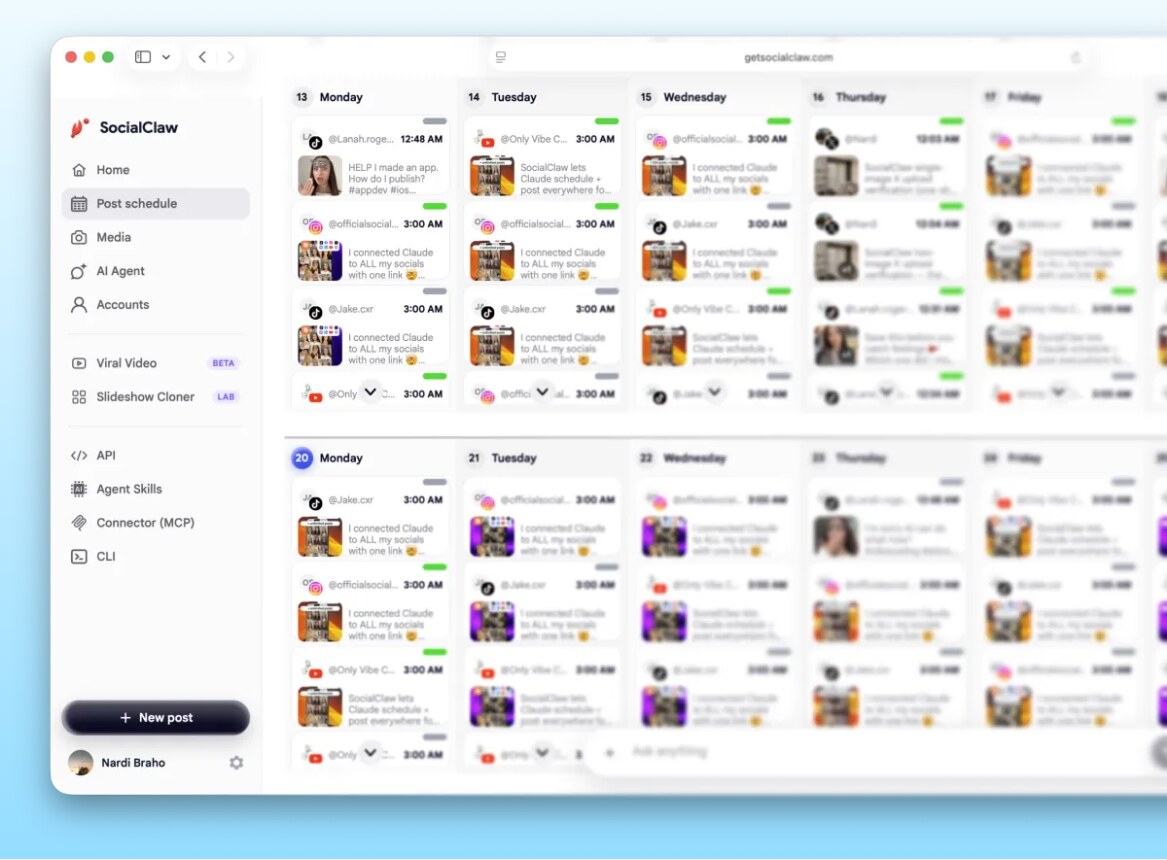
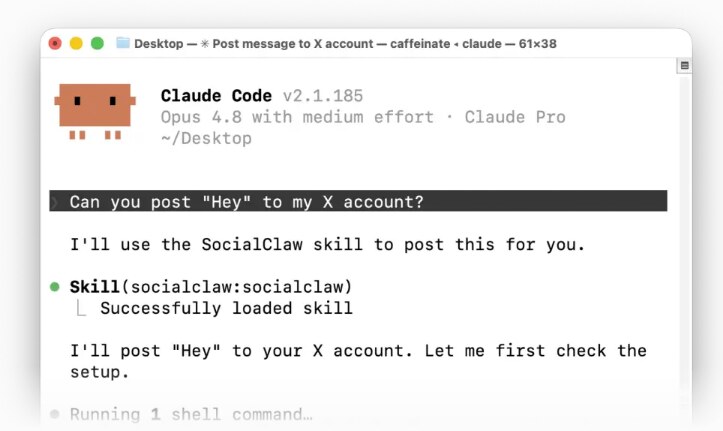
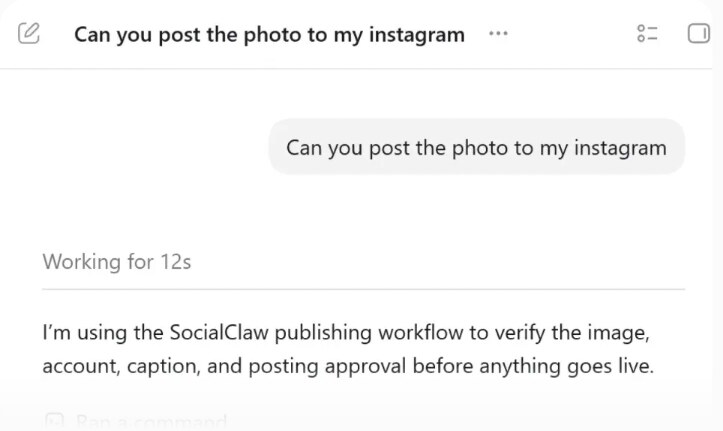
SocialClaw is a social media scheduler and publishing API built for AI agents. You connect your social media accounts once to a workspace, then schedule and publish posts from the web dashboard, a REST API, an MCP server, a command line tool (CLI) or an agent skill for Claude, Codex and OpenClaw-compatible agents. The vendor calls it "the official social publishing layer for AI agents".
This SocialClaw review covers how the workflow goes, SocialClaw pricing and plan limits, refund terms, drawbacks, and the alternatives that do the same job.
It suits founders, indie developers and small marketing teams who already work with an AI agent or scripts and want it to post for them. It also suits product teams that want to build social publishing into their own SaaS, since customers can connect accounts and your product triggers scheduling through one API.
Skip it if your social media work is mostly done by hand in a visual calendar, or if you need a shared inbox, social listening or client approval workflows. The vendor positions it against Buffer and Hootsuite, but those are built for a person at a dashboard, and that is still where they are stronger.
The docs describe the same six steps for every interface.
A capabilities endpoint tells the agent what each connected account allows, which matters because media limits differ by network. The docs list some quirks it handles: TikTok photo posts don't accept PNG, so delivery URLs convert PNG to JPEG; TikTok only pulls media from approved domains, so outside links are copied to hosted storage; YouTube posts need a video; Instagram, TikTok and Pinterest need media on every post. You can also create draft runs and publish them later, and send TikTok posts to the creator's inbox to finish in the app.
There is also a beta feature that takes a screen recording of your app and adds an AI UGC reaction, music and captions, aimed at app marketing on TikTok and Reels.
Prices checked 30 Oct 2026, in USD, from the vendor's pricing page.
| Plan | Monthly price | Connected accounts | Posts per month |
|---|---|---|---|
| Starter | $15 (free for the first 7 days) | 3 | 200 |
| Startup | $29 | 6 | 400 |
| Plus | $67 | 20 | 1,000 |
| Pro | $99 | 50 | 2,500 |
Every plan includes the CLI and agent skills, the hosted workspace API and media storage. Yearly billing saves 20%. There is no free plan after the trial. Subscriptions renew automatically until canceled, and web billing runs through Lemon Squeezy. The terms say fees are non-refundable once paid, except where the law requires otherwise, and cancellation does not refund the current period. An iOS app exists, and App Store purchases follow Apple's own refund rules.
What a typical setup costs. A founder posting daily to three networks (X, LinkedIn and TikTok) needs about 90 posts a month, which fits Starter at $15. An agency running 15 client accounts would need Plus at $67 a month, which works out to about $3.35 per account.
There is no independent rating or review count for SocialClaw to report. The homepage quotes short comments it says come from Reddit, G2, Trustpilot and Instagram, mostly praising agent-led posting, but these are the vendor's own selection.
The terms took effect on 3 June 2026. The blog published a batch of scheduler comparison articles on 31 August 2026. The UGC video feature is still marked beta. I found no public changelog, so I can't date feature launches.
SocialClaw does a narrow job well on paper: it gives an AI agent or script one reliable way to connect accounts, upload media, check each network's rules and publish. At $15 a month for three accounts it is cheap to try for the 7-day trial. I would pick it if Claude or Codex already runs part of your marketing, and pick Buffer instead if a person does the posting.
Starter is $15 a month after a 7-day free trial (3 accounts, 200 posts). Startup is $29, Plus $67 and Pro $99 a month, and yearly billing saves 20%. Prices checked 30 Oct 2026.
Its FAQ lists X, Facebook Pages, Instagram Business and Creator accounts, LinkedIn profiles and pages, TikTok, YouTube, Pinterest, Reddit, WordPress, Discord and Telegram.
An agent connects with a workspace API key and uses the MCP server, CLI or REST API to list accounts, upload media, validate a schedule, apply it and check the result. A skill for Claude, Codex and OpenClaw-compatible agents installs with one npx command.
Its terms say fees are non-refundable once paid, except where required by law. You can contact support if you think a charge was made in error, and refunds are at its discretion.
Partly. It schedules and publishes posts like they do, but it is designed for agents, scripts and products built on its API rather than for a team working in a visual calendar.
We may earn a commission when you buy through links on SaaSPic. It never changes our verdicts or the price you pay. Affiliate disclosure
Add this badge to your website so your visitors can read this independent review in one click.
 7.5/10
Open-source social media scheduler for 30+ networks that AI agents can drive through MCP, a CLI and an API on every plan.
 6.9/10
Social media scheduler for 12 networks with a free plan, team workspaces, analytics, AI captions, and an API and MCP server for AI agents.
 7.0/10
Upload a video once and publish or schedule it to TikTok, YouTube Shorts, Reels and six more platforms, with an API and MCP server.
 7.0/10
AI social media tool that writes, designs and schedules posts across 28 networks and apps, with a social inbox, MCP and API.
| Tool | Score | From | Free plan | Best for |
|---|---|---|---|---|
| SocialClaw | 7.0/10 | $15/mo | No | Founders and developers posting to social media through AI agents |
| Postiz | 7.5/10 | $29/mo | No | Creators and agencies scheduling social posts with AI agents |
| dopost | 6.9/10 | €12/mo | Yes | Small teams scheduling to many networks on a budget |
| Multi Upload Tool | 7.0/10 | $14.99/mo | Yes | Creators and agencies cross-posting short videos |
| Ocoya | 7.0/10 | $29/mo | No | Small brands and agencies automating social posts |
 7.0/10
X (Twitter) growth tool with a viral tweet library, AI tweet writer, scheduling, auto-DMs, analytics and a CRM for building an audience.
 6.8/10
AI tool, formerly Vidyo.ai, that clips long videos into captioned shorts and schedules them to seven social platforms.
 6.8/10
LinkedIn growth tool with AI post writing, viral post library, scheduling, analytics, engagement and lead outreach.