 8.4/10
Scheduling software that lets people book time with you through a link, with team routing, reminders, payments and AI meeting recaps.


Excel add-in and app that turns spreadsheet dates into deadline reminders by email, calendar and phone, with an audit trail.
We may earn a commission when you buy through our links. How this works
A sensible add-on for businesses that track inspections, certificates and renewals in Excel and want reminders and an audit trail without changing their sheets. It is new, with no user ratings and few integrations, so test it on the 7-day trial first.
Best for: Businesses tracking inspections and renewals in Excel
6.4/10 Good, with trade-offs. The overall score is our judgment against the questions we ask of every tool, not an average. How we score
| Question | Score | Why |
|---|---|---|
| Does the jobWhat it actually does for the task it is sold for, and where it falls short. | 7.0 | Turns Excel date cells into email, calendar and phone reminders without changing the sheet, repeats critical deadlines daily and keeps an audit trail. |
| Ease of useSetup needed and how quickly you get something useful done. | 7.0 | Mark a date cell as a deadline with one click in the Excel add-in; admins can roll it out through the Microsoft 365 admin center. |
| Pricing and limitsWhat you pay at a realistic size, including caps, add-ons and deal limits. | 6.0 | Solo costs EUR 14 a month at founder pricing, and calendar subscriptions and assigned owners need the EUR 59 Professional plan. |
| Reliability and supportUpdate pace, known problems and how support responds. | 5.0 | New product with no store ratings and 5+ Google Play downloads; its terms say reminders can be late or fail and should not be the only safeguard. |
| Fit against alternativesHow it compares with the alternatives for the people it is aimed at. | 5.5 | Works for Excel users, but most integrations and the API are still coming soon, and the review points to other tools if you will move dates out of Excel. |
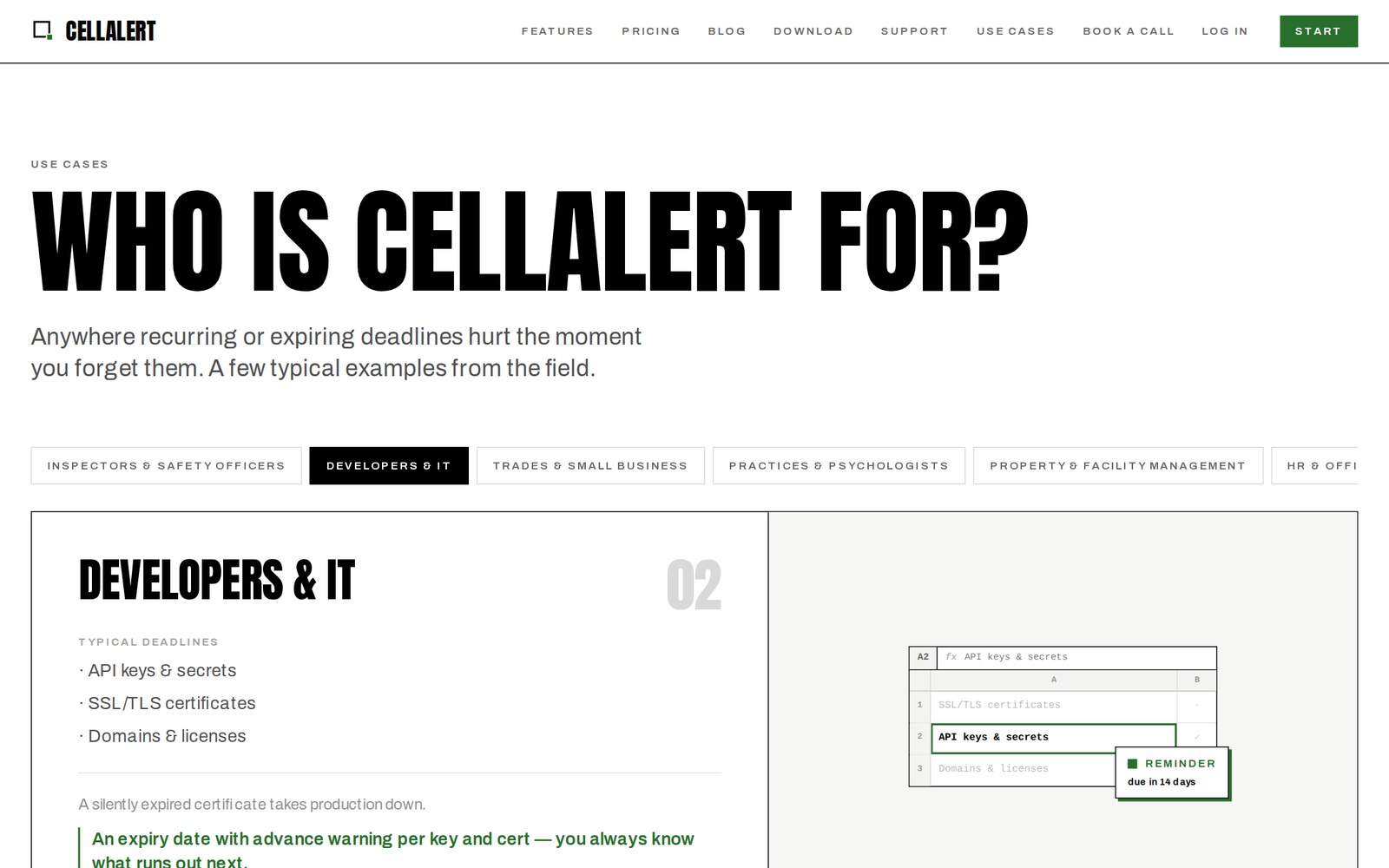
CellAlert is a deadline reminder service that sits on top of your spreadsheets. You mark a date cell in Excel as a deadline, and CellAlert reminds you by email, calendar and phone app, even when the file is closed. It is built for businesses that track inspections, certificates and contract renewals in Excel and want to keep doing so.
CellAlert suits teams that already run inspection, maintenance, certificate and contract renewal dates from Excel, where a missed date can mean liability, fines or downtime. The terms say it is sold only to businesses, not consumers.
Skip it if your dates live in Google Sheets, Smartsheet, Notion or Airtable, because those connections are still marked coming soon. If you are happy to move your dates into a dedicated tracker, you may not need a layer on top of Excel at all.
The workflow has three steps, which the vendor calls mark, get reminded and prove it. Your sheet is not changed, and Excel stays the source of truth.
CellAlert stores only the deadline and a reference to the cell, never the file. If the spreadsheet is lost, deleted or corrupted, the reminders stay, and you can export all deadlines as CSV at any time.
The features are aimed at teams that share responsibility for dates.
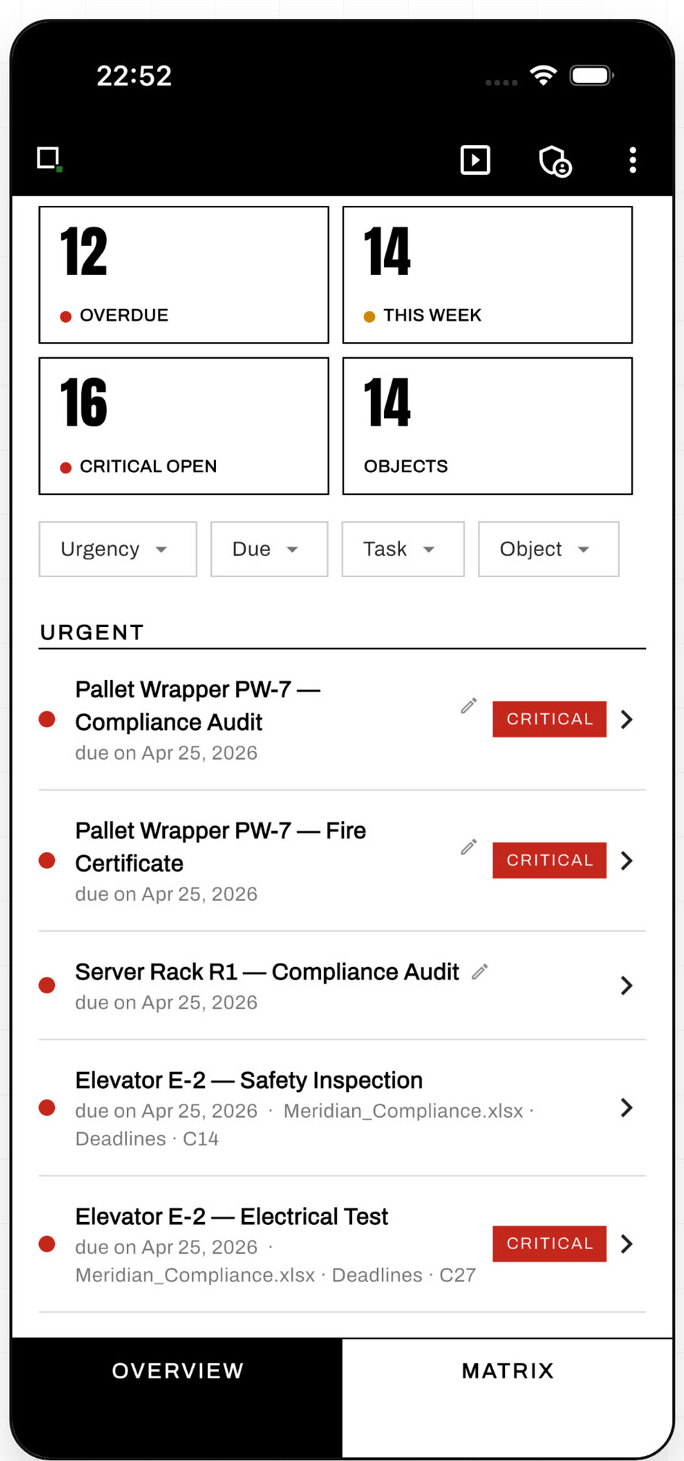
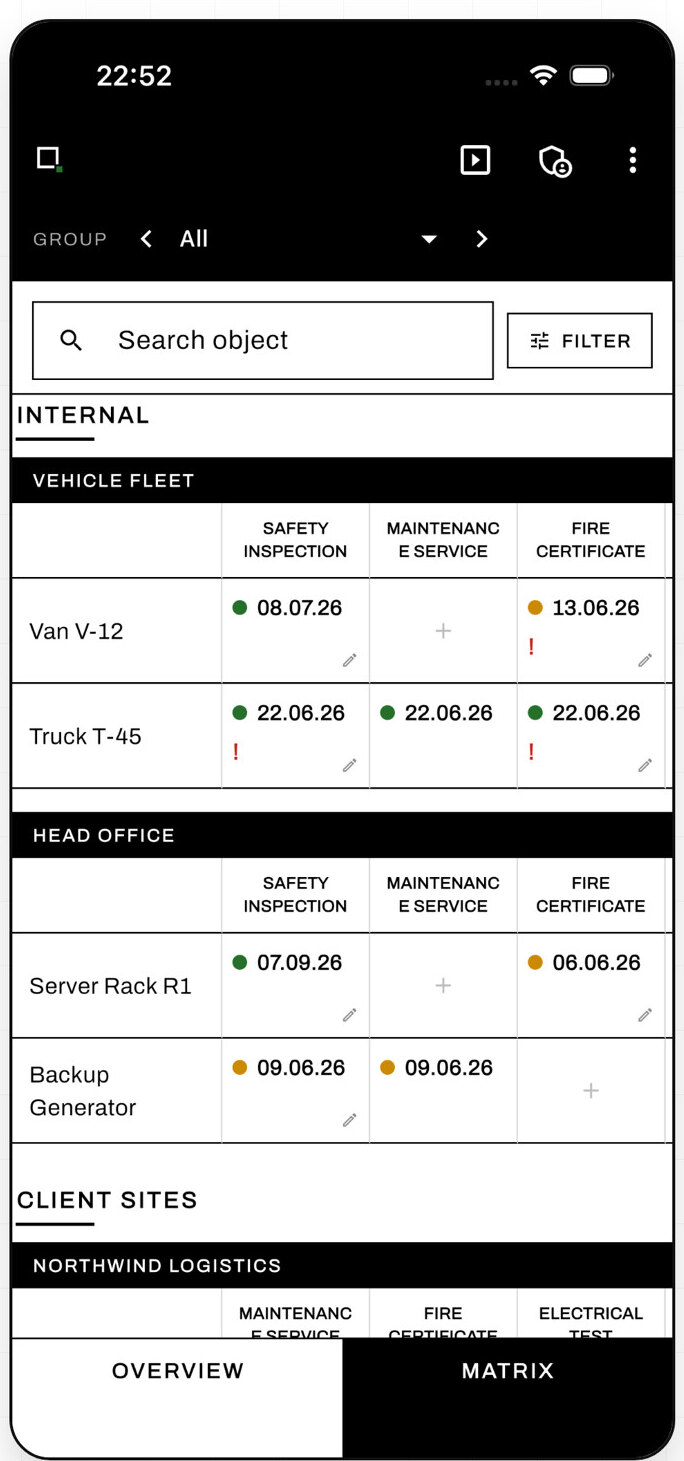
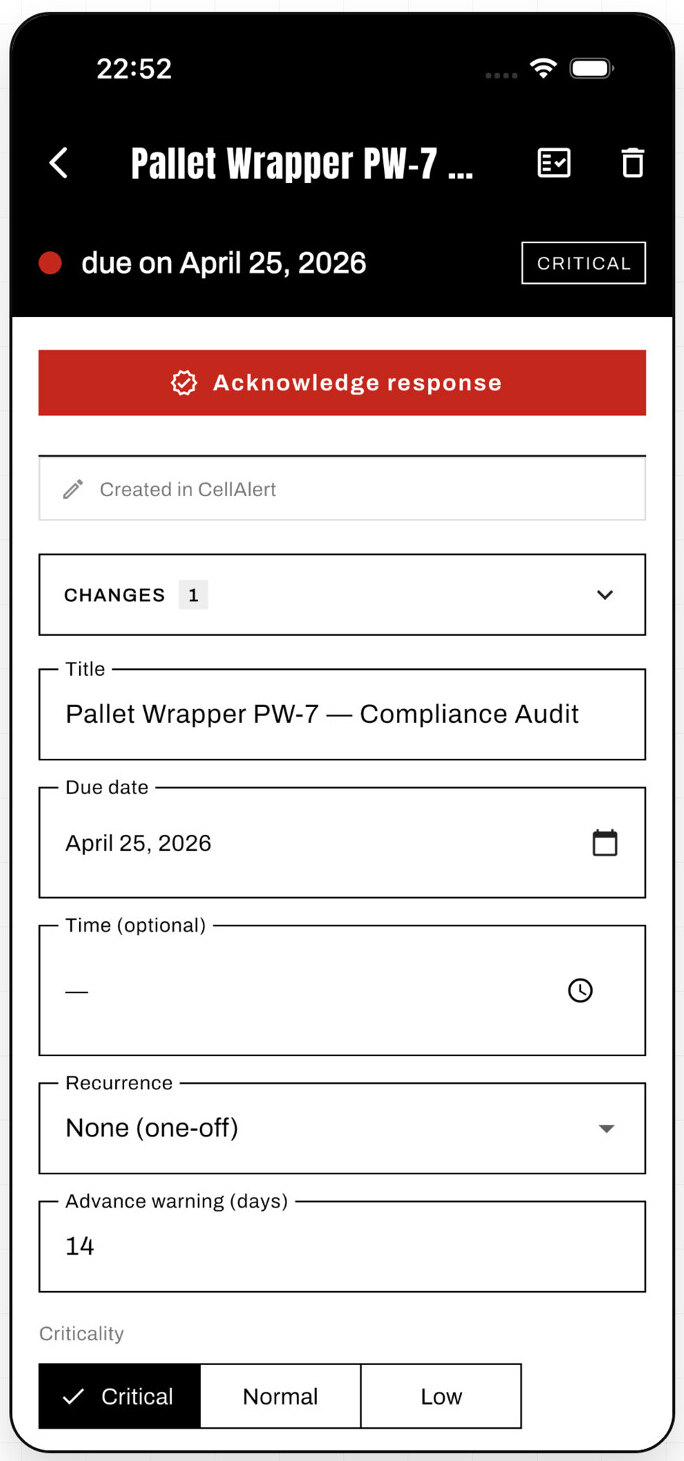
The iOS and Android versions are free companions that need a CellAlert account. They show today, this week and overdue deadlines, let you confirm a deadline and show its history. The web app runs in any browser, and Chrome or Edge can install it to run in its own window.
CellAlert has five plans, priced in euros, net plus VAT, and the site shows euros to US visitors too. Each paid plan has a lower founder price next to the regular price, and the site does not say how long founder pricing lasts. Prices checked 17 Nov 2026.
| Plan | Founder price | Regular price | Seats | What it includes |
|---|---|---|---|---|
| Solo | €14 a month | €19 a month | 1 | Deadlines across multiple Excel files, email reminders when Excel is closed, priorities, filters and audit trail |
| Starter | €29 a month | €39 a month | Up to 2 | Everything in Solo for a small team |
| Professional | €59 a month | €79 a month | Up to 8 | Starter plus assigned responsibles and calendar subscriptions (Outlook, Google, Apple) |
| Business | €119 a month | €149 a month | Up to 20 | Professional plus support for multiple departments and priority support |
| Individual | On request | On request | Unlimited | Business plus custom billing and contract, personal onboarding and a dedicated contact |
CellAlert offers a 7-day free trial. Under the terms, a trial you don't cancel converts into the plan you chose. Subscriptions renew monthly or yearly and can be cancelled at the end of the current period, after which you keep read-only access and can export your data. Lemon Squeezy is the merchant of record, refunds follow its terms, and the period you have paid for is not refunded pro rata. Email sending is under a fair use rule.
A one-person business tracking equipment inspections across a few spreadsheets fits Solo, which is €168 a year plus VAT at the founder price. A team that needs named owners and calendar subscriptions has to go to Professional at €59 a month, which works out at about €7.40 a seat if all 8 seats are used, because those two features are missing from Solo and Starter.
CellAlert has no user ratings to report yet. The App Store listing says it hasn't received enough ratings or reviews to display an overview, and the Google Play listing shows 5+ downloads. That fits a new product with a small user base, so the trial is the best guide.
CellAlert is made by Balane GmbH, a Munich company registered at the Munich Local Court (HRB 301320) and run by managing director Jonas David Höttler. The founding year is not published.
Mobile support is the newest piece, marked New on the homepage, and the Google Play listing was last updated on 11 Jun 2026. The current terms carry a version date of 1 June 2026. Most integrations on the download page are still listed as coming soon.
The main limits are thin integrations and a big step between plans.
These tools also stop deadlines slipping, but each asks you to work differently from CellAlert.
CellAlert does one useful job on paper. It turns Excel dates into reminders without changing your sheet, with an audit trail, escalation for critical items and mobile access. It suits small and mid-size businesses that run inspections and renewals from Excel today. It is new, has no user ratings yet and few integrations, so I would run the 7-day trial on real sheets and confirm the reminders arrive before relying on it.
Plans run from €14 a month (Solo, founder price) to €119 a month (Business, up to 20 seats), net plus VAT. Regular prices are €19 to €149 a month, and large organizations can ask for a custom Individual plan.
Yes. Deadlines are stored in the CellAlert service, so reminders go out by email, calendar and app whether or not the file is open, and they survive if the file is lost.
Not yet. Excel and LibreOffice Calc are available, FileMaker is in beta, and Google Sheets is listed as coming soon.
Yes, CellAlert offers a 7-day free trial. Under the terms it converts to the chosen paid plan unless you cancel during the trial.
You need Professional, at €59 a month founder price or €79 regular, plus VAT, for up to 8 seats. Calendar subscriptions and assigned owners are not on Solo or Starter.
No. CellAlert stores only the deadline and a reference to the cell, on servers in Frankfurt, so your sheet is not changed and the reminders survive if the file is lost.
We may earn a commission when you buy through links on SaaSPic. It never changes our verdicts or the price you pay. Affiliate disclosure
Add this badge to your website so your visitors can read this independent review in one click.
 8.4/10
Scheduling software that lets people book time with you through a link, with team routing, reminders, payments and AI meeting recaps.
 8.3/10
Web booking page and scheduler that syncs your calendars and lets clients book and pay for sessions, packages and subscriptions.
 8.1/10
Time tracker and timesheet app for teams, with a free plan and per-seat paid tiers for invoicing, approvals and scheduling.