 7.6/10
A/B testing, split URL, multivariate and full-stack testing with personalization, heatmaps and published pricing.


Managed server-side Google Tag Manager hosting on your own subdomain, with first-party loader, bot filtering and cookie add-ons.
We may earn a commission when you buy through our links. How this works
sGTM.space suits small and mid-sized stores and agencies that want first-party server-side tracking without running Google Cloud, at a lower list price than Stape. Skip it if you need per-request logs, more than three regions or an SLA.
Best for: Stores and agencies moving GTM to first-party hosting

6.9/10 Good, with trade-offs. The overall score is our judgment against the questions we ask of every tool, not an average. How we score
| Question | Score | Why |
|---|---|---|
| Does the jobWhat it actually does for the task it is sold for, and where it falls short. | 7.5 | It hosts the standard Google server container on your own domain with a disguised loader, cookie, bot and enrichment add-ons and a preview server. |
| Ease of useSetup needed and how quickly you get something useful done. | 7.5 | Setup is pasting a container config and adding CNAME records, with no Google Cloud account, and a free scanner shows what to repoint. |
| Pricing and limitsWhat you pay at a realistic size, including caps, add-ons and deal limits. | 8.0 | Starter is $14 a month for 600,000 requests with every add-on, against $20 for 500,000 on Stape Pro. |
| Reliability and supportUpdate pace, known problems and how support responds. | 5.0 | Support is chat and tickets with no SLA, fees are mostly non-refundable, and there are no public user reviews yet. |
| Fit against alternativesHow it compares with the alternatives for the people it is aimed at. | 6.5 | Stape has more regions and per-request logs, while sGTM.space wins on price and includes all add-ons from the first paid plan. |
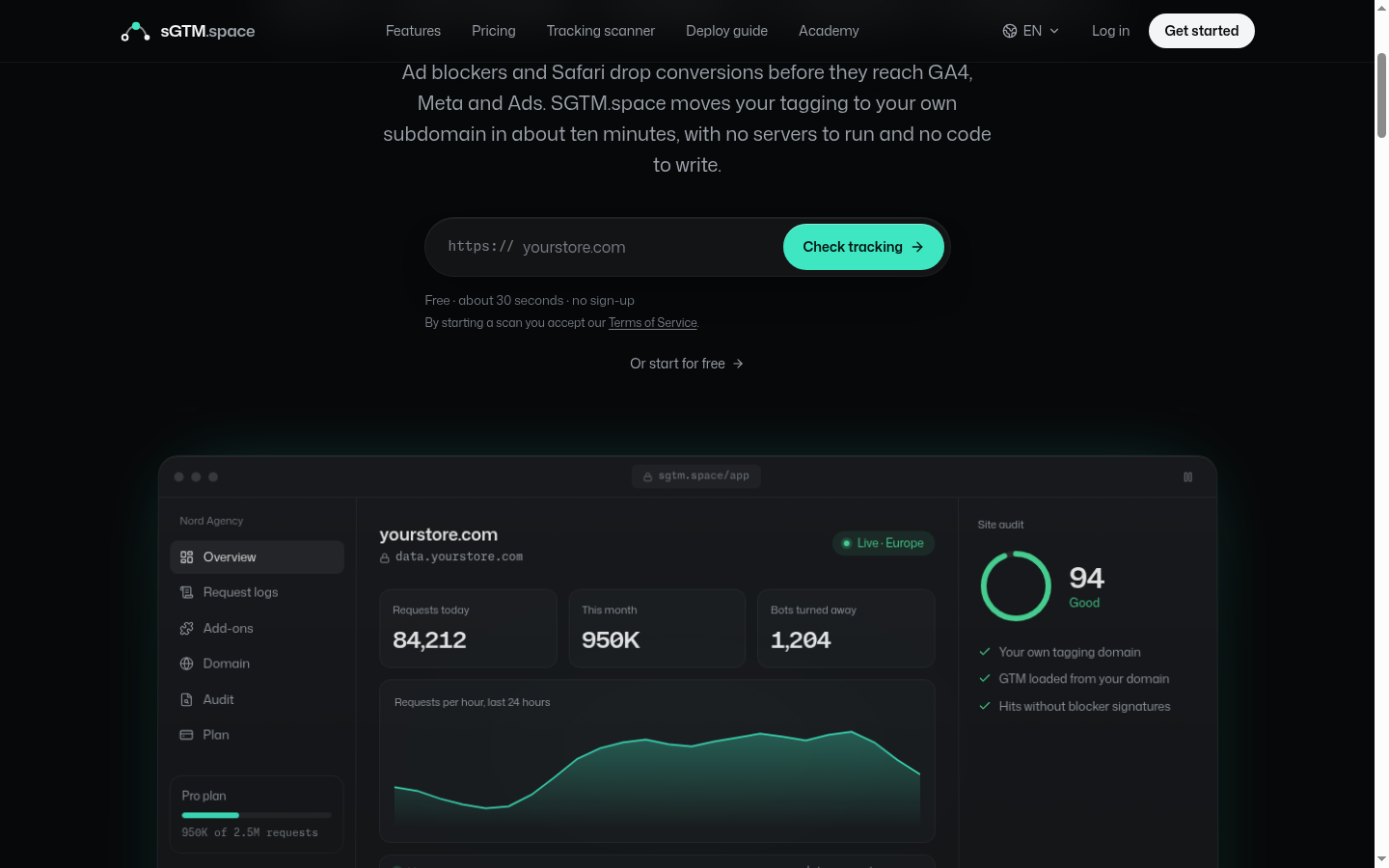
sGTM.space is a managed host for server-side Google Tag Manager (sGTM) that runs your server container on a subdomain of your own site, so tags load first-party and fewer hits are lost to ad blockers and Safari. It is for marketers, ecommerce stores and agencies who want server-side tracking without running their own GCP project.
sGTM.space hosts the standard Google server-side GTM container for you and puts it on your own domain. You keep your web container and tags, paste the server container configuration from Google Tag Manager, and the platform runs the tagging server, the preview server, HTTPS and the edge in front of it.
It suits a store or lead-gen site that has outgrown browser-only tags, and agencies managing tracking for clients, with a container, plan and invoice per client. Skip it if you need per-request logs, more than three regions or an uptime SLA.
Deployment takes three steps, and the vendor says you can be live in about ten minutes. You do not need a GCP account, Docker or code.
Each sGTM container's tagging server runs on Cloud Run in the region you chose, with a Cloudflare Worker in front that counts requests and applies limits. Every Community Gallery template works unchanged, because it is the standard server container with the same variable and tag setup.
The main features are a disguised GTM loader on your own domain, one-click add-ons, and a free scanner that checks what ad blockers strip from a site.
The free tracking scanner needs no sign-up. It names a site's server-side provider (Stape, TAGGRS, Addingwell, JENTIS, Cloud Run or sGTM.space), checks seven protection layers against EasyPrivacy, AdGuard and uBlock Origin rules, and loads the page in a real browser with an ad blocker.
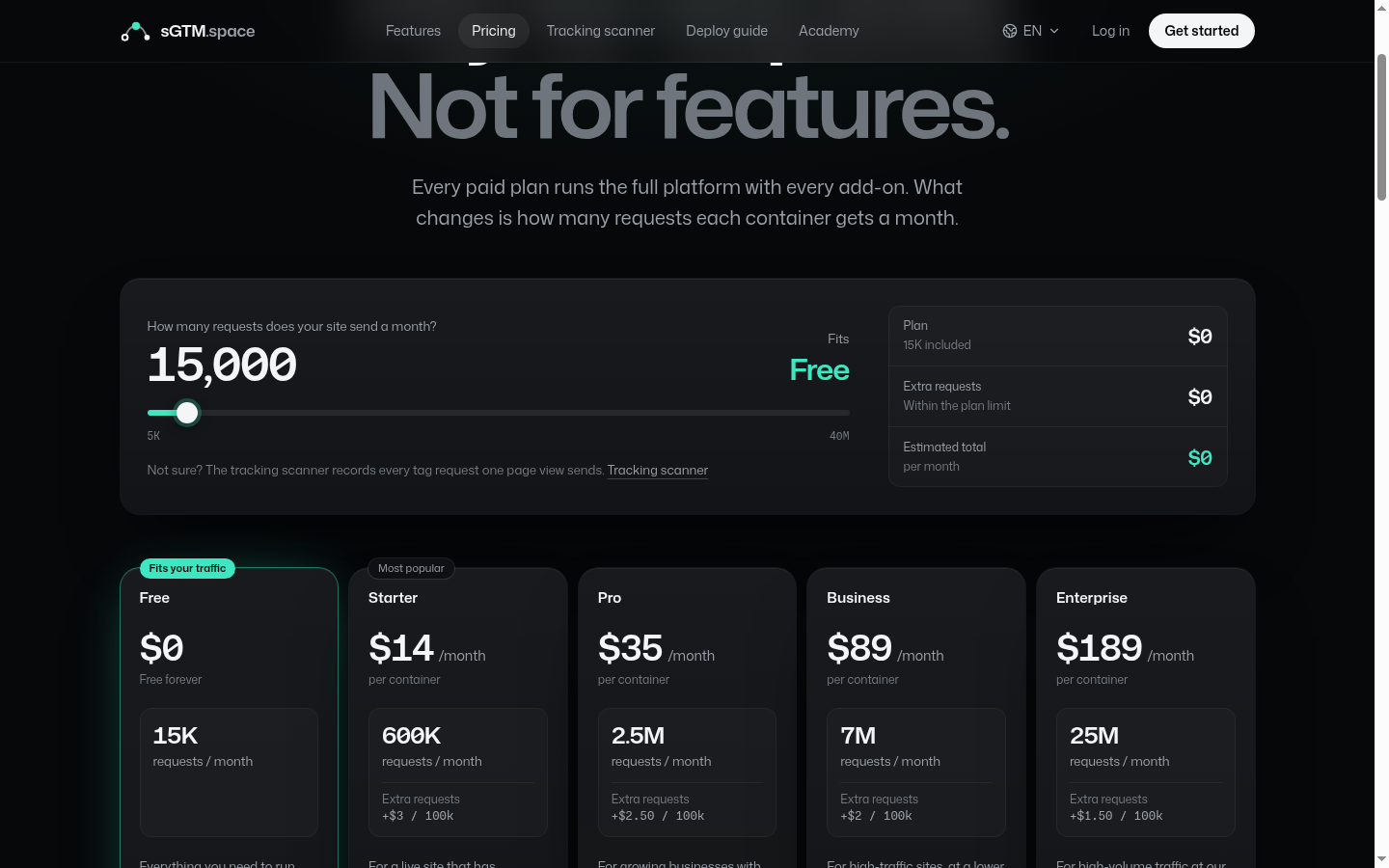
sGTM.space has a free plan and four paid plans from $14 to $189 a month per container, priced by monthly requests with every add-on included on paid plans. Prices checked 16 Nov 2026.
| Plan | Price (USD, per container) | Requests a month | Extra requests and cap |
|---|---|---|---|
| Free | $0, free forever | 15,000 | No overage. 1 active container, Better Loader and Preview Mode only, no card needed |
| Starter | $14 a month | 600,000 | $3 per 100,000, up to 500,000 extra |
| Pro | $35 a month | 2.5 million | $2.50 per 100,000, up to 2 million extra |
| Business | $89 a month | 7 million | $2 per 100,000, up to 5 million extra |
| Enterprise | $189 a month | 25 million | $1.50 per 100,000, no cap |
Paid plans are billed monthly in advance and renew automatically. Prices are in US dollars before tax, sold by Dodo Payments as merchant of record. If you pay in another currency, Dodo sets the exchange rate and adds a conversion fee of usually 2 to 4%. Fees already paid are non-refundable except where the law requires or for a billing error, and you can cancel any time with the plan running to the end of the period.
A store sending about 1 million requests a month fits Starter with overage, at $14 plus 4 lots of $3, or $26 a month, which is cheaper than moving to Pro at $35. The cost per 100,000 falls from $2.33 on Starter to $0.76 on Enterprise.
On list price, sGTM.space undercuts Stape at every tier. Stape's pricing page shows Pro at $20 a month for 500,000 requests billed monthly, against $14 for 600,000 on sGTM.space Starter, and Stape's free plan covers 10,000 requests against 15,000.
Stape does offer more, though. It has more than ten server locations, per-request logs (3 days on Pro, 10 on Business) and 20% off for annual billing, where sGTM.space keeps only a daily history with bots split out.
Against running the container yourself on Google Cloud Platform (GCP), the vendor cites the official setup guide recommending two always-on Cloud Run instances at about $45 each a month, before a preview server or load balancer. Those figures are the vendor's summary, and real GCP costs vary with traffic and region.
There are no public user reviews yet. Its unclaimed Trustpilot profile had 0 reviews on 16 Nov 2026, so there is little outside evidence about uptime or support.
sGTM.space is a web dashboard run by BEO Technology sp. z o.o. of Łódź, Poland, the company behind rewriter.io. Its terms are governed by Polish law, with the binding version in Polish.
The terms were last updated on 9 October 2026 (version 2.13). The free tracking scanner is flagged as new on the homepage.
The biggest risk is what happens at the request limit. Once a container passes its limit (plus any overage cap), the Worker answers HTTP 429 to every request, the loader script included, which can stop Google Tag Manager loading on your site until the next period or a plan change.
Other managed server-side GTM hosts are the obvious alternatives, and the main differences are price, regions and logging.
sGTM.space is a cheap, well-documented way to move GTM tracking onto your own domain, with every add-on included from $14 a month. I would pick it for a small or mid-sized store that wants first-party tracking without a cloud project, and choose Stape instead if you need more regions or per-request logs.
The Free plan costs $0 for 15,000 requests a month. Paid plans are Starter at $14 a month for 600,000 requests, Pro at $35 for 2.5 million, Business at $89 for 7 million and Enterprise at $189 for 25 million, each per container.
On list price, yes. sGTM.space Starter is $14 a month for 600,000 requests, while Stape Pro is $20 a month for 500,000 on monthly billing. Stape offers more regions, per-request logs and an annual discount.
No. You create a server container in Google Tag Manager with manual provisioning, paste its configuration into sGTM.space and add CNAME records. The platform runs the tagging server and preview server for you.
Paid plans can keep serving requests as overage, charged per 100,000 up to the plan's cap. Past the limit and cap, the container answers HTTP 429 to every request, which can stop Google Tag Manager loading until the next period or an upgrade.
You pick a region per container on every plan, Europe (Belgium), US East or Asia (Singapore). The tagging server runs on Google Cloud Run in that region, behind a Cloudflare Worker.
Yes, the vendor says it is a DNS change. You paste the same server container config, turn on Better Loader with the script name Stape serves today, add the CNAME records and switch DNS once the certificate is active.
We may earn a commission when you buy through links on SaaSPic. It never changes our verdicts or the price you pay. Affiliate disclosure
Add this badge to your website so your visitors can read this independent review in one click.
 7.6/10
A/B testing, split URL, multivariate and full-stack testing with personalization, heatmaps and published pricing.
 6.9/10
iOS competitor research tool showing rivals' Meta ads, App Store keyword ranks, viral posts and modeled revenue, with an API and MCP.
 6.8/10
AI workspace for data analysis, charts and reports, with database connectors plus presentations, websites, images and video.