TextSniper for Mac
Lifetime deal on TextSniper for Mac
$7.99
Price tracked from Oct 28, 2026
Mac menu bar OCR app that copies text from any part of the screen, including videos, images and PDFs, to the clipboard.
We may earn a commission when you buy through our links. How this works
A cheap, focused Mac utility that turns any on-screen text into clipboard text in seconds, well rated by Setapp users. Skip it if Live Text covers your needs or you need full document scanning.
Best for: Mac users who copy text from videos, slides and locked PDFs
7.6/10 Good, with trade-offs. The overall score is our judgment against the questions we ask of every tool, not an average. How we score
| Question | Score | Why |
|---|---|---|
| Does the jobWhat it actually does for the task it is sold for, and where it falls short. | 8.0 | Copies text from any screen area with on-device OCR and adds QR reading, text to speech and an additive clipboard, per the developer's site. |
| Ease of useSetup needed and how quickly you get something useful done. | 8.6 | Three steps with one shortcut, from the menu bar, and App Store reviewers describe using it many times a day. |
| Pricing and limitsWhat you pay at a realistic size, including caps, add-ons and deal limits. | 8.4 | A one-time $7.99 for one Mac or $9.99 for three, or included in Setapp, though major upgrades can cost extra. |
| Reliability and supportUpdate pace, known problems and how support responds. | 7.0 | App Store reviewers praise support and the developer answers Setapp reviews, but the macOS 27.0.1 slowdown needed a workaround. |
| Fit against alternativesHow it compares with the alternatives for the people it is aimed at. | 7.2 | Captures more than free Live Text in Preview, but CleanShot X bundles text recognition into a full screenshot tool. |
TextSniper is a Mac OCR app that copies text from anything on your screen, such as videos, images, PDFs, slides and apps where text cannot be selected. It suits students, researchers, writers and office workers on a Mac who regularly retype text they can see but cannot copy.
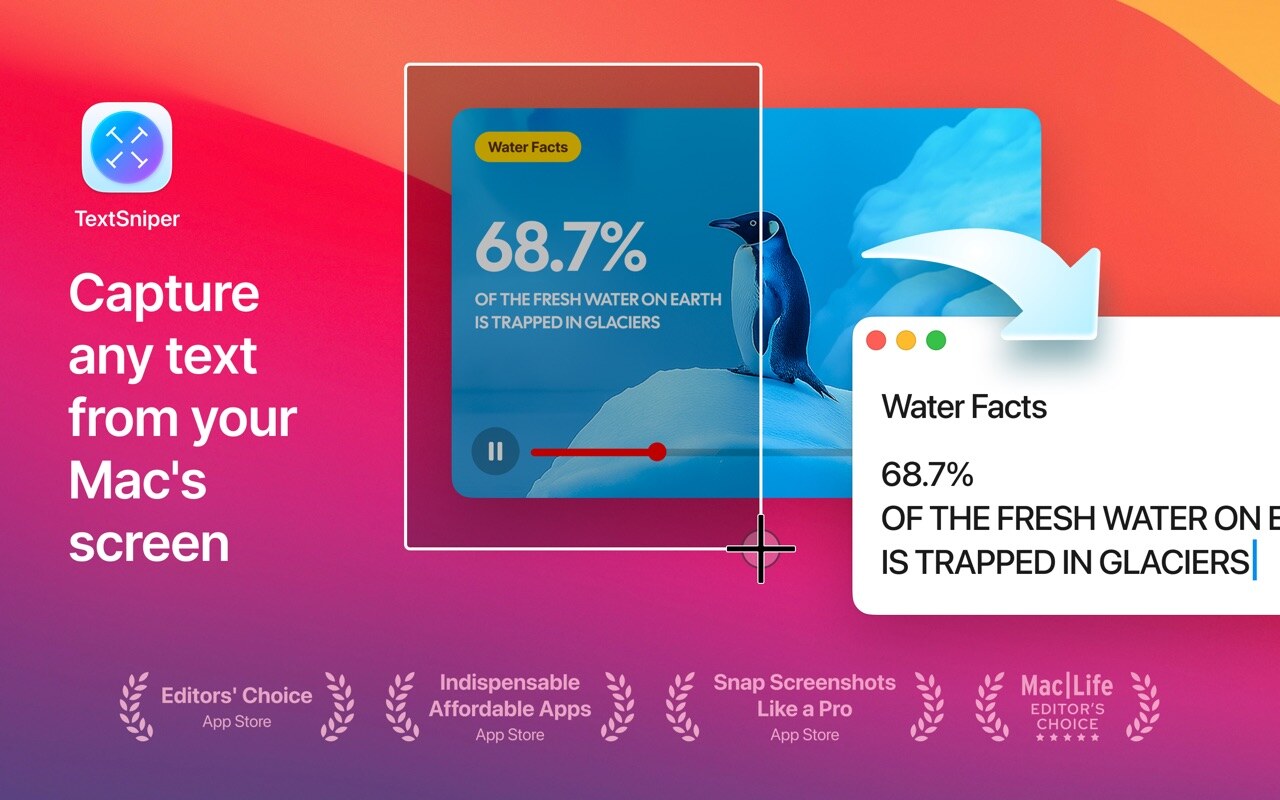
TextSniper is a small macOS menu bar app that works like a screenshot tool for text. You draw a box around any area of the screen, the app recognizes the text inside it, and the result goes straight to your clipboard to paste anywhere.
The app is made by independent developer Valerijs Boguckis, listed in Latvia on Trustpilot. It is an Editors' Choice on the Mac App Store, where Apple's editors note that if you can see text on the screen, you can copy it. The current version is 1.13.0, released in September 2026.
TextSniper fits anyone on a Mac who often needs text from sources that block copying.
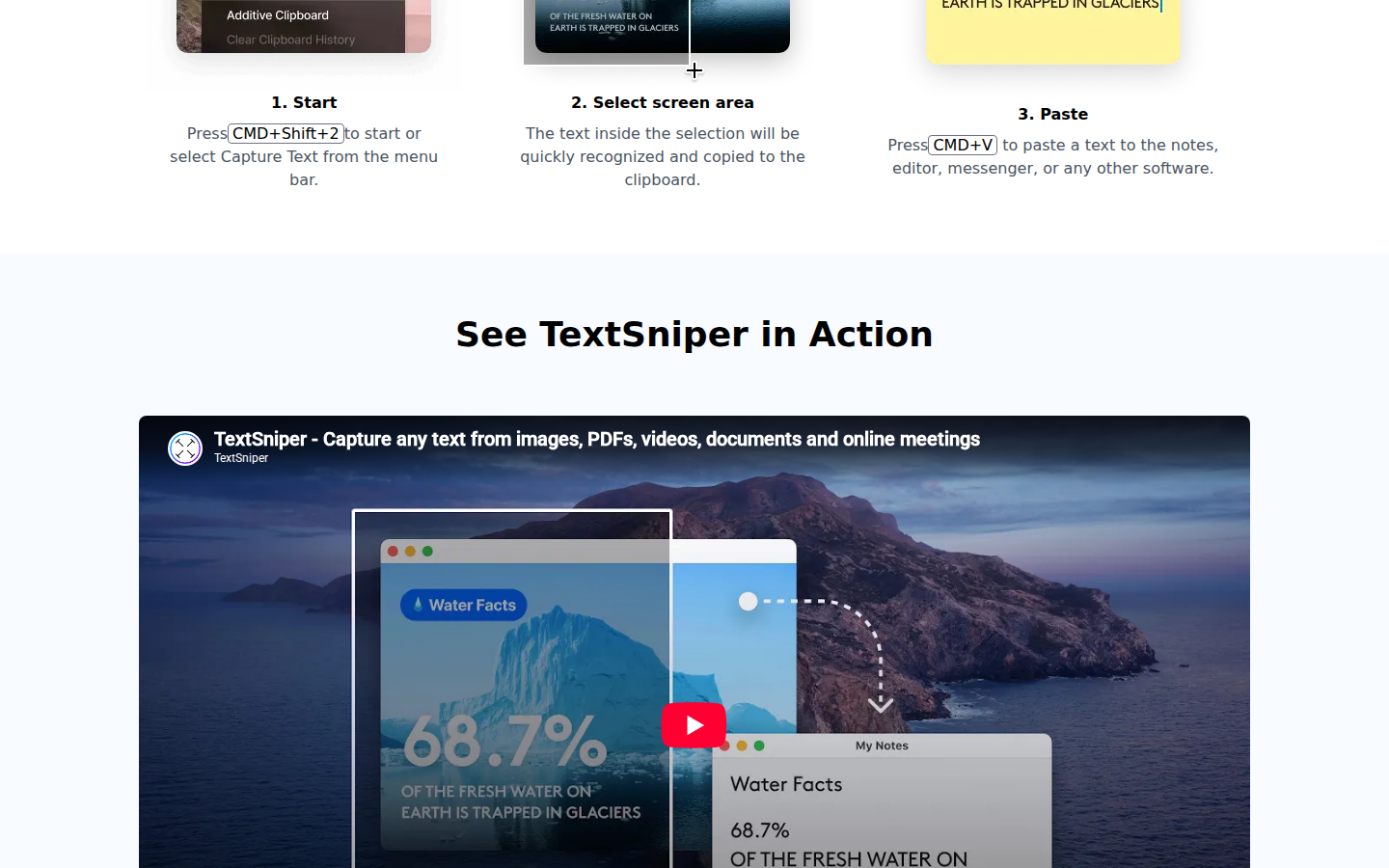
Using TextSniper takes three steps: press Cmd+Shift+2 or choose Capture Text from the menu bar icon, drag over the area you want, then press Cmd+V to paste the text into notes, an editor or a messenger.
Keyboard shortcuts can be changed by clicking the TextSniper icon and choosing Change Shortcut, and you can right-click the icon to trigger Capture Text instantly. The application stays out of the Dock and only lives in the menu bar.
TextSniper uses on-device OCR, so the developer says no internet connection is needed and your screen content is not uploaded. Its supported languages depend on your macOS version.
An option to automatically detect the recognition language is on by default on Ventura and later, and you can switch it off in TextSniper preferences. Other Latin alphabet languages can have trouble with accented characters, according to the FAQ.
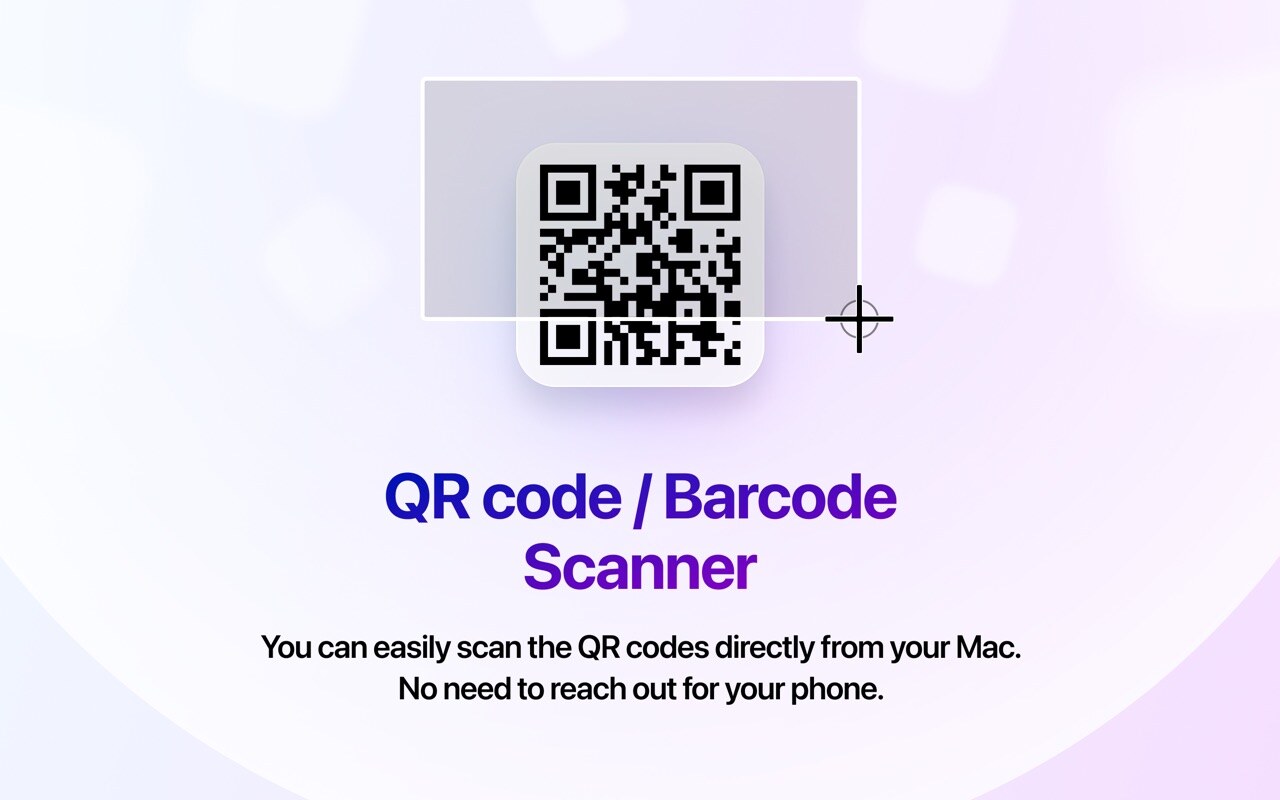
Beyond text, the app has a few extra tools and modes in the same flow.
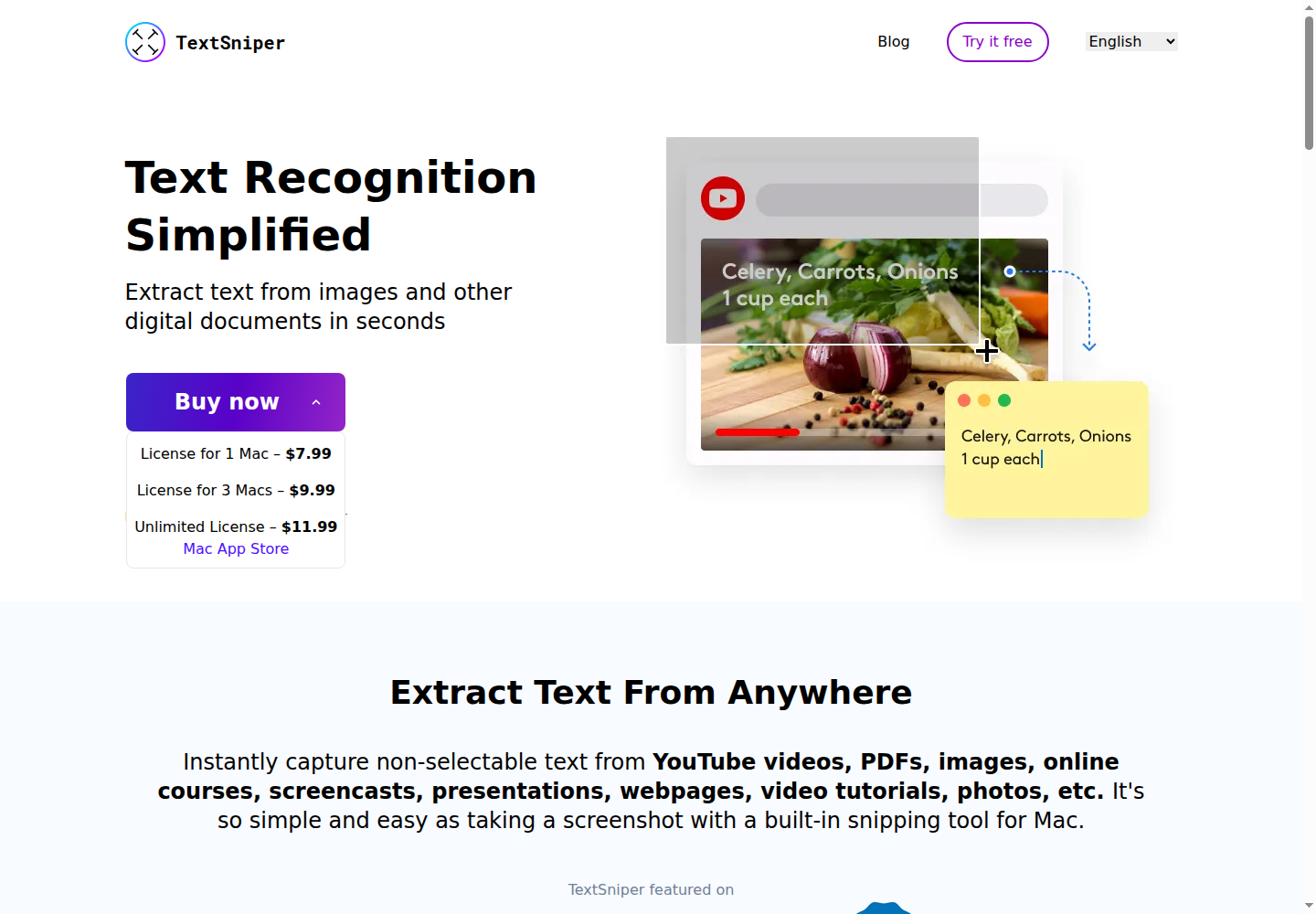
TextSniper is a one-time purchase from $7.99 for one Mac, with no subscription when bought direct, and it is also included in a Setapp membership. Prices are in USD. Prices checked 12 Nov 2026.
| Option | Price (USD) | What it includes |
|---|---|---|
| License for 1 Mac | $7.99 one-time | Direct purchase through Gumroad, use forever on 1 Mac, 7-day money-back guarantee |
| License for 3 Macs | $9.99 one-time | Direct purchase through Gumroad, use forever on 3 Macs, 7-day money-back guarantee |
| Mac App Store | $9.99 one-time on the App Store listing | Sold on the site as the Unlimited License, labeled $11.99 there, installs on your Macs through the App Store |
| Setapp membership | From $14.99 a month | TextSniper plus hundreds of other Mac apps, free for 7 days |
The developer's own FAQ says each license is for one Mac, the app is yours to use forever, and major upgrades and new features come at an additional upgrade cost. The site also shows a "Buy now $6.99" button for a single license further down the page, so the price you see can vary by button. Direct purchases carry a 7-day money-back guarantee.
One person with one MacBook pays $7.99 once, and a household or small team with three Macs pays $9.99 once, about $3.33 per Mac. If you already pay for Setapp, TextSniper costs nothing extra.
TextSniper rates very highly among Setapp members. On Setapp it scores 99% from 3,641 ratings (Nov 2026), while the US Mac App Store page does not yet show a ratings overview but carries an Editors' Choice badge.
App Store reviewers call it one of the most useful utilities they use many times a day and praise the developer's support. One long-term user said it sometimes drops rows when copying a column of numbers from a table. Recent Setapp reviews from October 2026 report that captures became very slow after the macOS 27.0.1 update. The developer replied that the cause is a macOS bug reported to Apple, released a workaround update, and suggested turning off automatic language detection, which one reviewer said fixed it.
TextSniper is a lightweight, Mac-only app with a simple privacy story: the App Store label says Data Not Collected.
TextSniper gets one main update a year to match each new macOS release, plus fixes in between.
TextSniper can copy almost any visible text, but its main limits are its narrow scope and how much it depends on macOS.
The main alternatives are other Mac tools that pull text from images, from the free built-in option to full scanning apps.
TextSniper does one job well: it turns any text you can see into clipboard text in a couple of seconds, for under $10 once. I would pick it if you regularly copy text from videos, slides or locked PDFs. Skip it if Live Text in Preview already covers your images, or if you need full document scanning.
Lifetime deal on TextSniper for Mac
Lifetime deal on StackSocial
Yes, when bought directly it is a one-time purchase from $7.99 for one Mac or $9.99 for three Macs, with a 7-day money-back guarantee. Major upgrades can come at an additional upgrade cost. It is also included in a Setapp subscription.
Yes, through Setapp, where you can try TextSniper and other apps free for a week. Direct purchases instead come with a 7-day money-back guarantee.
Yes. The developer says its OCR runs on device without an internet connection, and the App Store privacy label says no data is collected.
It depends on your macOS version. Recent versions support English, major European languages, Chinese, Japanese, Korean, Arabic, Thai, Vietnamese and more, with Finnish, Hindi and Marathi added on macOS 27 Golden Gate.
For screen text, often yes. Live Text in Preview copies text from photos and images you open, while TextSniper captures any part of the screen, including paused or playing videos, and adds QR scanning and text to speech.
Yes. You can select any area of the screen, including a playing or paused YouTube video, and TextSniper copies the recognized text to the clipboard. Capture Previous Selection repeats the same area with one shortcut, which helps with subtitles.
We may earn a commission when you buy through links on SaaSPic. It never changes our verdicts or the price you pay. Affiliate disclosure
Add this badge to your website so your visitors can read this independent review in one click.

 8.4/10
Scheduling software that lets people book time with you through a link, with team routing, reminders, payments and AI meeting recaps.
 8.3/10
Web booking page and scheduler that syncs your calendars and lets clients book and pay for sessions, packages and subscriptions.
 8.1/10
Time tracker and timesheet app for teams, with a free plan and per-seat paid tiers for invoicing, approvals and scheduling.